Step-By-Step:
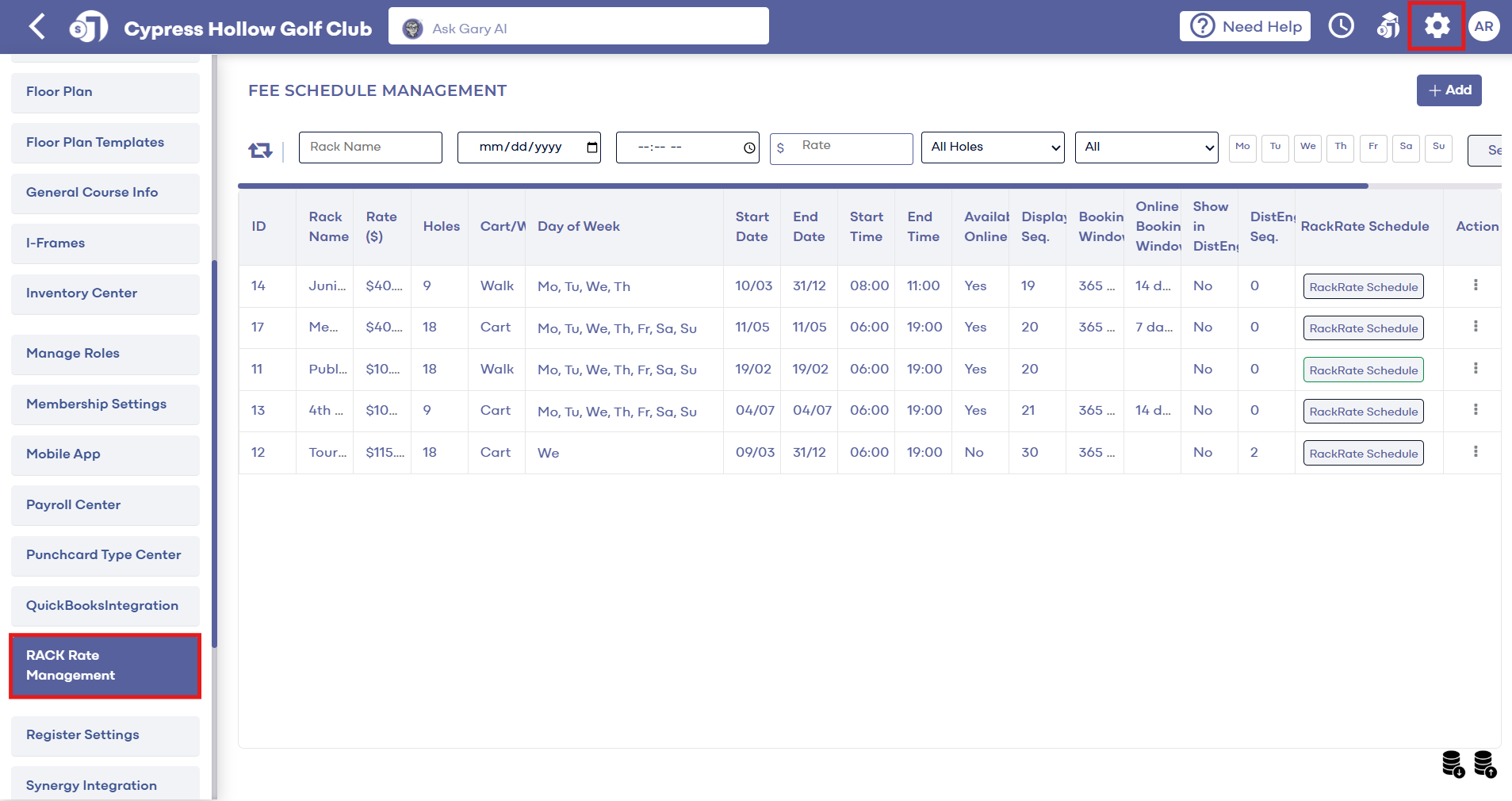
Step 1: Navigate to Settings within Jonas Synergy. Then, select Rack Rate Management from the left hand side menu.
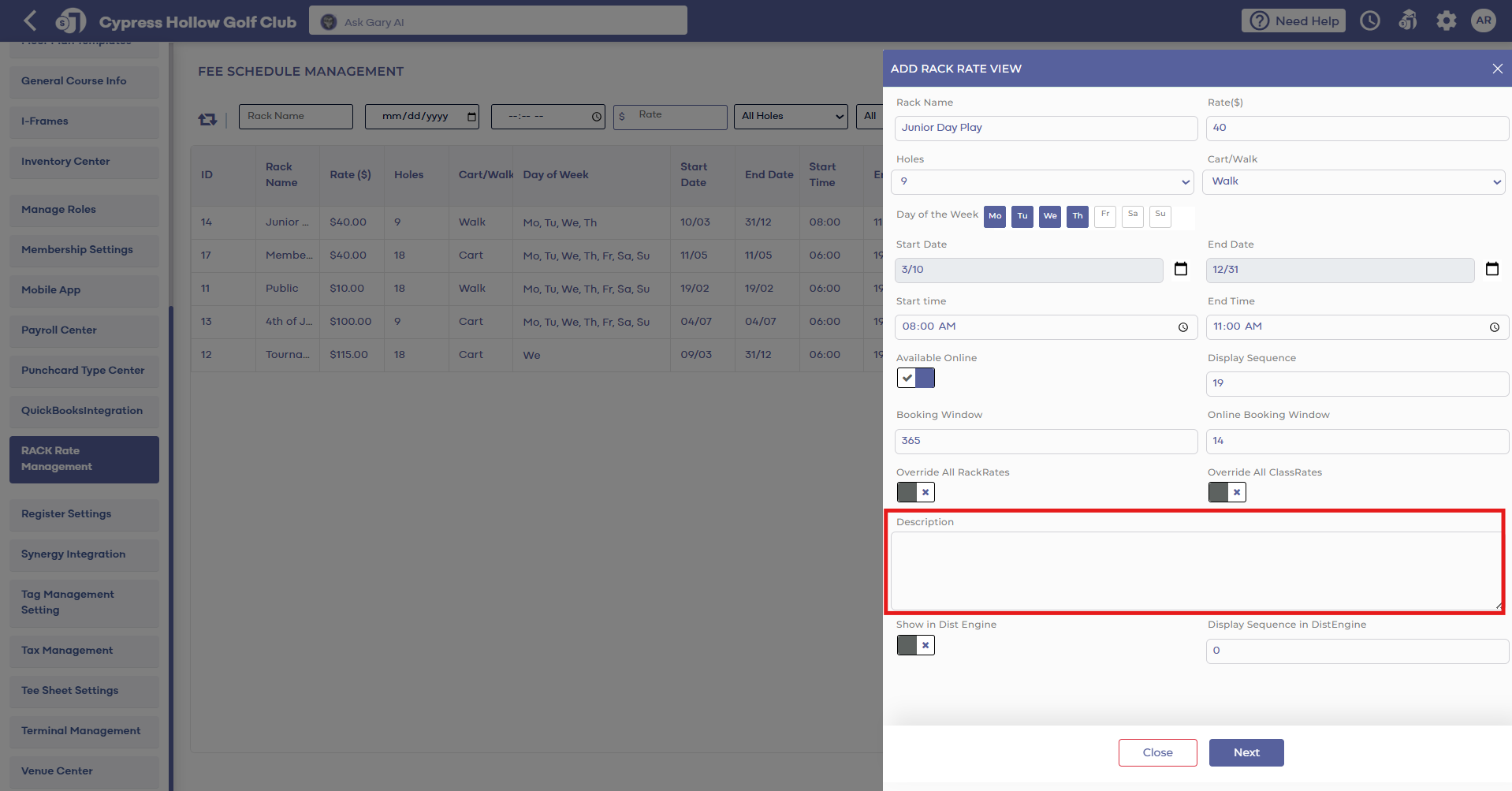
Step 2: Click Edit on a current rate or Add a new rate. Within the pop-up window "Edit Rack Rate View", enter the description you would like in the box "Description". Then click Next and then Save.
After a description has been set, guests will now be able to view the description when booking a tee time online.
Step 2: Click Edit on a current rate or Add a new rate. Within the pop-up window "Edit Rack Rate View", enter the description you would like in the box "Description". Then click Next and then Save.
After a description has been set, guests will now be able to view the description when booking a tee time online.