Add Instructions to Timelines
Step-By-Step:
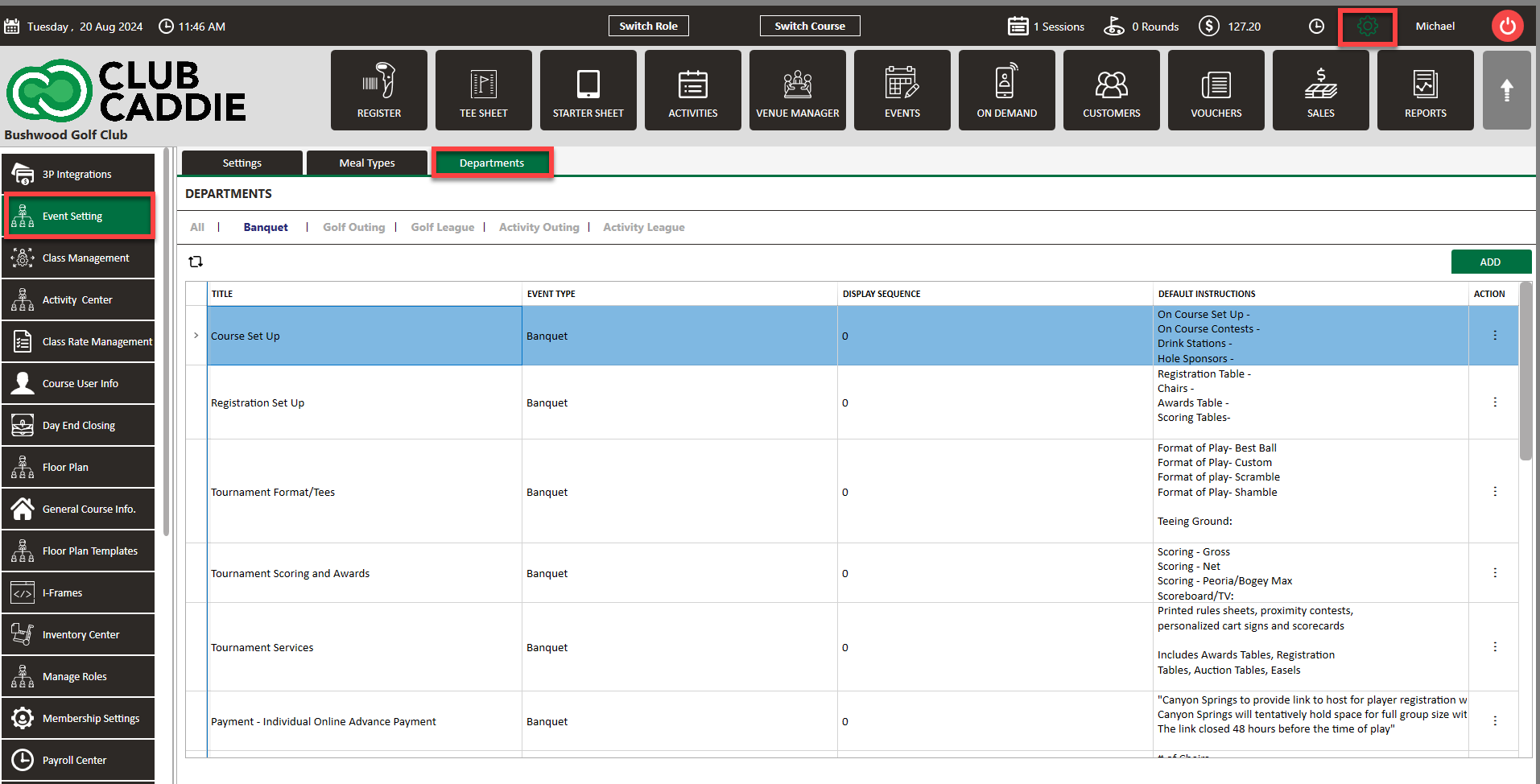
Step 1: To create reusable instruction templates, navigate to Settings > Event Settings > Department tab. Creating a template will allow for quick customization by adding numbers or details without starting from scratch.
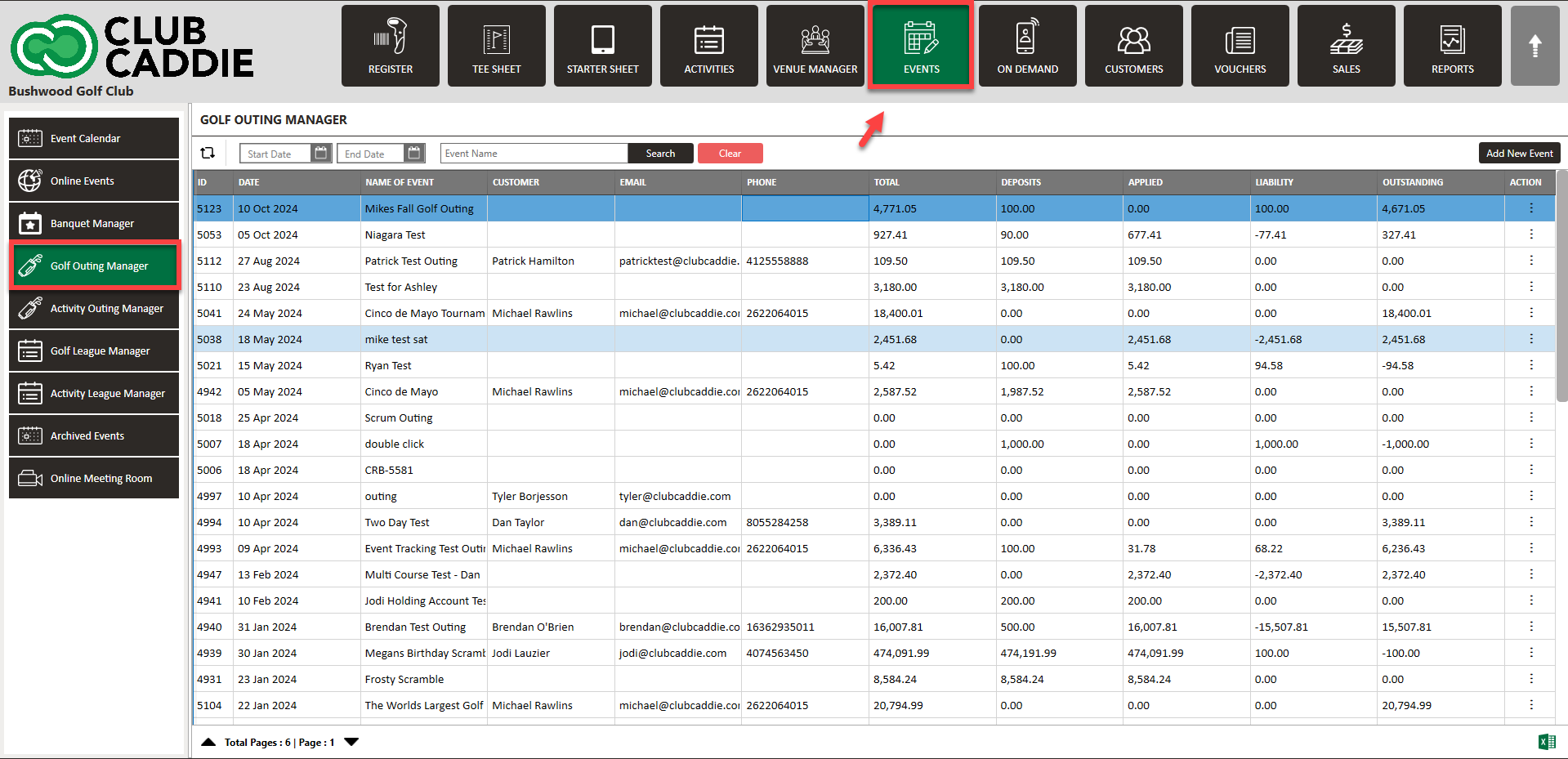
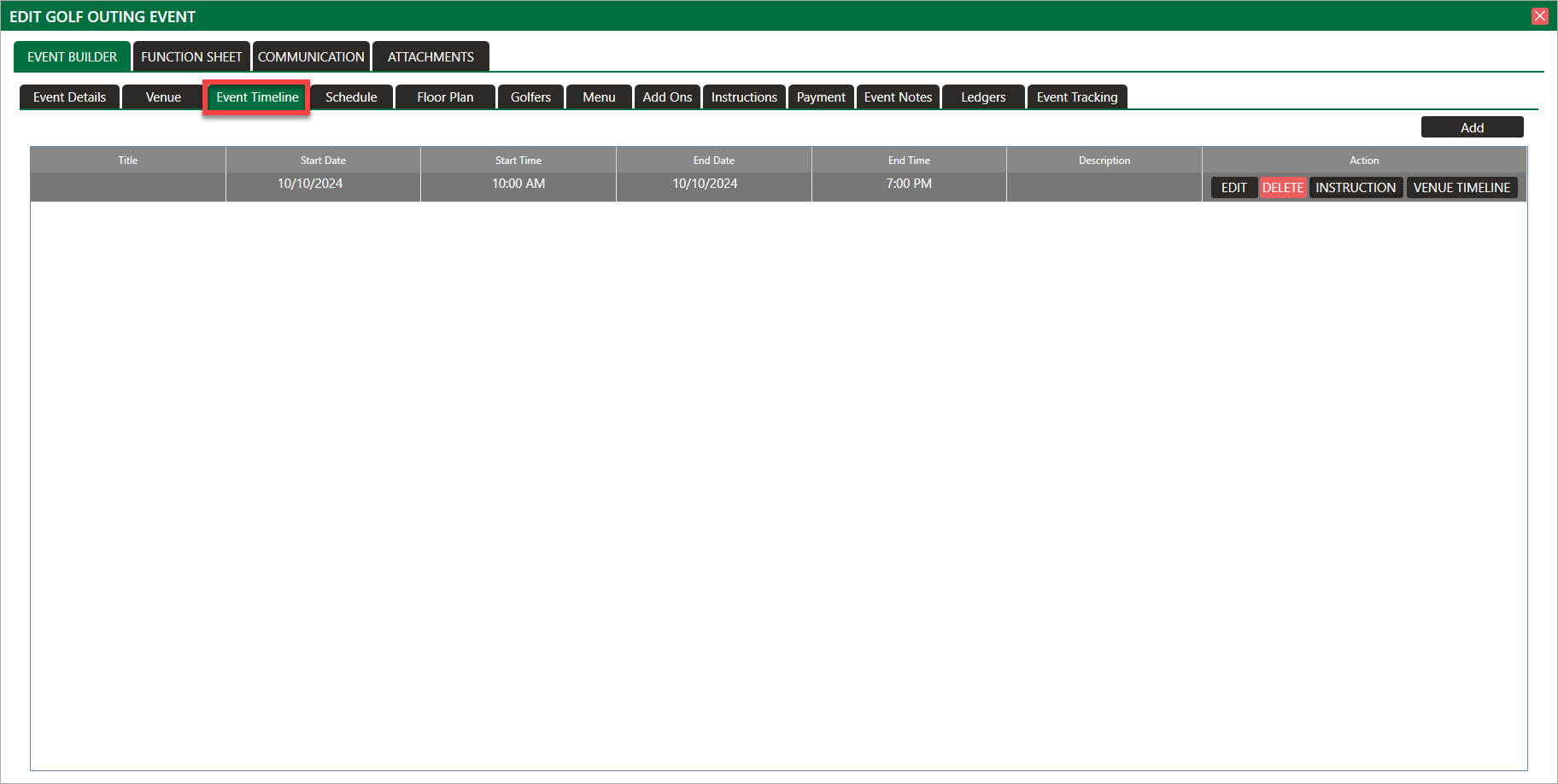
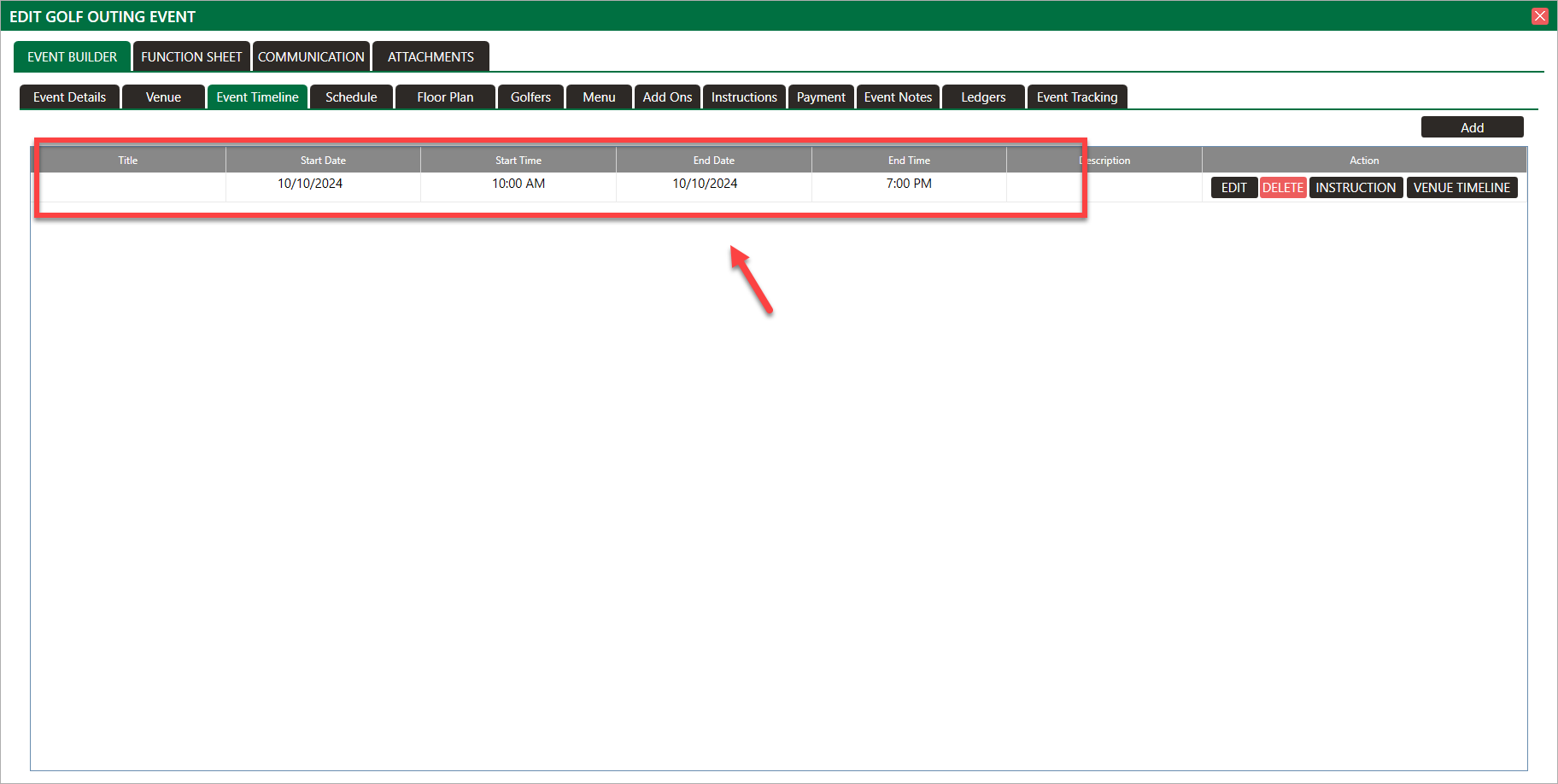
Step 2: Click on the Events module and then select an event you wish to add a timeline. In the Event Builder, click on the Event Timeline tab.
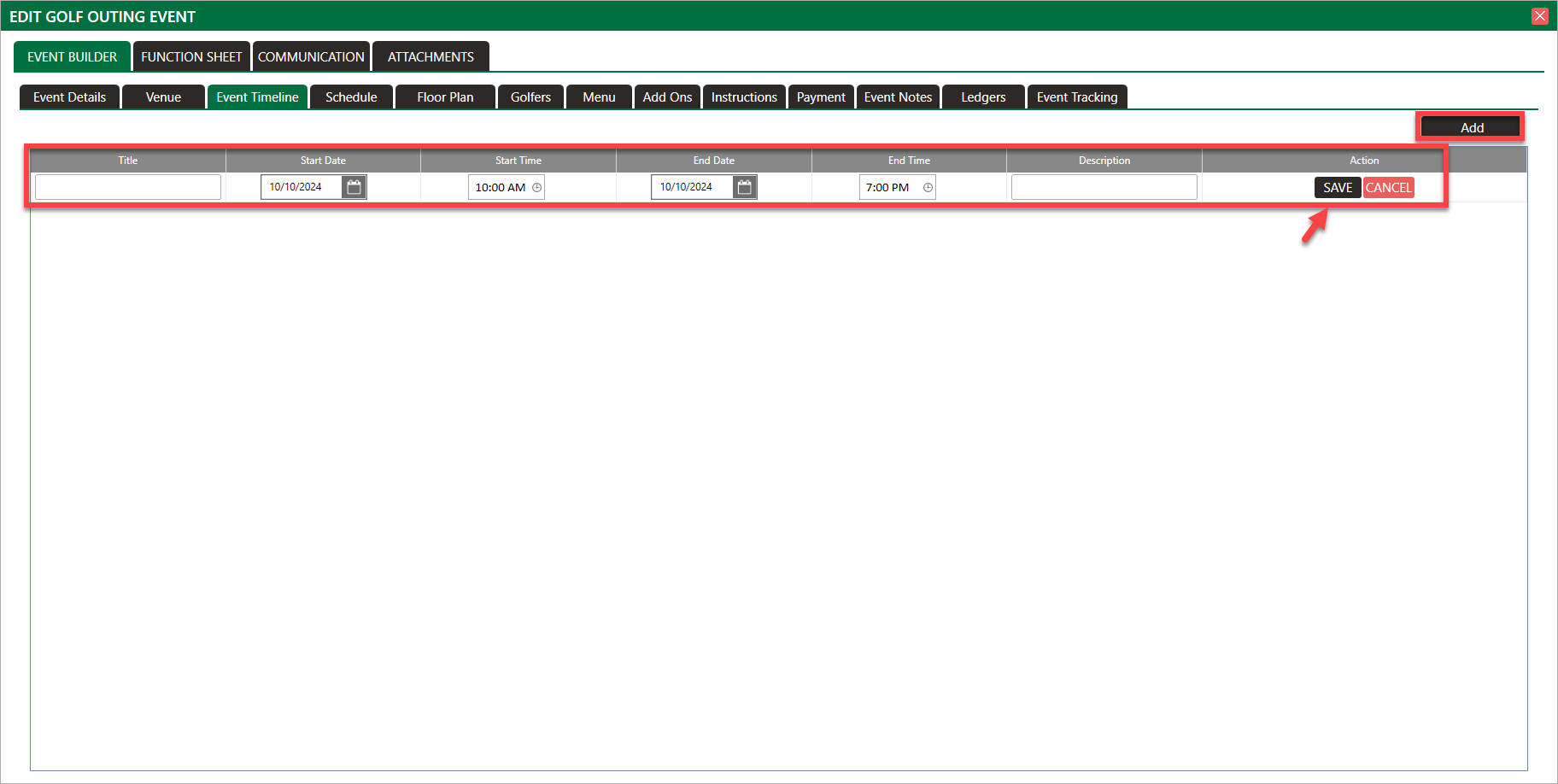
Step 3: Click Add, then fill out the timeline information. Click Save.
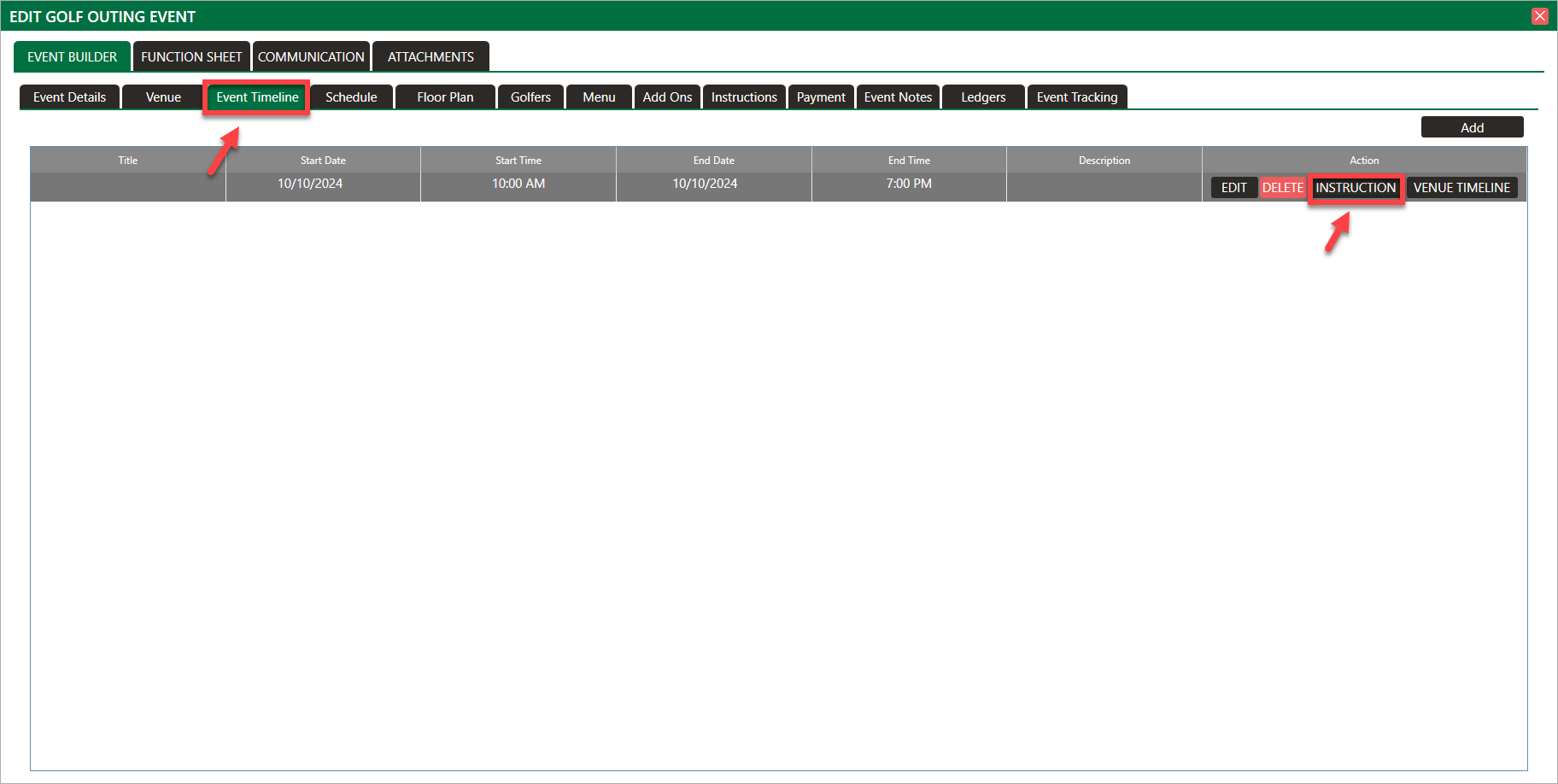
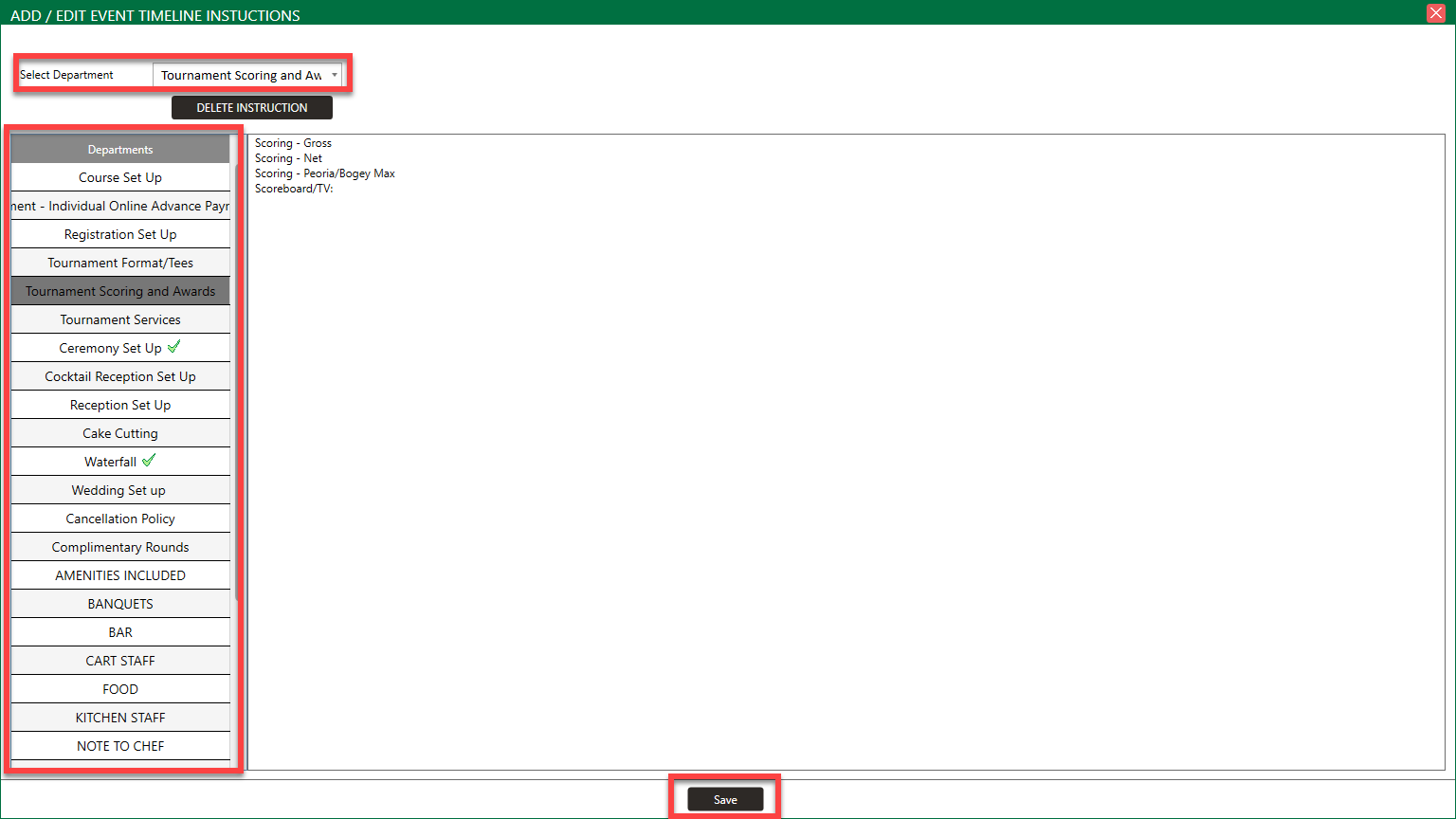
Step 4: If you would like to utilize a template that you created in Event Settings, click on Instruction. Then you will be able to select which template you would like to use and then select Save.
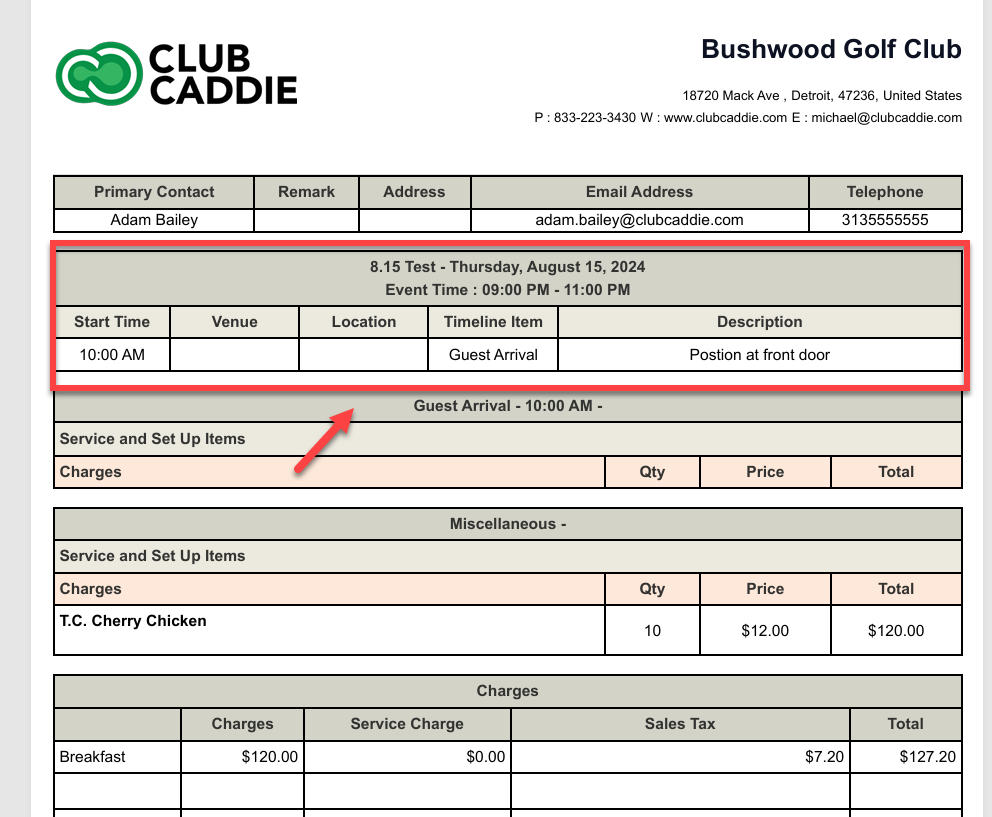
You will then see your timeline when you download your function sheet
Related Articles
Instructions (Add Instructions)
This article gives step-by-step instructions on how to add Instructions to a banquet. Step-By-Step: Step 1: Select the EVENTS module from the module navigation menu. Step 2: Click on Banquet Manager in the left-hand menu. This window will show a list ...Add-Ons
This article contains step-by-step instructions on how to add add-ons to a menu in sheet. Step-By-Step: Step 1: Select the EVENTS module from the module navigation menu. Step 2: Click on Banquet Manager in the left-hand menu. The Banquet Manager ...Instructions (Manage Departments)
Article Contents: This article contains step-by-step instructions on how to manage departments and how to add instructions to departments. Step-By-Step: Step 1: Select the EVENTS module from the module navigation menu. Then select Golf League Manager ...Instructions (Manage Departments)
This article contains step-by-step instructions on how to manage departments in the Banquet Manager tab. Step-By-Step: Step 1: Select the EVENTS module from the module navigation menu. Step 2: Click on Banquet Manager in the left-hand menu. This ...Add-Ons
This article contains step-by-step instructions on how to include add ons within the Golf Outing Manager. Step-By-Step: Step 1: Select the EVENTS module from the module navigation menu. Then, click on Golf Outing Manager in the left-hand menu. Step ...