Date Filter
Step-By-Step:
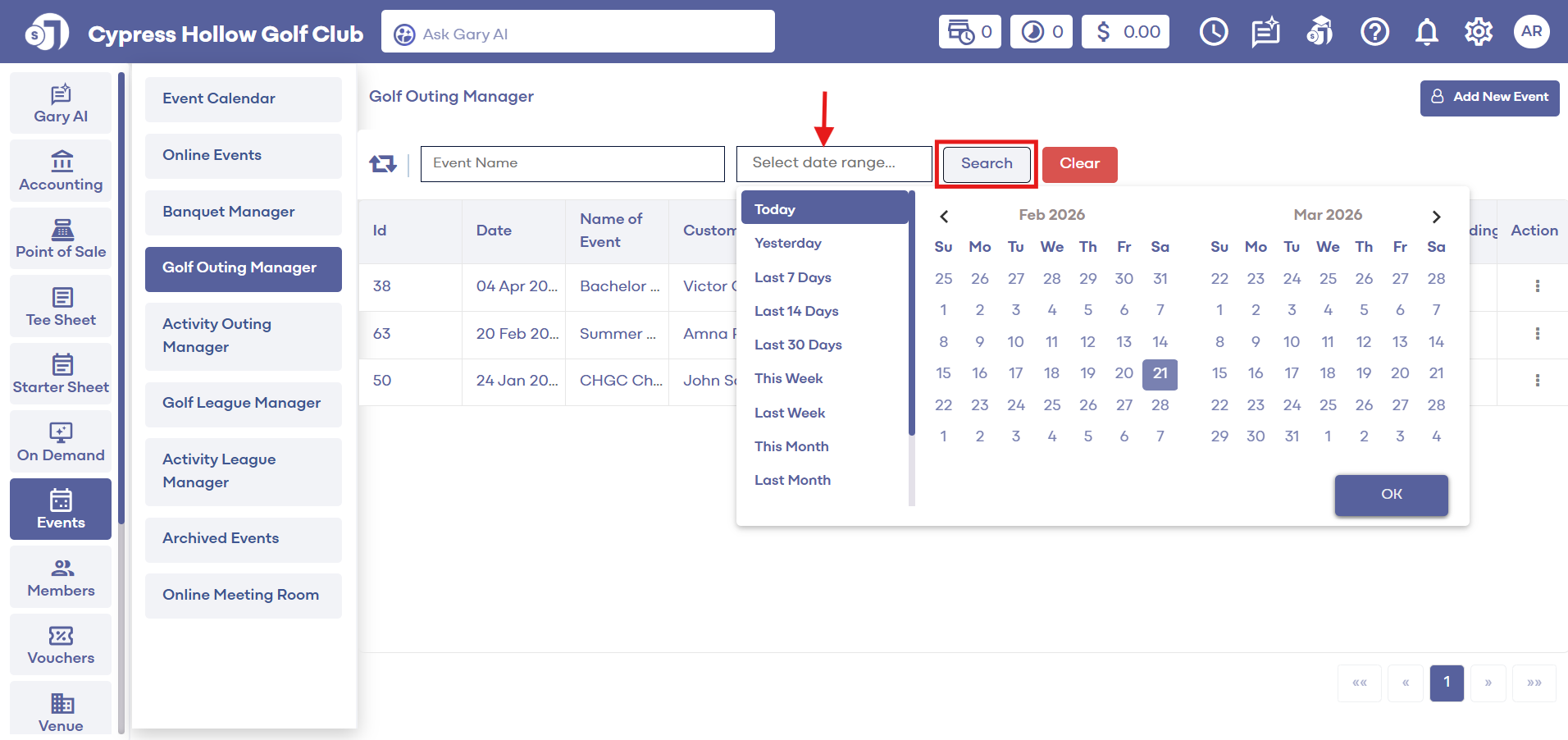
Step 1: Select the EVENTS module from the module navigation menu. Then click Golf Outing Manager from the left-hand menu.
Step 2: Select the Date range for which to filter the events and click Search. The system will return events that match the search criteria.
Related Articles
Date Filters
This article contains step-by-step instructions on how to filter events by date. Step-By-Step: Step 1: Select the EVENTS module from the module navigation menu. Then, click on Banquet Manager in the left-hand menu. Step 2: The system will show a list ...Filters
This article contains step-by-step instructions on filtering data in Online Events using the Filter tool. Step-By-Step: Step 1: Select the EVENTS module from the module navigation menu, then click on Online Events in the left-hand menu. Step 2: ...Add New Event
This article contains step-by-step instructions on how to navigate to the online events module and create a new online event. Step-By-Step: Step 1: Select the EVENTS module from the module navigation menu. Step 2: Click on Online Events in the ...Booking a Golf Tournament
How to book a golf tournament as well as charging the tournament for rounds to populate in the rounds reports and the green fees and cart fees mapping to the proper GL Code. Step by Step: Step 1: Navigate to the Events Module. Then, click on Banquet ...Registrations
This article contains step-by-step instructions on seeing online events registrations. Step-By-Step: Step 1: Select the EVENTS module from the module navigation menu and then click on Online Event in the left-hand menu. Step 2: From here, navigate to ...