Export All
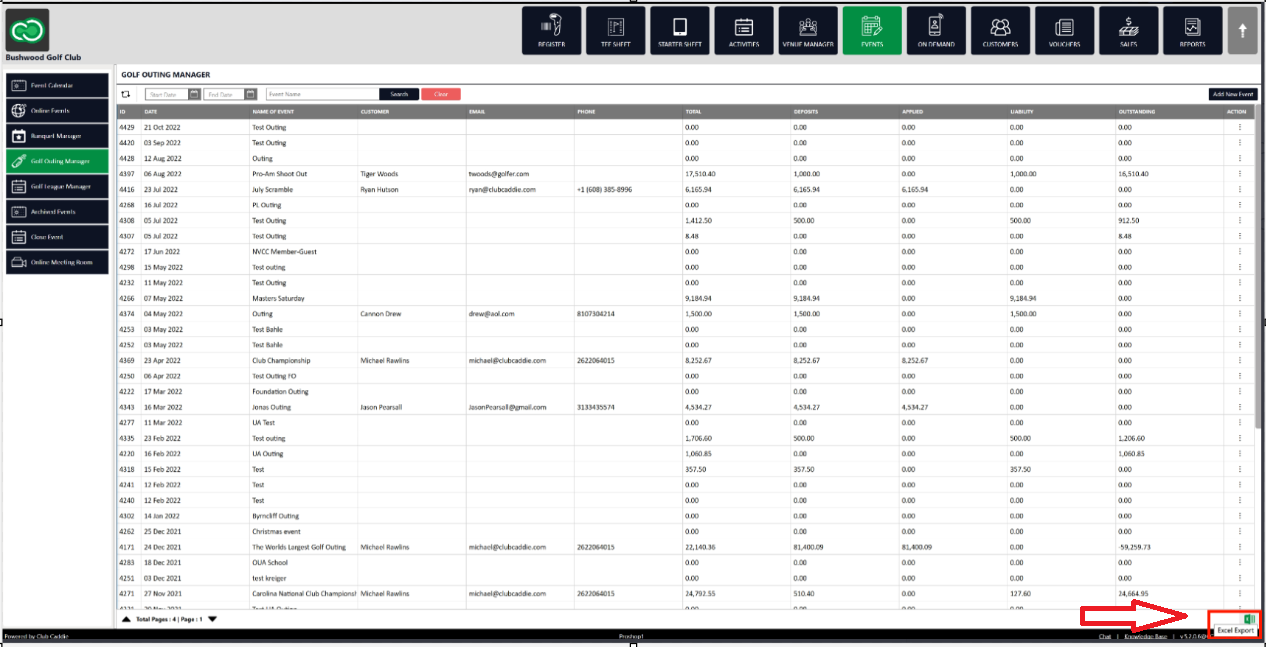
Step 1: Select the EVENTS module from the module navigation menu. Then, click on Golf Outing Manager in the left-hand menu.
Step 2: Click the Excel Export button which is located in the bottom right hand corner.
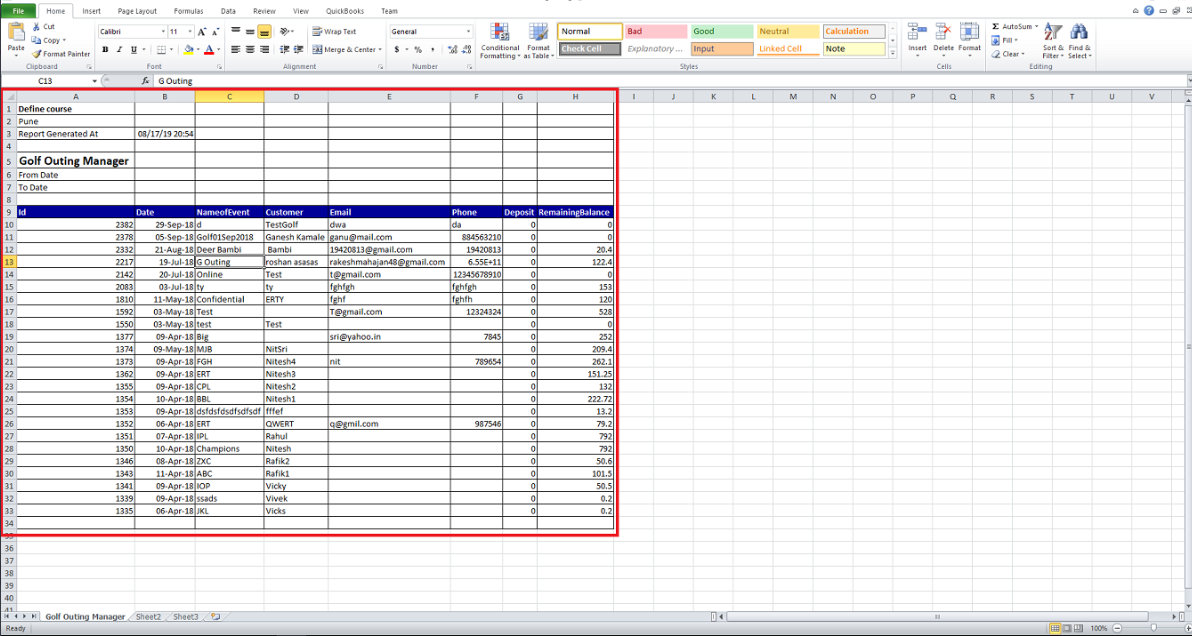
Step 3: All the events in the Golf Outing Manager will get exported to the spreadsheet.
Related Articles
Export All
This article contains step-by-step instructions on how to Export all events in an Excel sheet. Step-By-Step: Step 1: Select the EVENTS module from the module navigation menu. Then, click on Banquet Manager in the left-hand menu. Step 2: Click on the ...View Function Sheet
This article gives step-by-step instructions on how to view an event's Function Sheet. Step-By-Step: Step 1: Select the EVENTS module from the module navigation menu, and click on Banquet Manager in the left-hand menu. Click on Edit on the right hand ...