Final Payment
Step-By-Step:
Step 1: Select the EVENTS module from the module navigation menu. Then, click on Golf Outing Manager in the left-hand menu.
Step 1: Select the EVENTS module from the module navigation menu. Then, click on Golf Outing Manager in the left-hand menu.
Step 2: The Golf Outing Manager shows a list of existing events. Under Action, click on the three small dots, followed by View/Edit. The System will generate an EDIT GOLF OUTING EVENT pop-up window.
Step 3: Under the EVENT BUILDER tab, click on Payment. Fill in the payment amount and click on the Final Payment button.
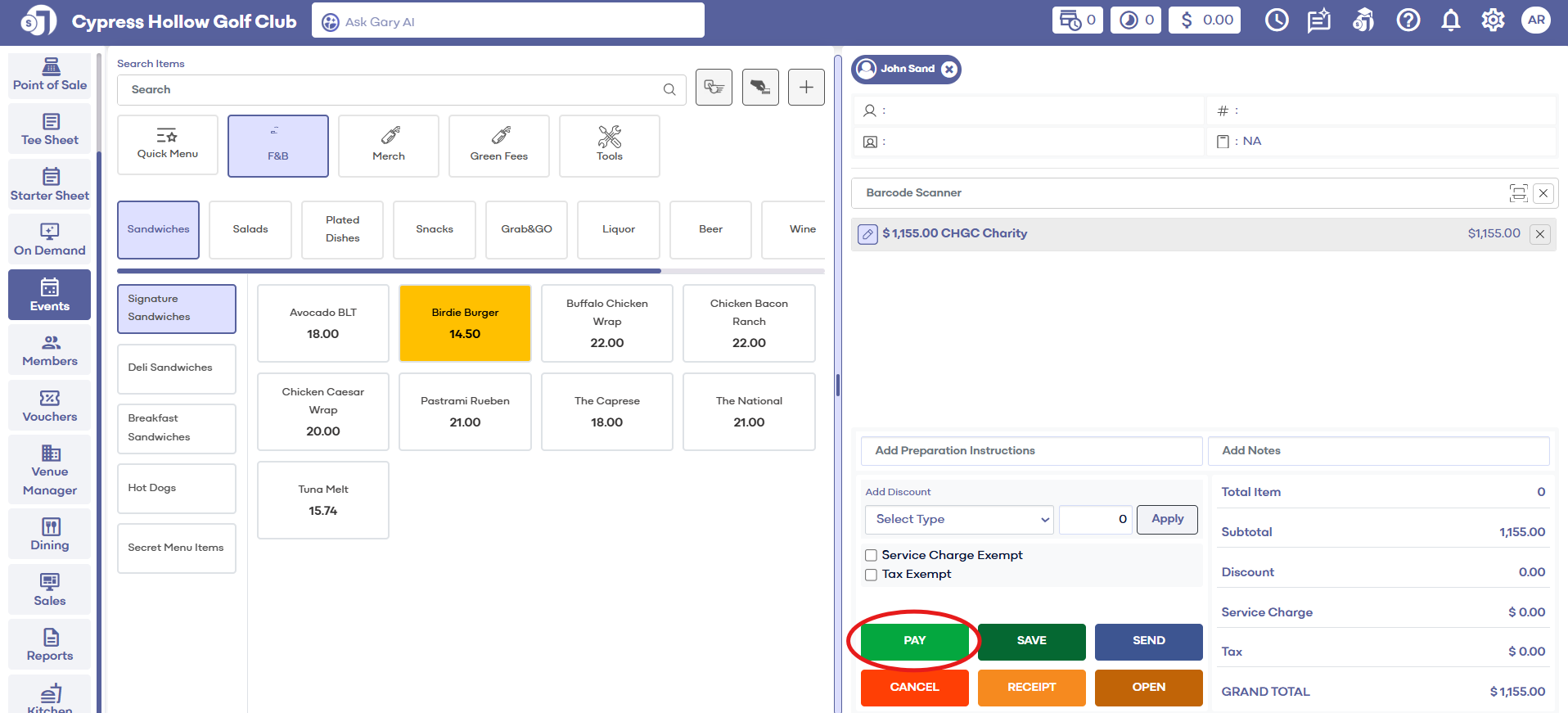
Step 4: The system will create a new point-of-sale tab where the normal payment method can be used to complete the final payment.
Related Articles
Final Payment
This article contains step-by-step instructions on how to make a final payment to the Banquet Manager. Step-By-Step: Step 1: Select the EVENTS module from the module navigation menu. Then, click on Banquet Manager in the left-hand menu. Step 2: ...Payment
Article Contents: This article contains step-by-step instructions on how to make payments for Golf League Events. Step-By-Step: Step 1: Select the EVENTS module from the module navigation menu. Step 2: Select Golf League Manager from the left-hand ...Make Deposit
This article contains step-by-step instructions on how to make a deposit on outings in the Golf Outing Manger. Step-By-Step: Step 1: Select the EVENTS module from the module navigation menu. Then, click on Golf Outing Manager in the left-hand menu. ...Make Deposit
This article contains step-by-step instructions on how to make a deposit for a banquet. Step-By-Step: Step 1: Select the EVENTS module from the module navigation menu. Step 2: Click on Banquet Manager in the left-hand menu. The Banquet Manager shows ...Download Invoice
This article gives step-by-step instructions on how to download an invoice from the Banquet Manager. Step-By-Step: Step 1: Select the EVENTS module from the module navigation menu. Step 2: Select Banquet Manager from the left-hand menu. The system ...