Payment Management
Step-by-Step:
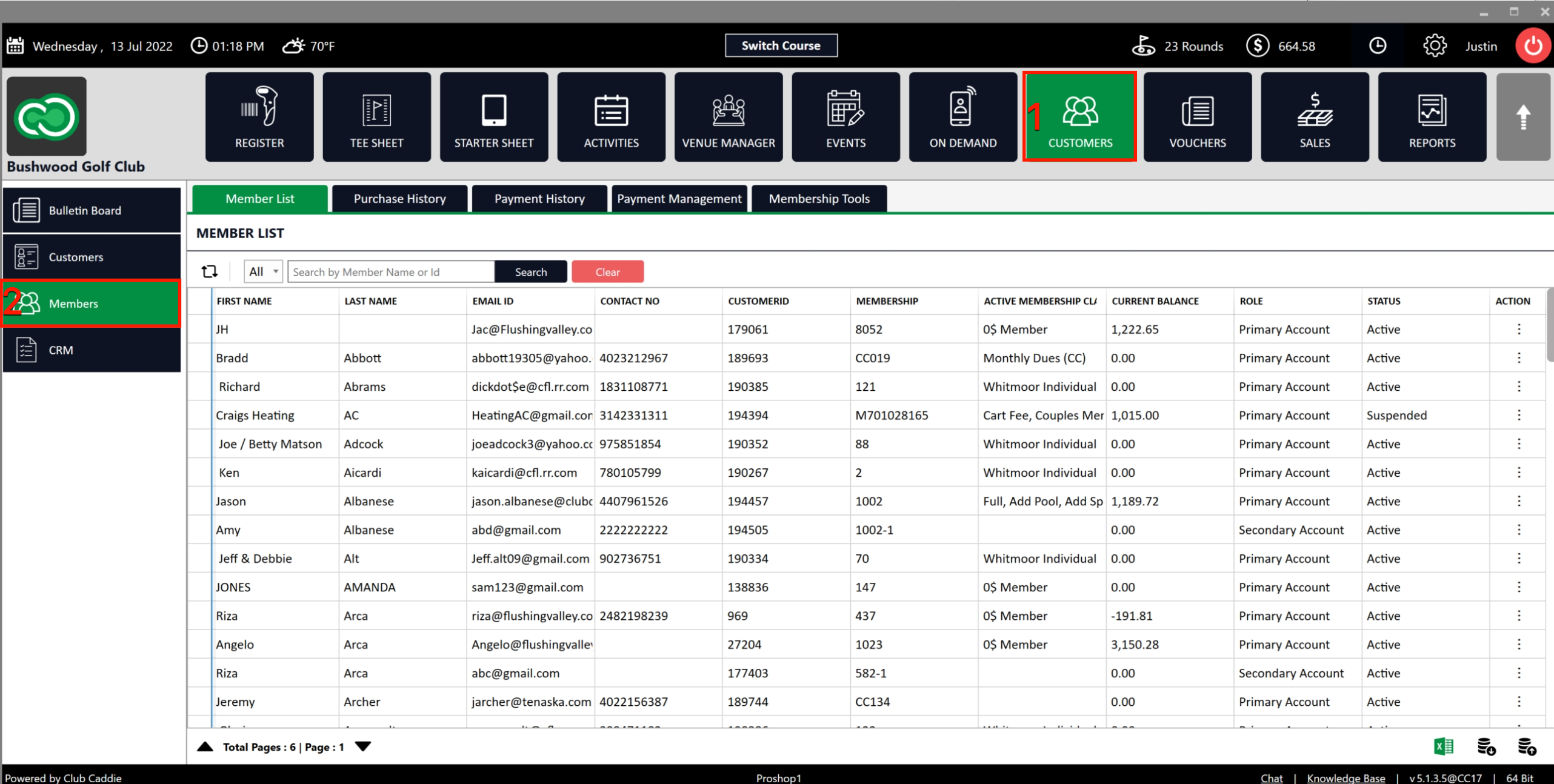
Step 1: Click on the Guests (1) module, then select Members on the left (2).
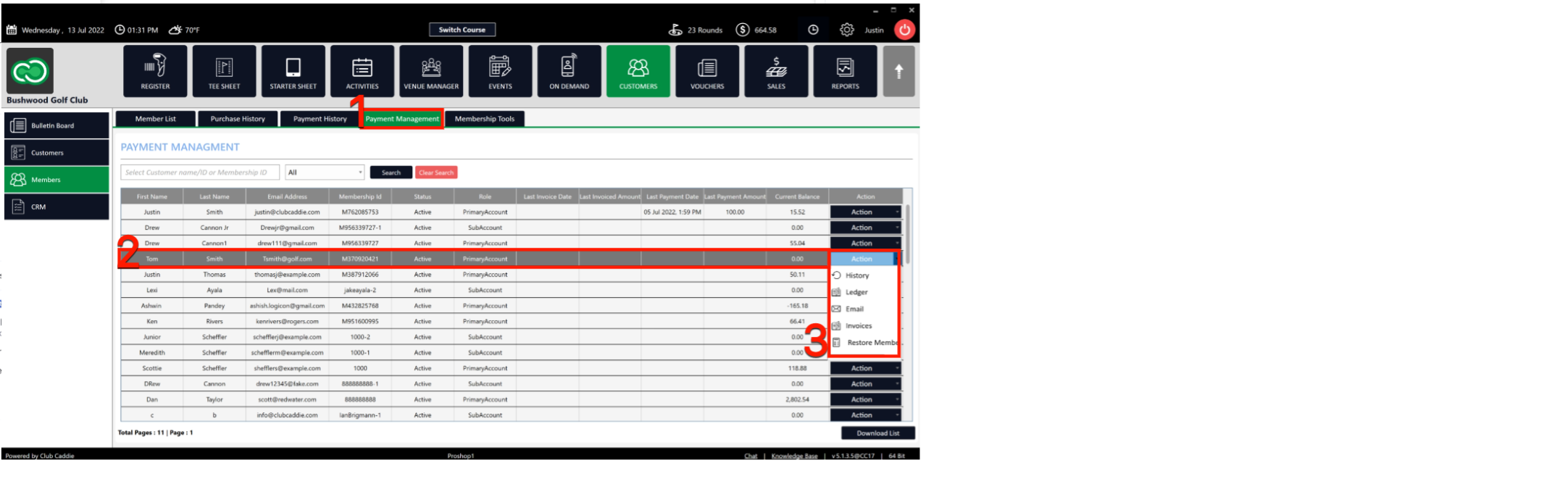
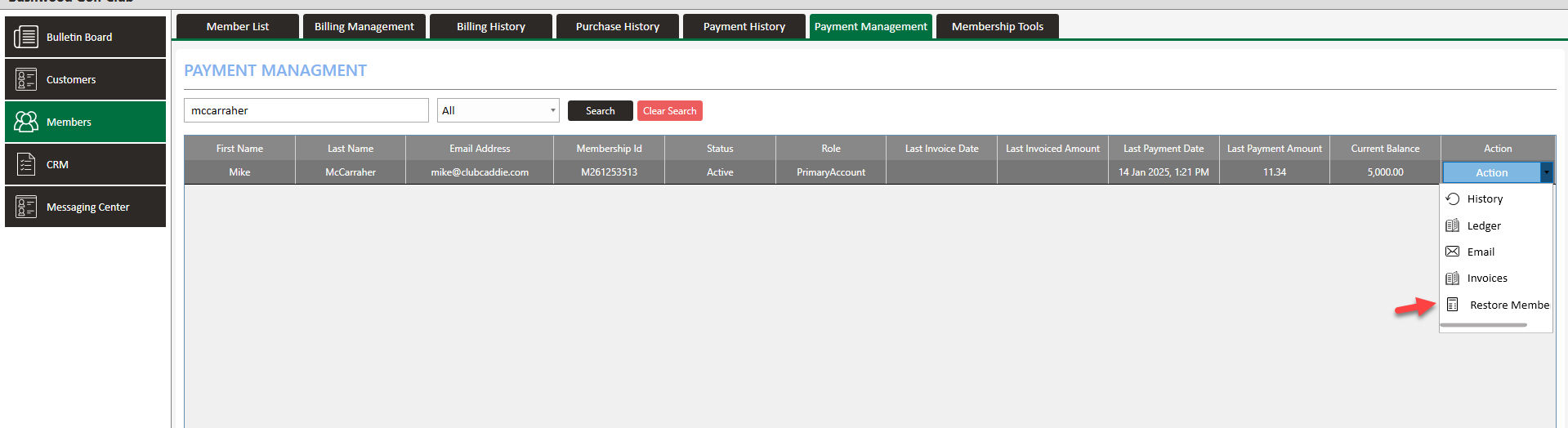
Step 2: Click on the Payment Management tab (1). Select a particular member (2) and click on Action (3). Within the Action menu you will find the following options: History, Ledger, Email, Invoices, Restore Member.
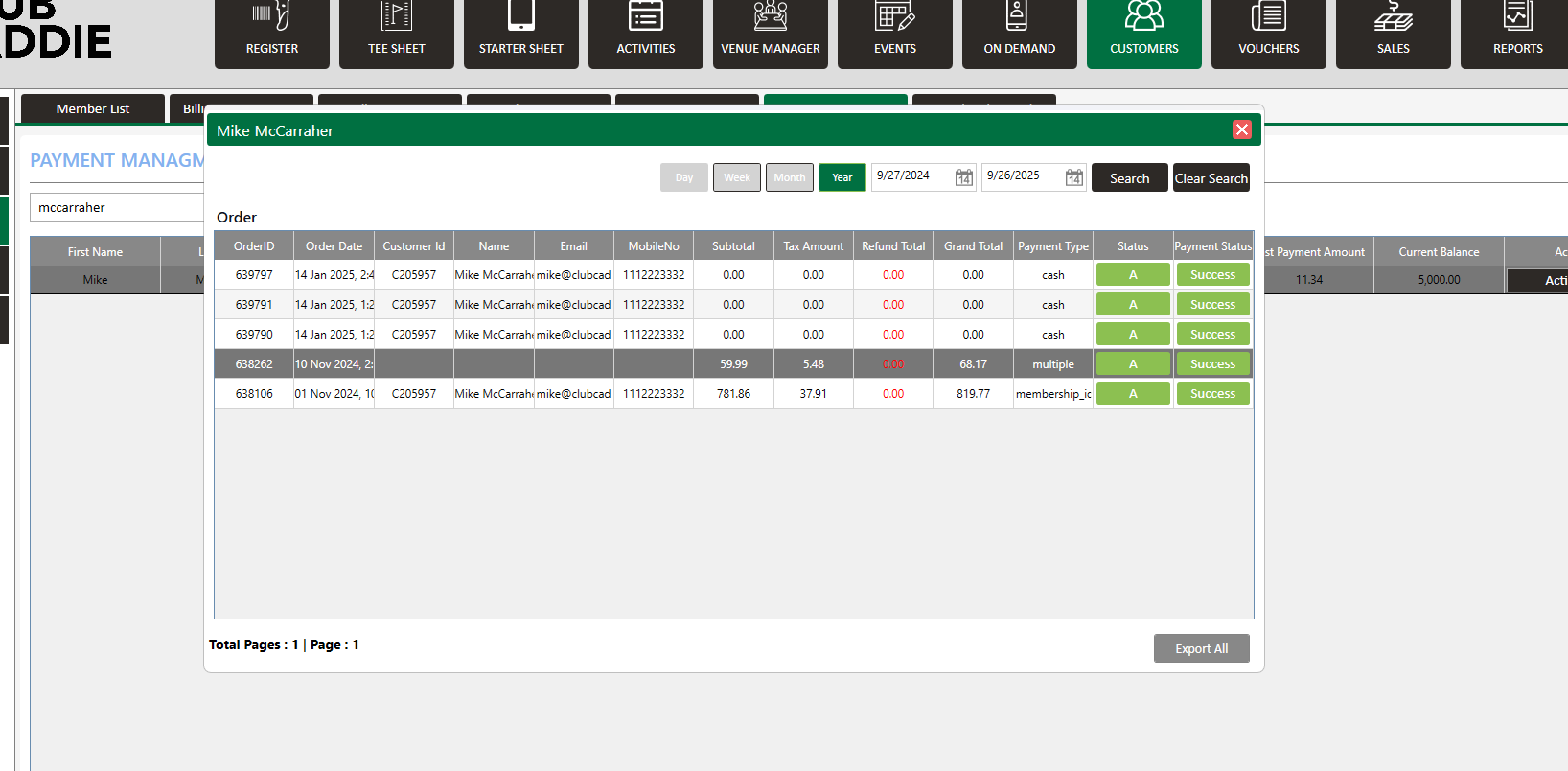
History: You can check all payment history for a particular member.
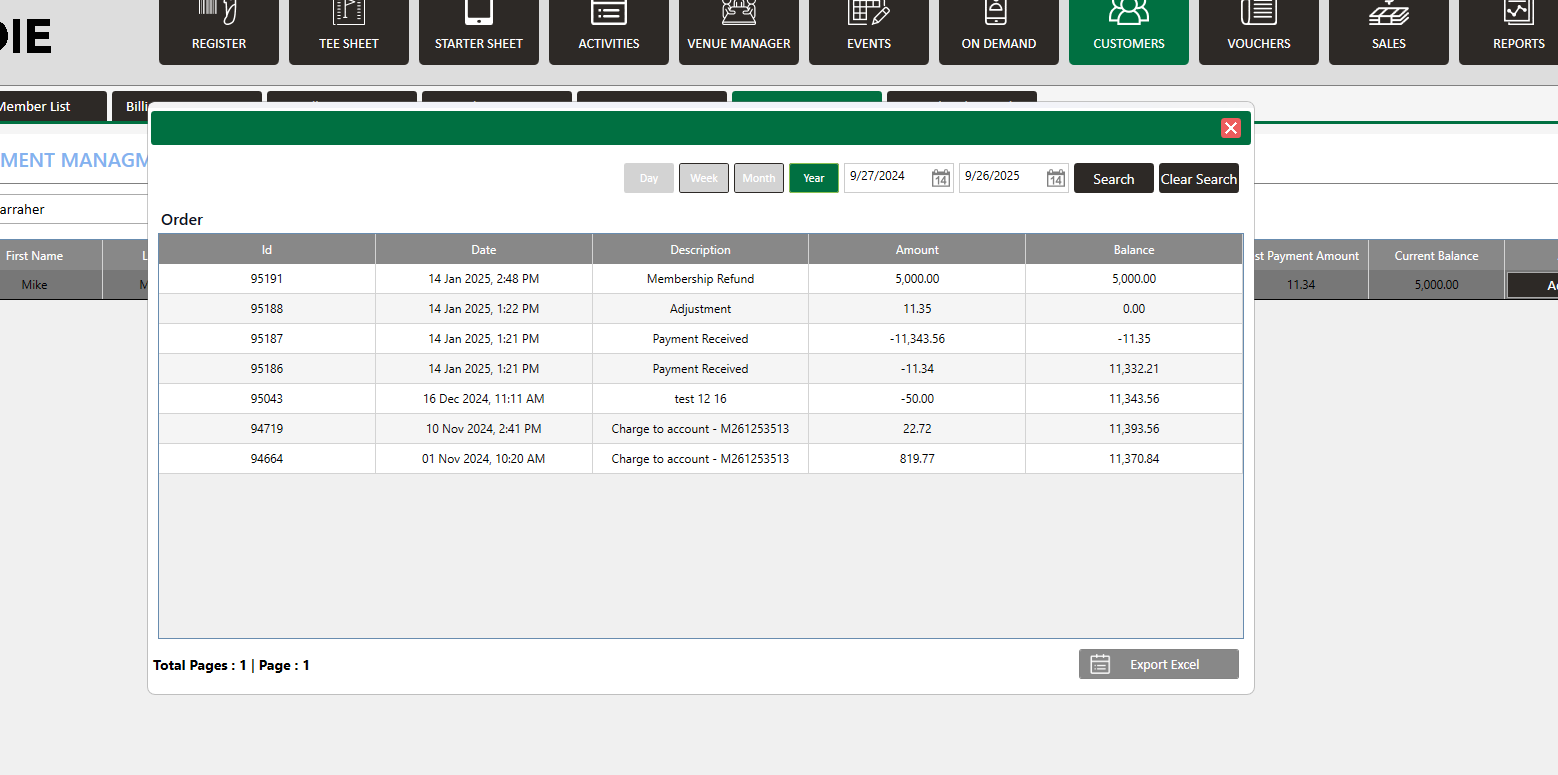
Ledger: You can check all ledger adjustments for a particular member
Email: You can be mailed out payment details.
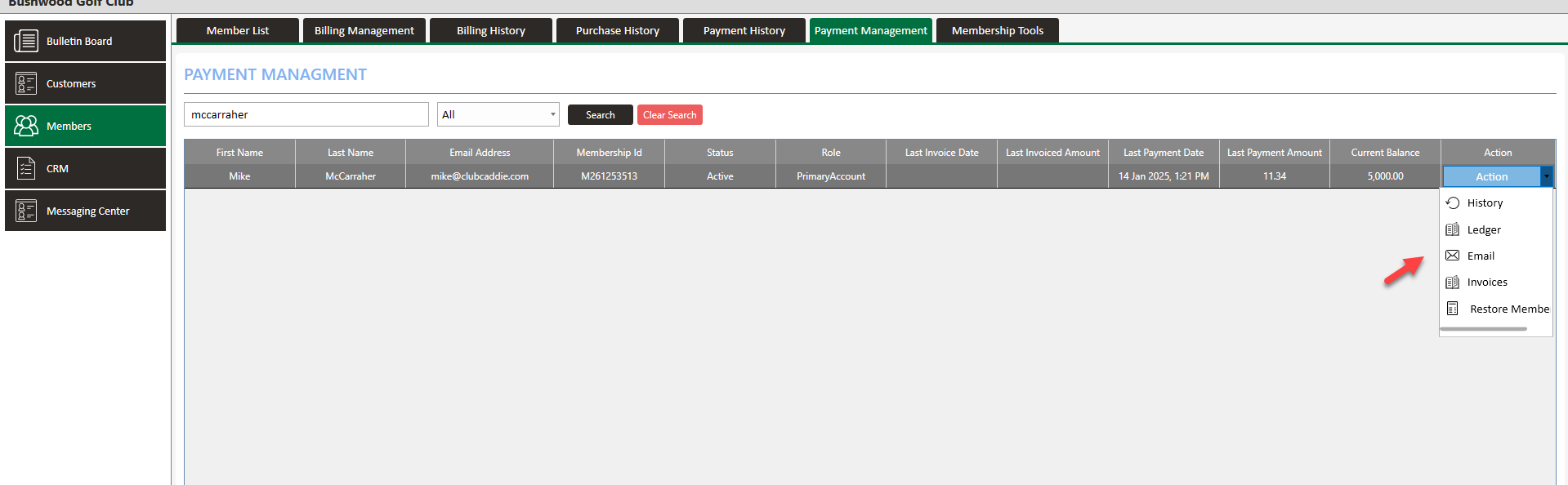
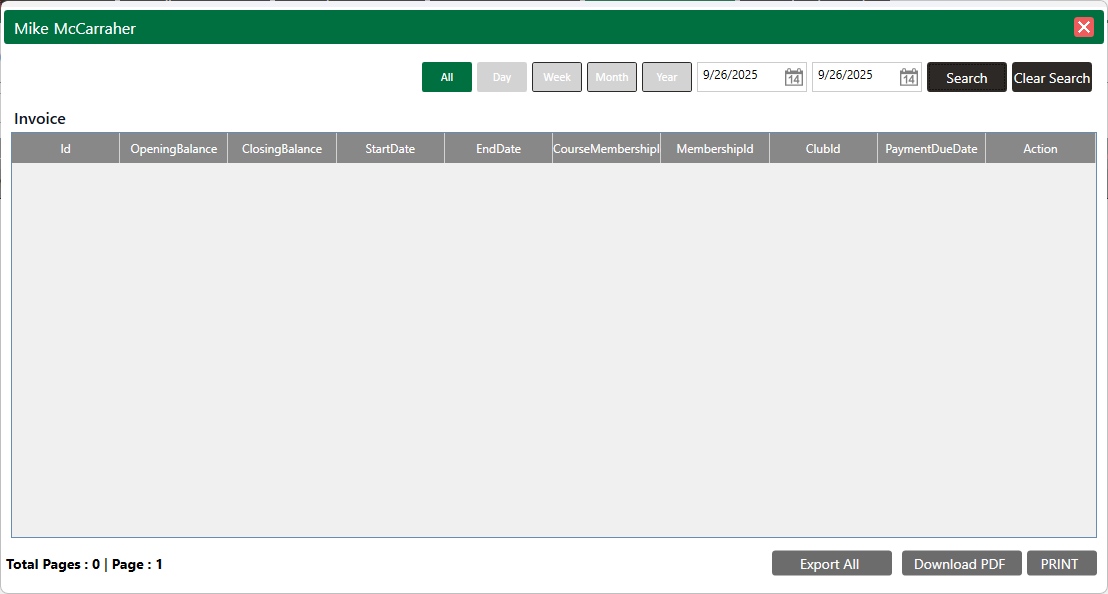
Invoices: You can check the invoice details for a member.
Restore Member: You can restore suspended members.
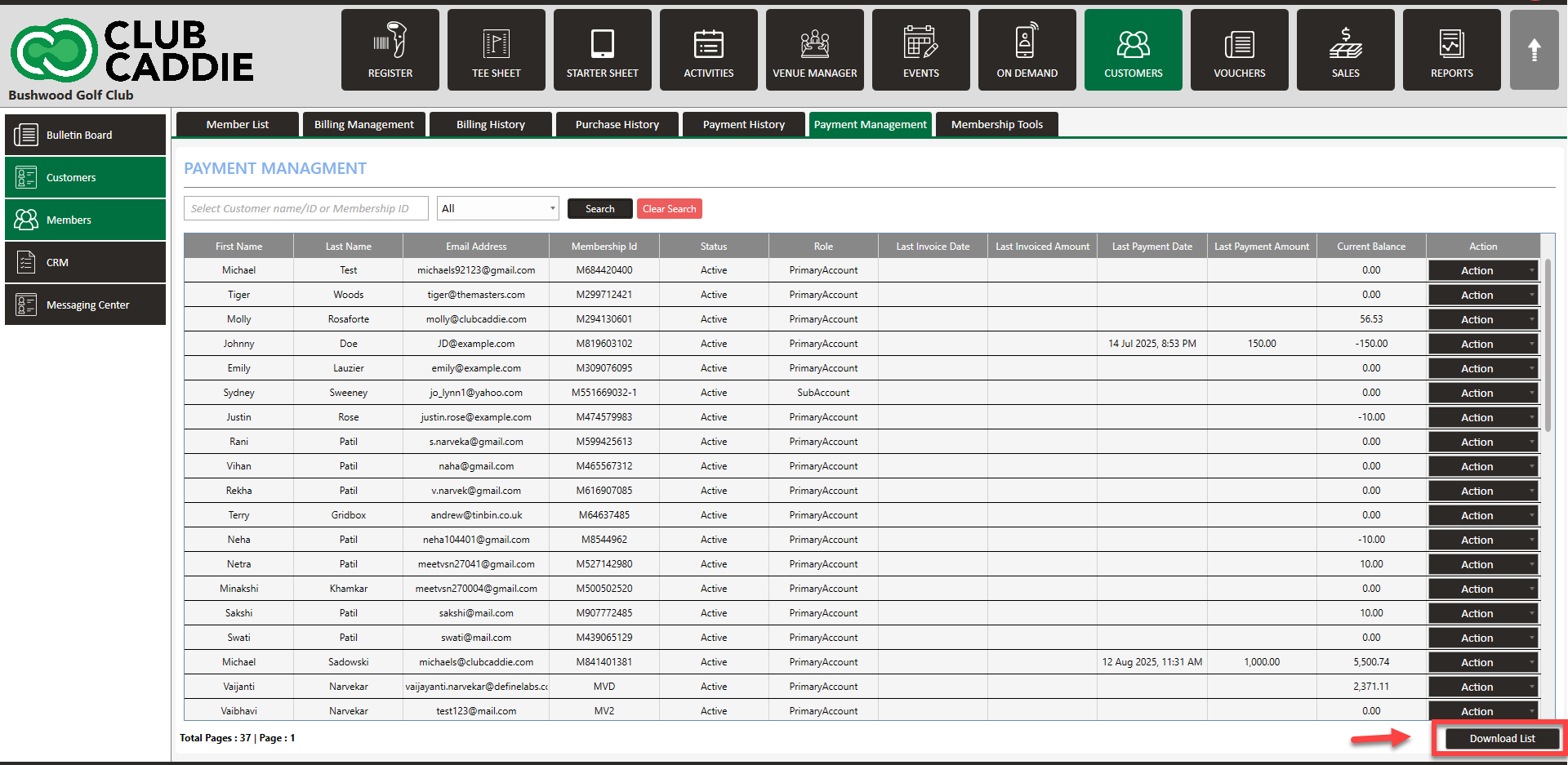
Step 3: You can download a list of members with respective details using the Download List button.
Related Articles
Payment History
Article Contents: This article contains a step-by-step guide to viewing the payment history of a member. Step-By-Step: Step 1: Click on the Guests tab from the header of the window. Select Members from the left row of the window, then select Payment ...Forced ACH Invoice Payment
This article explains how ACH payments function, why they are restricted to invoicing rather than being available at the register level, and how to process a forced ACH payment when necessary. Step 1: Understand ACH Payment Processing ACH payments ...Making a Payment
Article Contents: The following article contains step-by-step instructions on how to make a one-time payment to your membership account. Step-By-Step: Step 1: In the left-hand navigation menu, select "Pay Statement". At the top of the screen, your ...Membership Payment through Saved Card
Article Contents:- This portion summarizes how to Add New Card to make payment through Membership Portal. Step-By-Step: Step 1: Click on the "Gear Wheel" icon from the right top corner of the window. Select "I-Frames" from the left row of the window. ...Accepting Membership Payments
Article Contents: This article contains step-by-step instructions on how to accept member payments. Step-By-Step: Step 1: Select the POS module from the module navigation menu. Click on the "TOOLS" tab located within the POS module, and then click on ...