SETTINGS: CUSTOMER REQUIRED WHILE RESERVING TABLES
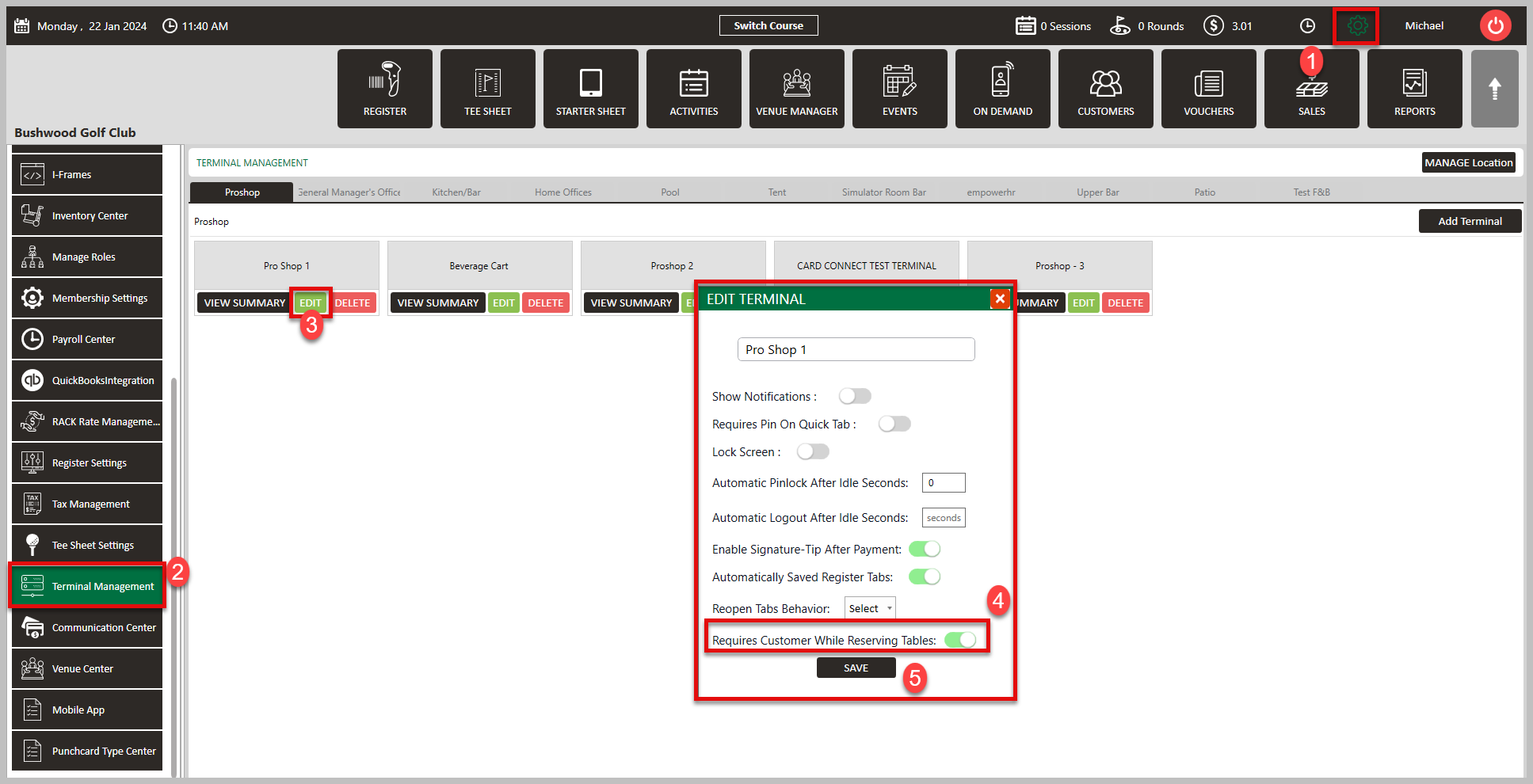
Terminal-specific option for “Requires Customer when Reserving Tables”. When this Setting is turned ON, any time that a Tab is created in the Register by assigning a Table, it will require the User to assign a Customer to that Table/Tab
Step By Step:
Step 1: Navigate to Settings (1) > Terminal Management (2) > Edit (3) > Enable Requires Customer While reserving Tables (4) > Click Save (5).
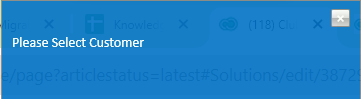
You will receive the error message below if you attempt to add a table to a tab without a customer assigned.
This is best applied to facilities with memberships. To ensure the setting works, log out and back in to begin using.
Related Articles
SETTINGS: ENABLE GRATUITY (TOOLS)
Article Contents: A new button in the Tools section of the Register. For this to appear, the Register Setting for “Add Tip as Line Item” needs to be enabled. This allows for Employees to add a Tip to a Tab before the Transaction is tendered out. It ...SETTINGS: CLASS MANAGEMENT
Article Contents: This is a step-by-step guide on how to create a new class or edit an existing class. Step-By-Step: Step 1: Click on the Gear Wheel icon on the top-right corner of the screen. Then click on Class Management from the left-side menu. ...SETTINGS: REGISTER SETTINGS
Article Contents: This will show you how to navigate through your register settings, as well as providing a brief description on what each setting can do for you club. Video: The video covers essential features such as printing tip receipts, adding ...SETTINGS: CLOVER MINI USER'S GUIDE
Article Contents: This Clover Mini User's Guide covers the device's features, setup process, and troubleshooting Overview The CardPointe Integrated Terminal Clover Mini provides a sleek and secure next-generation payment experience for your ...SETTINGS: CLOVER FLEX USER'S GUIDE
Article Contents: This Clover Flex User's Guide provides an overview of the device's features, setup process, and troubleshooting. Overview The CardPointe Integrated Terminal solution now includes Clover Flex devices for US merchants. The Clover Flex ...