Inactivate a User
Step-By-Step:
Step 1: Click on the Gear Wheel (Settings Icon) in the top right corner of Jonas Synergy.
Step 2: Click on “Course User Info” from the left hand menu.
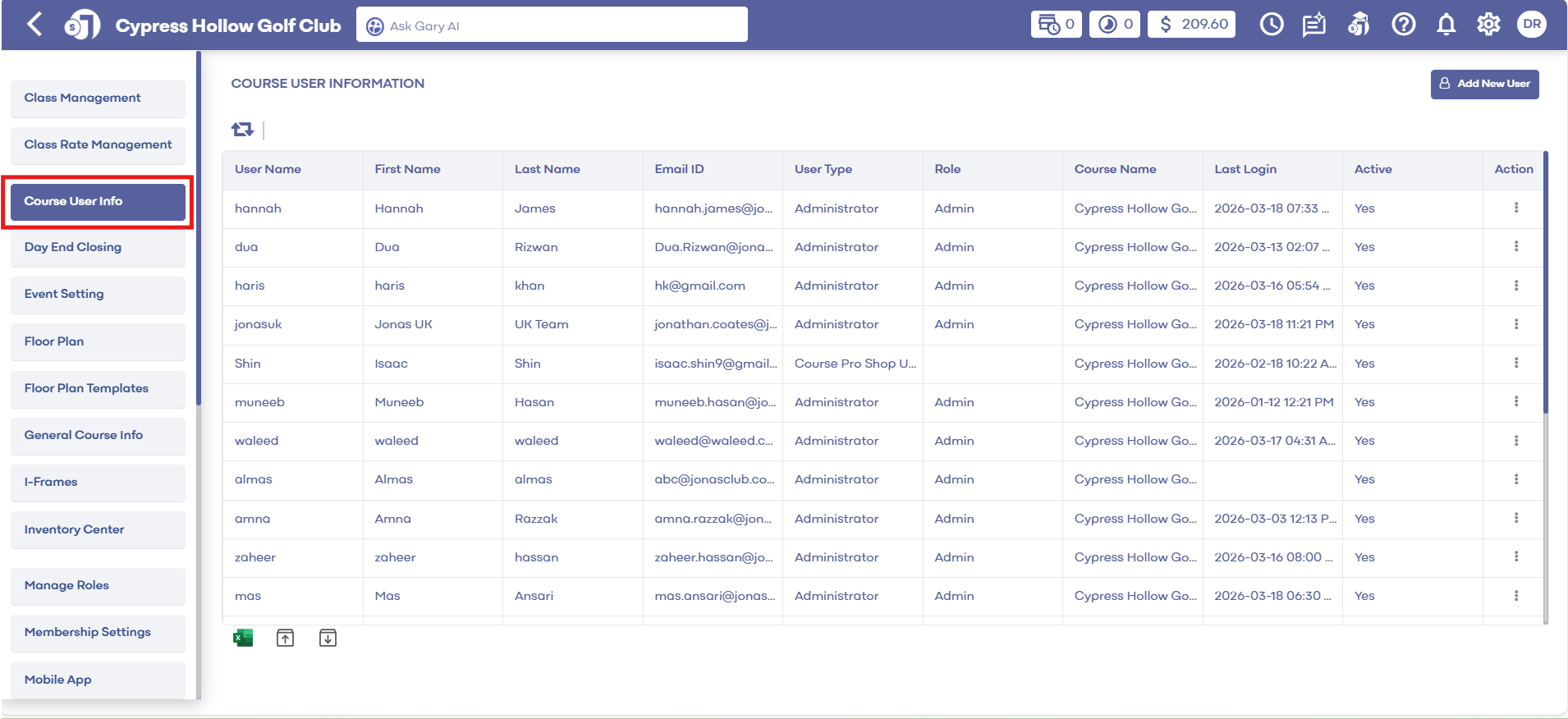
Step 3: In the course user info window, select the user you want to inactivate by clicking on edit.
Step 4: Click on the user status option and select "Inactive" from the drop down menu and click submit to save the changes.
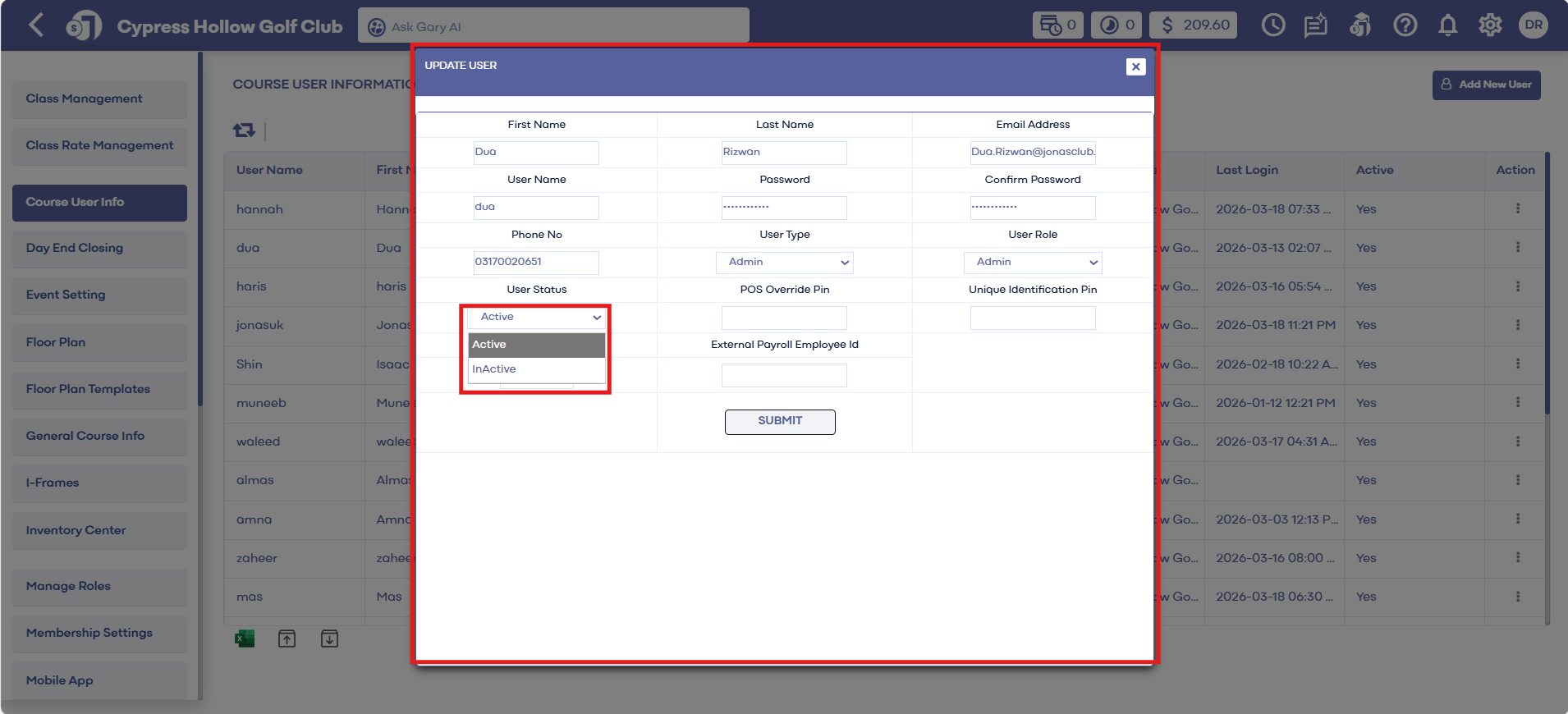
Important to note - this will not immediately log out a user's active session instead it will prevent their next login attempt.
Related Articles
Course User Info
Article Contents: This article contains information on users of the courses information, how to add a new user, how to edit a user, and how to change the log of the user. Step-By-Step: Step 1: Click on the Gear Wheel Icon on the top right corner of ...User Role Permissions
Article Contents: This article contains information on User Role permissions. Settings > Manage Roles > Action > Edit Permissions Step 1: Click on the Gear Wheel icon on the top right corner of the screen. Then, click on the Manage Roles button from ...Clover Flex User's Guide
Article Contents: This Clover Flex User's Guide provides an overview of the device's features, setup process, and troubleshooting. Overview The CardPointe Integrated Terminal solution now includes Clover Flex devices for US merchants. The Clover Flex ...Clover Mini User's Guide
Article Contents: This Clover Mini User's Guide covers the device's features, setup process, and troubleshooting Overview The CardPointe Integrated Terminal Clover Mini provides a sleek and secure next-generation payment experience for your ...How to Change User Password
Article Contents: This article contains step-by-step instructions on how to change a user password. Step-By-Step: Step 1: Click on the Gear Wheel icon on the top right corner of the screen. Step 2: Click on Course User Info in the left-hand menu. ...