Digital Cart Waiver
Step-By-Step:
Step 1: Navigate to Settings > Tee Sheet Settings > Cart Agreement Receipt Input. Enter the agreement details here and click on the "save" button.
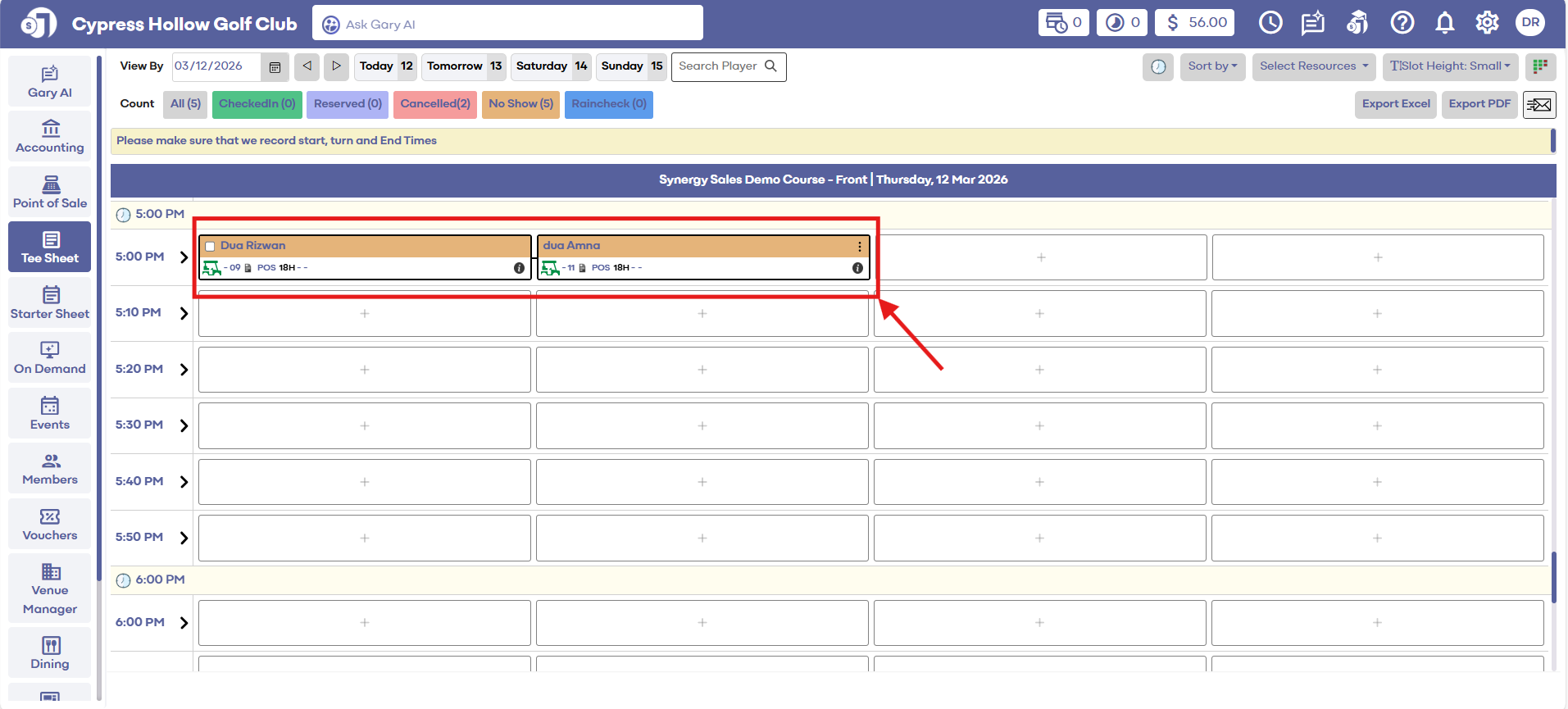
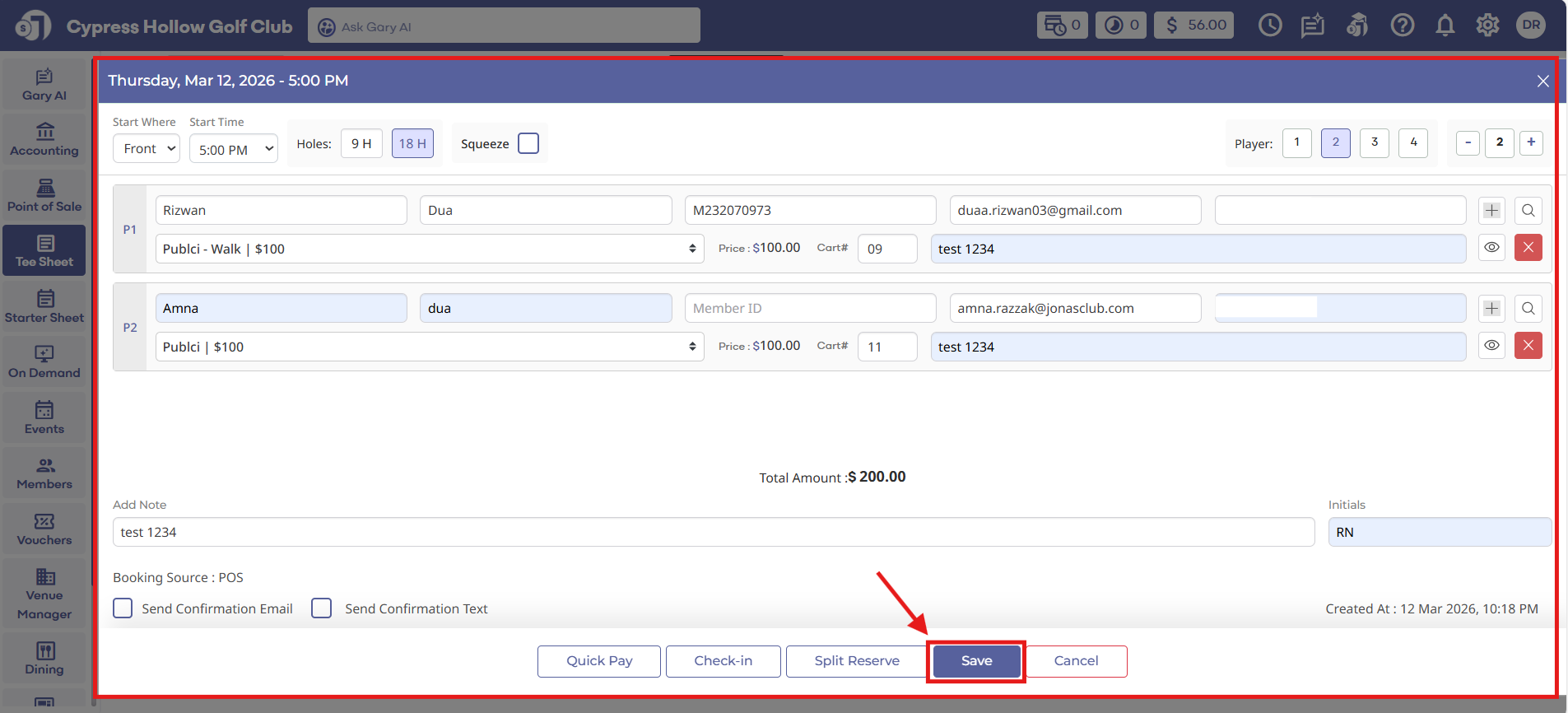
Step 2: Add Booking in Tee Sheet by clicking the (+) icon. Fill with the details required. Then click Save.
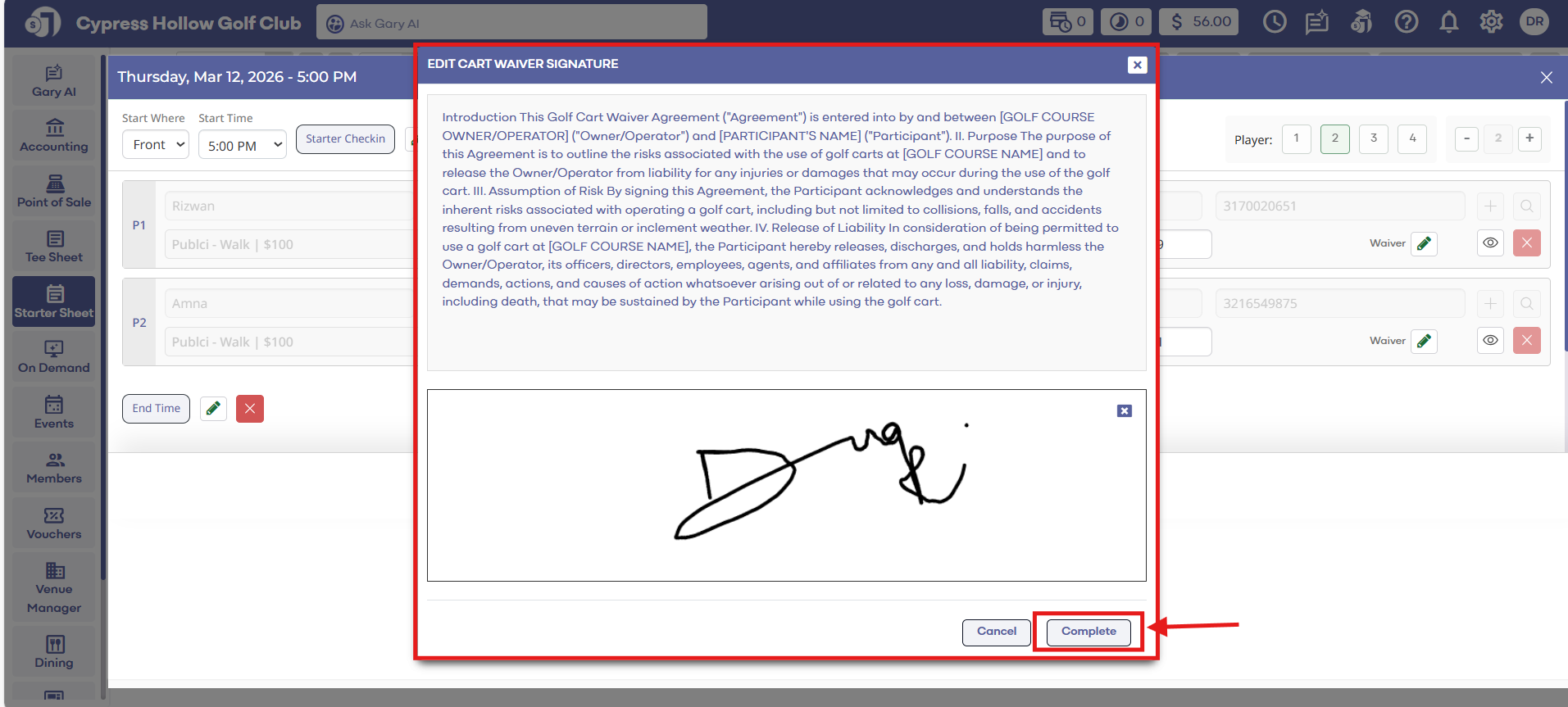
Step 3: Go to Starter Sheet, click on your tee sheet booking block. Then click "View/Edit" button. Enter your agreement information, then click Save.
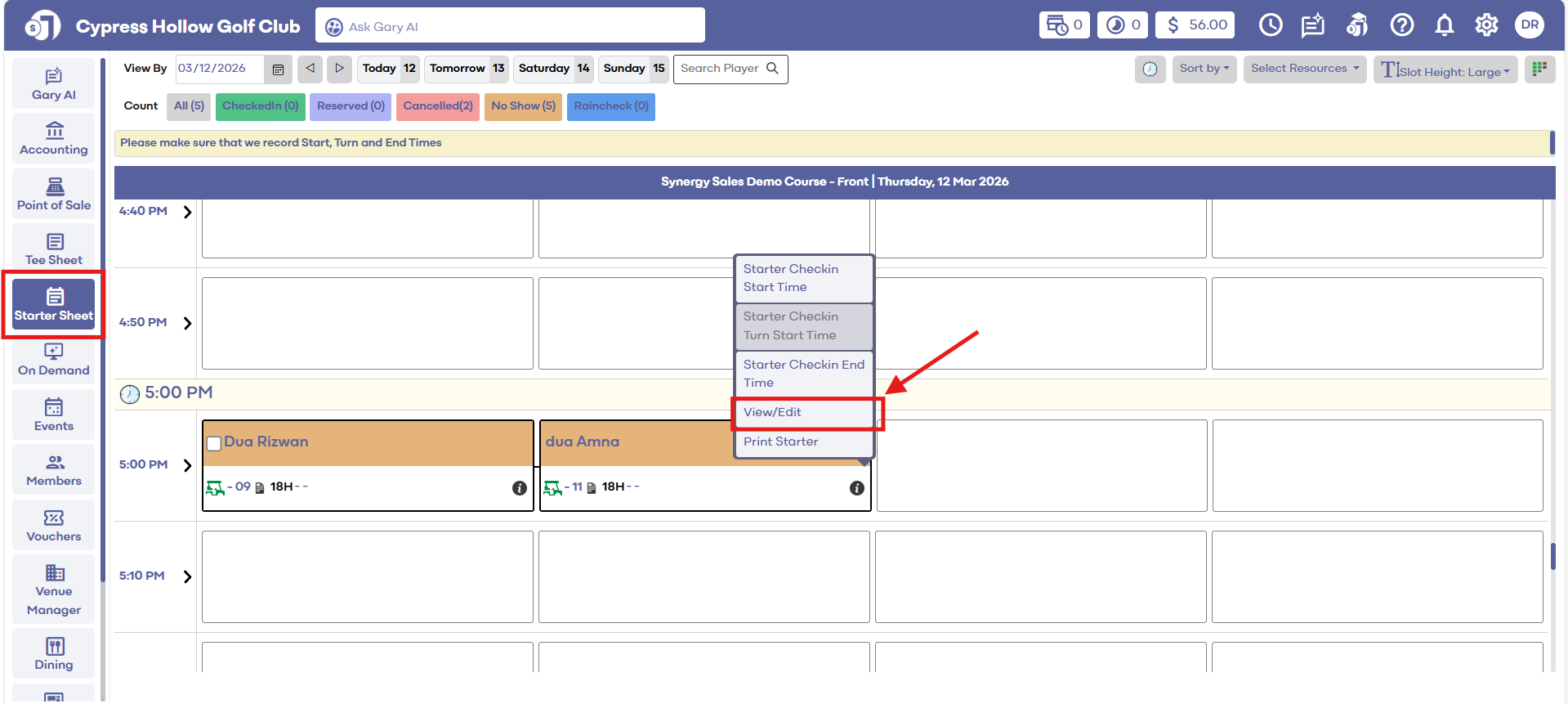
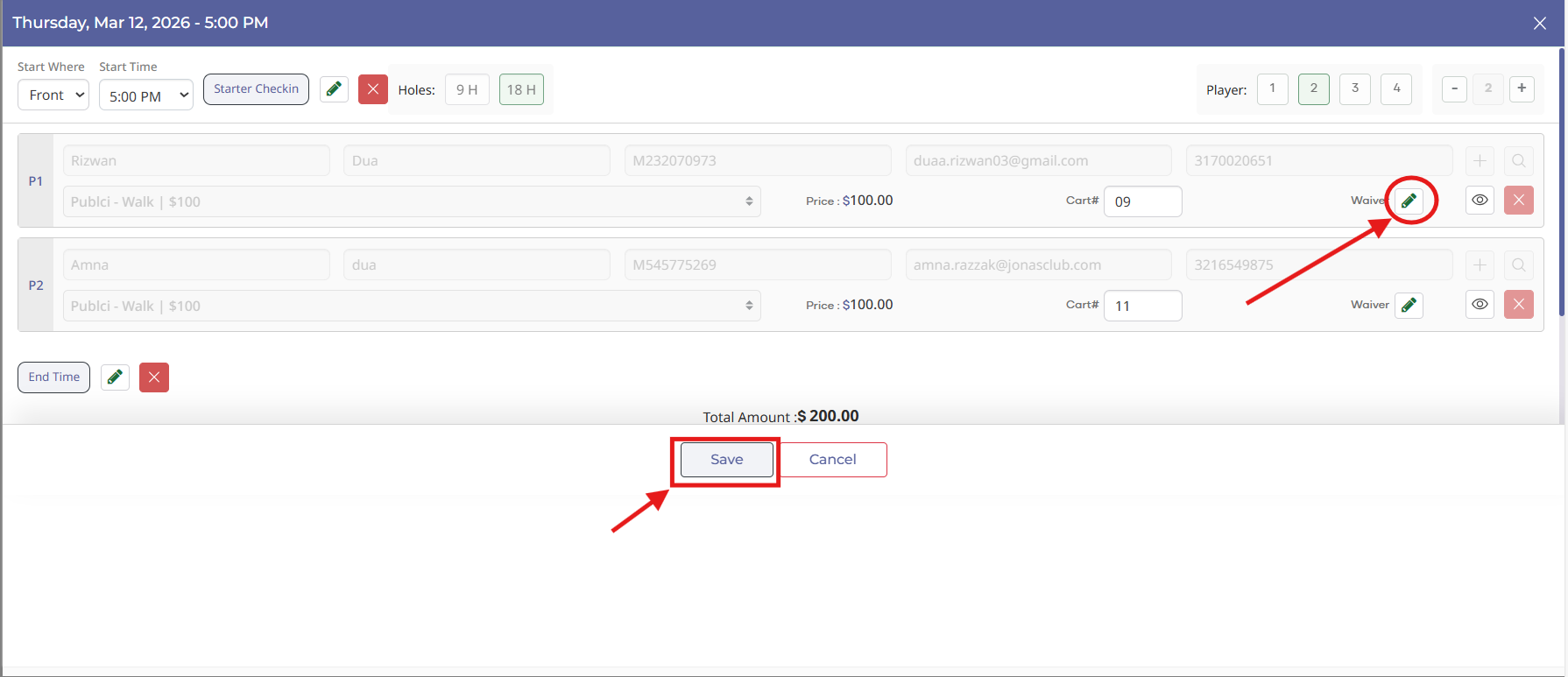
Step 3: Go to Starter Sheet, click on your tee sheet booking block. Then click "View/Edit" button. Enter your agreement information, then click Save.