Policies
Activity Policies are guidelines established by a club in Jonas Synergy, pertaining to activities at the golf course. These policies are
displayed in the activity booking section of the member's portal for easy
access and compliance by members.
Step-By-Step:
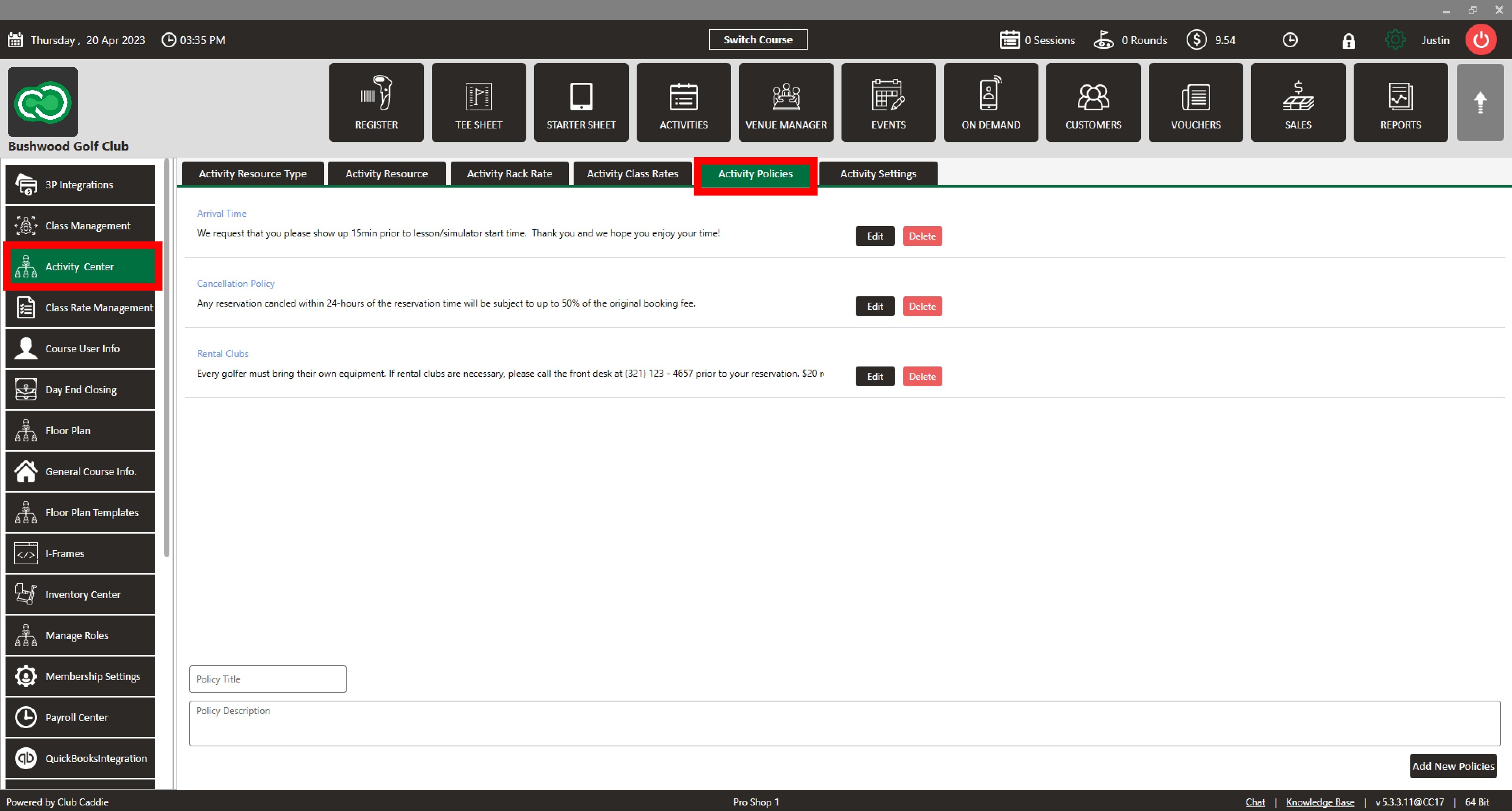
Step 1: To access the Activity Policies section in Jonas Synergy, navigate to Settings > Activity Center > Activity Policies. This will lead you to the page where you can create, edit, and delete policies.
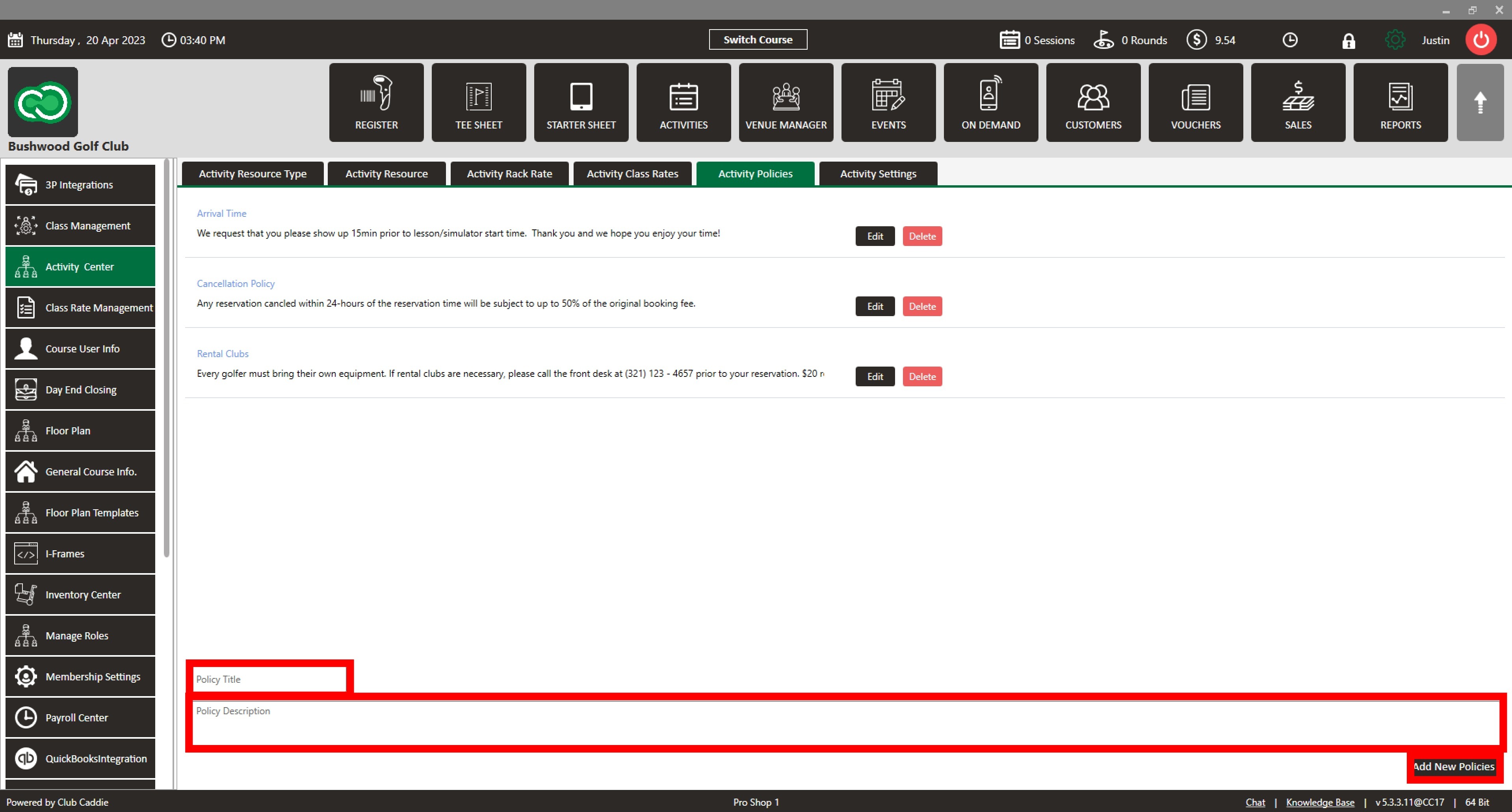
Step 2: To create a new policy, locate the two text fields labeled ' Policy Title' and ' Policy Description.' Enter the title and description of the policy, ensuring that both fields accurately reflect the guidelines you want to establish. After completing the required information, click ' Add New Policies' to finalize the creation of the policy.
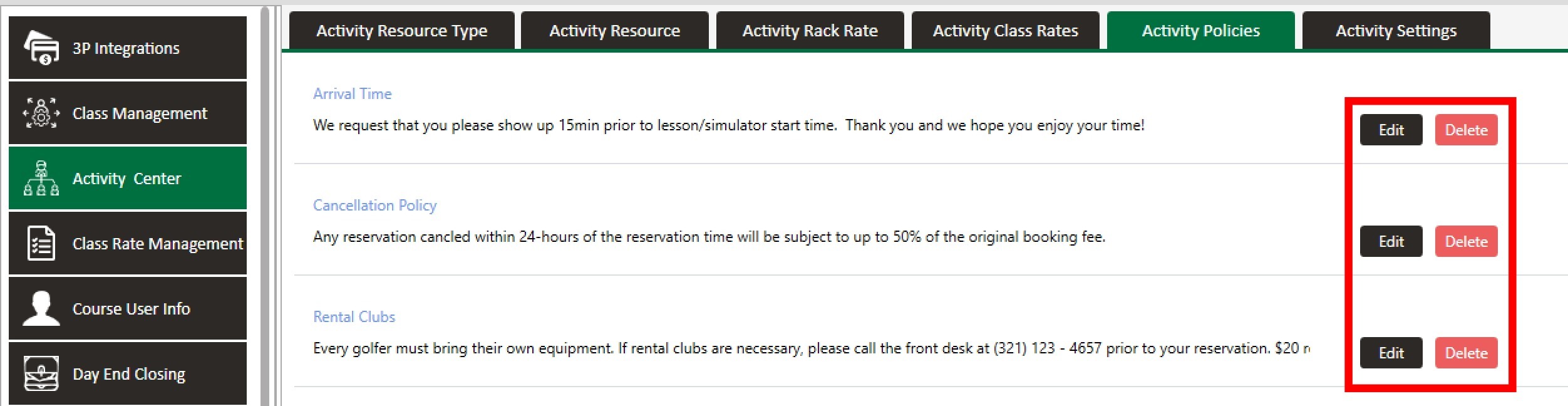
Step 3: To edit an existing policy, click ' Edit' next to the policy needing modification. Make the necessary changes, and then click ' Save' to update the policy.
Step 4: To delete an existing policy, click ' Delete' next to the policy that is to be deleted.
Related Articles
Settings Overview
Article Contents: This article contains an overview of the Activity Center, including its functions and features for managing various activities and resources within the Jonas Synergy software. Overview: Step 1: The Activity Center acts as the ...