Closing Events
Step-By-Step:
Step 1: Select the EVENTS module, and then click on Banquet Manager in the left menu.
Step 2: Select the event to be closed from the BANQUET MANAGER list of events by double-clicking on the event or clicking the event's ACTION button and selecting View/Edit. This will open an EDIT EVENT window.
Before executing Step 3, please ensure all event items have been included.
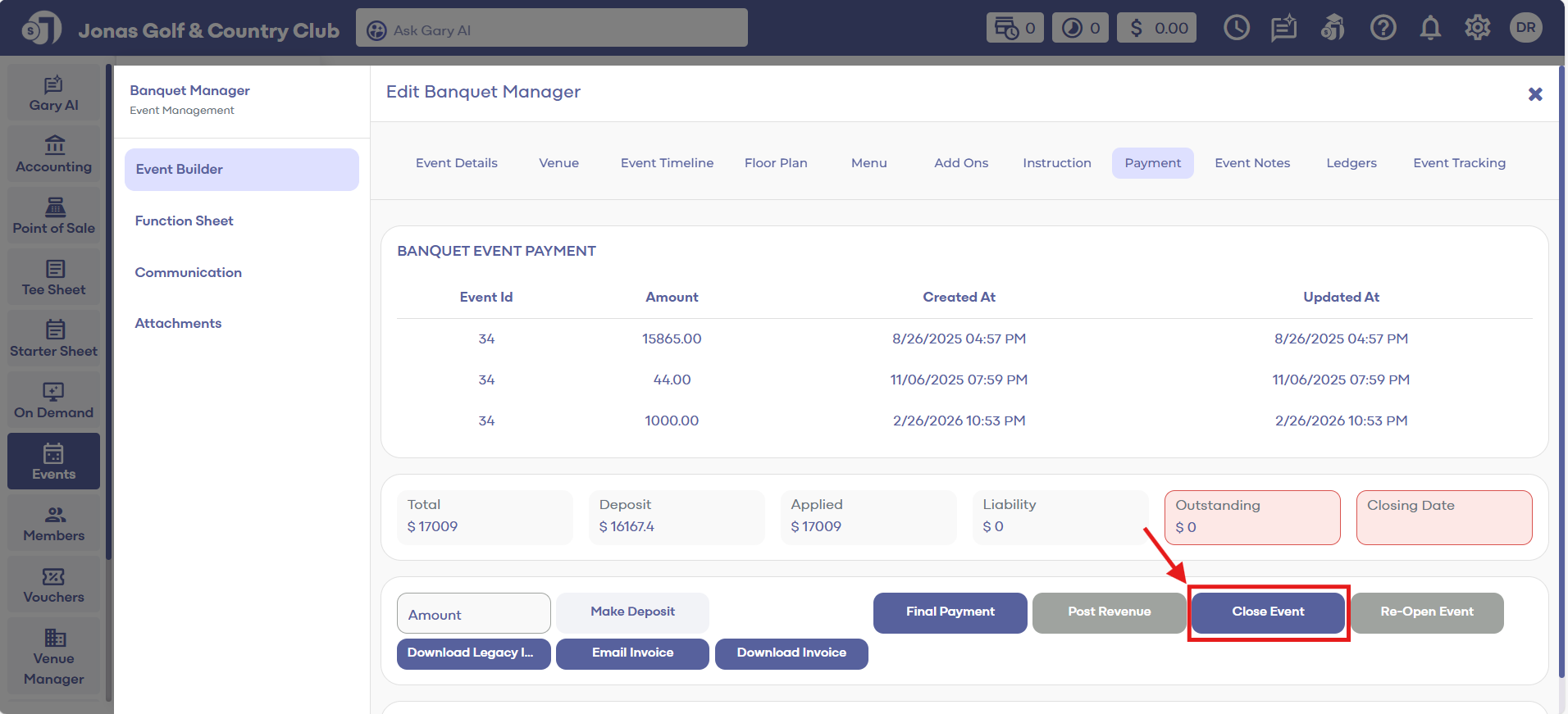
Also, before you can close an event, you must Post Revenue. You can Post Revenue by clicking on Post Revenue button along the bottom. This will post the revenue in reports based off the items in Golfers, Menu and Add Ons tab in your Event builder.
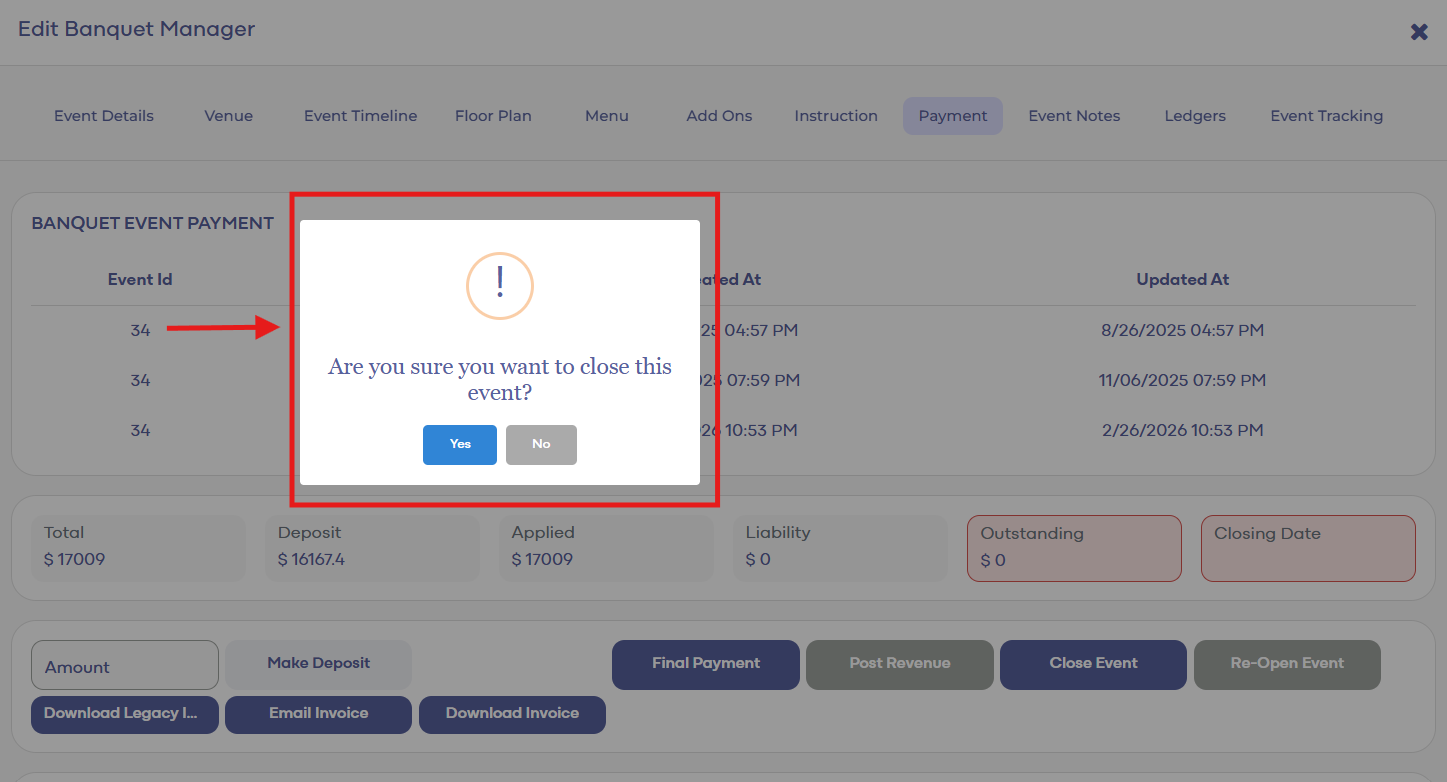
Step 3: Select the Payment tab. Then click on Close Event. A confirmation window will pop up and select Yes to close.
Related Articles
Closing Events
This article provides step-by-step instructions on how to close a Golf Outing event. Step-By-Step: Step 1: Navigate to the EVENTS module. From there, select Golf Outing Manager from the left menu pane. Step 2: In the GOLF OUTING MANAGER, choose the ...Archive Events
This article will help you understand how to Delete Online Events. Step-By-Step: Step 1: Select the EVENTS module from the module navigation menu. Step 2: Click on Online Events in the left-hand menu. Step 3: Entire events can be deleted by clicking ...Edit Events
This article gives step-by-step instructions on how to edit online events. Step-By-Step: Step 1: Select the EVENTS module from the module navigation menu. Step 2: Click on Online Events in the left-hand menu. Step 3: After clicking on the Edit button ...Date Filters
This article contains step-by-step instructions on how to filter events by date. Step-By-Step: Step 1: Select the EVENTS module from the module navigation menu. Then, click on Banquet Manager in the left-hand menu. Step 2: The system will show a list ...Date Filter
This article contains step-by-step instructions on applying date filters to Golf Outings. Step-By-Step: Step 1: Select the EVENTS module from the module navigation menu. Then click Golf Outing Manager from the left-hand menu. Step 2: Select the Date ...