Search Event Name
Step-By-Step:
Step 1: Select the EVENTS module from the module navigation menu. Then, click on Banquet Manager in the left-hand menu.
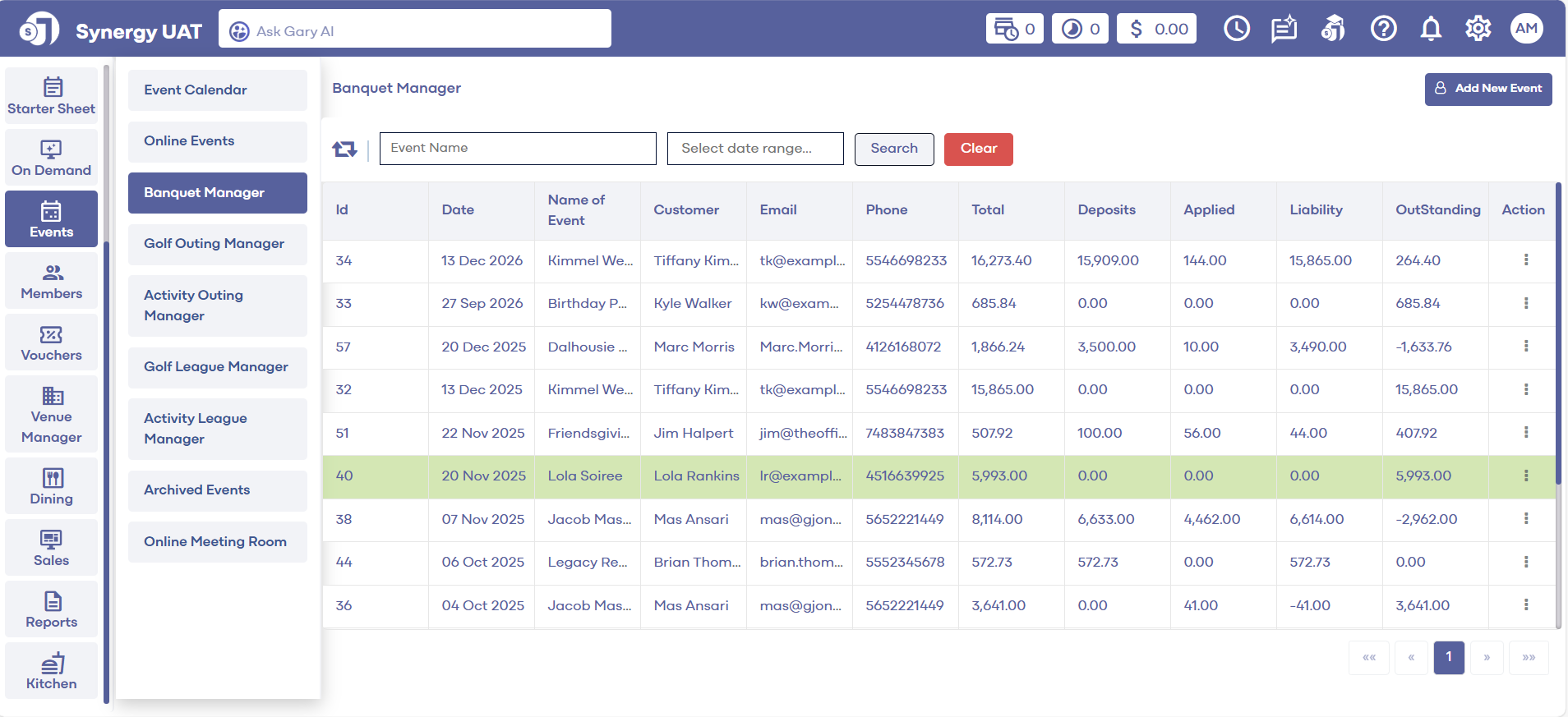
Step 2: Input the name of the event in the event name text field, select the date and then click on Search.
Step 1: Select the EVENTS module from the module navigation menu. Then, click on Banquet Manager in the left-hand menu.
Step 2: Input the name of the event in the event name text field, select the date and then click on Search.
Step 3: This will display the desired event. This event can now be edited or deleted by clicking on the three small dots under Action.
Related Articles
Search Event
This article gives step-by-step instructions on how to search event names in the Golf Outing Manager. Step-By-Step: Step 1: Select the EVENTS module from the module navigation menu. Then, click on Golf Outing Manager in the left-hand menu. Step 2: ...Event Details
Article Contents: This article gives step-by-step instructions on how to add Event Details in the Golf League Manager. Step-By-Step: Step 1: Select the EVENTS module from the module navigation menu. Next, click on Golf League Manager from the ...Event Charge
Article Contents: This article provides instructions on how to utilize the Event Charge payment method. Step-By-Step: Step 1: Navigate to the Point-of-Sale module. Step 2: Add items that you want to purchase and to be added to the event's invoice. ...Add New Event
This article contains step-by-step instructions on how to navigate to the online events module and create a new online event. Step-By-Step: Step 1: Select the EVENTS module from the module navigation menu. Step 2: Click on Online Events in the ...Function Sheet (BEO)
This article contains step-by-step instructions on how to download the function sheet (BEO) in the Banquet Manager. Step-By-Step: Step 1: Select the EVENTS module from the module navigation menu. Then, click on Banquet Manager in the left-hand menu. ...