Service Charge Exempt
Step-by-Step:
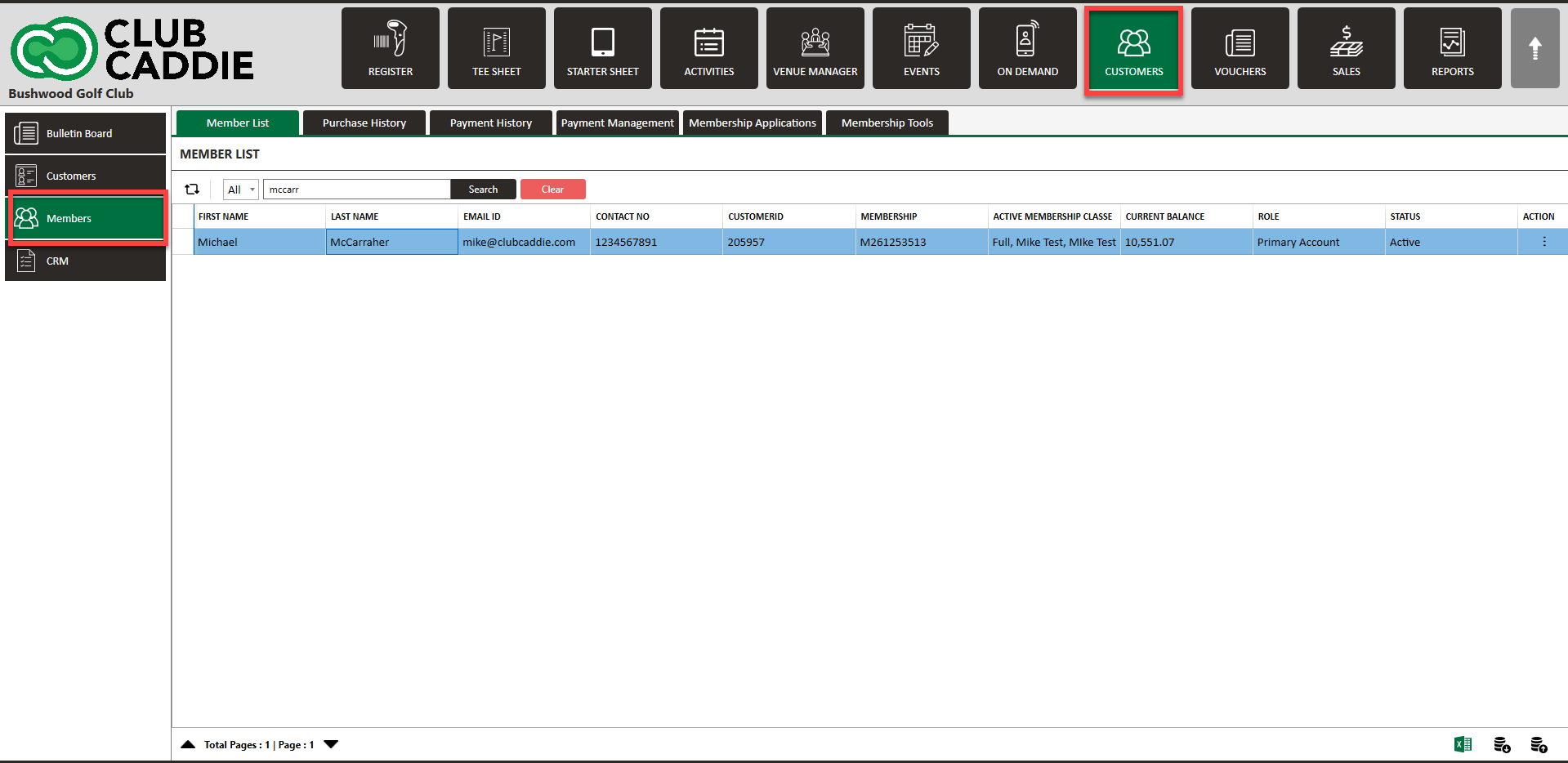
Step 1: Navigate to the Guest module along the top row. Then search for the Guest/member, and select to open their profile.
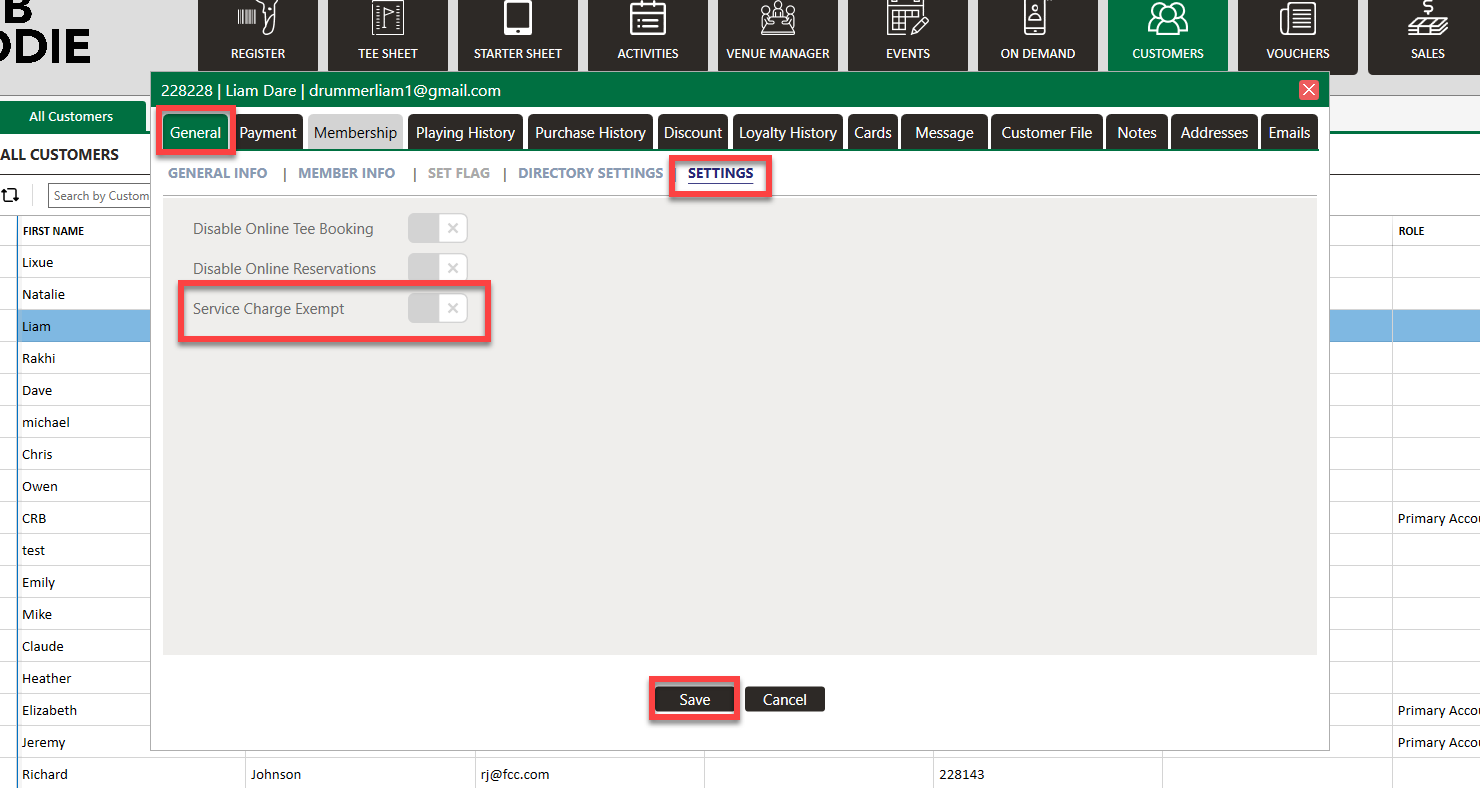
Step 2: Under the General tab, select Settings. Then you will toggle on/off Service Charge Exempt. Click Save.
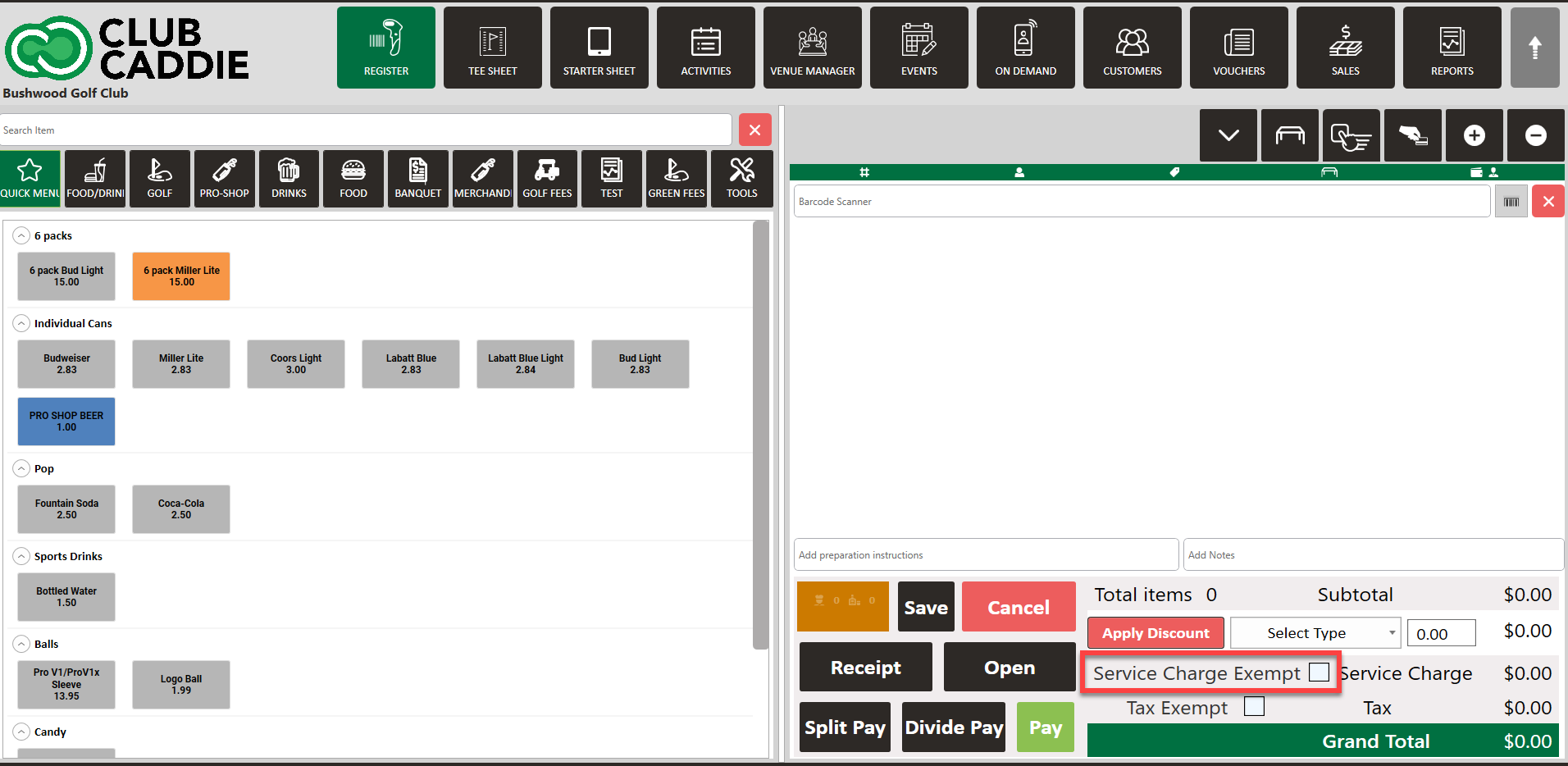
You will also have the option in the register to check the box to make the transaction Service Charge Exempt.
Related Articles
Guest Playing & Purchase History
This article covers the features and functionality of the History and Purchase History tabs in the Jonas Synergy software. This includes a walkthrough of how to view member and golfer activity, search and filter transaction details, sort data, and ...Options in Emailing Guests
Article Contents: This Article Provides A Guide On The Options You Have For Emailing Your Members (Guests). Step-By-Step: In Jonas Synergy, there are two primary methods to send messages to your Guests: directly from the tee sheet or via the ...