Messaging Center
This enables POS Users to have 2-way communication with Mobile App Users. When a new message is received from a Mobile App User, there will be a notification in the POS in the Guests Module > Messaging Center
Step-by-Step:
Step 1: Open the Guests module in the Jonas Synergy interface. Then, click on Messaging Center from the left-hand-side.
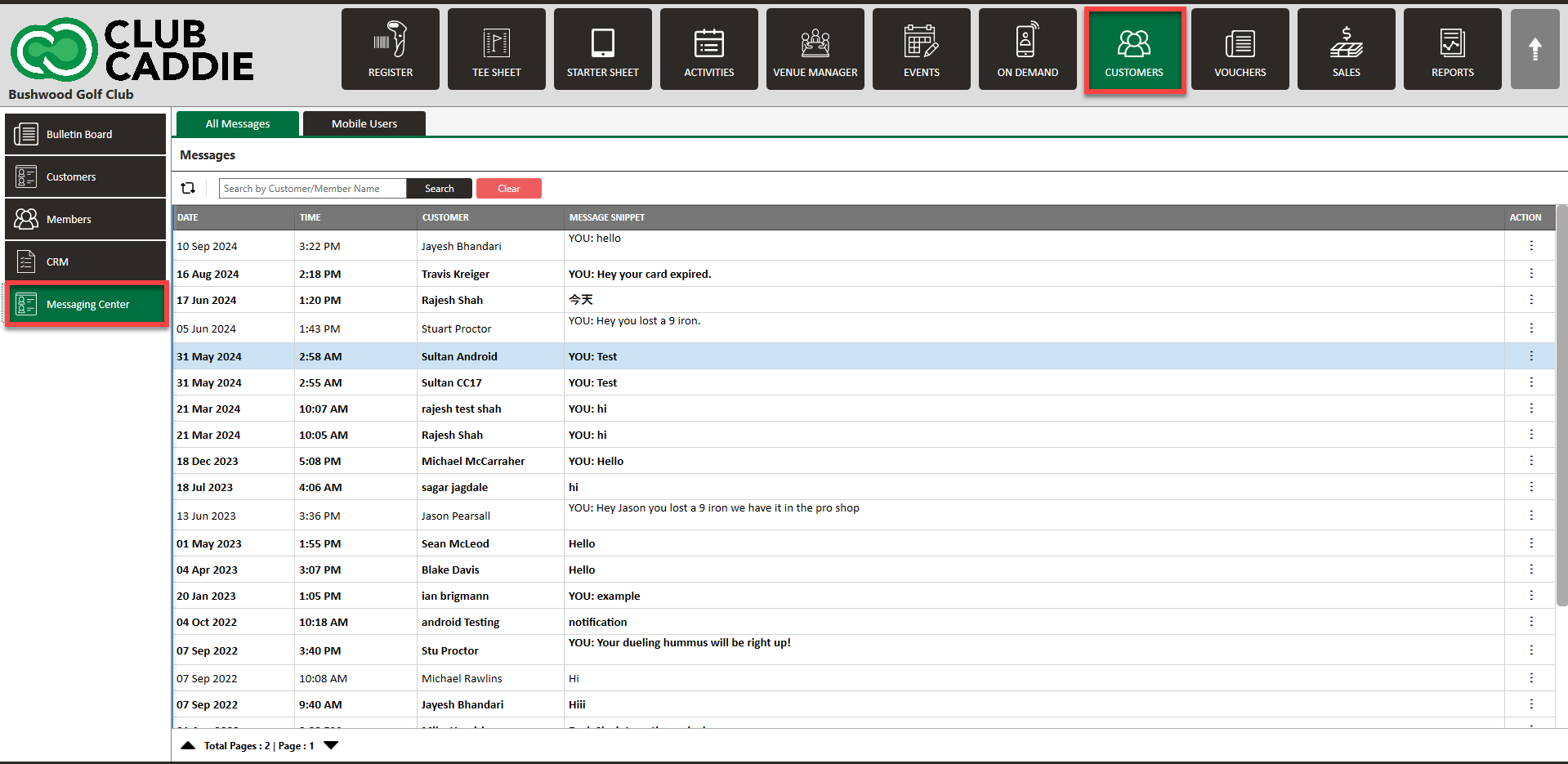
Step 1: Open the Guests module in the Jonas Synergy interface. Then, click on Messaging Center from the left-hand-side.
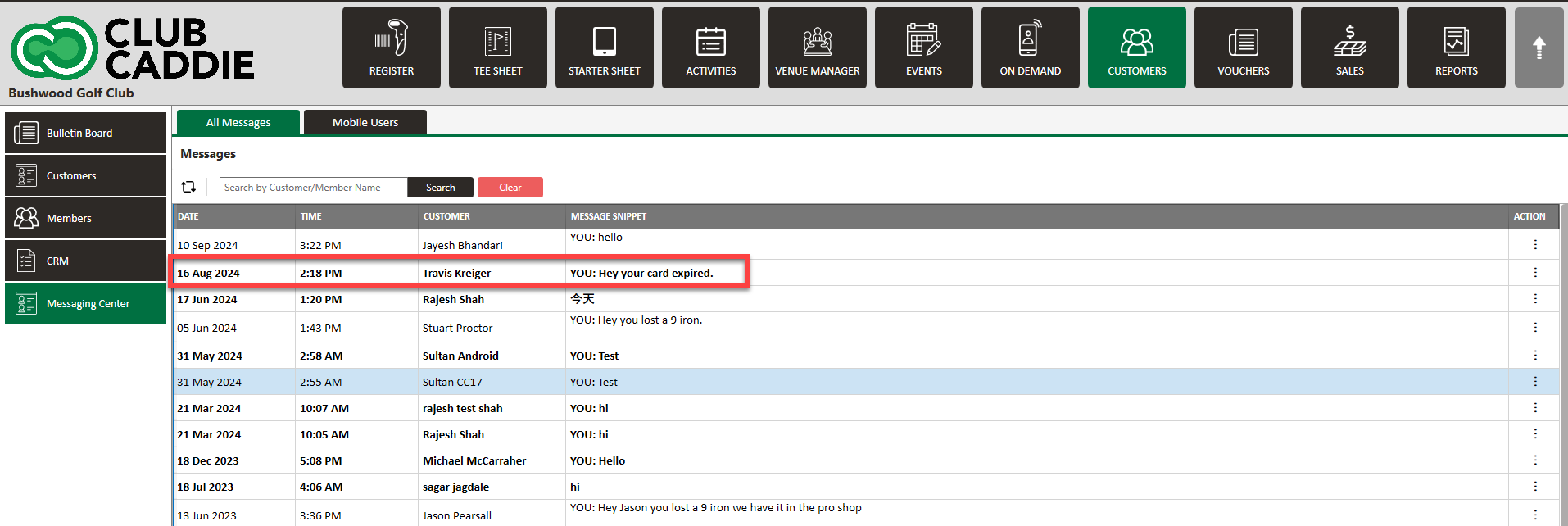
Step 2: In the Messaging Center, unread messages will appear in bold for easy identification.
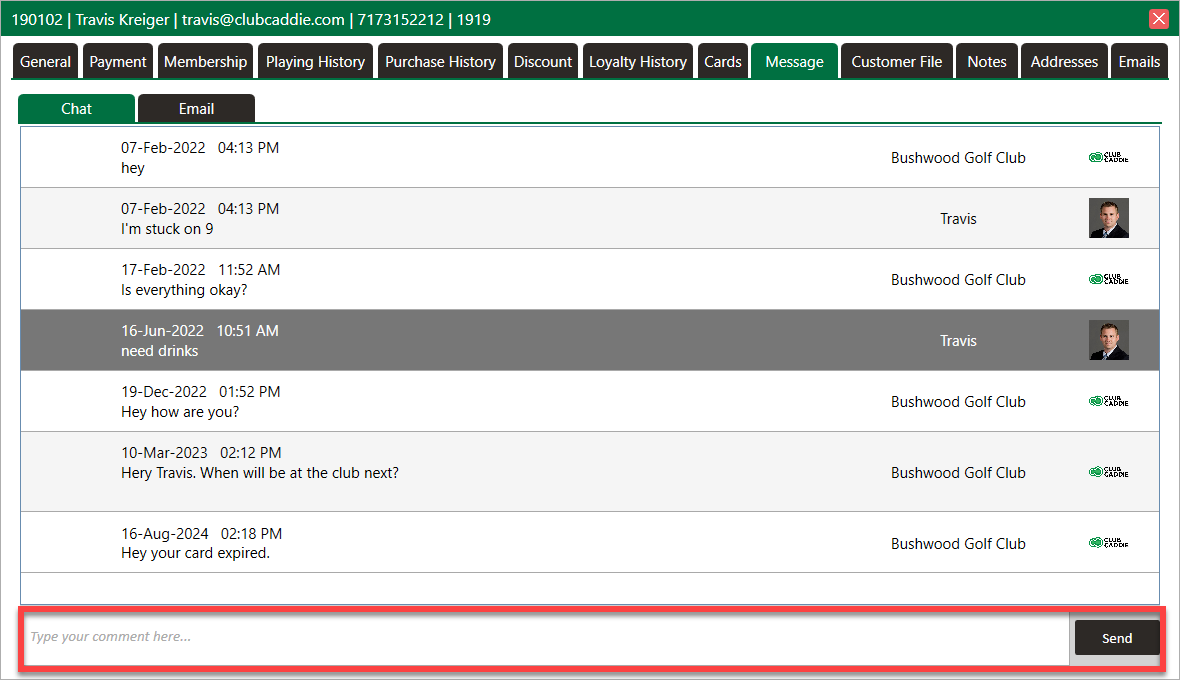
Step 3: Double-click on any message to reply. This action will also give you the option to view the Guest’s profile for more detailed information.
Step 4: After reviewing or responding to the message, the status will update automatically, removing the bold formatting to indicate that the message has been read.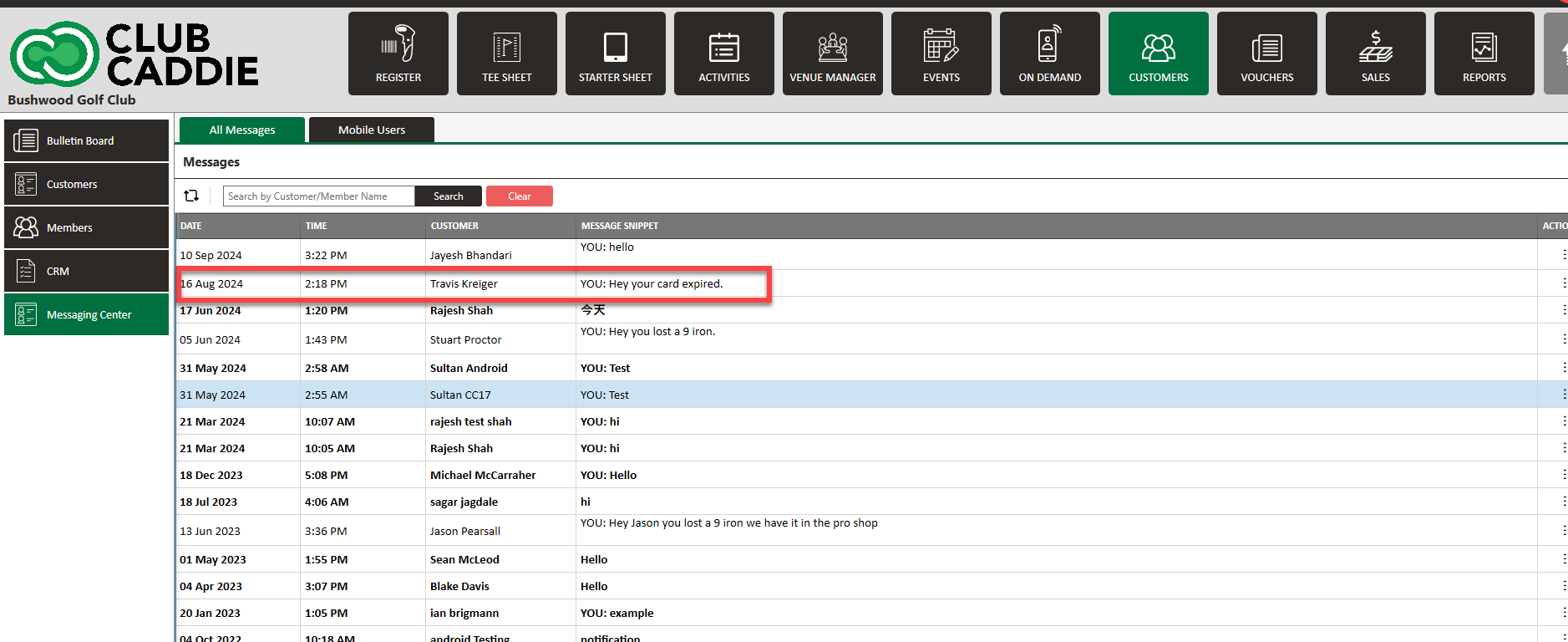
By using the Messaging Center, you can efficiently manage Guest communication from one centralized location without needing to enter individual profiles.
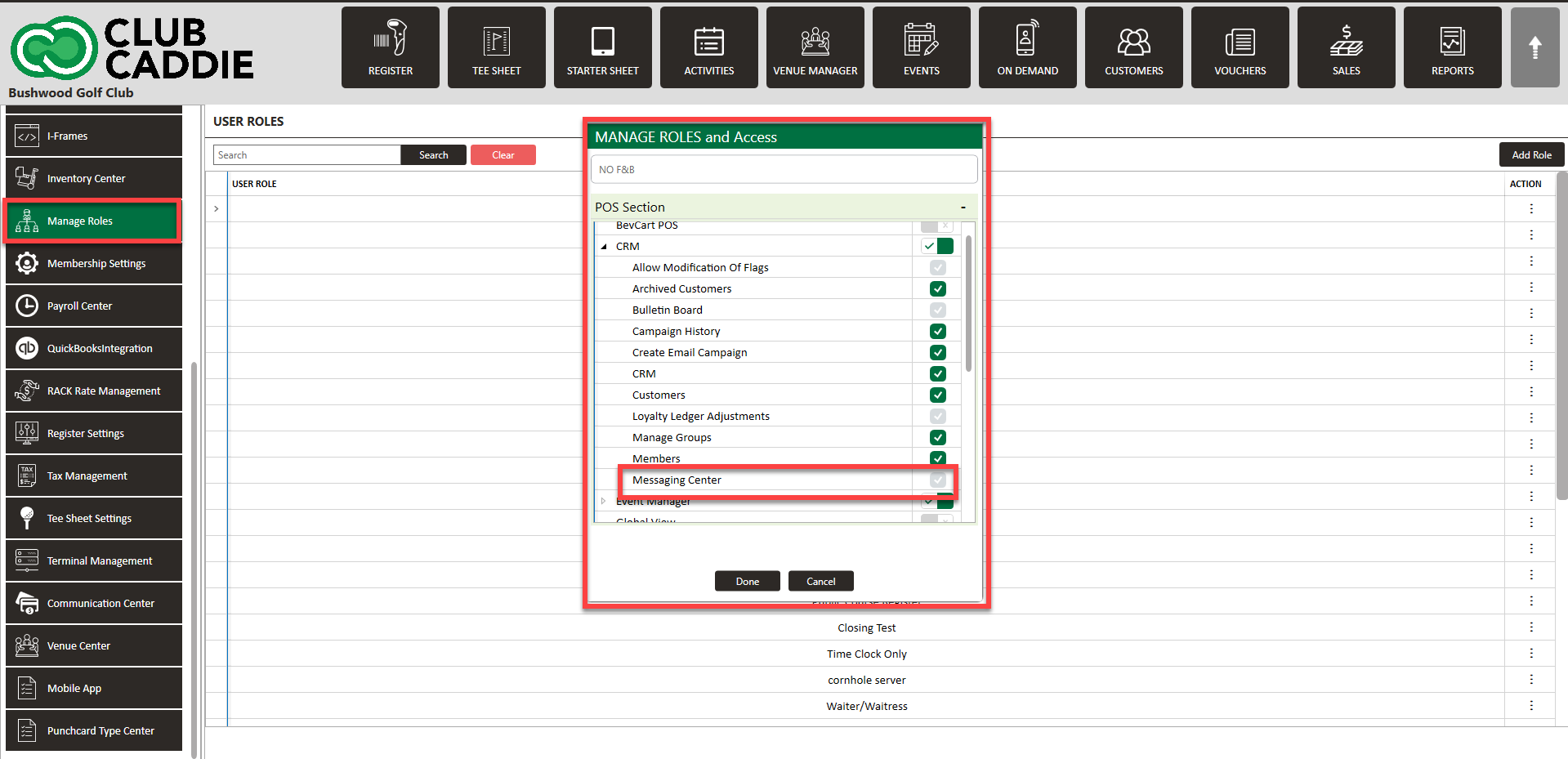
If you are not able to view the message center, most likely the permission in Manage Roles is toggled off. Please have a manager navigate to Settings > Manage Roles > Action > Edit Permissions > CRM.
Related Articles
Options in Emailing Guests
Article Contents: This Article Provides A Guide On The Options You Have For Emailing Your Members (Guests). Step-By-Step: In Jonas Synergy, there are two primary methods to send messages to your Guests: directly from the tee sheet or via the ...