General : Clocking In and Out
Step by Step
Step 1: Access the Time Clock by clicking the clock icon in the top right-hand corner of your screen.

Step 2: Enter your unique employee pin and select the enter icon.
If you have not been provided with a unique employee pin, please contact your general manager or course administrator to assign a pin to your username
Step 3: Next select "Clock In" to start your shift.
Your newly created shift will display on the right-hand side with your clocked-in time stamp.
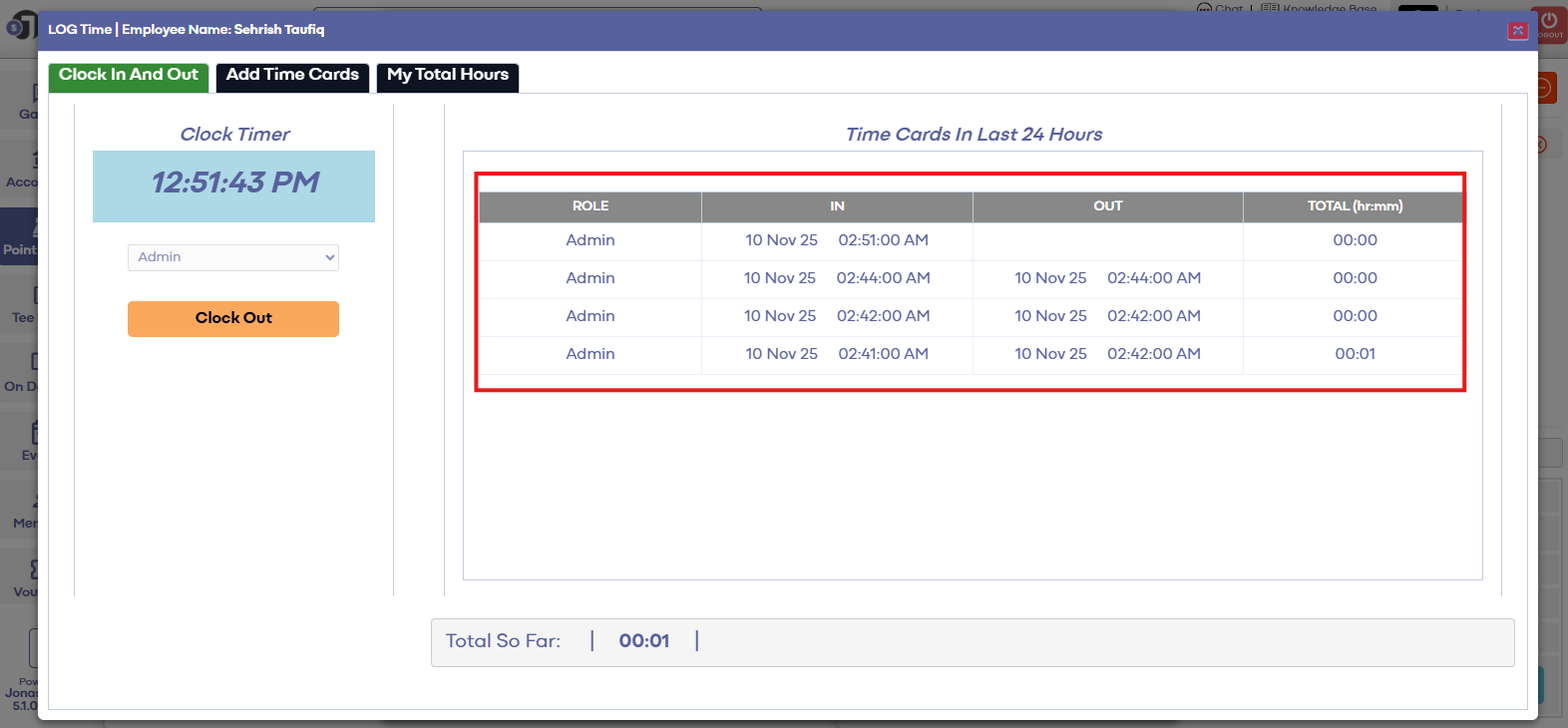
Step 4: To clock out at the end of your shift you will need to repeat the above steps of entering your employee pin then select the "Clock Out" button - pictured as #2 below.
Note that if your facility requires you to track cash tips earned during your shift you will be asked now to input your tips earned - pictured as #1 below
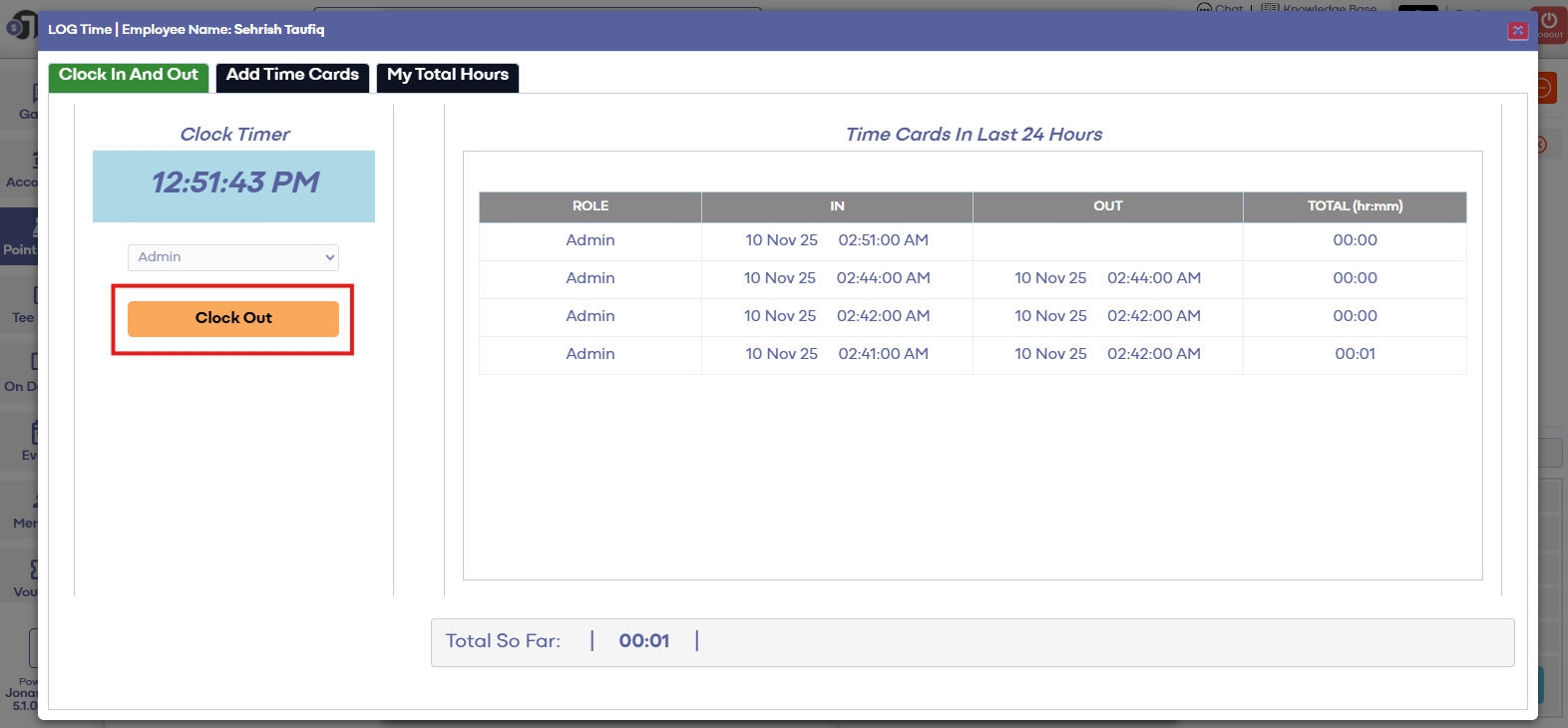
Step 4: To clock out at the end of your shift you will need to repeat the above steps of entering your employee pin then select the "Clock Out" button - pictured as #2 below.
Note that if your facility requires you to track cash tips earned during your shift you will be asked now to input your tips earned - pictured as #1 below
Step 5: To view your recent time cards you can utilize the "My Total Hours" tab to sort and view your submitted and approved hours.
(1) Allows you to filter the date period.
(2) Summarize your total hours.
(3) Summarizes the total tips both submitted in cash reporting as well as non-cash payment methods.
(1) Allows you to filter the date period.
(2) Summarize your total hours.
(3) Summarizes the total tips both submitted in cash reporting as well as non-cash payment methods.
Clock-In / Clock-Out Error Messages:
"Invalid Employee Pin" - This indicates that the pin you input was not tied to an employee profile. Please contact your general manager or facility administrator to reset your unique employee pin.
Related Articles
General : How to Login to Jonas Synergy
This video tutorial provides a step-by-step guide on logging in and clocking in using the Jonas Synergy software for food and beverage operations. Step-By-Step: Step 1: Navigating to the Jonas Synergy login screen and selecting the appropriate ...General : Understanding the General Info Tab (Video)
In this video, we will provide an overview of the General Info Tab:General : Downloading Jonas Synergy
Article Contents: This article will walk through the step by step process on how to download Jonas Synergy and log in to your facility's golf management software. Step by Step Step 1: To download the Synergy software head over to the link: ...General : Computer System Requirements
Article Contents: This article describes the necessary computer requirements for Jonas Synergy. Step by Step Step 1: Desktop Terminal Minimum Hardware: Intel i5 2.4/3ghz+ Processor 8GB DDR3 RAM HD Graphics Card 128GB Solid State Drive 20”+ ...General : Firewall Allow List
Article Contents: If you are on a restricted network environment, you might need to allow outbound/Inbound traffic between your network and Jonas Synergy to ensure that your environment can connect to our servers. Note: Domains listed in this article ...