General : Joining a Remote Screenshare
Step by Step
Step 1: Click the provided screenshare link
Step 2: Enter your name and select “Join Session”
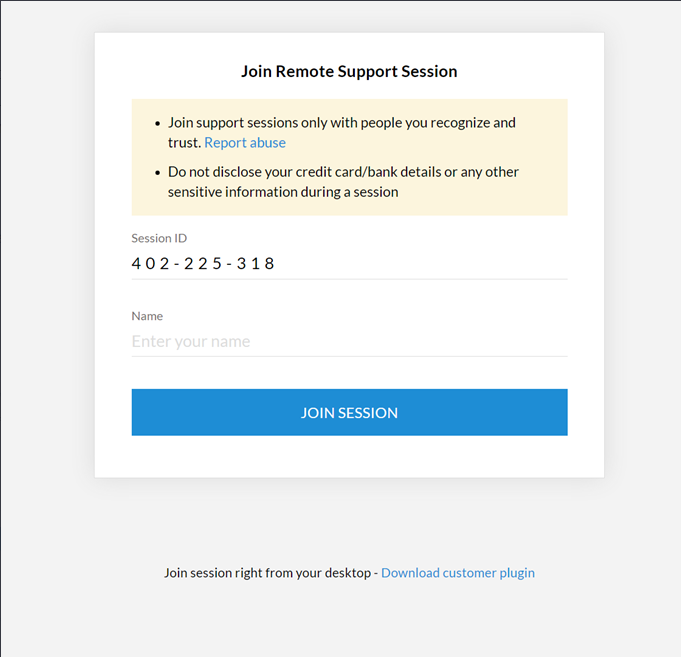
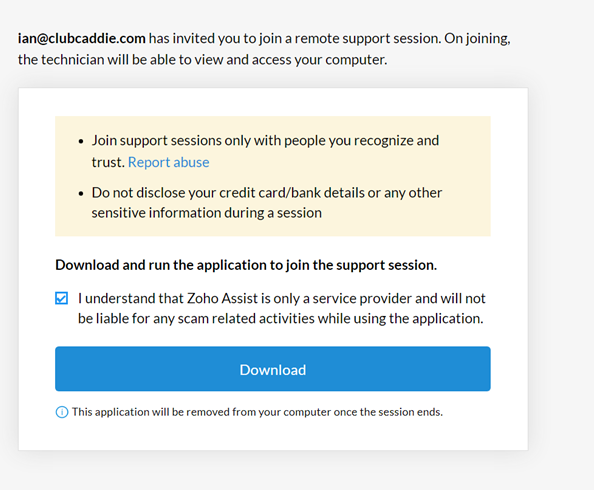
Step 3: Read and accept the terms and conditions of the remote screenshare session by selecting “Download”
Step 4: You’ll find the downloaded file at the bottom of your screen or within your downloads folder.
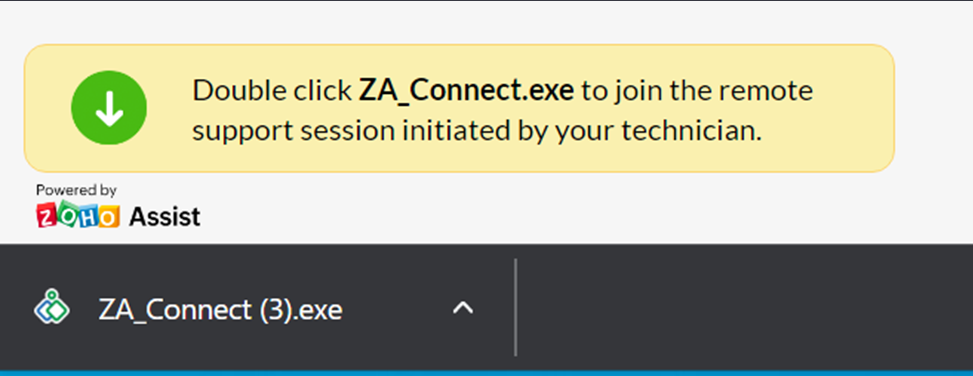
Step 5: Run the respective application and install the remote screenshare tool to join the session.
Related Articles
General : Understanding the General Info Tab (Video)
In this video, we will provide an overview of the General Info Tab:General : Downloading Jonas Synergy
Article Contents: This article will walk through the step by step process on how to download Jonas Synergy and log in to your facility's golf management software. Step by Step Step 1: To download the Synergy software head over to the link: ...General : How to Login to Jonas Synergy
This video tutorial provides a step-by-step guide on logging in and clocking in using the Jonas Synergy software for food and beverage operations. Step-By-Step: Step 1: Navigating to the Jonas Synergy login screen and selecting the appropriate ...General : Clocking In and Out
Article Contents: This article will guide you on the process of how to clock in and clock out within the software Step by Step Step 1: Access the Time Clock by clicking the clock icon in the top right-hand corner of your screen. Step 2: Enter your ...General : Computer System Requirements
Article Contents: This article describes the necessary computer requirements for Jonas Synergy. Step by Step Step 1: Desktop Terminal Minimum Hardware: Intel i5 2.4/3ghz+ Processor 8GB DDR3 RAM HD Graphics Card 128GB Solid State Drive 20”+ ...