General : Sending Log Files
Note:
When you are reporting issues, it may be necessary that the following log files be sent in order to dig into your request further.
It is important to ensure that the logs are taken from the same terminal that you are reporting issues or have questions regarding.
If the question or issue refers to a particular order id, please ensure that you are sending the log file from the date the transaction was paid for.
If the question or issue refers to a particular order id, please ensure that you are sending the log file from the date the transaction was paid for.
Step by Step
Step 1: Navigate to your C Drive folder or whichever drive you have installed Jonas Synergy onto.
You can copy "C:\" and paste this into your Windows search bar.
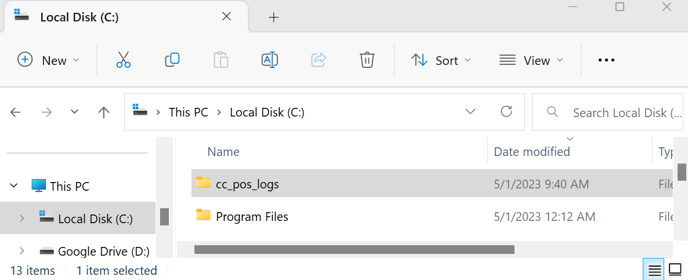
Step 2: Locate and open the folder called "CC_Pos_Logs"
Step 3: Select and copy the text file from the appropriate date.
You can copy "C:\" and paste this into your Windows search bar.
Step 2: Locate and open the folder called "CC_Pos_Logs"
Step 3: Select and copy the text file from the appropriate date.
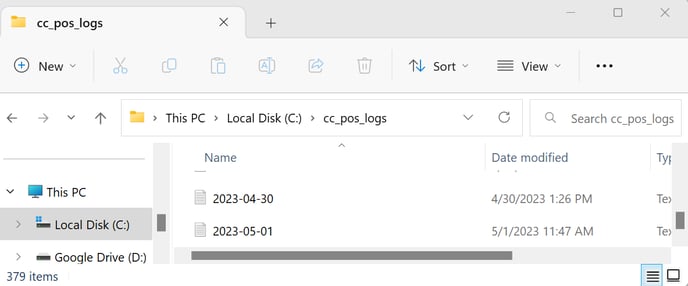
Step 4: Send Files to Jonas Synergy Support by one of the options below:
A) Attach them to your current e-mail thread with support.
B) Start a new e-mail to [email protected] , and reference your ticket number#
Your ticket number is sent to you after you have emailed Jonas Synergy Support.
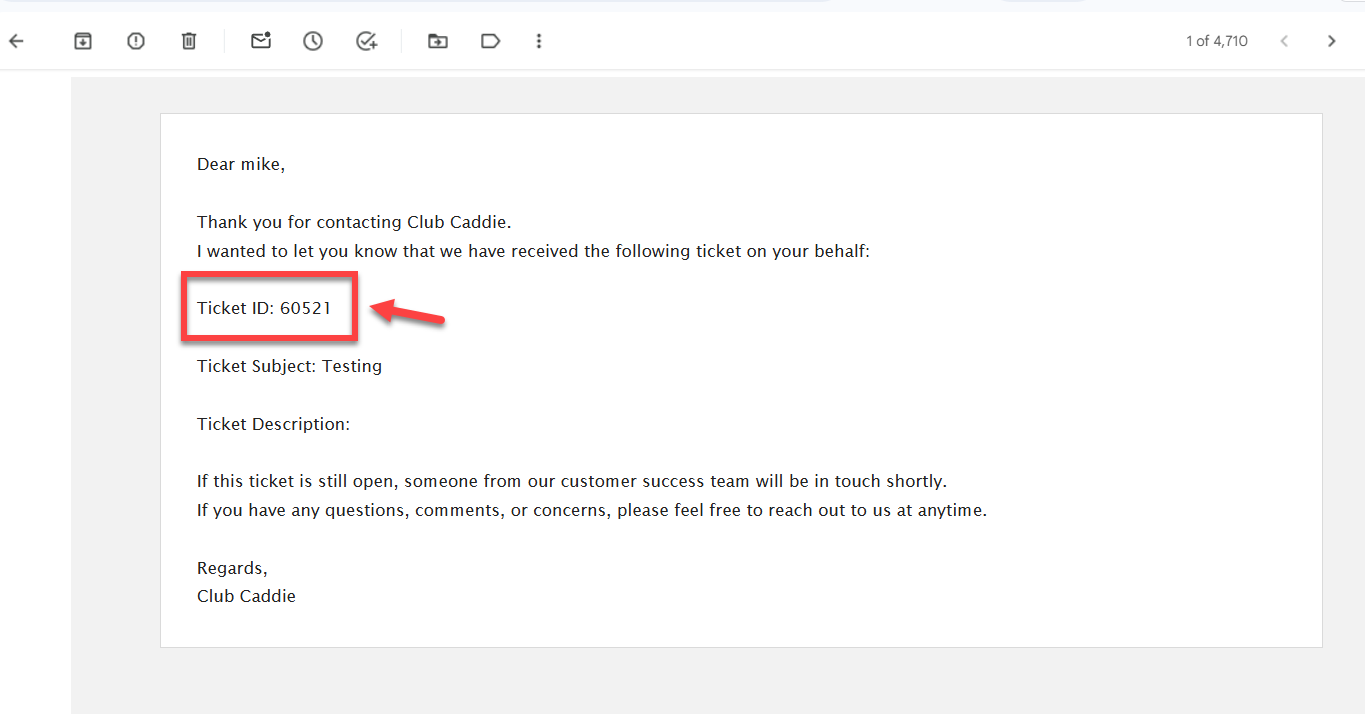
B) Start a new e-mail to [email protected] , and reference your ticket number#
Your ticket number is sent to you after you have emailed Jonas Synergy Support.
Related Articles
General : Time Log Management
Article Contents: This article guides how to "Clock in" and "Clock Out", how to add Tips, how to Add time card and how to see total hours of the working report. Step by Step Step 1:- Click on the "Clock" icon from the right top corner of the window. ...General : Setting Up a Business Domain for Email Sending
Article Contents: If you’re trying to send business emails using an @gmail.com address (e.g., [email protected]), this guide is for you. Learn why a custom domain is essential for compliance, deliverability, and professionalism. Why You Can't Use ...General : Understanding the General Info Tab (Video)
In this video, we will provide an overview of the General Info Tab:General : Password Reset
Article Contents: This article shows how to reset a user login password Step by Step Step 1: Go to the " Log in" page. Step 2: Then Click on " Forgot Password". Step 3: Type your " User Id" here and click " Reset Password". An email will be sent to ...General : Downloading Jonas Synergy
Article Contents: This article will walk through the step by step process on how to download Jonas Synergy and log in to your facility's golf management software. Step by Step Step 1: To download the Synergy software head over to the link: ...