Add Instructions to an Order
Step-By-Step:
Step 1: After adding the items from the register to a tab, click on send to write specific instructions for KDS system.
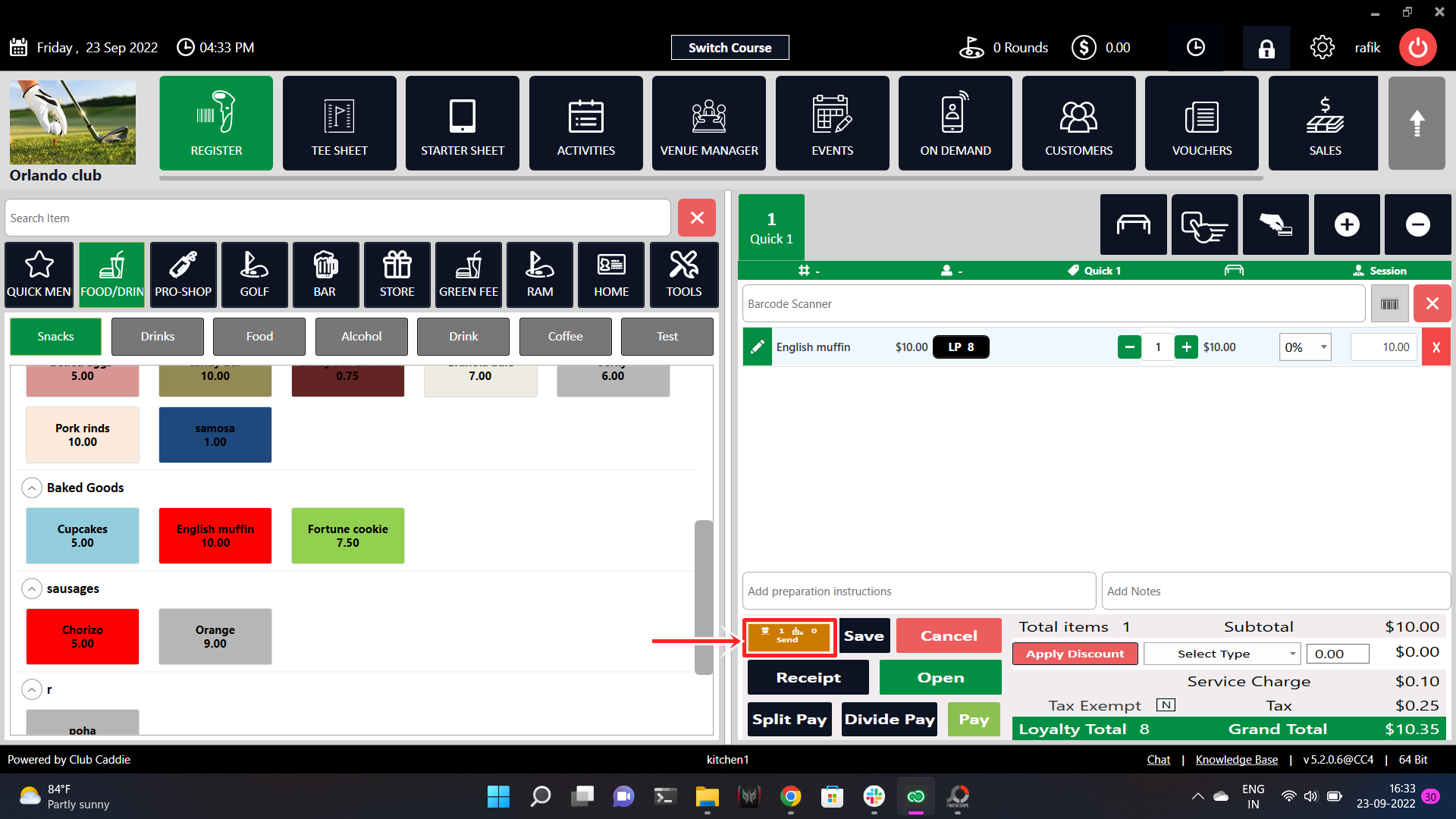
Send to KDS with instructions.
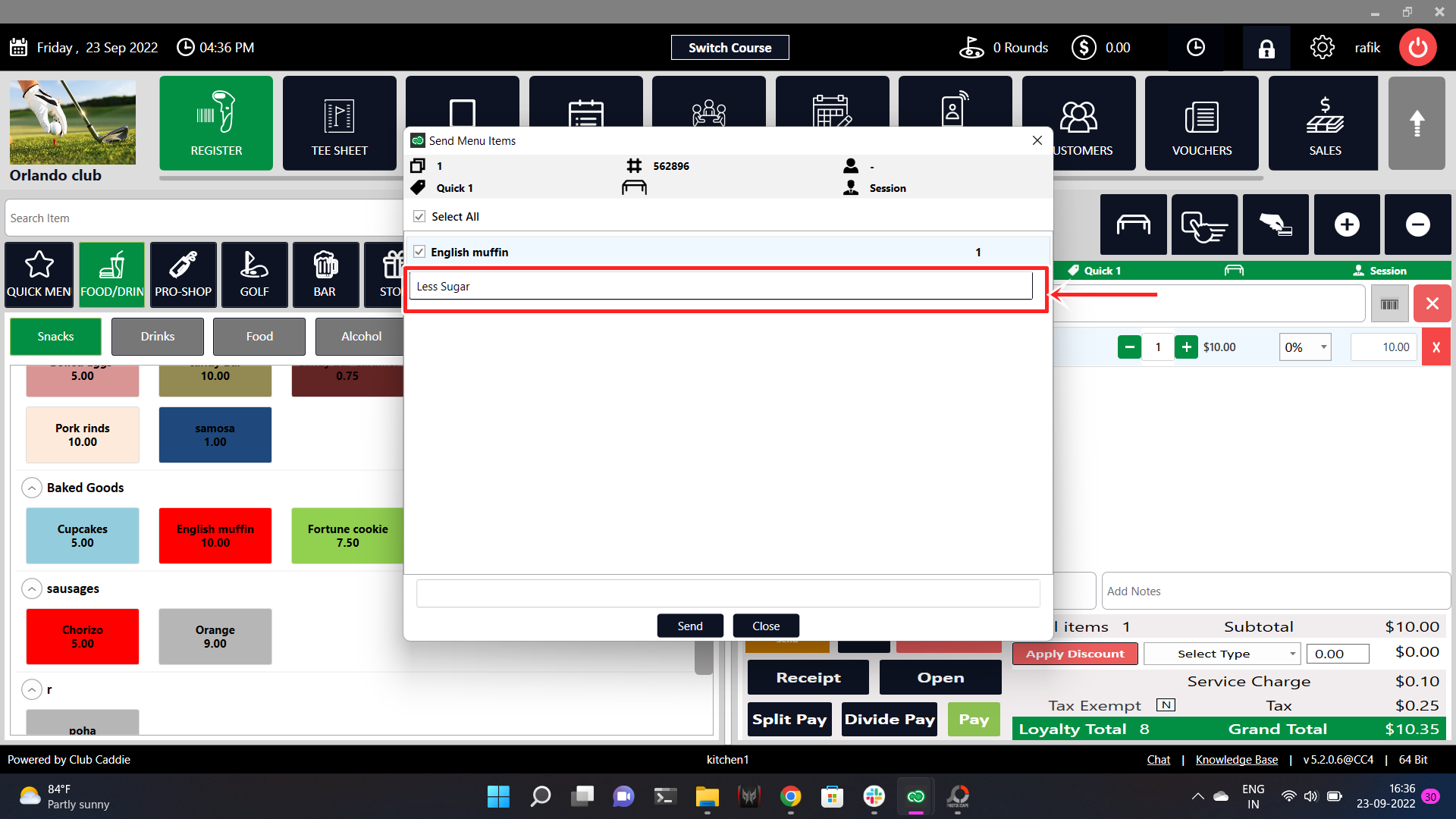
Write your instructions here.
Step 2: You can also select the choice of modifiers available for particular items. You will be able to see them on KDS after sending them to Online kitchen terminal.
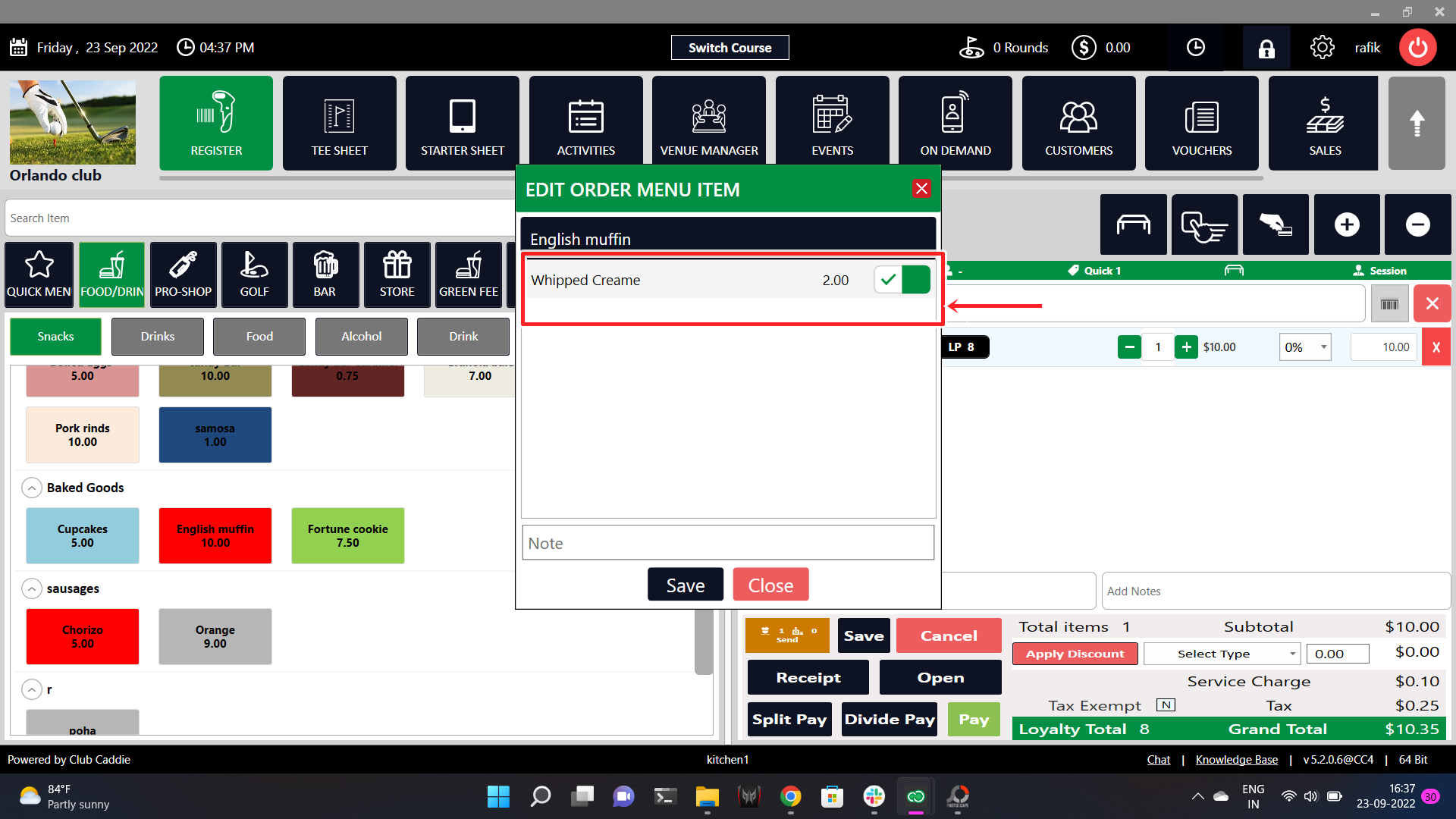
Step 3: Open your online Kitchen terminal on KDS and view the order that was sent from POS.
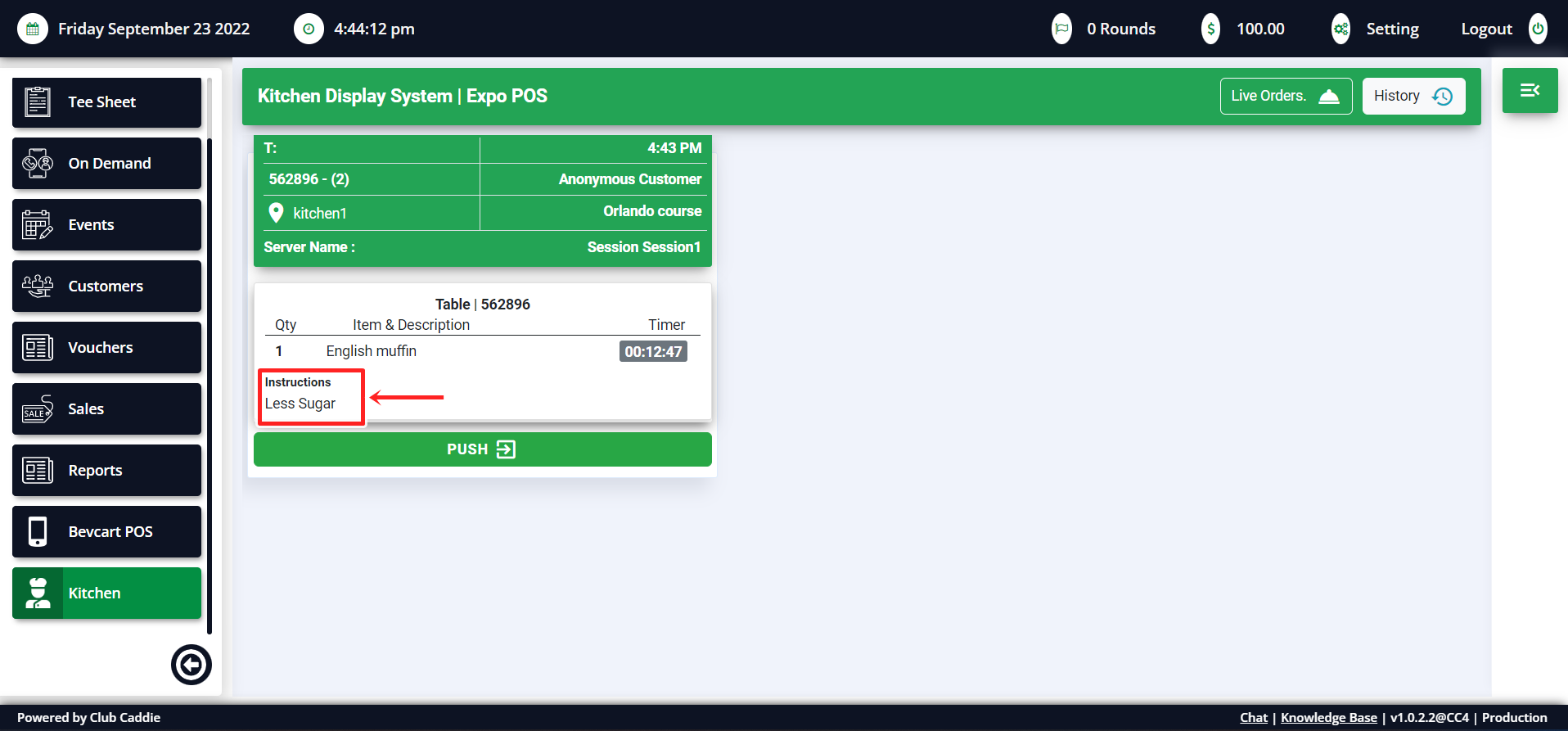
You can see the instructions clearly on KDS.
Related Articles
Sending Order from POS to KDS
Article Contents: How to send an order from POS to KDS. Step-By-Step: Step 1: Create order in a tab by adding items from the register. Add modifiers if any and click on the send button on the bottom. Step 2: Select the items you wish to send to the ...Check Order Status
Article Contents: How to view the status of an order that was sent from you POS. Step-By-Step: Step 1: Open your web portal for Jonas Synergy online. On the left side, Scroll down to the Kitchen terminal and click on it. Step 2: Click on the live ...Checking Order Summary and History
Article Contents: How to review the order history and summary any of all order placed. Step-By-Step: Step 1: On the Jonas Synergy Online website, scroll down to the Kitchen terminal and click on it. Step 2: Click on the History button in the top ...