Register : Event Deposit
Step-By-Step:
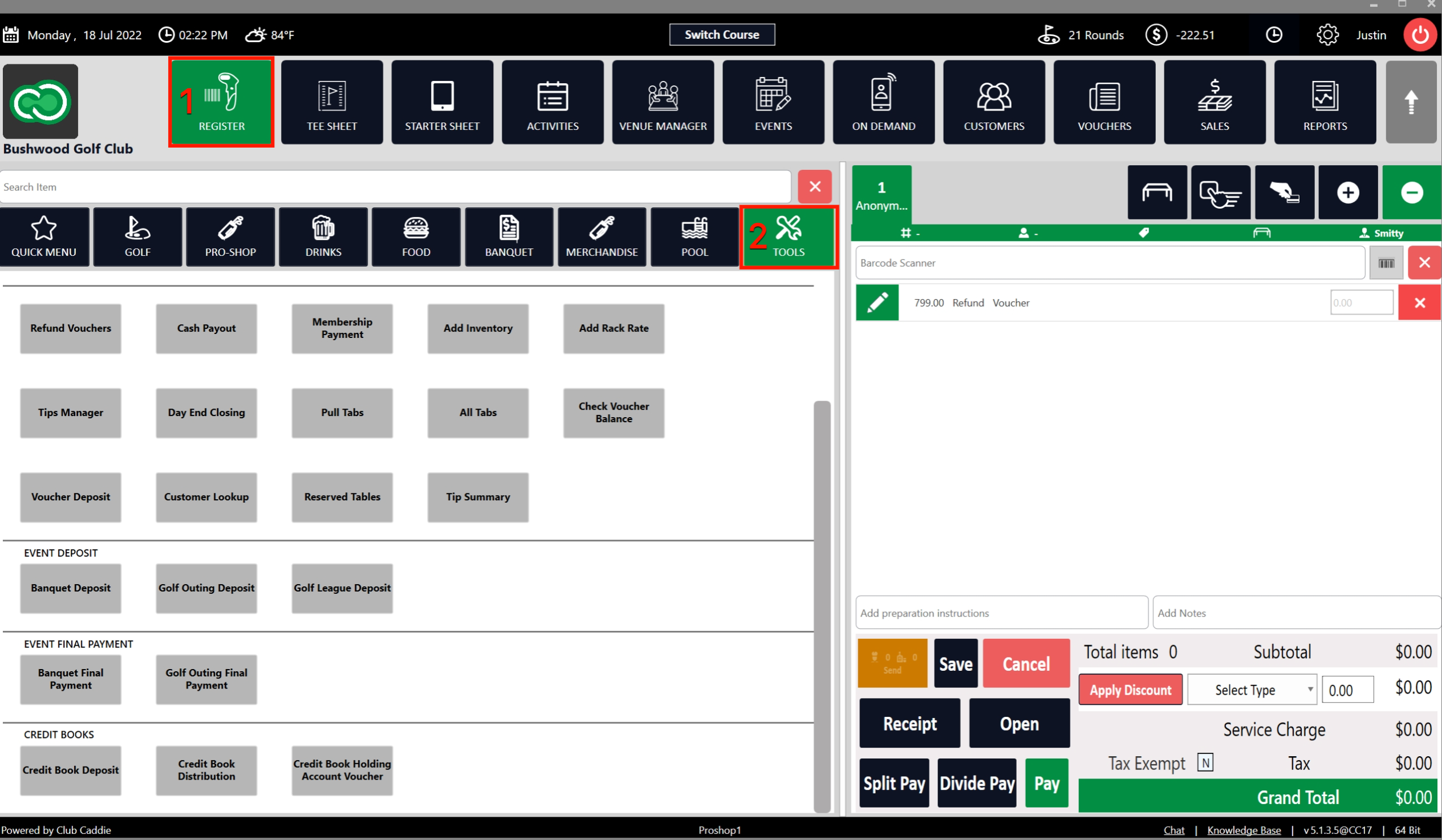
Step 1: On the REGISTER (1) module, Click on the TOOLS (2) tab.
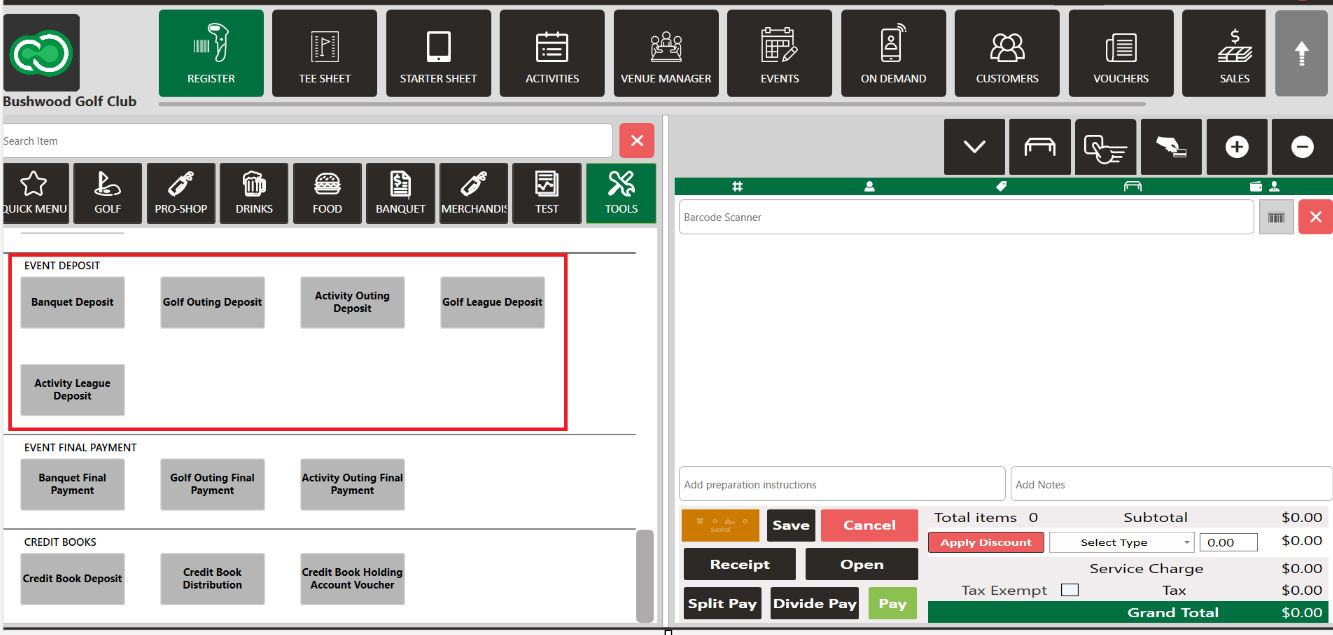
Step 2: Click on the choice of Event: Banquet Deposit, Golf Outing Deposit, Activity Outing Deposit, Golf League Deposit, or Activity League Deposit. All options operate in the same manner.
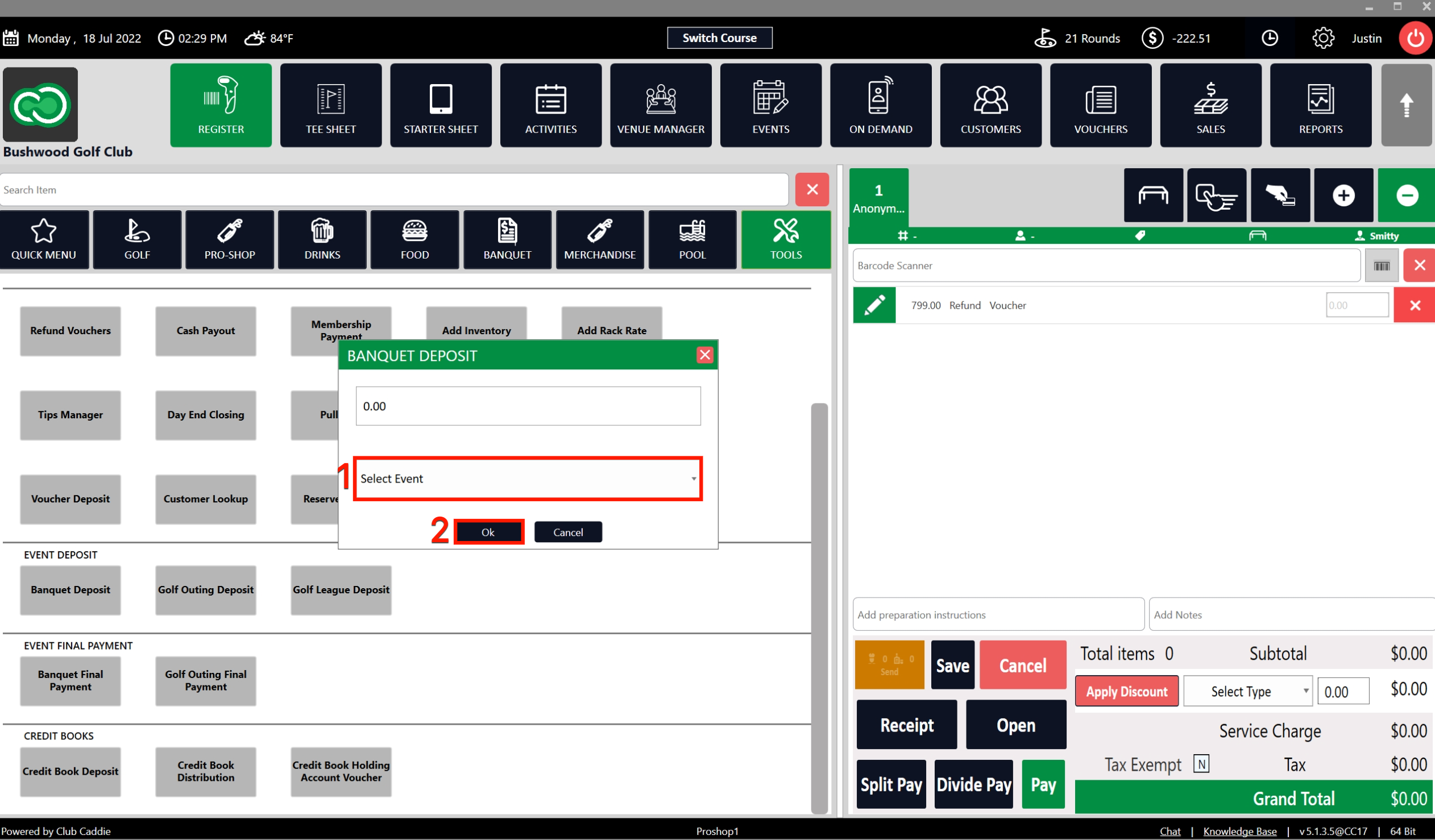
Step 3: Once the event for the deposit is chosen, the system will create a DEPOSIT pop-up. Fill in the details of the amount of the deposit and select the pre-registered event from the Select Event (1) drop down. Then click Ok (2).
Step 4: The system will generate a new tab from where you can follow standard payment procedures. The amount will be considered as a pre-paid deposit towards the event.
Related Articles
Register : Voucher Deposit from Register
Article Contents This article contains step-by-step instructions on how to do Voucher Deposit from Register. Step-by-Step: Step 1: Click on “Register” in the header tab, then click on the “Tools” tab. Step 2: Select the “Voucher Deposit” option. A ...Register : Credit Book Deposit & Distribution
This article provides users with a step by step guide on depositing and distributing credit to credit book accounts from the register module. Step-by-Step: Step 1: On the Register screen, click on the "Tools" tab. Step 2: Scroll down then you can see ...Register : Edit Item Price
Article Contents: This article gives step-by-step instructions on how to change item prices in the register. Step-by-Step: Step 1: After selecting the REGISTER module, click on an item to add it to the register tab. Step 2: Item prices can be edited ...Register : Editing Item Quantity
Article Contents: This article gives step-by-step instructions on how to edit item quantities in the register. Step-By-Step: Step 1: After selecting the REGISTER module, click on an item to add it to the register tab. Step 2: Item quantities can be ...Register : Item Visibility
This article summarizes how to hide visibility of an item in the register Step By Step: Step 1: Navigate to the REGISTER module and locate the item that you are trying to hide from the register screen. Right click on the item and select EDIT ...