Register : Item Visibility
This article summarizes how to hide visibility of an item in the
register
Step By Step:
Step By Step:
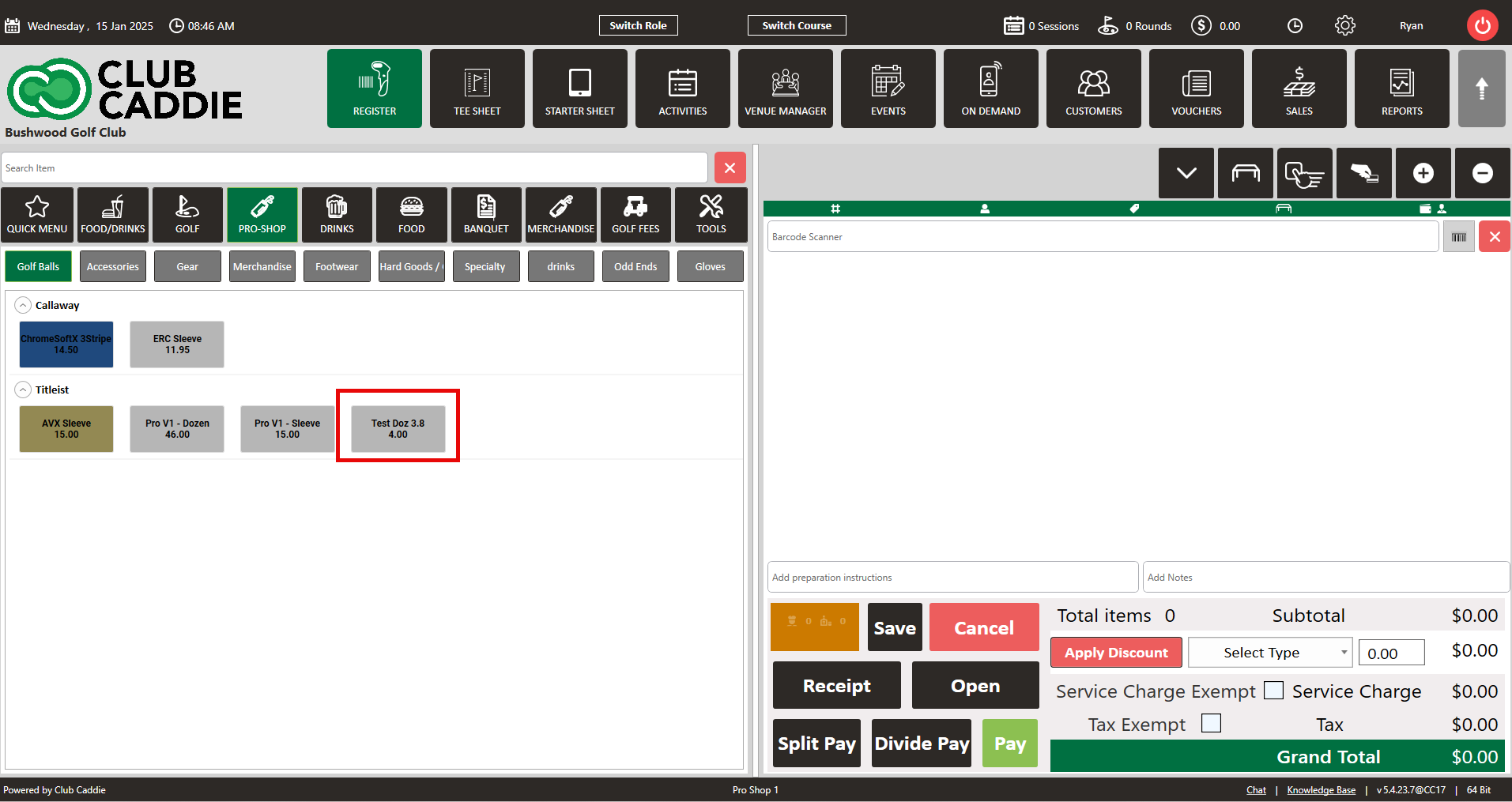
Step 1: Navigate to the REGISTER module and locate the item that you are trying to hide from the register screen. Right click on the item and select EDIT INVENTORY
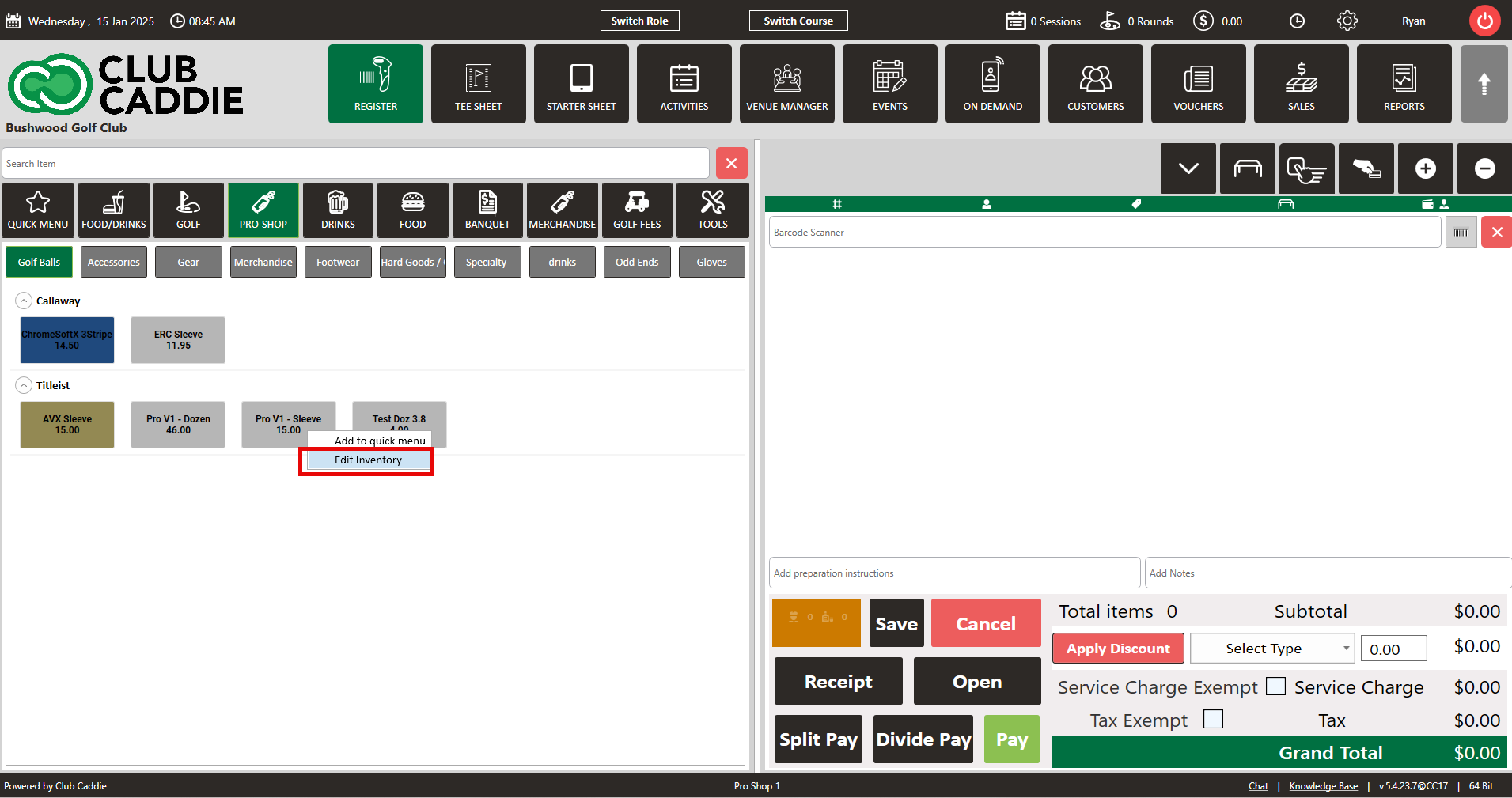
Step 2: Upon clicking, EDIT INVENTORY, the inventory profile screen will appear where you will see the option to toggle OFF register visibility which will hide the item from the register. Finally, click on update to save the changes.
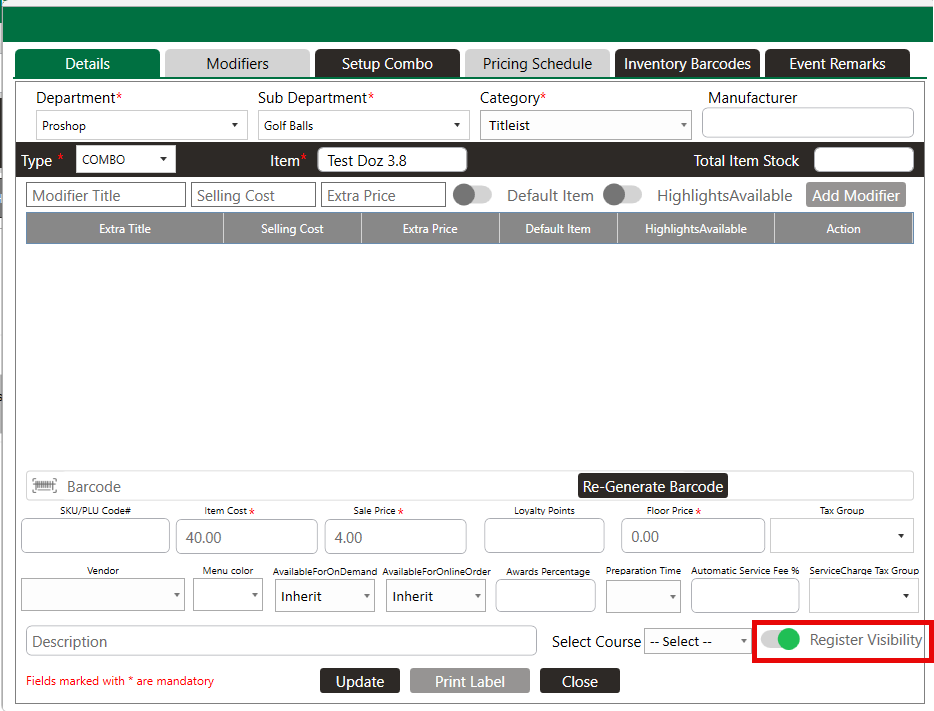
NOTE: All items are defaulted ON for register visibility. If you toggle the visibility OFF, you can reinstate the item's visibility by navigating to settings -> inventory center -> locating the item and clicking on view/edit where you will then have the option to turn ON the visibility.
Related Articles
Register : Edit Item Price
Article Contents: This article gives step-by-step instructions on how to change item prices in the register. Step-by-Step: Step 1: After selecting the REGISTER module, click on an item to add it to the register tab. Step 2: Item prices can be edited ...Register : Editing Item Quantity
Article Contents: This article gives step-by-step instructions on how to edit item quantities in the register. Step-By-Step: Step 1: After selecting the REGISTER module, click on an item to add it to the register tab. Step 2: Item quantities can be ...Register : Search an Item
Article Contents This article contains a step by step guide on how to search for an item. Step-By-Step: Step 1: Navigate to the REGISTER module from the top navigation bar Step 2: Type in the item that you are trying to search for in the search field ...Register : Item Level Tax Exempt
Article Contents: This article provides instructions on how to manage tax exemption on individual items or the entire tab in the register. Step-By-Step: Step 1: Open the register and select the tab where you want to add items. Add the desired items ...Register : Adding Preparation Notes Per Item
Article Contents: This article gives instructions on how to add preparation instructions to an item in the register module. Step-By-Step: Step 1: To add preparation instructions to an item, select the item on the registration tab, and click on the ...