Register : Item Level Tax Exempt
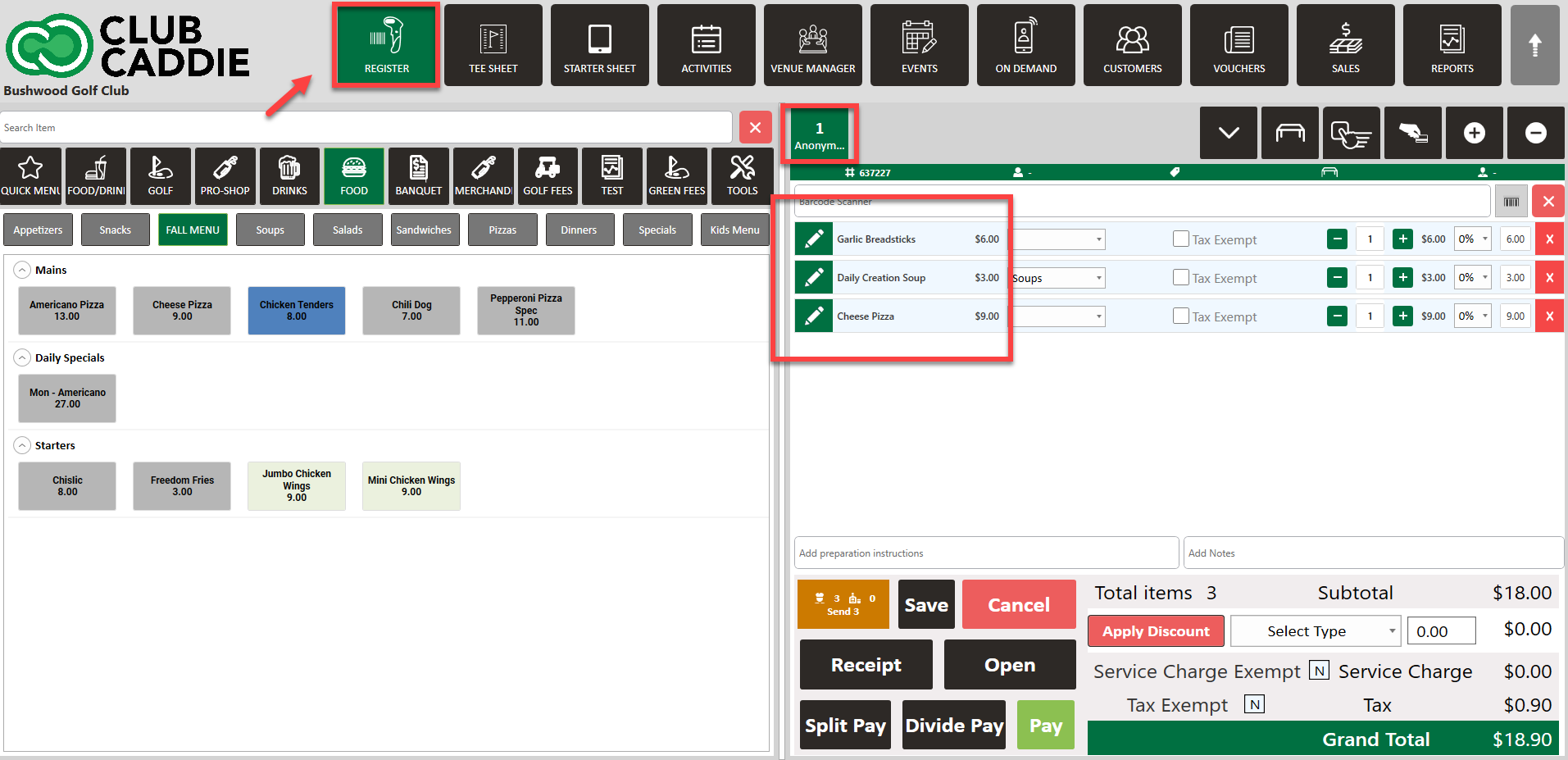
Step 1: Open the register and select the tab where you want to add items. Add the desired items (e.g., drinks and food) to the tab.
Step 2: Locate the tax-exempt checkbox next to each individual item. This allows you to apply tax exemption on a per-item basis.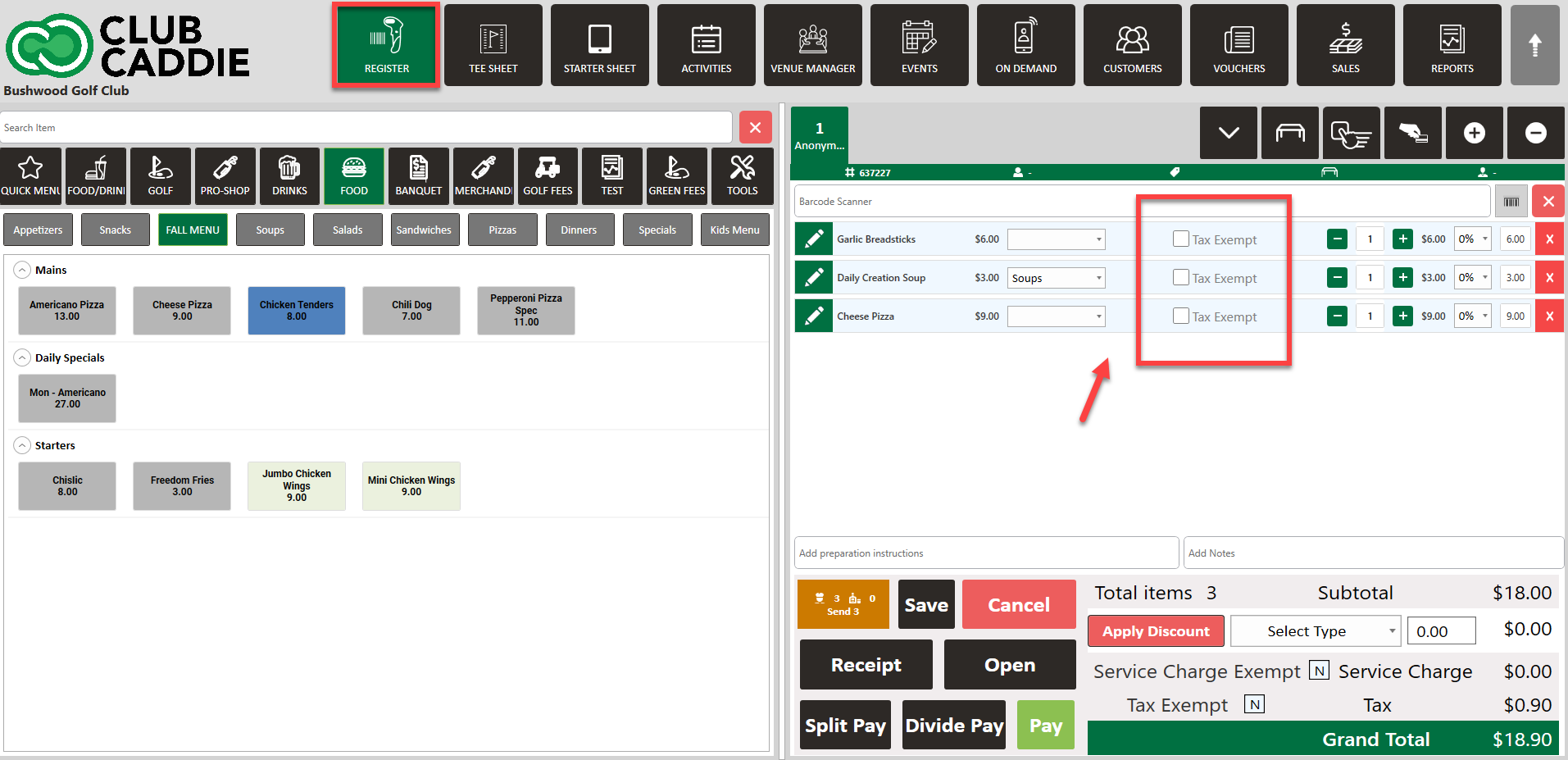
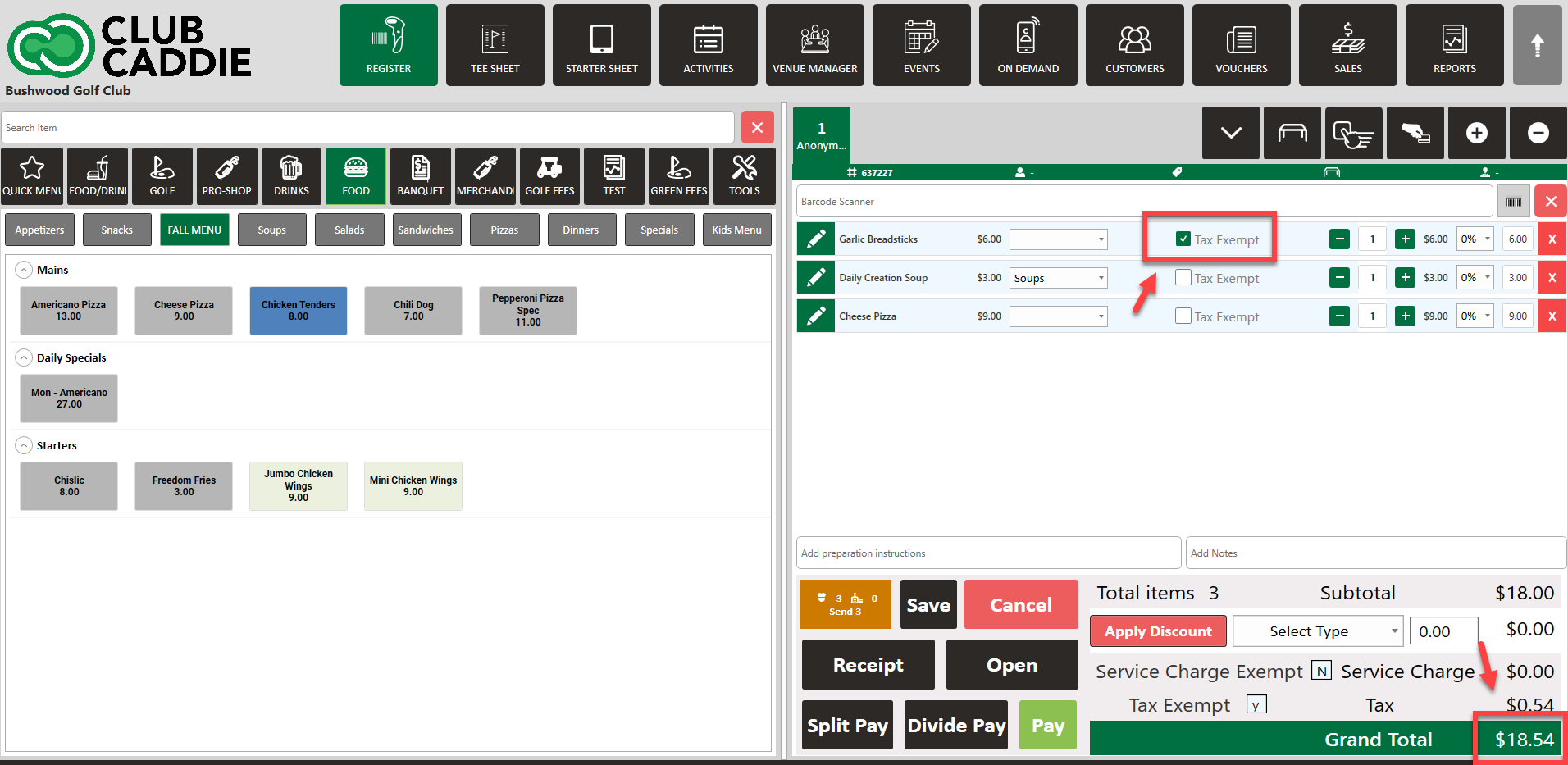
Step 3: You will notice the total amount reflects the tax exemption when applied.
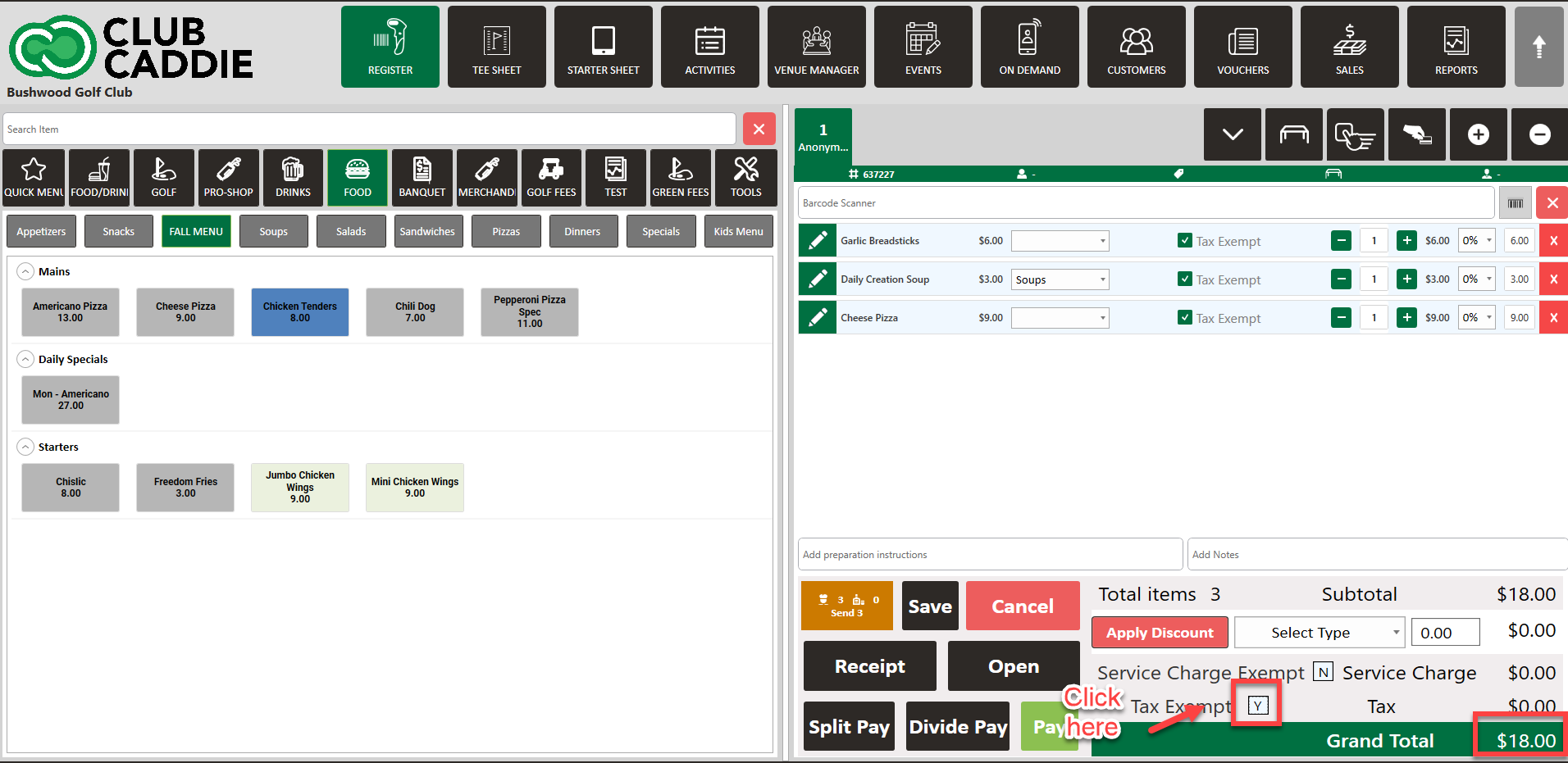
Step 4: Alternatively, you can apply tax exemption to the entire tab if needed.
Related Articles
Register : Edit Item Price
Article Contents: This article gives step-by-step instructions on how to change item prices in the register. Step-by-Step: Step 1: After selecting the REGISTER module, click on an item to add it to the register tab. Step 2: Item prices can be edited ...Register : Editing Item Quantity
Article Contents: This article gives step-by-step instructions on how to edit item quantities in the register. Step-By-Step: Step 1: After selecting the REGISTER module, click on an item to add it to the register tab. Step 2: Item quantities can be ...Register : Search an Item
Article Contents This article contains a step by step guide on how to search for an item. Step-By-Step: Step 1: Navigate to the REGISTER module from the top navigation bar Step 2: Type in the item that you are trying to search for in the search field ...Register : Item Visibility
This article summarizes how to hide visibility of an item in the register Step By Step: Step 1: Navigate to the REGISTER module and locate the item that you are trying to hide from the register screen. Right click on the item and select EDIT ...Register : Adding Preparation Notes Per Item
Article Contents: This article gives instructions on how to add preparation instructions to an item in the register module. Step-By-Step: Step 1: To add preparation instructions to an item, select the item on the registration tab, and click on the ...