Filter by Payment Method
Article Contents: This article contains step-by-step instructions on how to filter by payment method in the sales module.
Step 1: Select the "Sales" module from the left pane menu. The software will pull all orders that have occurred with the most recent sale being listed at the top.
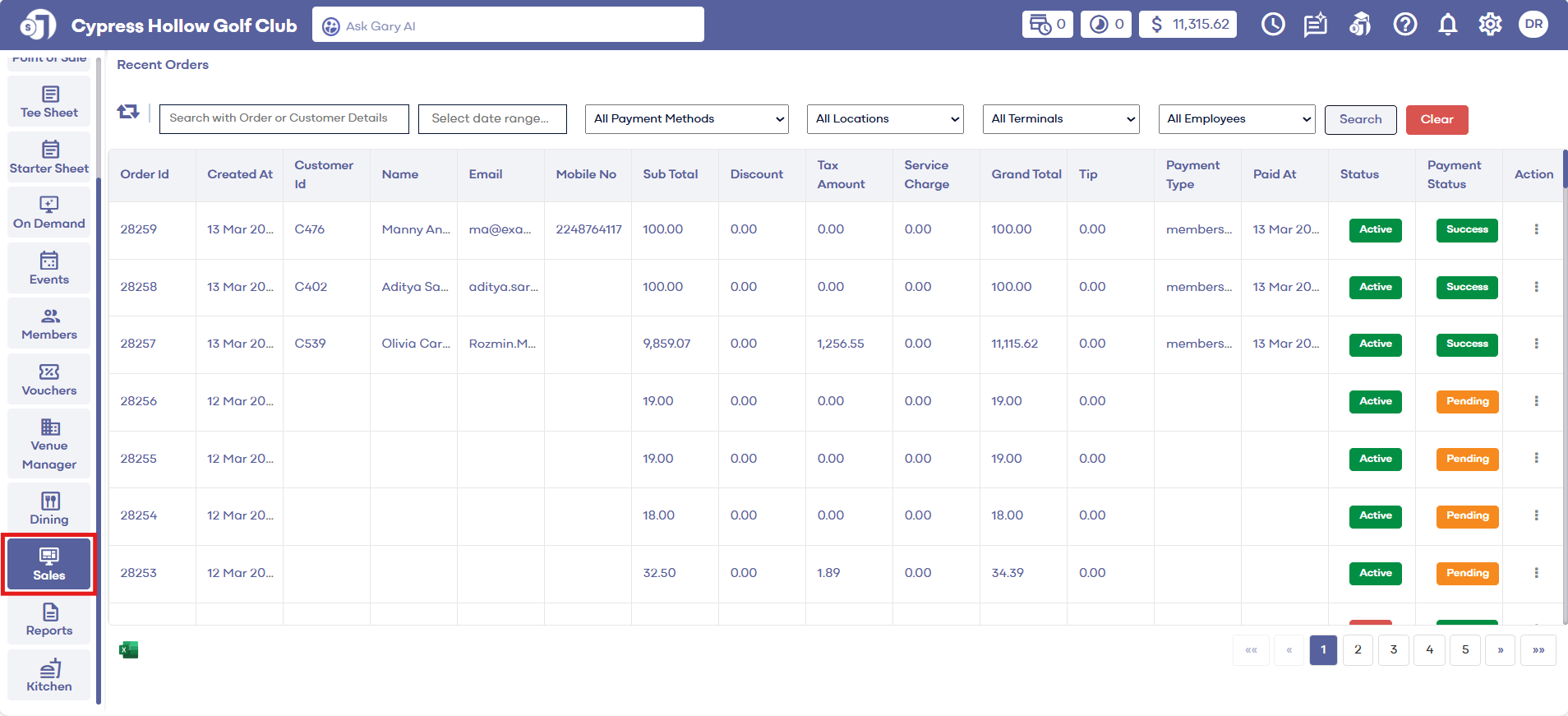
Step 2: Select the payment method in which you'd like to search for by using the drop down for payment method. This drop down menu will show you all payment methods that are available for the facility. After a payment method is selected, click search. The software will display all orders that are applicable to the payment method that was selected.
Related Articles
Date Filter
Article Contents: This article contains step-by-step instructions on how to filter sales by date. Step-By-Step: Step 1: Select the "Sales" module from the left pane menu where the software will display all orders with the most recent sale listed at ...Payment Status
Article Contents: This article gives step-by-step instructions on how to view a payment status in sales history. Step-By-Step: Step 1: Select the SALES module from the module navigation menu. The system will open a Recent Orders window. Step 2: In ...Searching Sales History
Article Contents: This article contains step by step instructions on how to search sales history Step-By-Step: Step 1: Click on the Sales button on the header tab on the left hand of the screen. Step 2: You can search for sales with order id or guest ...Searching by order details
Article Contents: This article contains step by step instructions on how to view recent orders Step-By-Step: Step 1: Select the SALES module from the module navigation menu. Step 2: Enter the Order Id in the search field and click the Search button. ...Sales Overview
Article Contents: This article contains step-by-step instructions on the sales history tab. Step-By-Step: Step 1: Select the SALES module from the module navigation menu. In the Recent Orders window, you can see the Orders list details with the ...