Creating Custom Voucher Types & Mapping to Chart of Accounts

SETTINGS: SELLING GIFT CARDS ONLINE

Article Contents: This article contains step-by-step instructions on how to create custom voucher types and map the vouchers to your chart of accounts.

Step-by-step:

Step 1: Click on  Settings (gear wheel icon) in the top-right corner of the screen. Then, click on  Register Settings on the left-hand side menu, followed by the  Club Voucher Type tab.
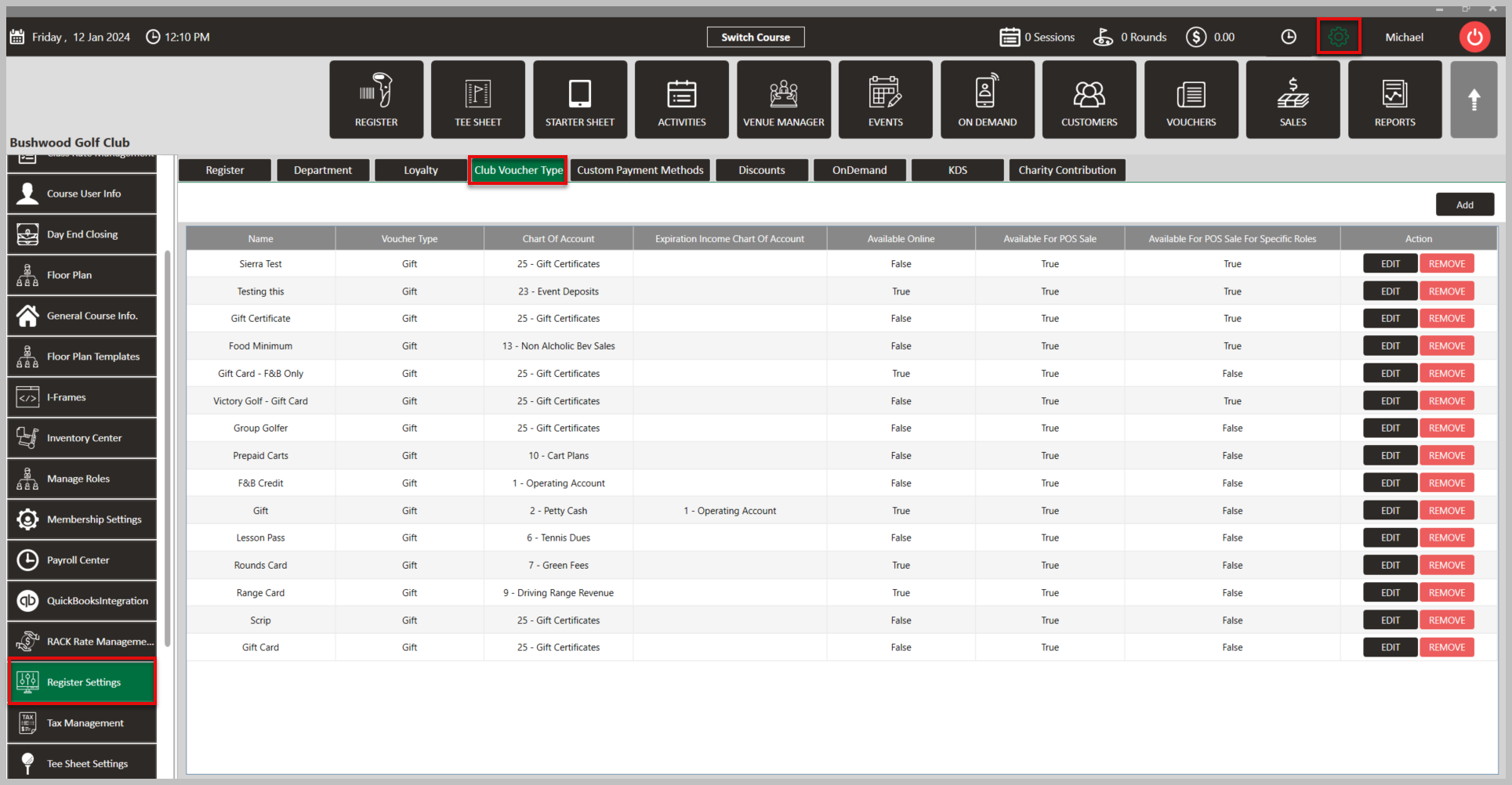


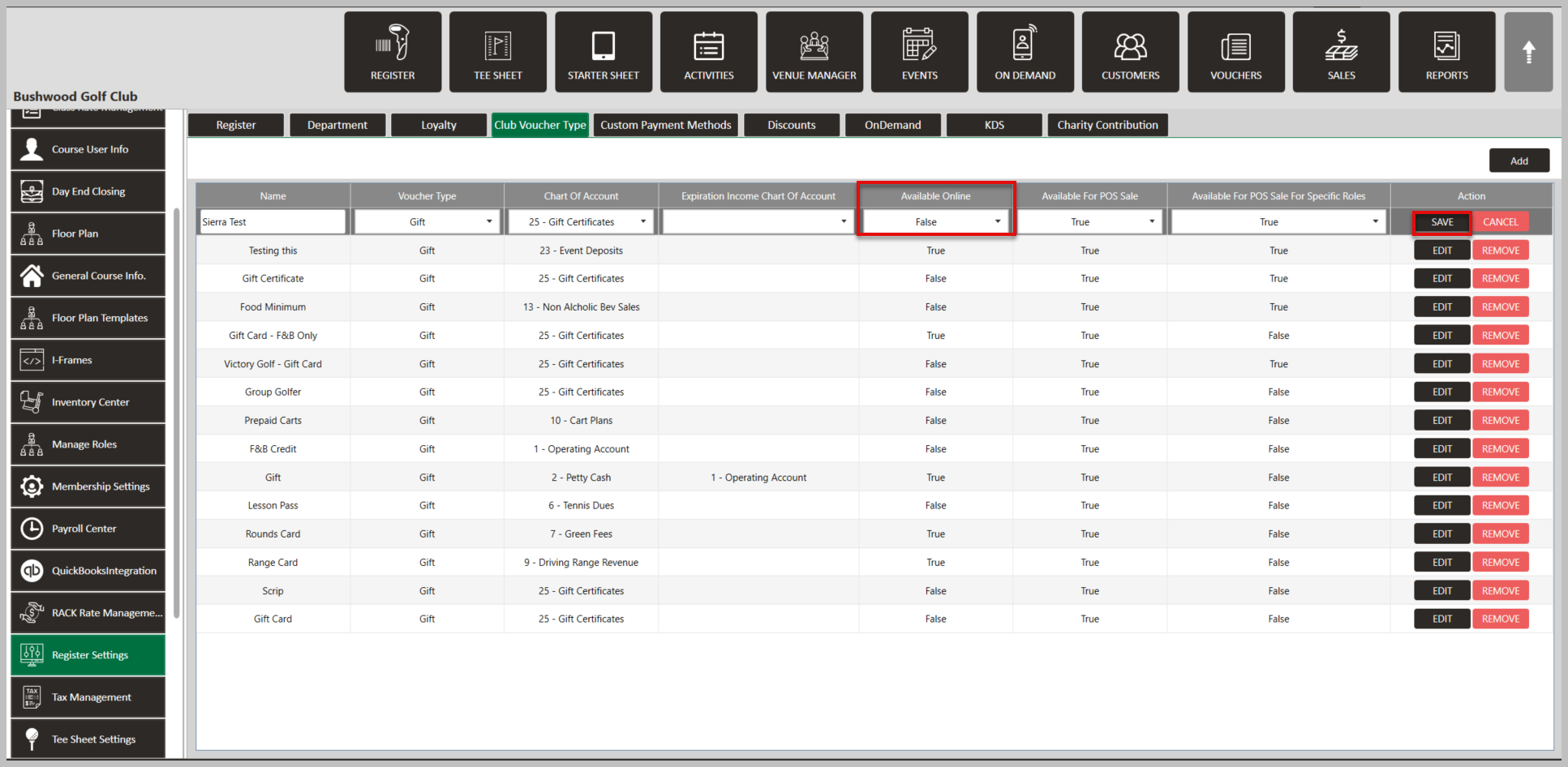
Step 2: In the  Club Voucher Type tab, find the list of existing voucher types. To make any existing vouchers available online, click the  Edit button, change  Available Online to True, then click  Save.


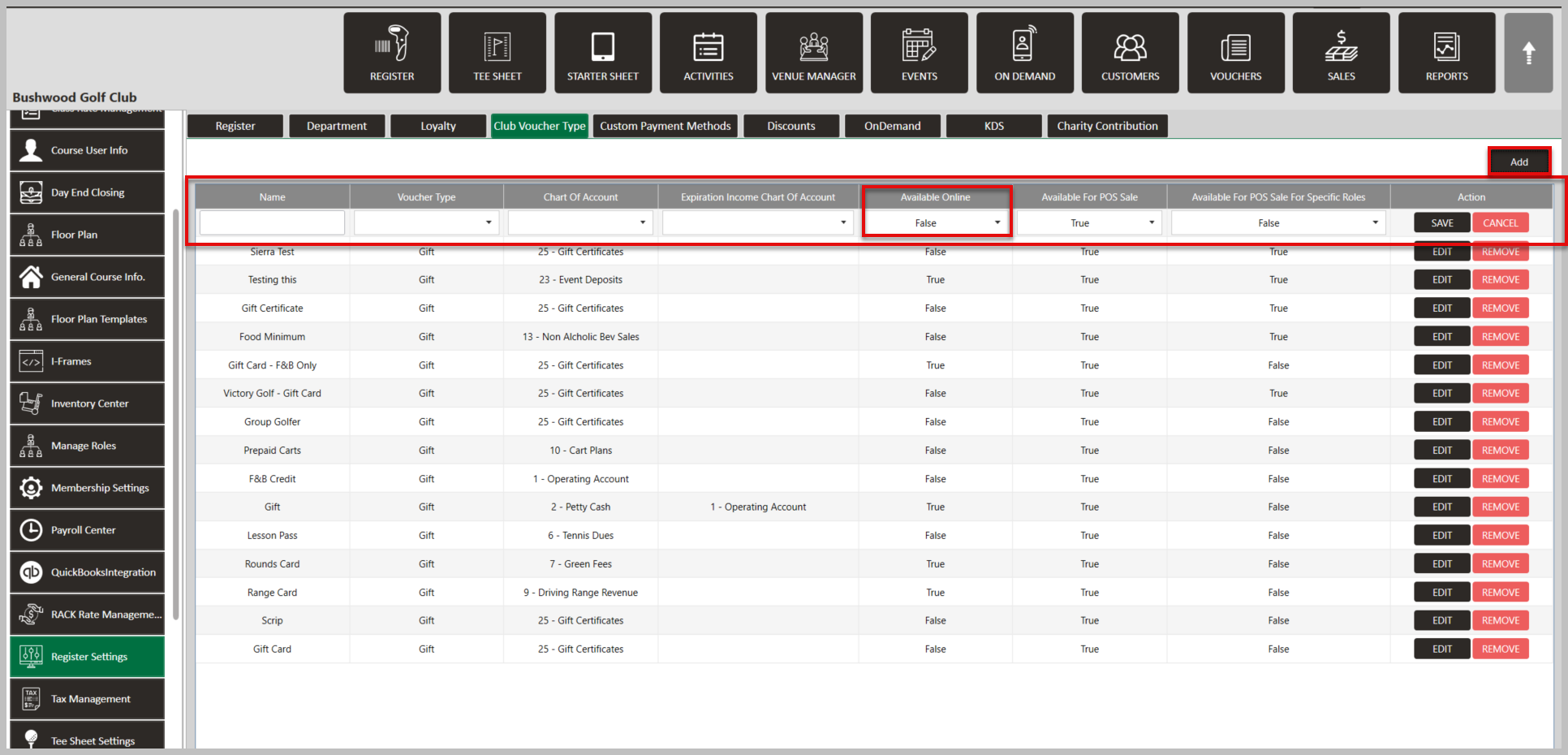
Step 3: To create a new voucher type, click the  Add button. Then, enter the necessary information such as the  Voucher Name,  Voucher Type, the  Chart of Accounts code for the income, and the expiration of funds. Then, to make it available online click  Available Online to  True. Finally, click  Save to create the new voucher type.
 
 
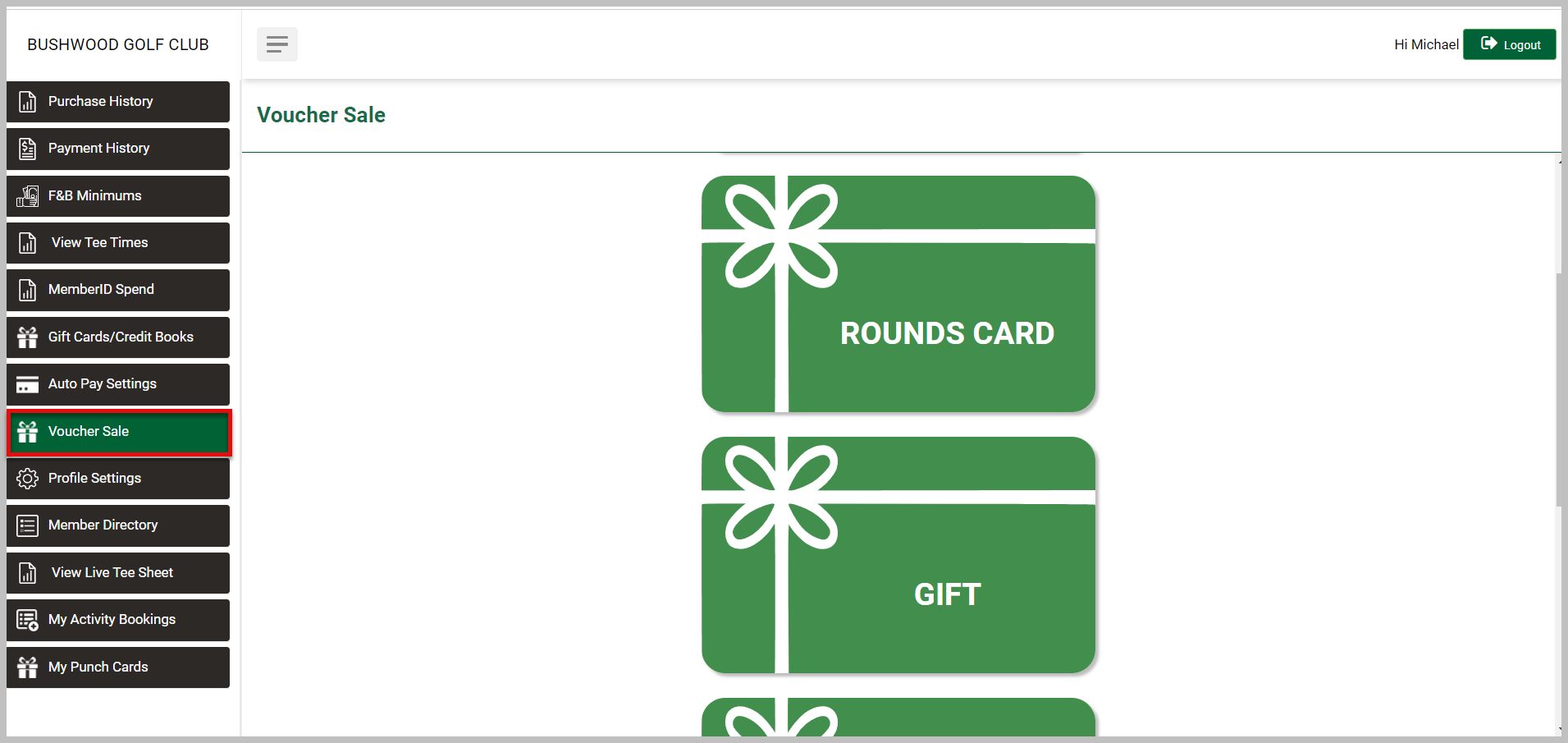
Step 4: To view existing and newly created vouchers online, navigate to your membership portal and select Voucher Sale.


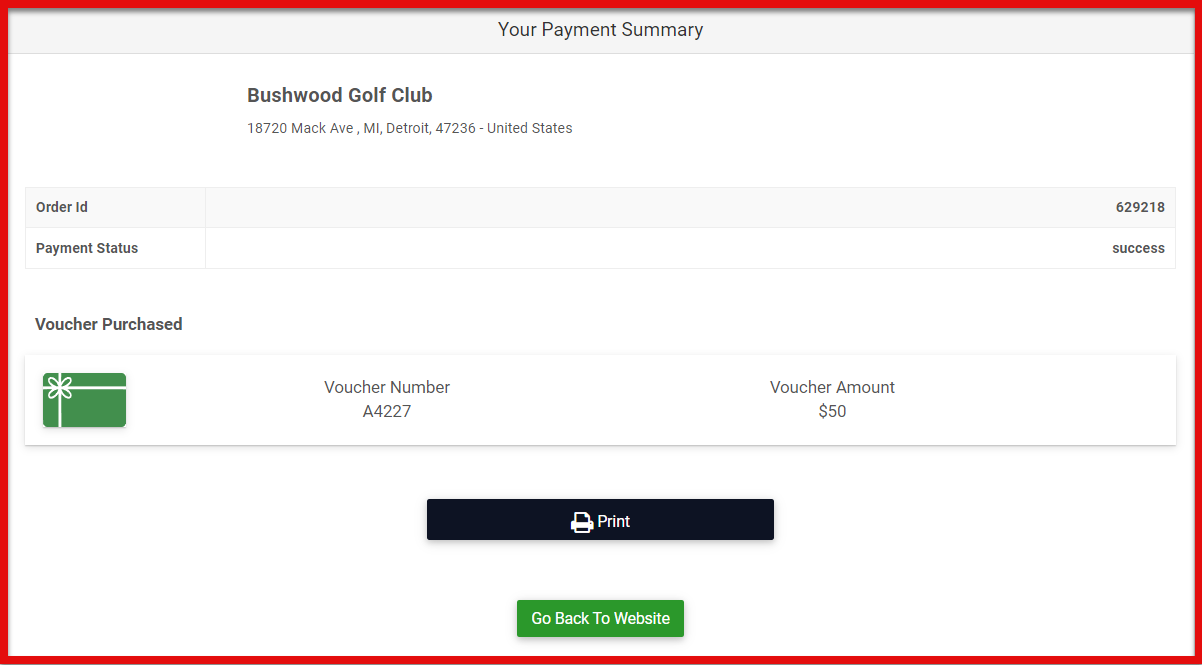
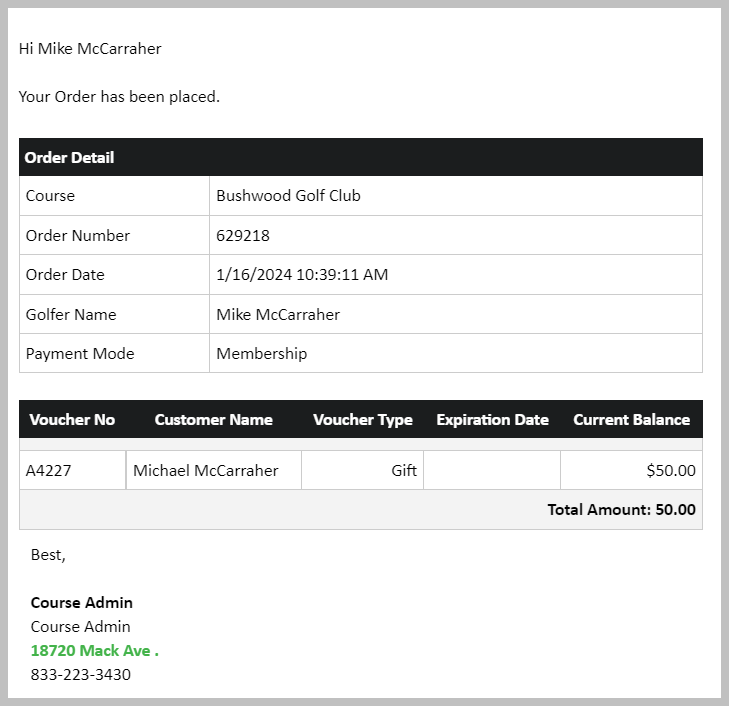
Below is the confirmation that your customer will recieve once payment is applied as well as the email.
  
 
    • Related Articles

    • SETTINGS: SAVING CREDIT CARDS FOR FUTURE ONLINE BOOKINGS

      This article covers the process of how your customers can save their credit card for future online bookings Step-by-Step: Step 1: Your customer will first go online, select their tee time, enter their name and select their rate, and select Continue ...
    • SETTINGS: ONLINE MEMBERSHIP SALES & APPLICATIONS

      Article Contents: These settings include the creation of custom sale strategies, the addition of terms and conditions specific to each class, cancellation policy, proration of memberships, and the establishment of maximum assignments for memberships. ...
    • SETTINGS: REGISTER SETTINGS

      Article Contents: This will show you how to navigate through your register settings, as well as providing a brief description on what each setting can do for you club. Video: The video covers essential features such as printing tip receipts, adding ...
    • SETTINGS: ONLINE PREPAYMENT OPTIONS BY CLASS

      Article Contents: There is an option to require prepayment for online Bookings. This enables operators to have more flexibility with their Customers/Members. Step by Step: Step 1: Navigate to the 'Settings' menu, select 'Class Management', and then ...
    • SETTINGS: MINIMUM GROUP SIZE FOR ONLINE BOOKINGS

      Article Contents: This is a step-by-step guide on how to set a minimum for group size for online bookings. Example: If you have a class called Platinum and would like to allow them to book as a single, you can enter 1. However, if you have a silver ...