Terminal Receipt Settings
Step-By-Step:
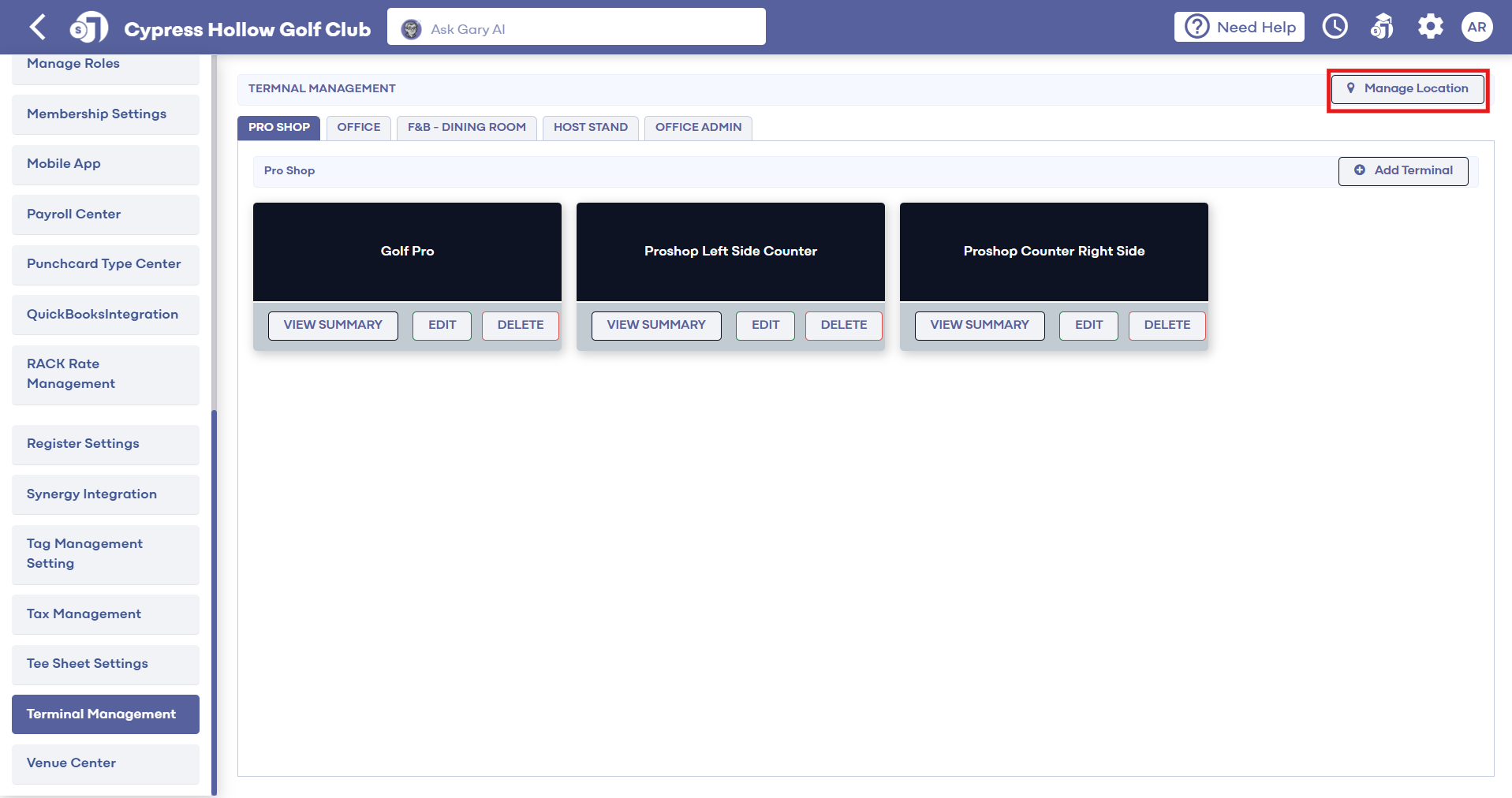
Step 1: Navigate to Settings, then click on Terminal Management from the left-hand side menu.
Step 1: Navigate to Settings, then click on Terminal Management from the left-hand side menu.
Step 2: Select Manage Location for the desired terminal. Next, configure the following new receipt printing options:
- Merchant Receipt Print Behavior - Choose "Print" or "Do Not Print"
- Merchant Receipt Type - Select "Full Receipt" or "Compact Receipt". The compact receipt only shows the order total.
- guest Receipt Print Behavior - Choose "Print" or "Do Not Print"
- guest Receipt Type - Select "Full Receipt" or "Compact Receipt". The compact receipt only shows the order total.
Step 3: Click Save.
These configurable receipt printing options allow merchants to only print essential receipt copies on a transaction-by-transaction basis. This results in paper and cost savings.
Related Articles
Terminal Management
This offers a walk-through on adding additional terminals. With clear, step-by-step instructions, this tutorial simplifies the process of terminal creation, highlighting key features and providing practical examples. Learn how to personalize each ...SETTINGS: REGISTER SETTINGS
Article Contents: This will show you how to navigate through your register settings, as well as providing a brief description on what each setting can do for you club. Video: The video covers essential features such as printing tip receipts, adding ...How do I create a new Terminal
In this article, we will walk through Adding Additional Terminals to Locations That You Have Set Up. Step-by-Step: Step 1: Start by navigating to terminal management found within the settings module by clicking the gear icon (1) in the top right-hand ...SETTINGS: PRINT STARTER RECEIPT
Article Contents: This article contains step by step instructions on how to print starter receipts Step by Step Step 1: Click on the "Settings" (Gear Wheel) icon in the upper right corner of the software. Step 2: Select "Register Settings" from the ...Cart Receipt & Agreement
This article provides step by step instructions on how to allow and set up a Cart Agreement receipt Step-By-Step: Step 1: Click on the Gear icon in the top right corner and choose Tee Sheet Settings from the left menu. Step 2: From there, toggle the ...