Cart Receipt & Agreement
Step-By-Step:
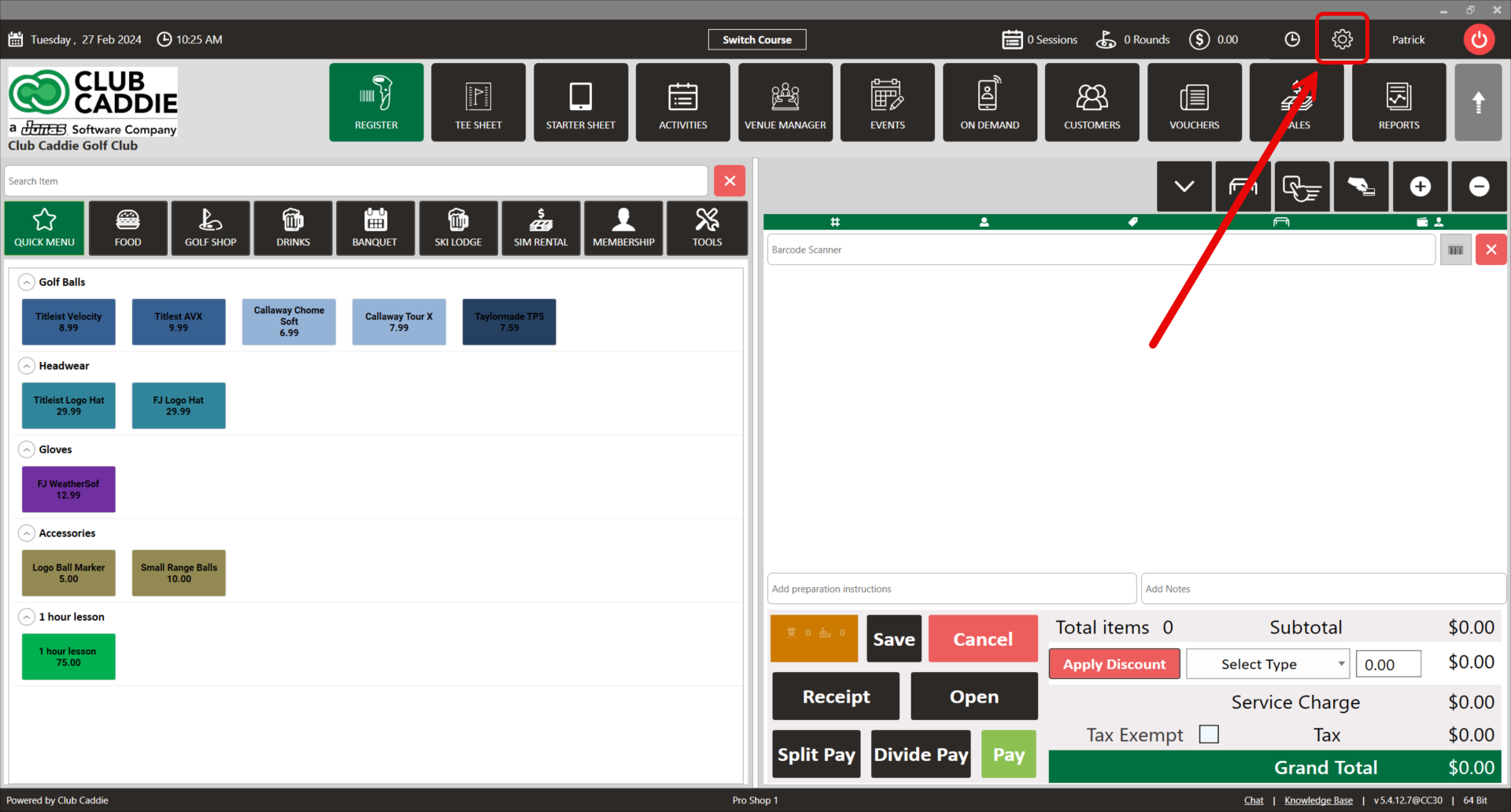
Step 1: Click on the Gear icon in the top right corner and choose Tee Sheet Settings from the left menu.
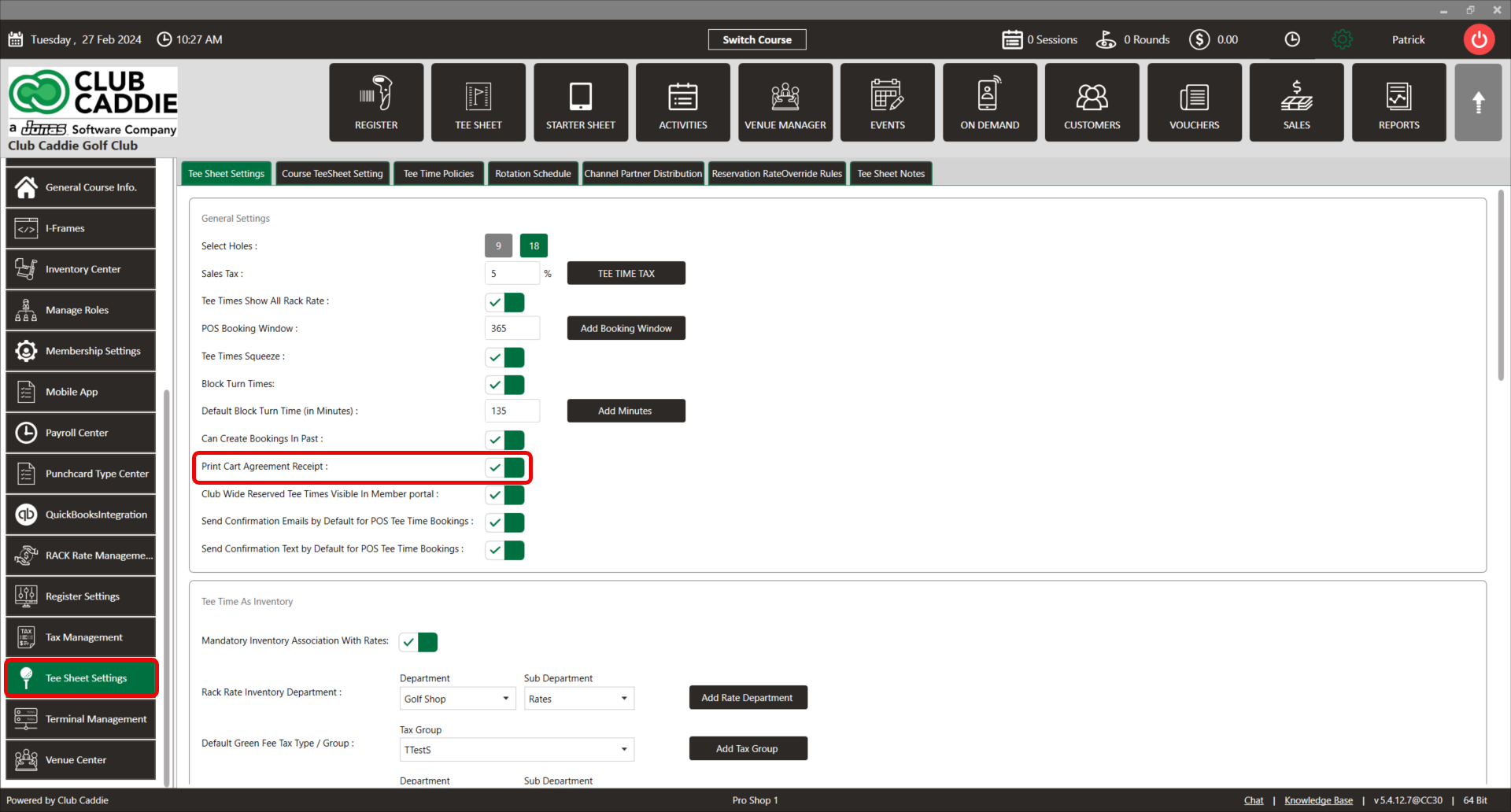
Step 2: From there, toggle the Print Cart Agreement Receipt on.
Step 3: Scroll to the bottom of the screen. There you will see the Cart Agreement Receipt Input. Type your cart agreement policy here, and click save.
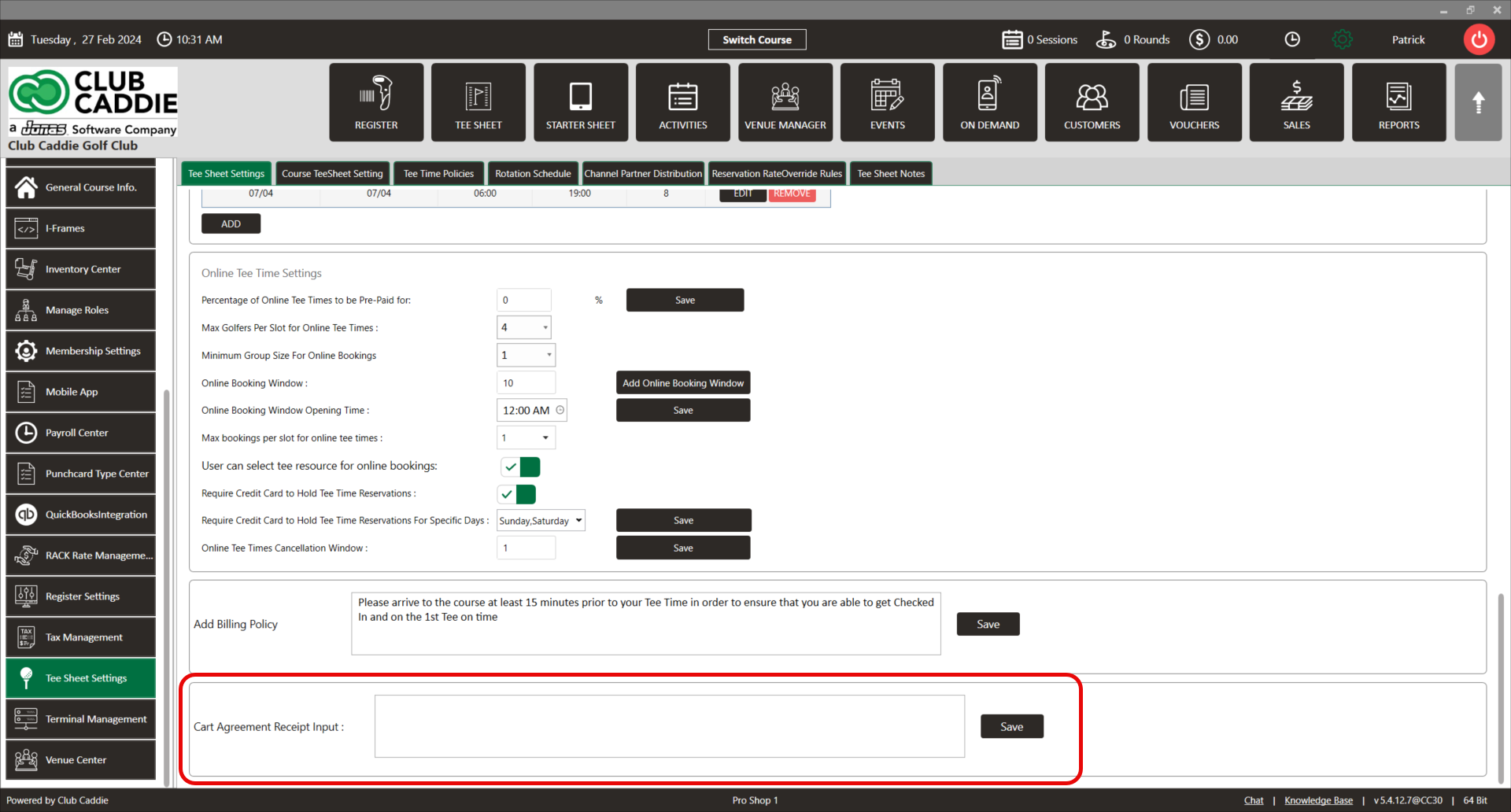
Note: The cart agreement will print out when a rate with a cart is sold.
Related Articles
Terminal Receipt Settings
New settings have been added in Terminal Management to allow more control over printing guest and merchant receipt copies separately. This can help save on paper and printing costs. Step-By-Step: Step 1: Navigate to Settings, then click on Terminal ...Custom Text on Receipt
Article Contents: This article contains instructions on how to add custom text to receipts. Step-By-Step: Step 1: Click on "Settings" (gear wheel) from the top navigation bar then "Register Setting" from the left-hand menu. Step 2: Then the system ...SETTINGS: PRINT STARTER RECEIPT
Article Contents: This article contains step by step instructions on how to print starter receipts Step by Step Step 1: Click on the "Settings" (Gear Wheel) icon in the upper right corner of the software. Step 2: Select "Register Settings" from the ...Show/Hide Modifiers on Receipt
Article Contents: This article summarizes how to adjust the Settings - Register setting - Show/Hide Modifiers on Receipt Step-By-Step: Step 1: Click on "Settings" (gear wheel) from the top navigation bar then "Register Setting" from the left-hand ...SETTINGS: ALLOW SALE EVEN IF AVAILABLE INVENTORY IS FEWER THAN ITEMS IN CART
Article Contents: This article provides step-by-step instructions for enabling sales, even when the inventory count is less than the number of items currently in the cart. Step By Step: Step 1: Click on the Gear Wheel icon located in the top-right ...