Add Tip as Line Item

SETTINGS: ADD TIP AS LINE ITEM

Article Contents: This article will show you how to allow for employees to add a tip to a Tab before the transaction is tendered out.

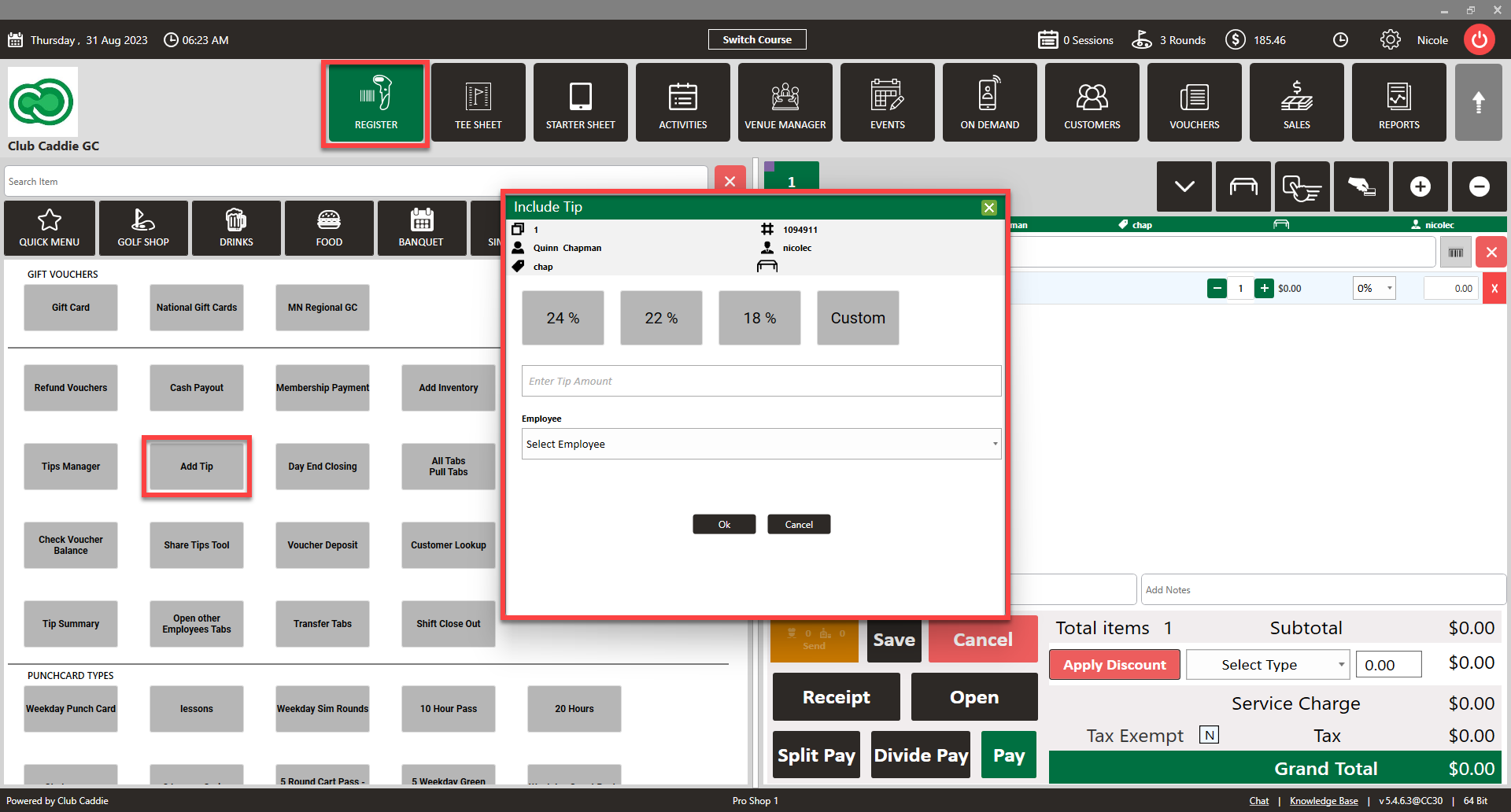
This is also applicable for Tabs/Tables with many Customers, where an automatic Gratuity of a given percentage will be added. If Suggested Tips amounts are set up for a Terminal, those percentages will appear. Users can also add a dollar amount Tip to the Tab. 

Step-By-Step:

Step 1: Click on the  Gear Wheel icon on the top right corner of the screen to access the settings page. 
 

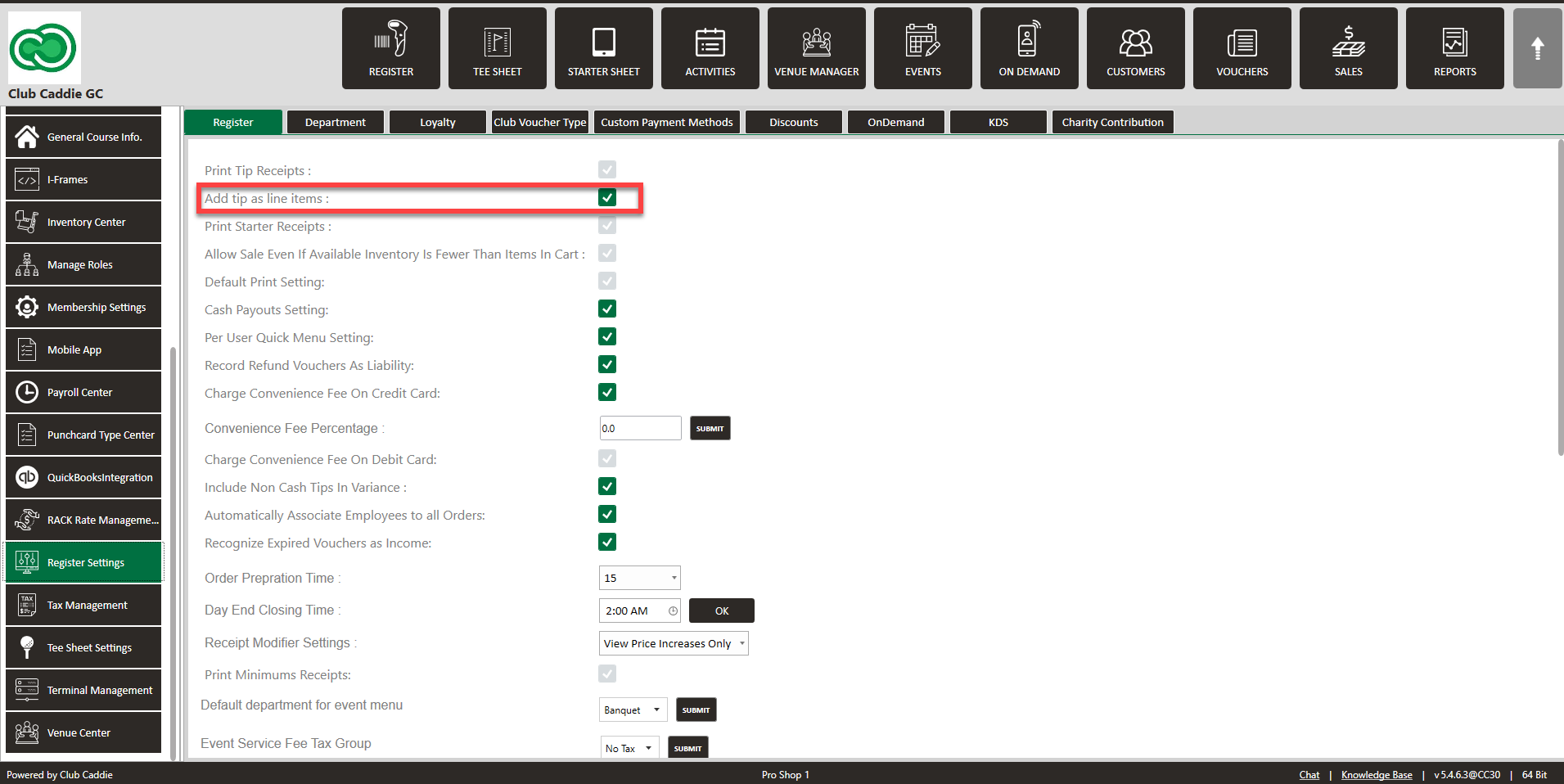
Step 2: Click on the Register Settings button from the menu on the left side of the screen and ensure that the "Add tip line items:" is toggled on. 
 
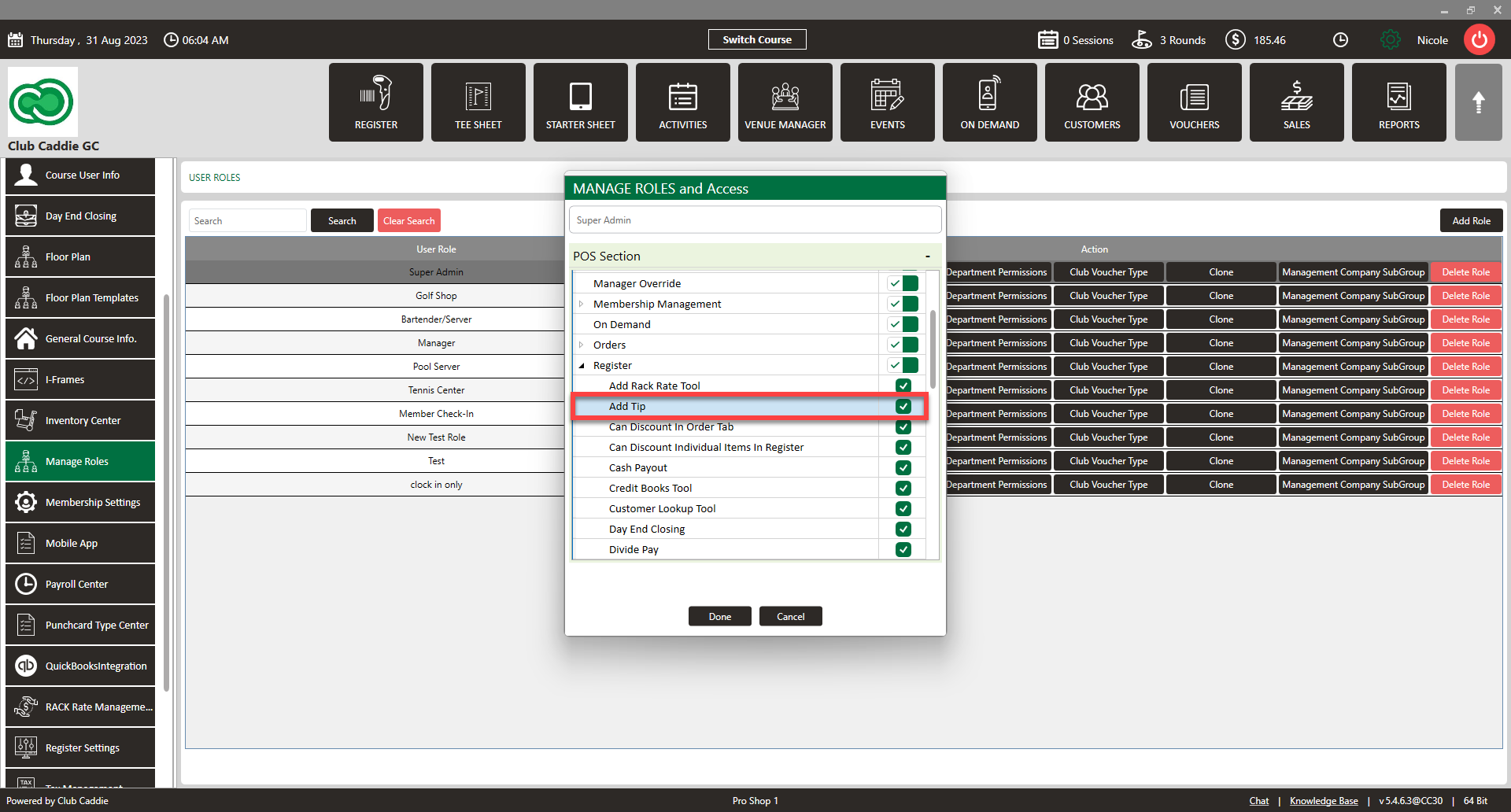
Step 3: Go to the Manage Roles tab choose the roles you would like to allow these features and select "Edit Permission."  Toggle on the "Add Tip" option under the Register dropdown.
 
 
Step 4: Click on the Register Module and Click on Tools to ensure the button is now available. 
 
    • Related Articles

    • SETTINGS: REGISTER SETTINGS

      Article Contents: This will show you how to navigate through your register settings, as well as providing a brief description on what each setting can do for you club. Video: The video covers essential features such as printing tip receipts, adding ...
    • SETTINGS: ENABLE GRATUITY (TOOLS)

      Article Contents: A new button in the Tools section of the Register. For this to appear, the Register Setting for “Add Tip as Line Item” needs to be enabled. This allows for Employees to add a Tip to a Tab before the Transaction is tendered out. It ...
    • Add Item to Inventory (Video)

      Article Contents: This article summarizes how to create a new item using the Inventory Center found within Settings. Step-By-Step: Step 1: Click on the Gear Wheel Icon on the top right corner of the screen. Step 2: Click on the Inventory Center ...
    • SETTINGS: SUGGESTED TIP AMOUNTS

      This article provides step-by-step instructions for setting up the suggested tip amount on credit card receipts. Step By Step: Step 1: Click on the Gear Wheel icon located in the top right corner of the window. Choose "Terminal Management" from the ...
    • SETTINGS: PRINT TIP RECEIPTS

      Article Contents: This guide shows how to toggle on tip receipts in your register. Step-By-Step: Step 1: Click on the "Settings" gear wheel icon on the top-right corner of the screen. Then click on "Register Settings" from the left-hand menu. Click ...