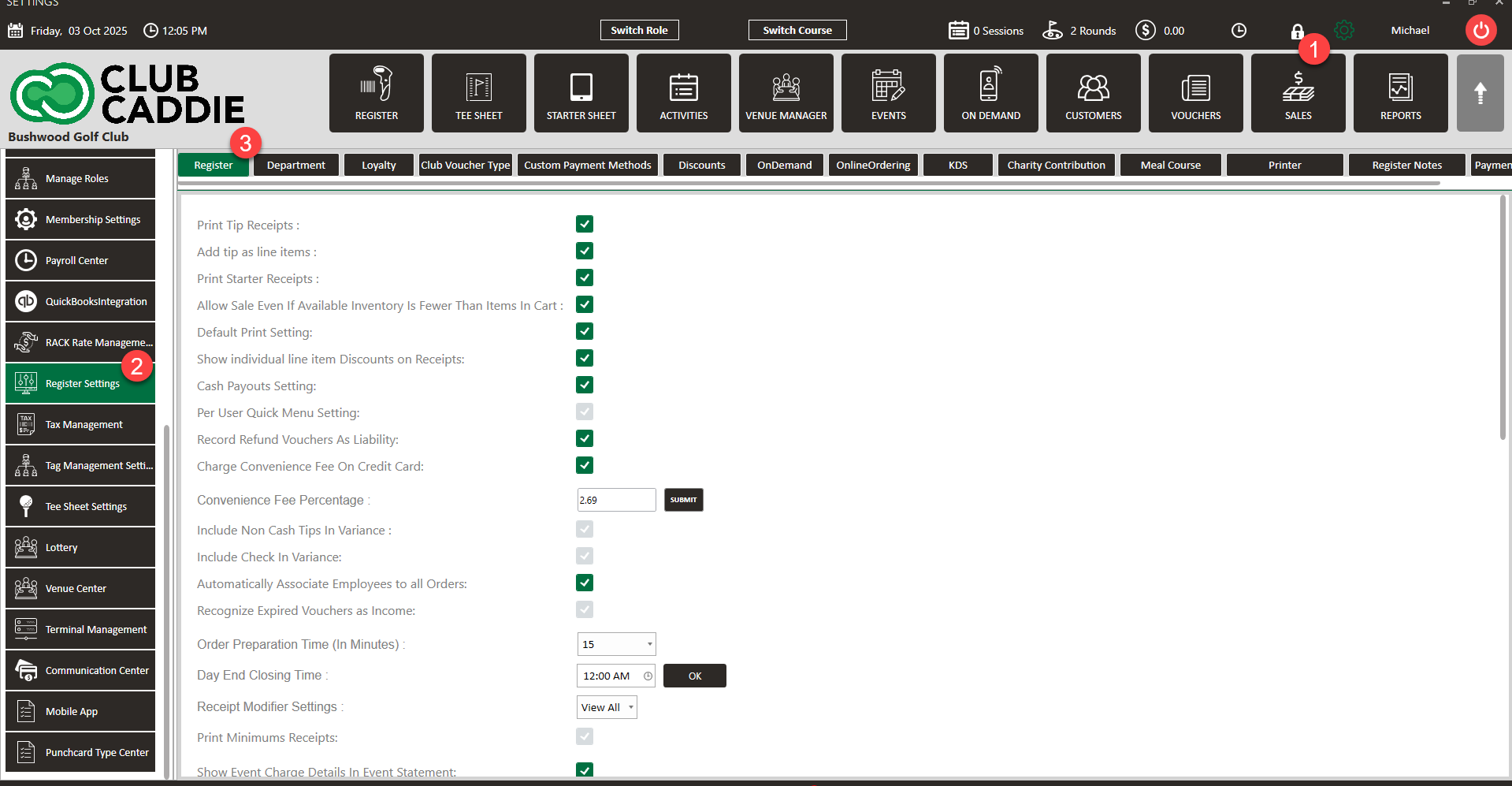
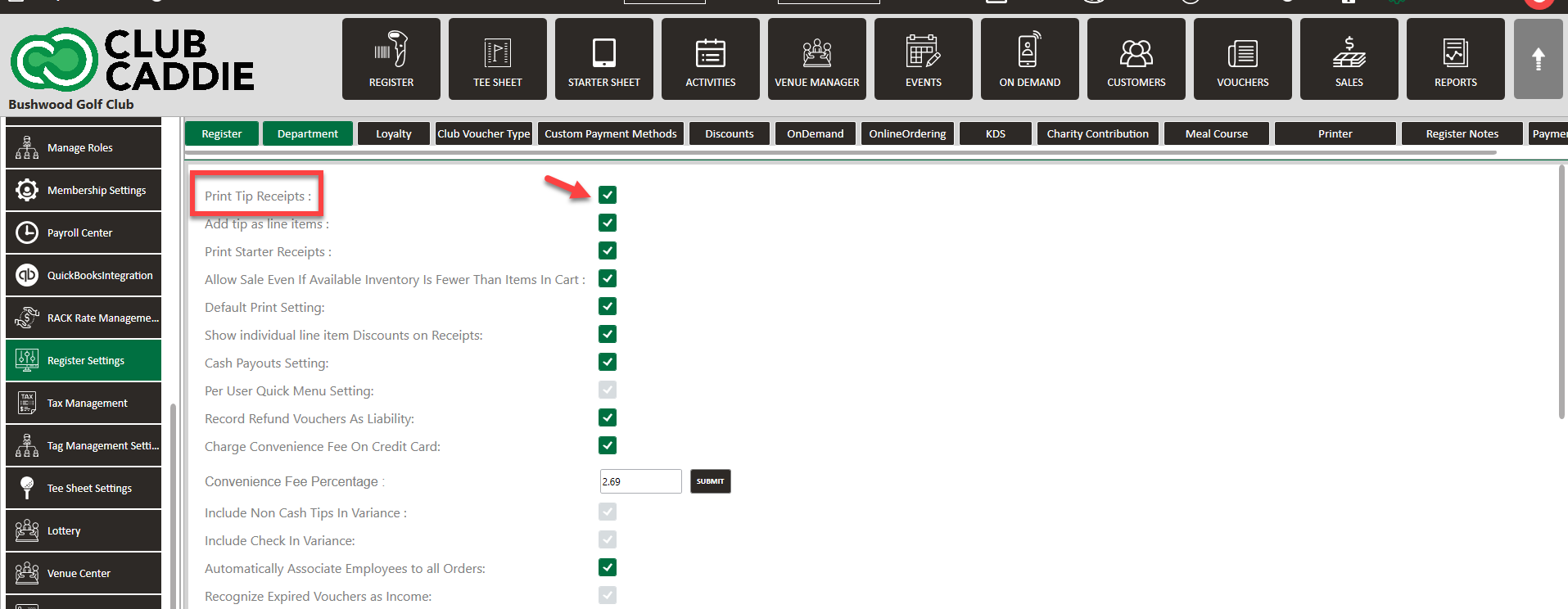
SETTINGS: PRINT TIP RECEIPTS
Related Articles
SETTINGS: REGISTER SETTINGS
Article Contents: This will show you how to navigate through your register settings, as well as providing a brief description on what each setting can do for you club. Video: The video covers essential features such as printing tip receipts, adding ...
SETTINGS: PRINT STARTER RECEIPT
Article Contents: This article contains step by step instructions on how to print starter receipts Step by Step Step 1: Click on the "Settings" (Gear Wheel) icon in the upper right corner of the software. Step 2: Select "Register Settings" from the ...
SETTINGS: DEFAULT PRINT SETTINGS
Article Contents: This article gives step-by-step instructions on how to adjust the default print settings. Step-by-Step: Step 1: Click on the Gear Wheel icon on the top right corner of the screen. Step 2: Click on Register Settings from the ...
SETTINGS: CLOUD PRINTING RECEIPTS
This article outlines configuring cloud printing for kitchen receipts in Jonas Synergy, highlighting Printer tab enhancements under Register Settings. Cloud printing enables food orders to be sent to designated printers across different locations ...
SETTINGS: ADD TIP AS LINE ITEM
Article Contents: This article will show you how to allow for employees to add a tip to a Tab before the transaction is tendered out. This is also applicable for Tabs/Tables with many Customers, where an automatic Gratuity of a given percentage will ...