Tip Amount Before the Card is Inserted

SETTINGS: CLOVER - ASK FOR TIP BEFORE PAYMENT

Article Contents: How to enter the tip before the credit card is inserted into the Clover device.

The Clover gateway has modified the credit/debit transaction processing workflow. With this update, the Clover hardware prompts for the tip amount before the card is inserted into the device.

As the tip is entered prior to the card insertion, it's crucial to be aware that tip amounts cannot be adjusted once the transaction is finalized.

Step by Step:

To implement this updated workflow, specific settings adjustments are required. Below is a step-by-step guide on how to configure your system accordingly:
 
Step 1: Navigate to the settings menu by selecting ,Settings, 3P Settings, Clover Connect.
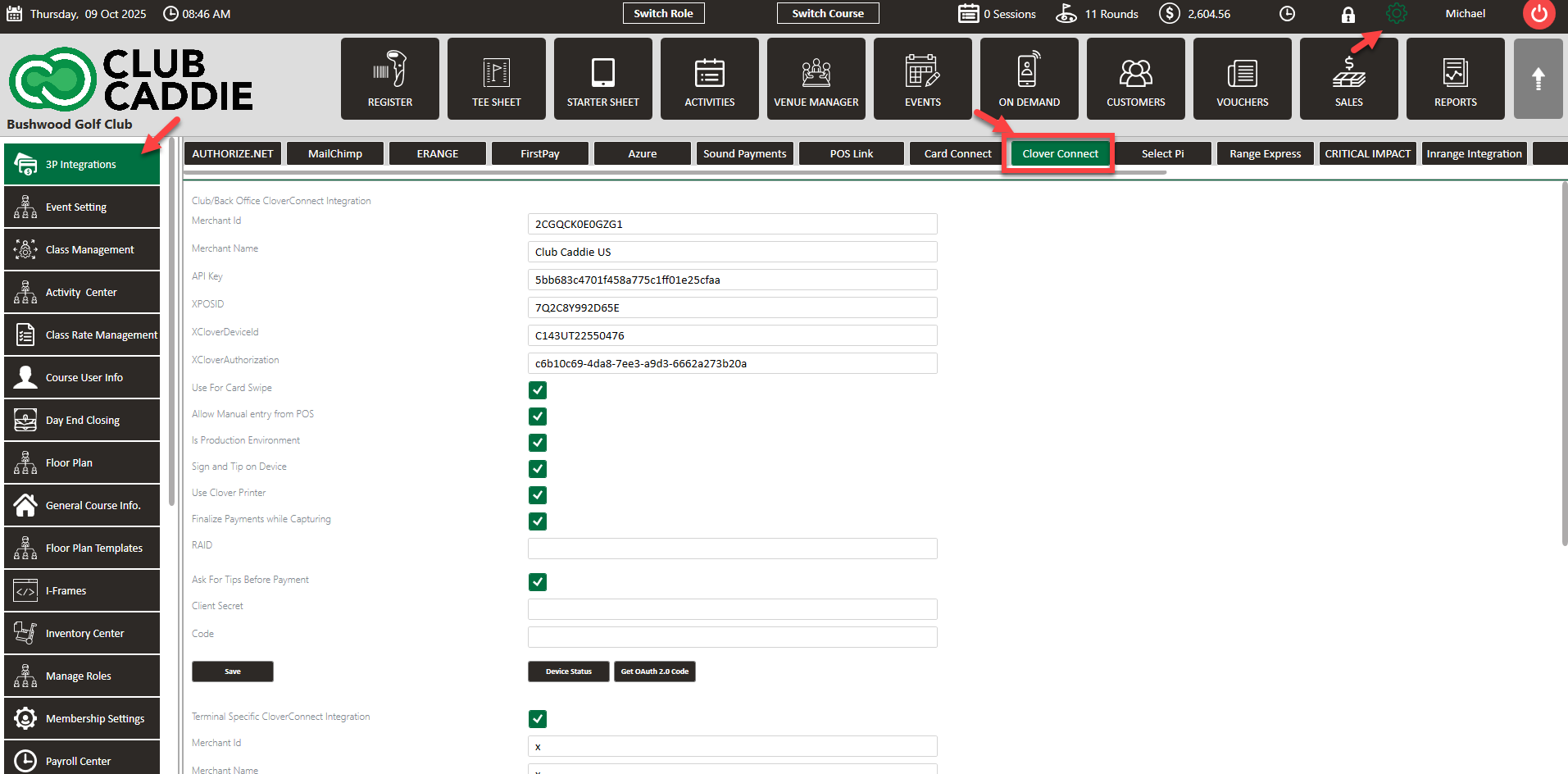


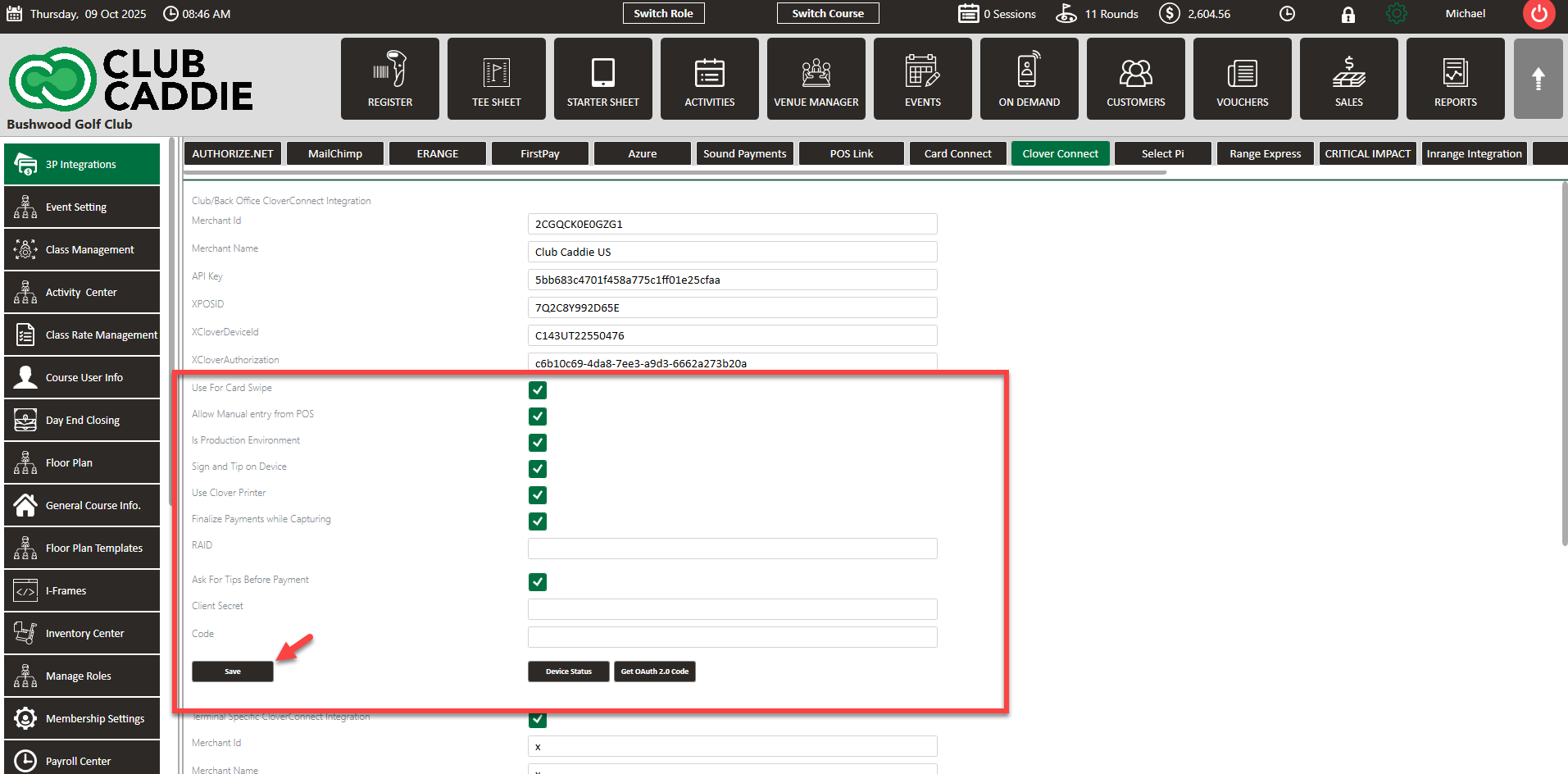
Step 2: Ensure the following configurations are activated:
 
  1.       Use For Card Swipe: Turned On
  2.       Is Production Environment: Turned On
  3.       Sign and Tip on Device: Turned On
  4.       Finalize Payments while Capturing: Turned On
  5.       Ask for Tip Before Payments: Turned On
 
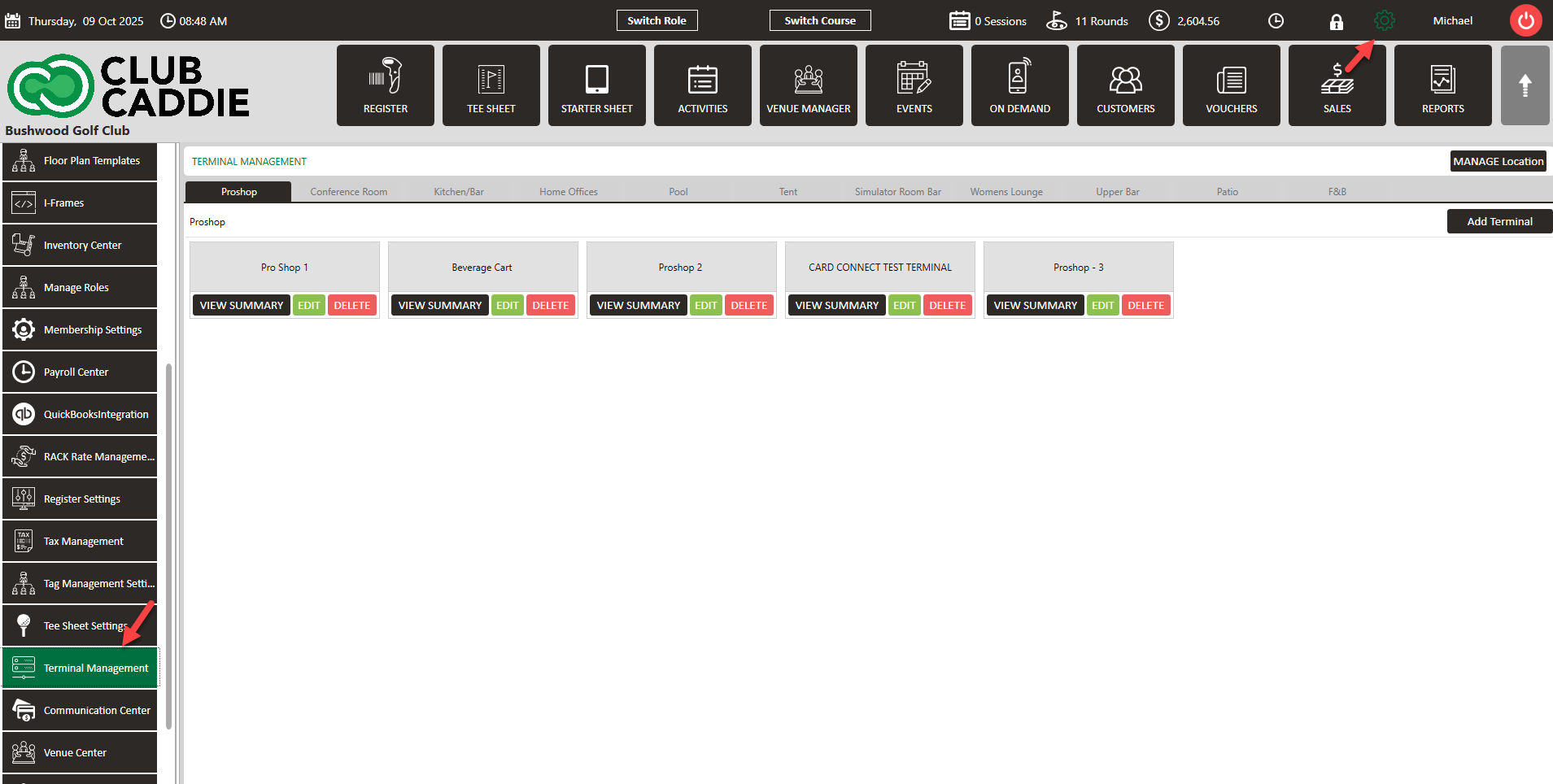
Step 3: Further adjustments are necessary within the Terminal Management section found under Settings.


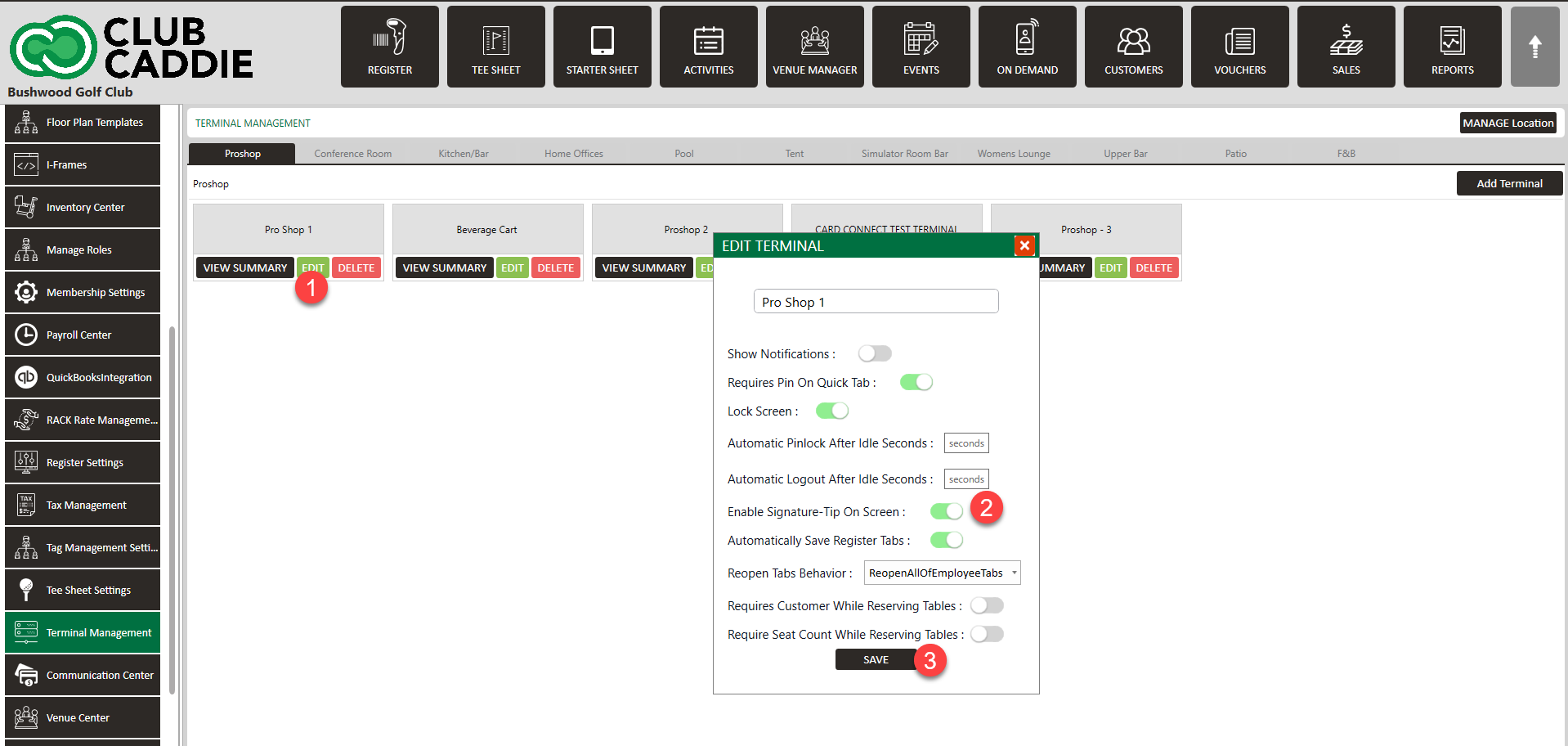
Make sure to enable Signature Tip on Screen, then click Save.


    • Related Articles

    • SETTINGS: ENABLE SIGNATURE-TIP AFTER PAYMENT

      This article provides step-by-step instructions to Enable Signature-Tip After Payment. Step By Step: Step 1: Click on Settings (gear wheel icon) located in the top right corner of the window. Then select Terminal Management from the left-hand menu. ...
    • SETTINGS: CLOVER FLEX DEVICE SETUP

      Article Contents: This article contains a step by step guide on how to set up your Clover Flex device for Jonas Synergy. Step by Step: Step 1: Opening and Activating the Clover. First, let’s open and activate your Clover device: - Turn on Clover: ...
    • SETTINGS: CLOVER MINI USER'S GUIDE

      Article Contents: This Clover Mini User's Guide covers the device's features, setup process, and troubleshooting Overview The CardPointe Integrated Terminal Clover Mini provides a sleek and secure next-generation payment experience for your ...
    • SETTINGS: CLOVER FLEX USER'S GUIDE

      Article Contents: This Clover Flex User's Guide provides an overview of the device's features, setup process, and troubleshooting. Overview The CardPointe Integrated Terminal solution now includes Clover Flex devices for US merchants. The Clover Flex ...
    • SETTINGS: PRINT TIP RECEIPTS

      Article Contents: This guide shows how to toggle on tip receipts in your register. Step-By-Step: Step 1: Click on the "Settings" gear wheel icon on the top-right corner of the screen. Then click on "Register Settings" from the left-hand menu. Click ...