Modify Departments
Step-by-Step:
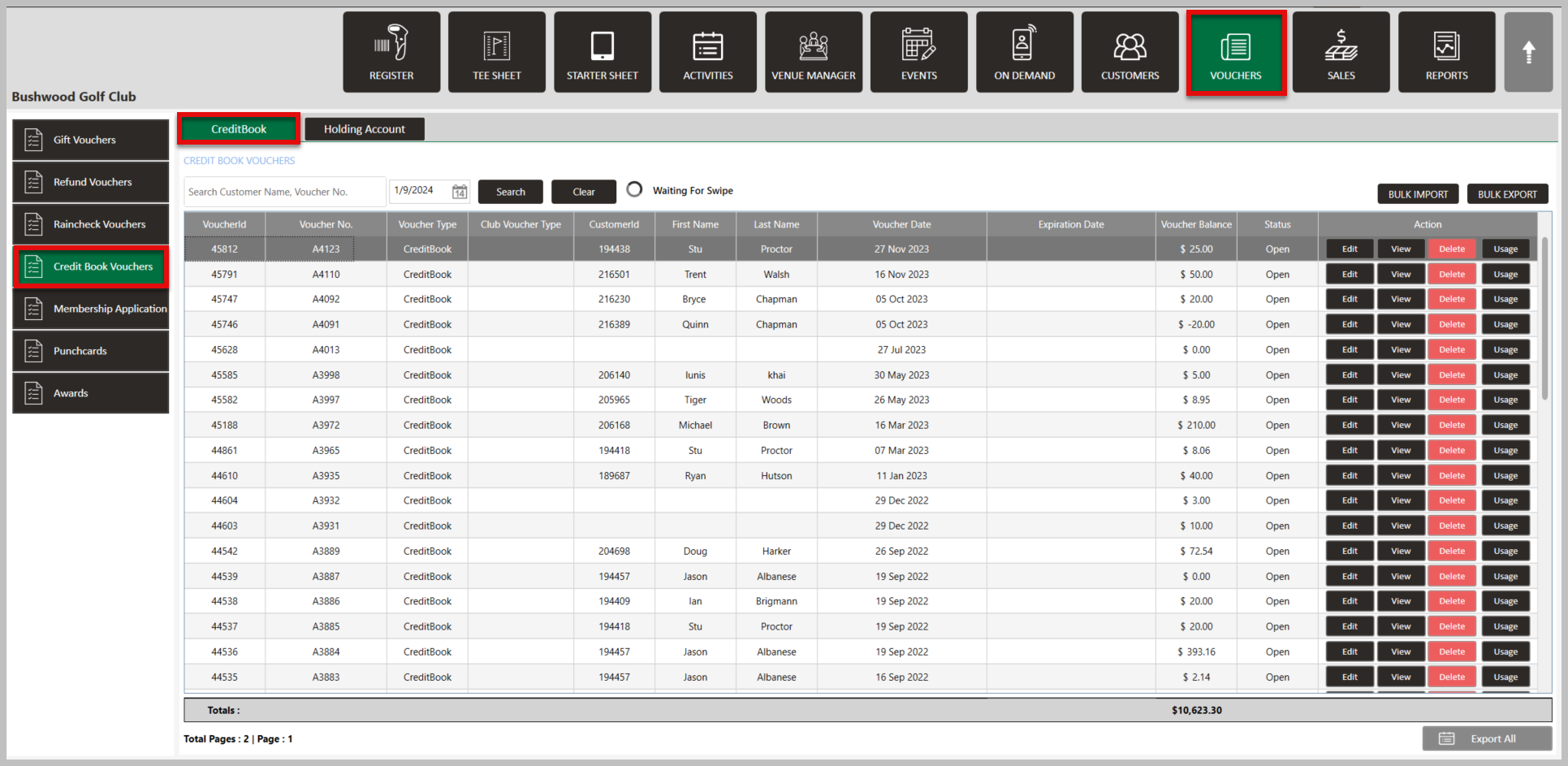
Step 1: Click on the Vouchers module along the top row. Then, click on Credit Book Vouchers on the left hand menu followed by the CreditBook tab.
Step 2: Click on Edit for the Voucher that you want to adjust. Then in the Edit Credit Voucher pop up, select which departments you want the voucher restricted to at the bottom by clicking on the arrows. Once you have the departments under Assigned Departments that you want the Voucher valid for, click Save.
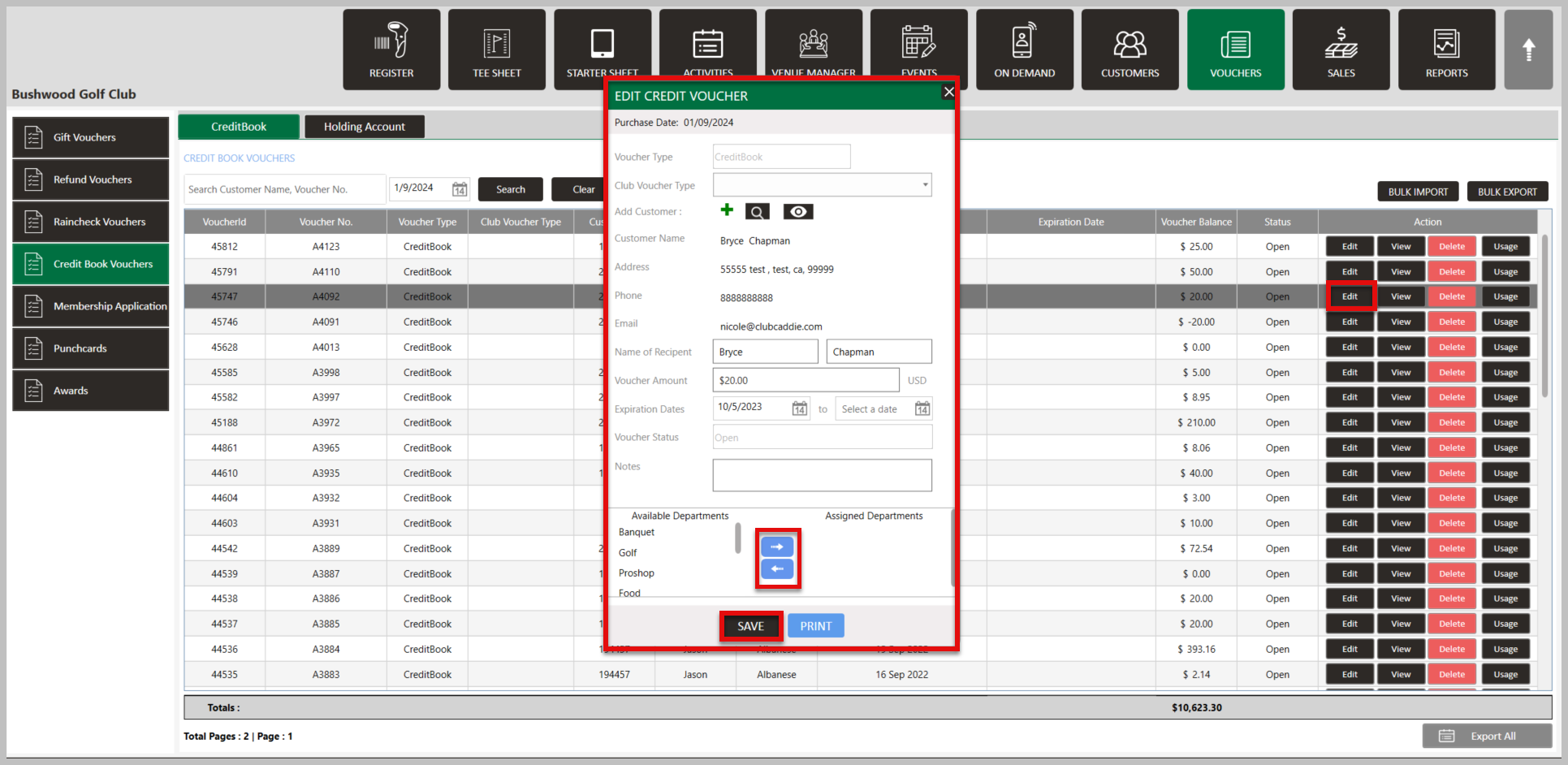

This is the general practice for all Voucher types.
Related Articles
View Punch Card Balance
This article contains step-by-step instructions on how to view a punchcard balance. Step-By-Step: Punch card balances can be viewed either: A) Within a Guest profile or B) By navigating to Punch cards within the VOUCHERS module. Guest Profile (A): ...Editing a Punch Card
This article provides a step by step guide on how to edit a punch card Step-By-Step: Step 1: Click on the Vouchers module along the left bar. Then click on Punch Cards from the left-hand menu. Step 2: Search for the punch card and then select Edit. ...Credit Book Holding Account Usage History
Article Contents: This article provides users with a guide on viewing your credit book holding account usage history. Step-By-Step: Step 1: To check the balance, usage history, or make additional edits to your holding account's we can navigate to the ...Credit Book Distribution
This article outlines the process of distributing funds from a Credit Book Holding Account into individual Guest accounts. It covers accessing the Credit Book Distribution feature, using the distribution manager to create and customize vouchers, and ...