Reservation Strategy
Step-By-Step:
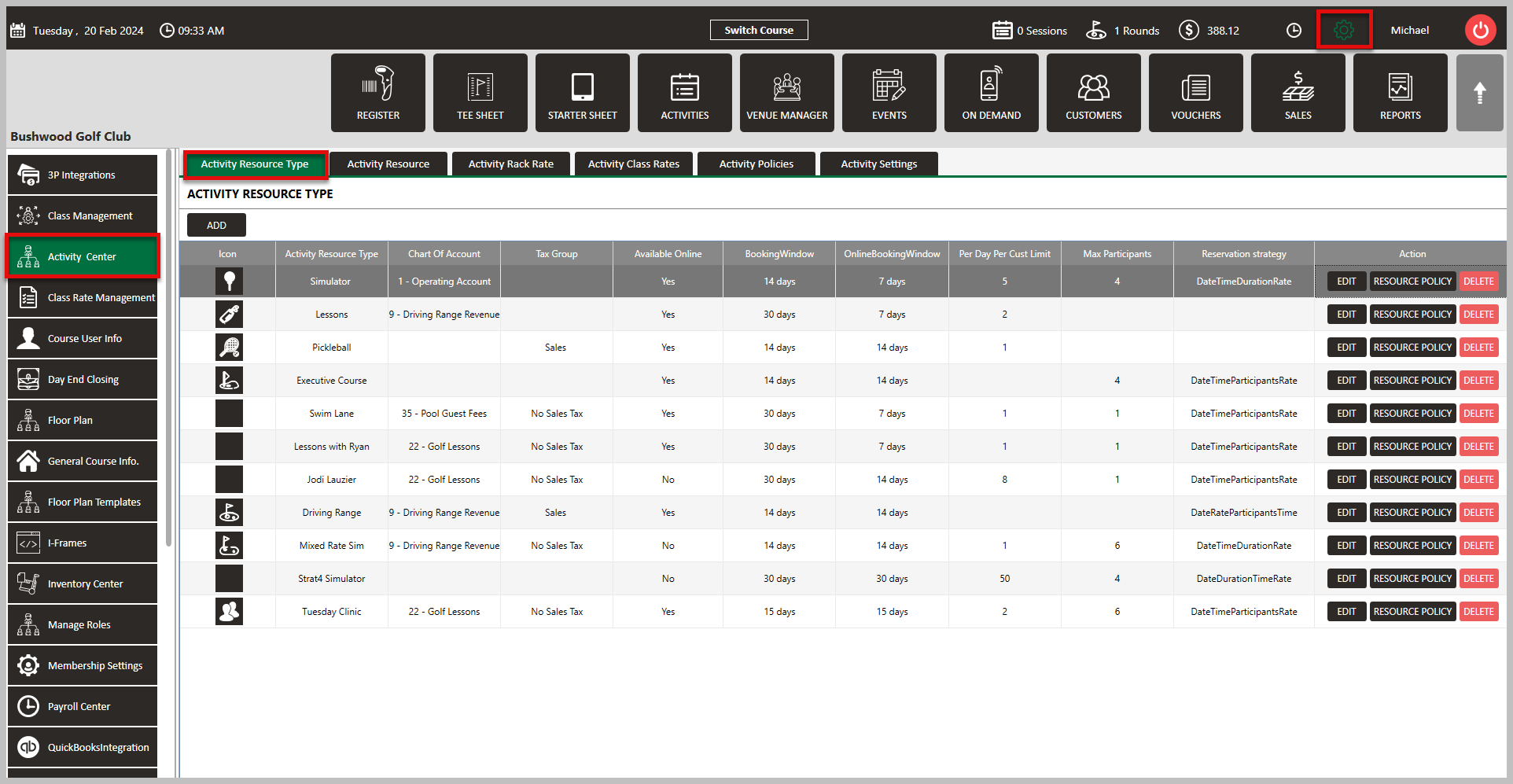
Step 1: Navigate to Settings and then click on Activity Center from the left-hand-side menu. Then, click on the Activity Resource Type tab along the top row .
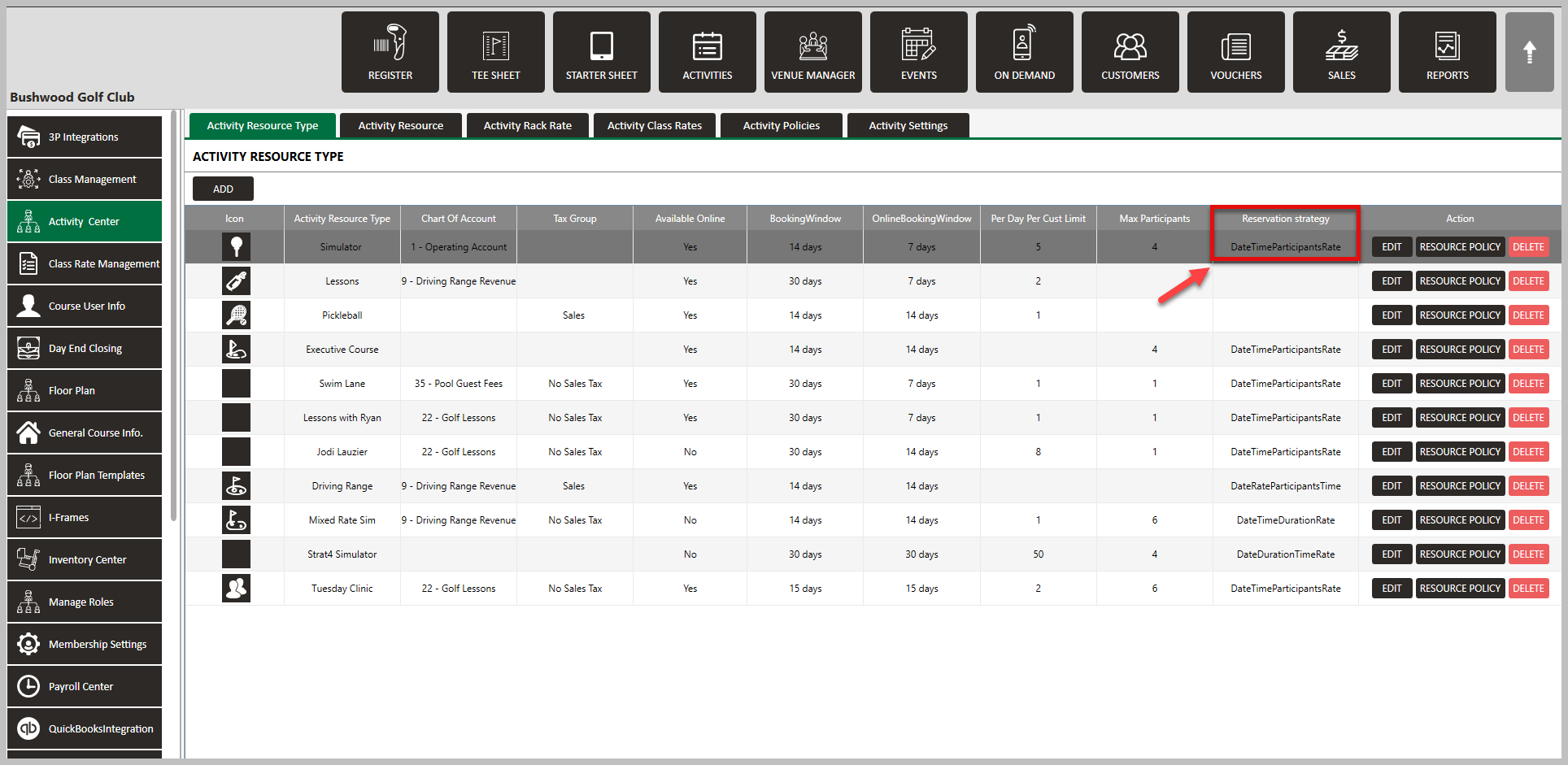
Step 2: When either clicking on Add to create a new resource type, or when clicking on Edit to change a current resource type, you have the option of setting the sequence for Reservation Strategy. Select your preference and click Save.
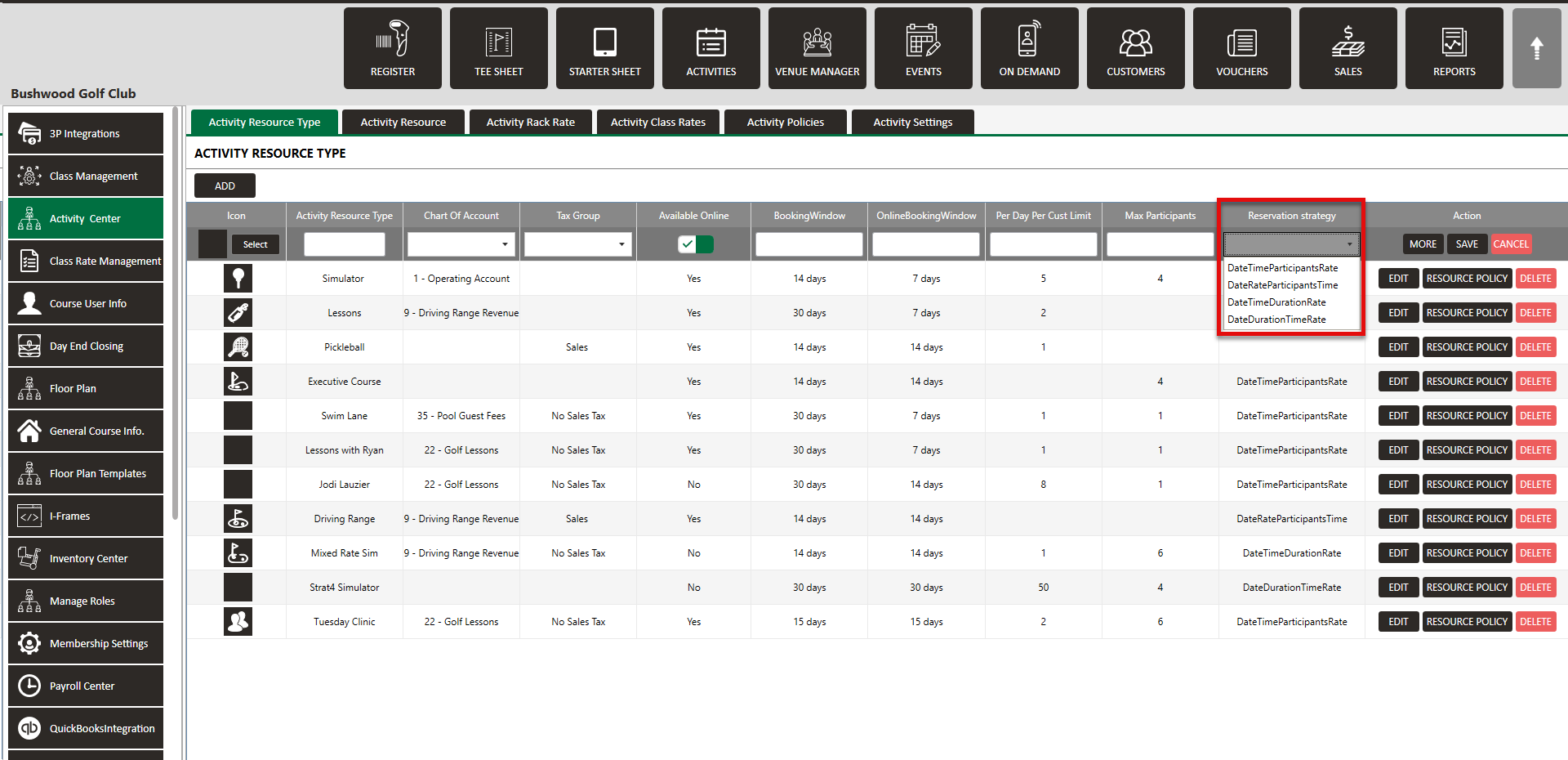
Each option is the sequence that players will be entering their information when booking online. If using B lended Rates, select either Date/Time/Duration/Rate or Date/Duration/Time/Rate. For more information on blended rates, click here.
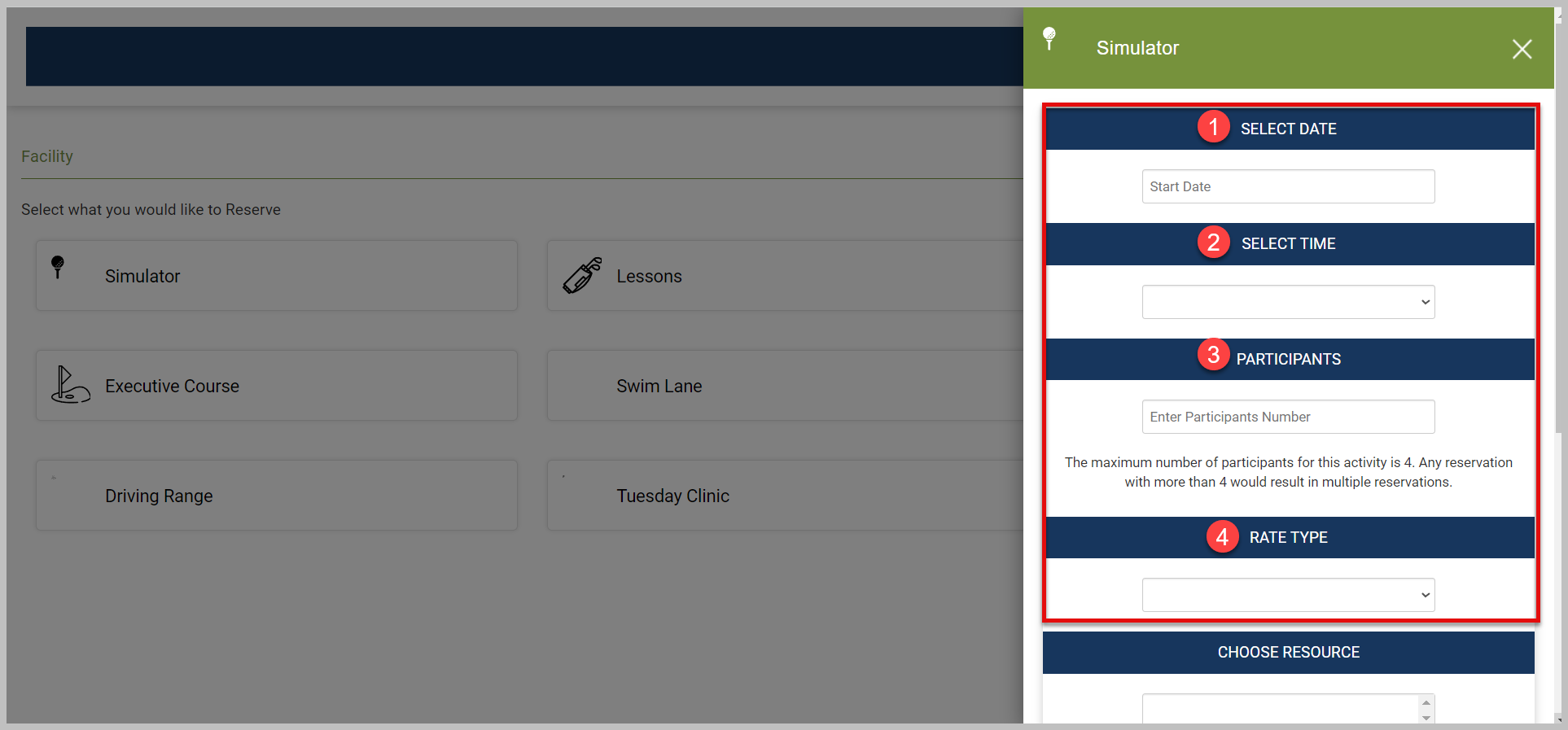
Click Here for step-by-step instructions on how to utilize Reservation Strategy to set up Blended Rates for Activities.
Related Articles
Activity Booking Blended Rates
This article provides a guide on how to set blended rates for your activity booking. Blended rates are best utilized when a single rate is available for a specific given time. This Strategy essentially eliminates the need to set up individual Rates ...Settings
This article contains step-by-step instruction on how to access and configure in Jonas Synergy's Activity Center. The settings covered include Default Duration, Require Credit Card to Hold Activity Reservations, and Percentage of Online Booking ...Module Overview (Video)
In these videos, we will focus on the Activities Module and explore its various features and functionalities. Step 1: Navigate the Activities Module interface. Step 2: Customize the display to show only relevant information for each user, ensuring an ...