Settings
Step 1: Navigate to the Activity Center settings by clicking on " Settings" in the top right corner of Jonas Synergy, then selecting " Activity Center" followed by " Activity Center Settings."
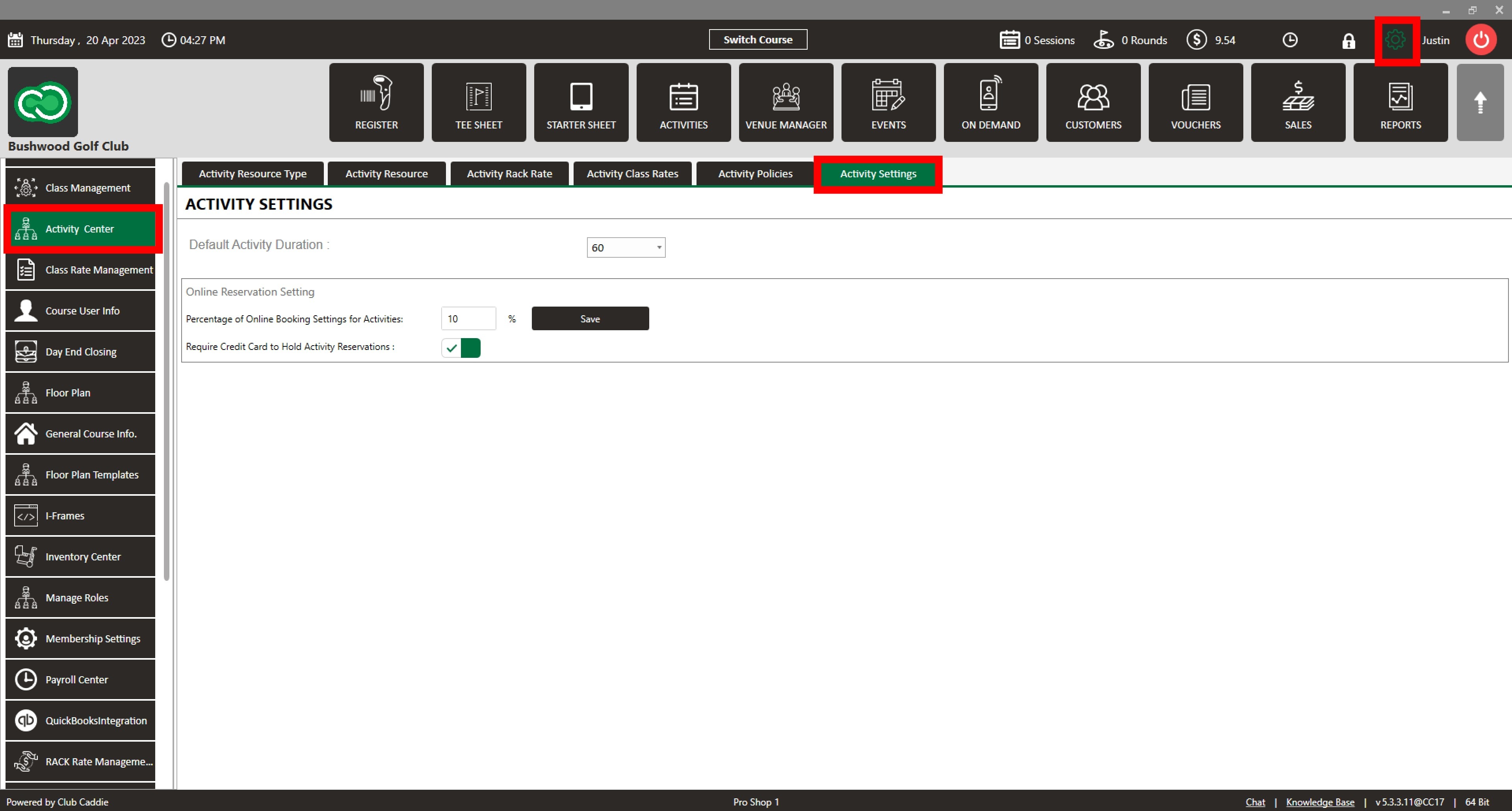
Setting Configuration:
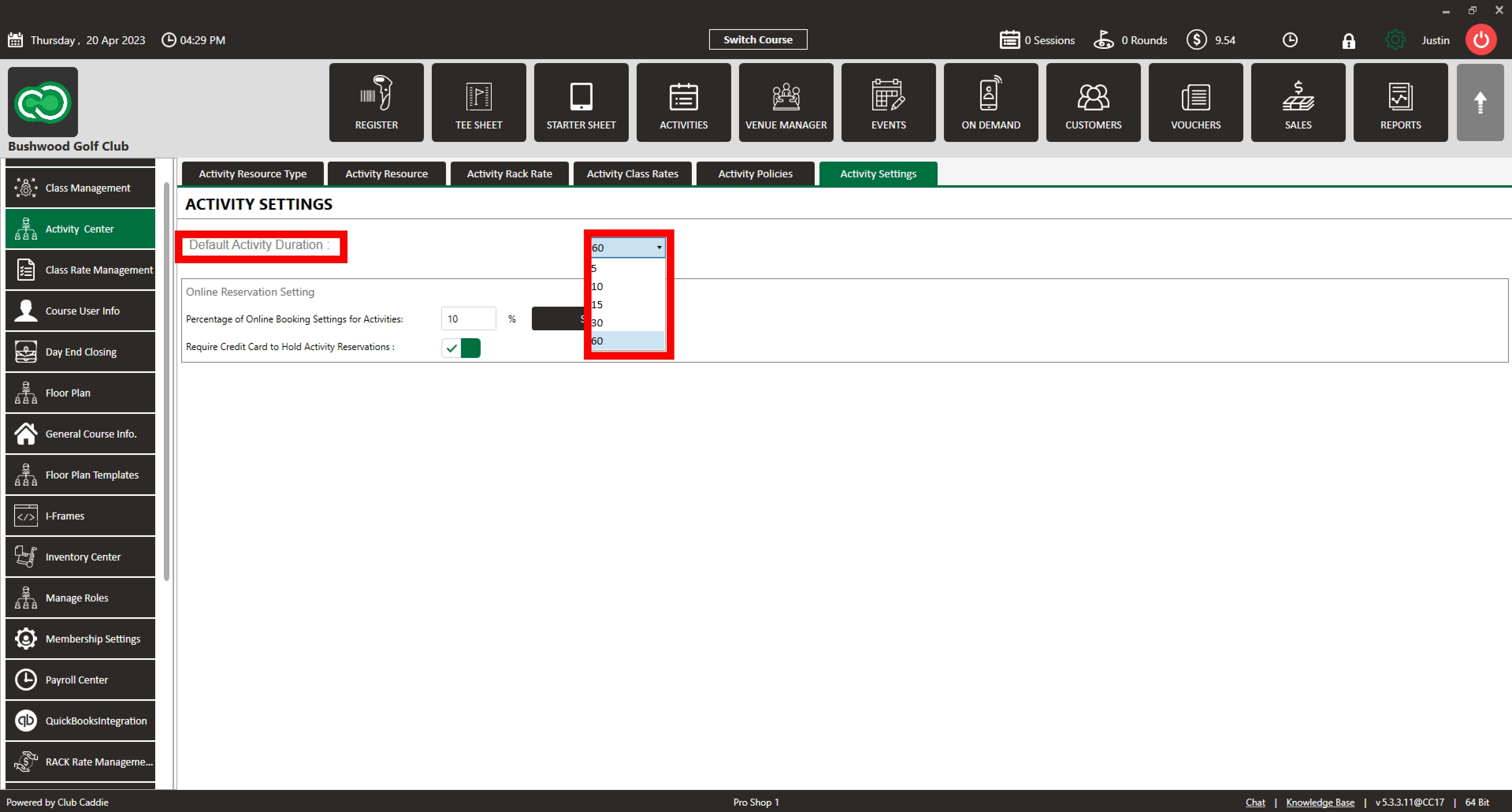
Step 2: Configure the Default Duration setting:
a. Locate the " Default Duration" dropdown menu.
b. Click on the dropdown menu to see the available duration options (5, 10, 15, 30, or 60 minutes).
c. Select the desired duration for your activities. The number displayed represents the duration in minutes.
Step 3: Set the Percentage of Online Booking Settings for Activities :
a. Find the " Percentage of Online Booking Settings for Activities" text field.
b. Type in the desired percentage of the online booking reservation that must be paid for in advance.
c. Click the " Save" button to update the online booking engine with the new percentage requirement.

Step 4: Requiring Credit Card to Hold Activity Reservations:
a. Locate the " Require Credit Card to Hold Activity Reservations" toggle button.
b. Click on the toggle button to switch it ON (green) or OFF (gray), depending on your preference for requiring a credit card to hold activity reservations online.

Review your changes and confirm that they are accurate. Your Activity Center settings are now updated with the new configurations.
Related Articles
Settings Overview
Article Contents: This article contains an overview of the Activity Center, including its functions and features for managing various activities and resources within the Jonas Synergy software. Overview: Step 1: The Activity Center acts as the ...Activity Resource
This article contains step-by-step instructions on how to create Activity Resources in Jonas Synergy Software. ACTIVITY RESOURCES ARE THE PHYSICAL LOCATIONS WHERE THE ACTIVITIES ASSOCIATED WITH A SPECIFIC ACTIVITY RESOURCE TYPE ARE PERFORMED, SUCH AS ...Resource Instructor Assignment
Article Content: This article provides a guide on how to tie an instructor to an activity resource. This is helpful for your employees to be notified via email of a booking for a certain activity resource. Step-By-Step: Step 1: Navigate to Settings ...Reservation Strategy
This article contains a step-by-step guide on how to set your Reservation Strategy as it will set your sequence options for players booking online. Step-By-Step: Step 1: Navigate to Settings and then click on Activity Center from the left-hand-side ...Dependent Blocks
This article provides a step-by-step guide on how to set dependent blocks in your activities. Step-By-Step: Step 1: Navigate to Settings, then click on Activity Center from the left-hand-side menu, followed by the Activity Resource tab along the top ...