Activity Booking Blended Rates
This Strategy essentially eliminates the need to set up individual Rates for different Durations other than 60 minutes - because everything is derived from the base price per hour.
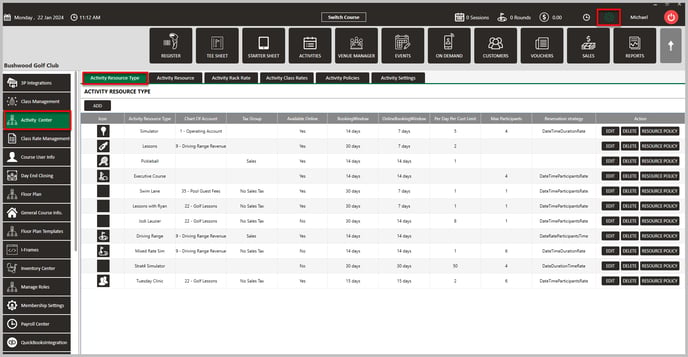
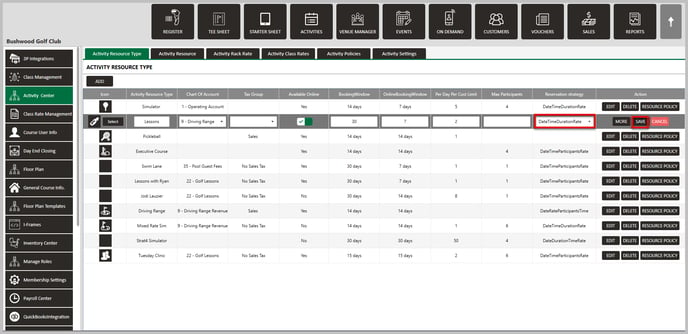
EXAMPLE: The Rate to book a Simulator is $40/hour from 10:00am - 4:00pm, and the Rate goes up to $60/hour after 4:00pm. If someone makes a Booking from 3:00pm to 5:00pm, it will use the $40 Rate for one hour and the $60 Rate for the second hour. So the total Rate would be $100 total. This Strategy simplifies the rate structure by relying on the base hourly rate and eliminates the need to configure separate rates for various durations other than 60 minutes. If you have a unique rate that does not divide or multiply by that hour rate, users will need to adjust pricing in the register during the time of sale.
If you're looking to have multiple rates available at a given time, we suggest using one of the other two non-blended reservation strategies (Date/Time/Participants/Rate or Date/Rate/Participants/Time). Click here for more information.
Related Articles
Rack Rates
This article contains step-by-step instructions on how to add, edit, and search for Activity Rack Rates in the Activity Rack Rate Management section of the Activity Center in Jonas Synergy. BEFORE ADDING RACK RATES, ENSURE RESOURCE TYPES HAVE ALREADY ...Class Rates
This article contains step-by-step instructions on how to add, edit, and search for Activity Class Rates in the Class Rate Management section of the Activity Center in Jonas Synergy. Before adding class rates, ensure resource types and Classes have ...Activity Resource
This article contains step-by-step instructions on how to create Activity Resources in Jonas Synergy Software. ACTIVITY RESOURCES ARE THE PHYSICAL LOCATIONS WHERE THE ACTIVITIES ASSOCIATED WITH A SPECIFIC ACTIVITY RESOURCE TYPE ARE PERFORMED, SUCH AS ...Reservation Strategy
This article contains a step-by-step guide on how to set your Reservation Strategy as it will set your sequence options for players booking online. Step-By-Step: Step 1: Navigate to Settings and then click on Activity Center from the left-hand-side ...Settings Overview
Article Contents: This article contains an overview of the Activity Center, including its functions and features for managing various activities and resources within the Jonas Synergy software. Overview: Step 1: The Activity Center acts as the ...