Epson : Epson TM-m30II (LAN) Receipt Printer Setup
Also covered in this article is the requirements, where to purchase the printer, how to connect it, insert paper, download and install the printer driver, and troubleshoot common issues.
Step-By-Step:
Step 1: Ensure that you meet the requirements for using the Epson TM-m30II receipt printer with your Jonas Synergy system.
Step 2: Purchase the Epson TM-m30II receipt printer from the Jonas Synergy Hardware Store for merchants.
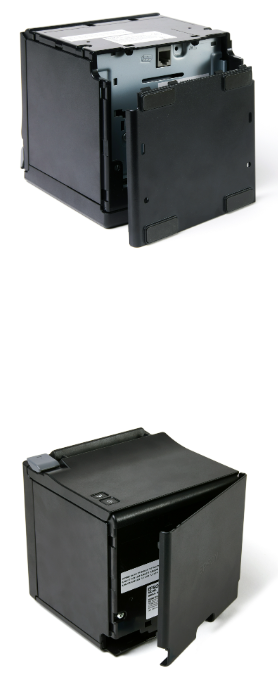
Step 3: Connect the printer by removing the back and bottom covers, plugging in the LAN cable, AC adapter, and AC cable, then attaching the covers and turning on the printer.
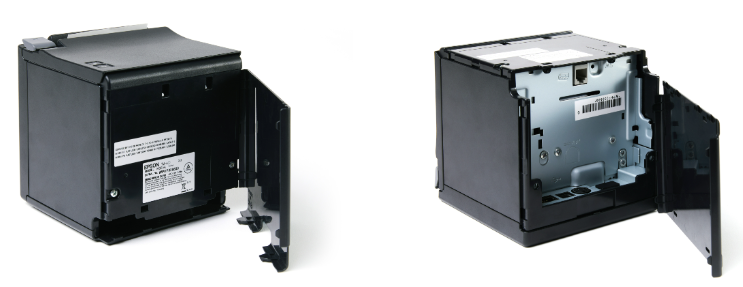
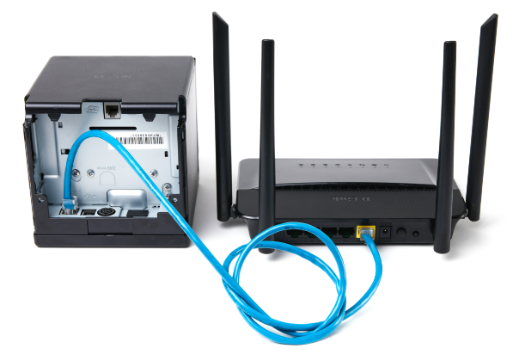
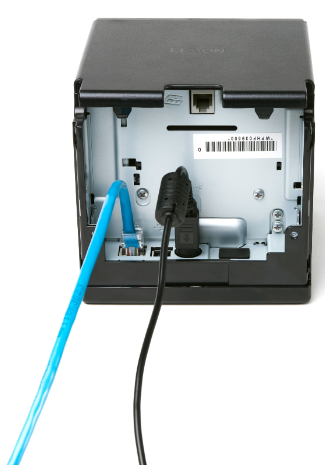
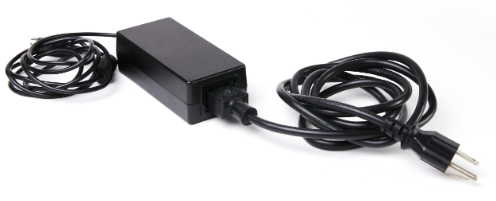
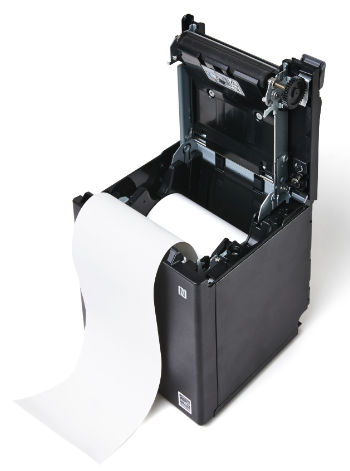
Step 4: Insert a paper roll by opening the printer cover, placing the paper roll in the correct orientation, pulling the paper past the cutter, and closing the cover.
Step 5: Download the latest printer driver for Windows from Epson's website by selecting the "Windows Printer Driver" option and following the download instructions. Click here for instructions.
Step 6: Install the printer driver by extracting the downloaded file, double-clicking on the install file, and following the installation guide instructions.
Step 7: Set up the printer in the printer setup screen by selecting the correct model, choosing a name, setting the port type to Ethernet, leaving the port as Auto setup, and entering the printer's IP address (obtained by switching the printer off and on and waiting for the network configuration slip to print).
Step 8: Troubleshoot common issues, such as the ERROR indicator blinking red (caused by no paper in the printer) or paper jams (caused by feeding paper at an angle or trying to make the receipt narrower than 3 inches without using the provided divider).
Related Articles
Epson : Epson TM-m30II (Bluetooth) Receipt Printer Setup
Article Contents: This article covers the setup of a Epson TM-m30II (Bluetooth) Receipt Printer Requirements: To use this hardware with your Jonas Synergy system, you need to meet the following requirements: Where to buy the Epson TM-m30II receipt ...Epson : Epson TM-20 Receipt Printer Troubleshooting and FAQs
This article provides troubleshooting tips for the Epson TM-T20ii thermal receipt printer, addressing issues such as the printer not printing receipts, being offline, or not connecting to the cash drawer. If you're having issues with your Epson ...Epson : Epson U220 Setup
Article Contents: This guide provides detailed instructions on setting up a new Epson U220 Printer. Step-By-Step: Downloading and Installing Software Step 1: Download Epson's Net Config utility and Epson's advanced printer drivers. This can be done ...Epson : Printer Error Lights
Article Contents: This article explains how to diagnose problems with an Epson printer by checking the status of its lights, including the power, paper, ink, and Wi-Fi lights. Step-By-Step: You can often diagnose problems with your product by ...Epson : Downloading and installing the Epson driver for Windows
Downloading and installing the Epson driver for Windows. Step 1: Download the latest printer drivers. This is specialized software that helps the printer run correctly on your computer. To download this, go to Epson's website and select Windows ...