Online Profile Password Reset
Step-By-Step:
Step 1: Select the Members module from the module navigation menu, then click on Guests from the left-hand menu.
Step 2: For the profile whose password is needing resetting, click on the Action button and then click on View/ Edit. The system will generate a Member Profile window.
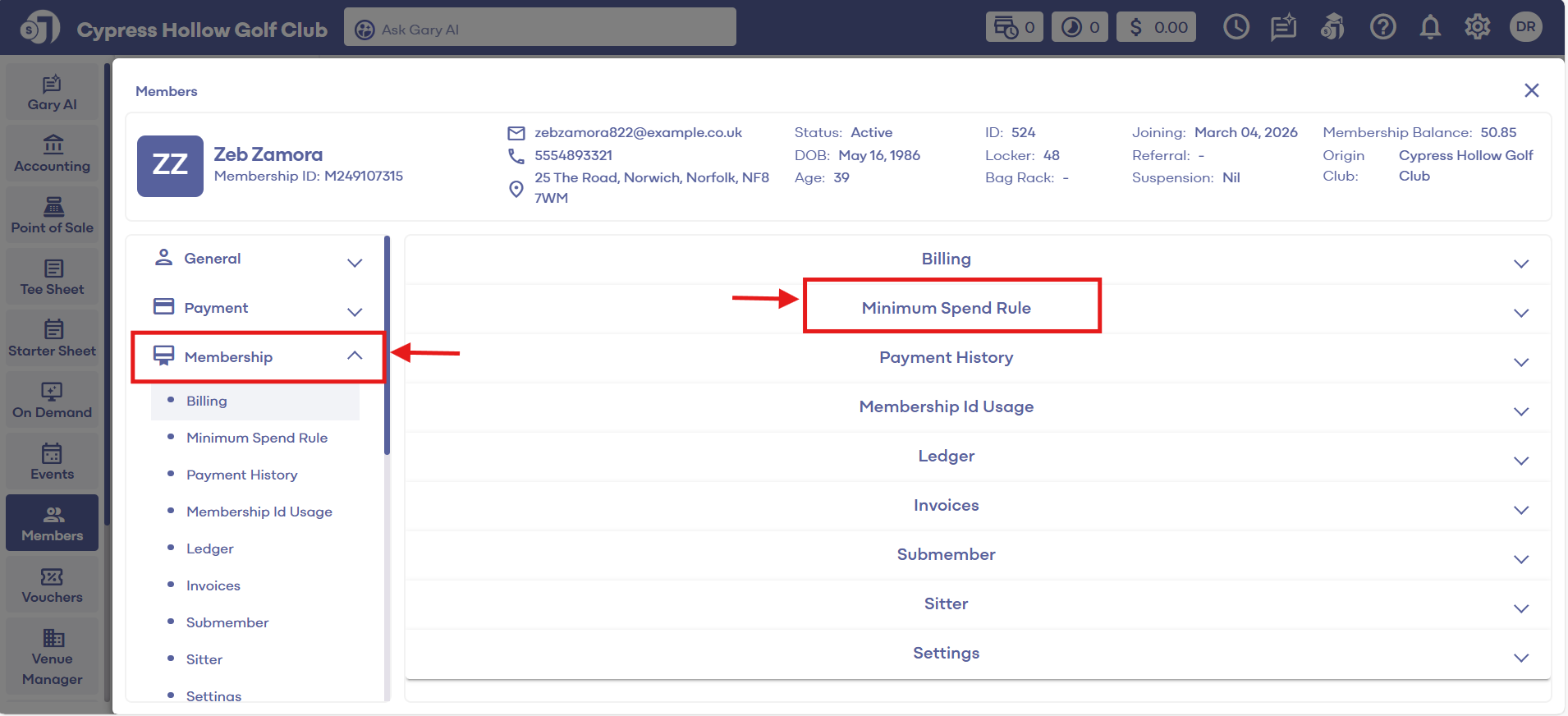

Step 3: Then click on the Membership tab. Click on Settings, where a new password can be input and confirmed. Also on this screen, a charge account limit can be assigned for the guest. Once changes are made, click Save.
Related Articles
Reset Member Passwords
This article contains step-by-step instructions on how to reset member passwords. Step-By-Step: Step 1: Select the Guest module from the module navigation menu, then click on guest from the left-handed menu. Step 2: Click on the View/ Edit button ...Reset Password
Article Contents: This article gives step-by-step instructions on how to reset the Membership Portal password of members. Step-By-Step: Step 1: Click the Gear Wheel icon from the window's top right corner. Select I-Frames from the left row of the ...Registering for the Member Portal
This article provides steps to registering for the member portal Registering for the Member Portal: If it is your first time logging in, and your club has not already provided you with a pre-set password please follow the instructions below from step ...Events
Article Contents: This article contains a step-by-step guide on Membership portal - Events. Step-By-Step: To first create a password for a member, follow steps 1-2 below. Step 1: Click on the "Member" button at the top of the screen. Click on "Guest" ...Guest Module - Members and Portal features
Article Contents: This article contains step-by-step instructions on Guest Module Focusing On The Member And Portal Features. Step-By-Step: Step 1: To view an ad hoc statement, click on "Account Statement," which will download a PDF statement with ...