Registering for the Member Portal
Registering for the Member Portal:
If it is your first time logging in, and your club has not already provided you with a pre-set password please follow the instructions below from step 1. If your facility has provided you with a pre-set password please continue from step 4 below.
Step 1: Navigate to your facility’s hosted membership portal, accessible through their website or separate link provided in the accompanying email.
Step 2: If your facility has provided you with a pre-set password to change after your first login, skip to step 4 below. If you have yet to receive a password please click on the “Forgot Password” option.
Step 3: On the following screen, input the email address that is registered with your membership or your assigned membership ID.
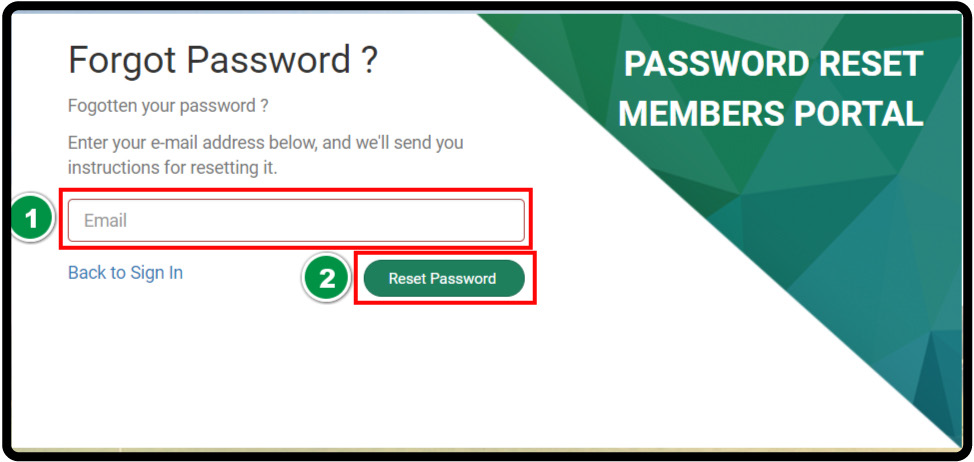
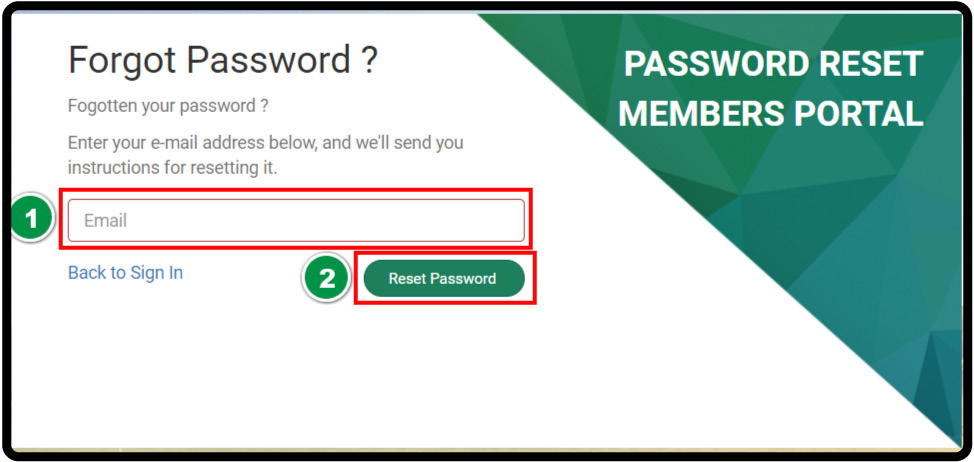
If your club has provided you with a pre-set password or if you have reset your password in the above steps please continue below.
Step 4: After navigating to your facility’s hosted membership portal or using the “Back to Sign In” from the above steps.
You are able to log in utilizing your designated membership ID or email address associated with your membership profile and your newly created password.
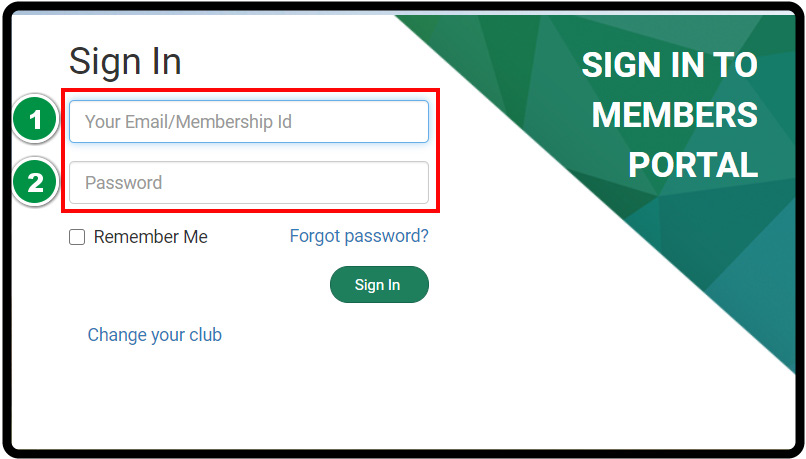
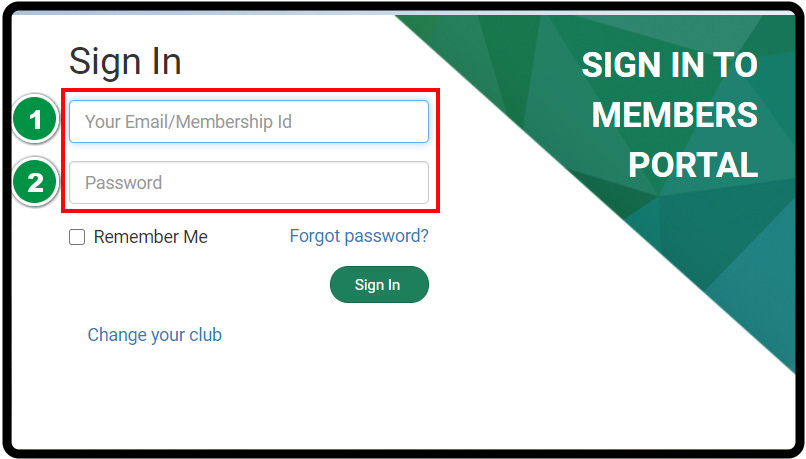
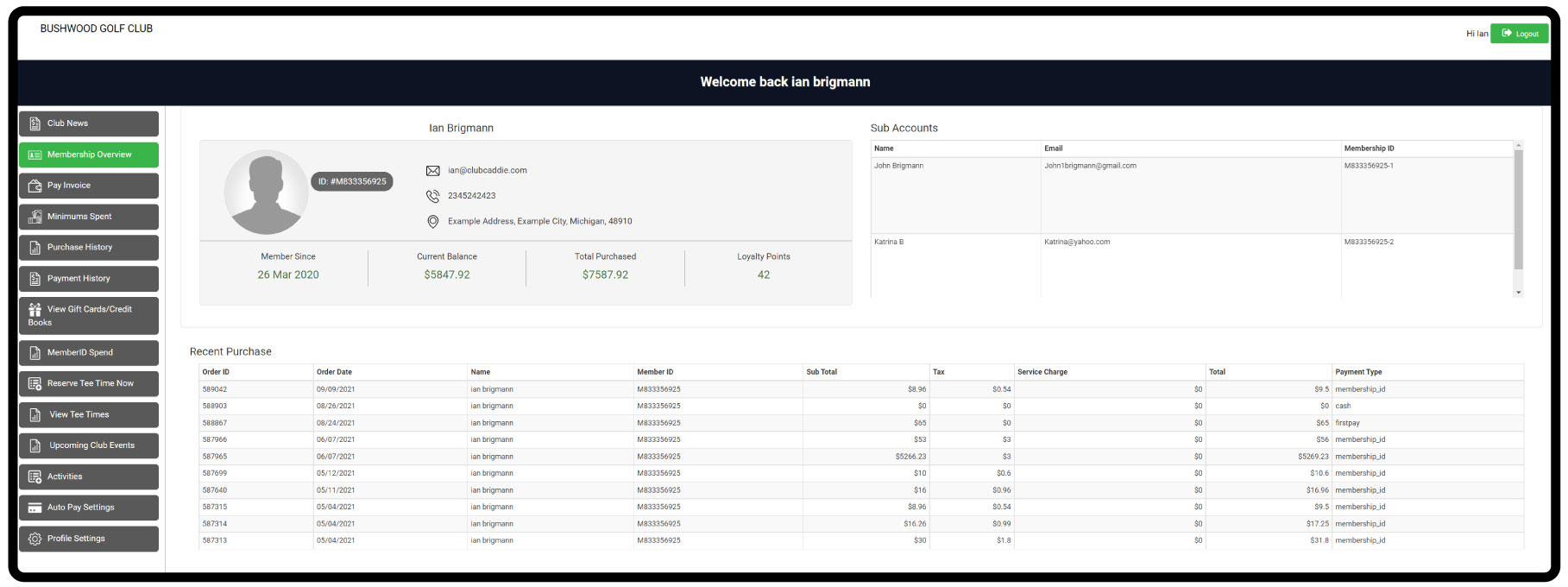
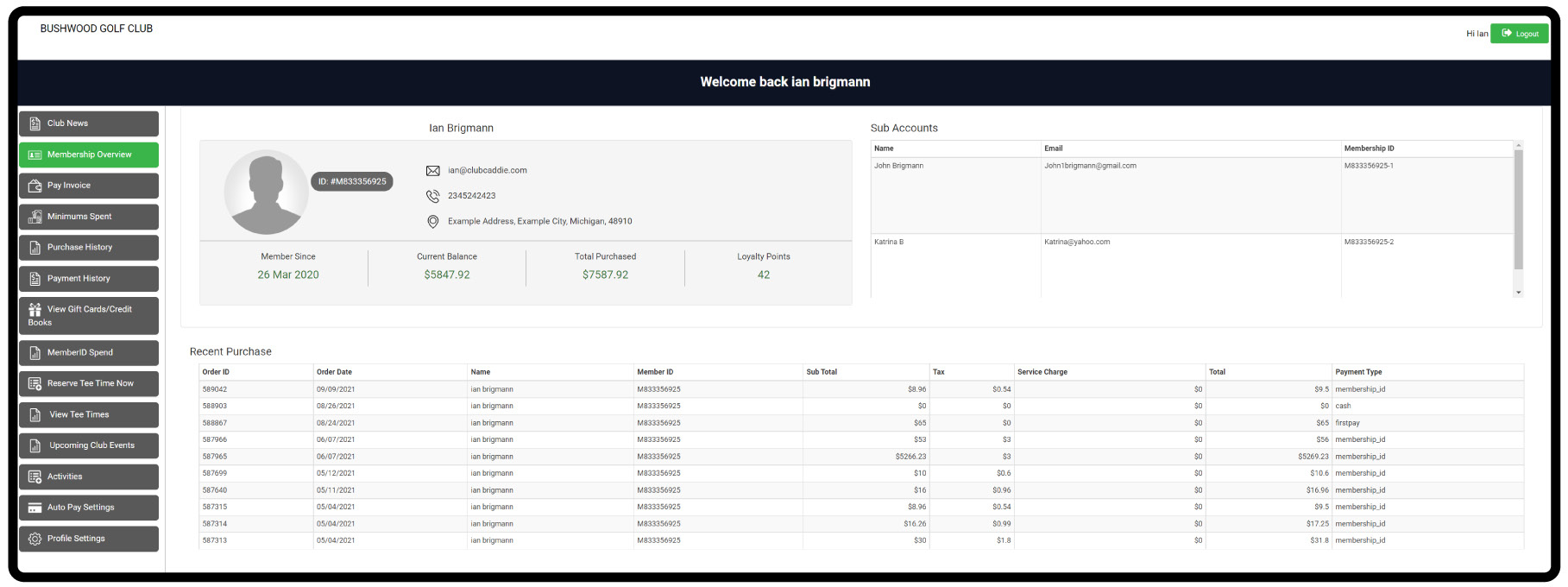
Step 5: Upon logging into your member portal, you’ll be greeted with your membership overview dashboard. This displays a high-level overview of your contact information, balances, and recent purchases.
Along the left-hand side, you’ll find the navigation menu giving you the option to view the club’s bulletin board, view/pay bills, purchase history, payment history, set up auto-pay, check your outstanding vouchers, book a tee-time, and more.
Related Articles
Notifying Members of the Membership Portal
We recommend sending members an email with step-by-step instructions to access your facility's membership portal. Depending on enabled features, members can view transactions, invoices, payments, as well as book tee times and activities. Step 1: ...Membership Portal Builder
Article Contents: This article gives an overview of the Membership Portal Builder. Step-By-Step: The membership portal is a website that allows you to create and manage club members who can access exclusive content, resources, and services. A ...Guest Module - Members and Portal features
Article Contents: This article contains step-by-step instructions on Guest Module Focusing On The Member And Portal Features. Step-By-Step: Step 1: To view an ad hoc statement, click on "Account Statement," which will download a PDF statement with ...Member List
Article Contents: This article contains a step-by-step guide on how to view your member list. Step-By-Step: Step 1: Click on the Members Tab on the left pane. Step 2: Click on the Members button on the left side of the window to go to the member ...Member Ledger
This article summarizes Member Management-Member Ledger Step-By-Step: Step 1: Click on the "Customers" tab located at the top navigation bar. Step 2: Select the "Members" tab from the left-hand navigation menu, you will find the “Members List” in the ...