Number Formats
Article Content: This Is A Step By Step Guide On How To create and manage number formats for consistent display of numeric values in financial reports
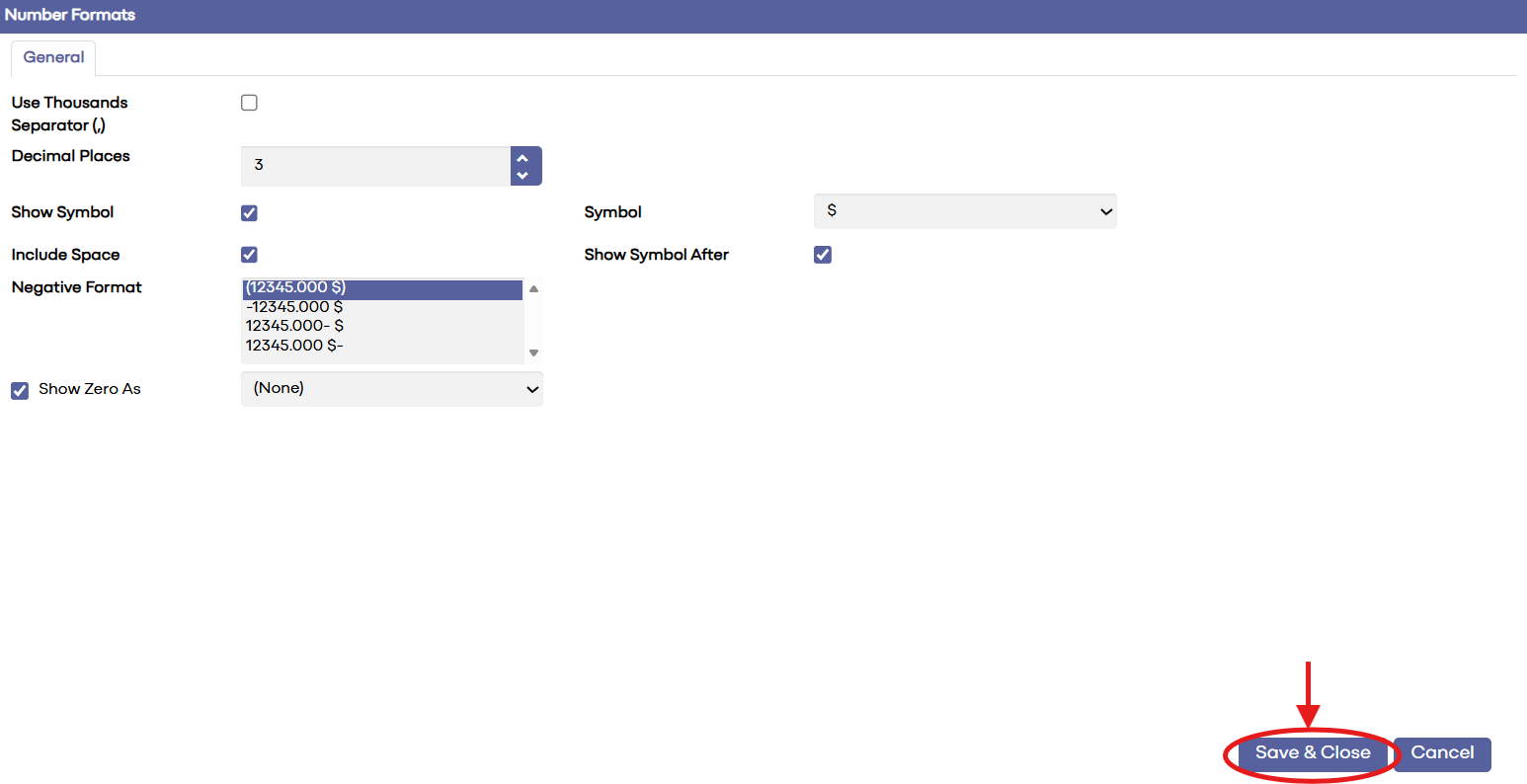
Number Formats allow you to define how numeric values are displayed in financial reports. This includes formatting for decimals, currency symbols, negative numbers, and percentage or thousand separators to ensure consistency and readability.
Step-By-Step:
Step 1: To configure Number Formats:
-
Navigate to System Setup → Report Setup → Number Formats.
-
Review the existing number formats used in financial reports.
To create a new format, click New.
-
Enter a Format ID and Description.
Specify the display settings such as:
-
Decimal places
-
Negative number style
-
Currency symbol placement
-
Thousand separators
-
-
-
To edit an existing format, select it from the list and update the desired settings.
Click Save & Close to apply the new or updated format.
 Step 2:
Apply the number formats to Financial Reports, Report Columns, or other reporting elements to ensure consistent numeric presentation across all statements.
Related Articles
Account Plans
Article Content: Overview of creating, editing, and applying number formats to control decimal places, currency symbols, negative number styles, and separators in financial reports The Account Plans report allows you to review budget and forecast ...Account Plans
Article Contents: This article covers how to add or edit budgets/forecasts, upload monthly or daily files, use the "spread amount evenly" option, and update account totals. Step-By-Step: Step 1: To add or edit Budgets/Forecasts, go to Planning - ...Check Layouts
Article Content: Overview On How To Create and manage check layouts to define the format, alignment, and Appearance of printed checks Check Layouts define the format and appearance of checks printed from the Accounts Payable module. This includes ...Adding a New Account
Article Content: This article covers the steps for adding a new account within the Chart of Accounts. To add a new Account, select “New” from the Chart of Accounts main screen: Account #: The most commonly used Structure is as follows: 3-5-2 ...Debit Memos
Article Contents : This article explains how to create a debit memo in Synergy Accounting, apply it to an existing invoice or credit memo, match distributions, and post or save the memo Step-By-Step Step 1: A Debit Memo is used to increase the amount ...