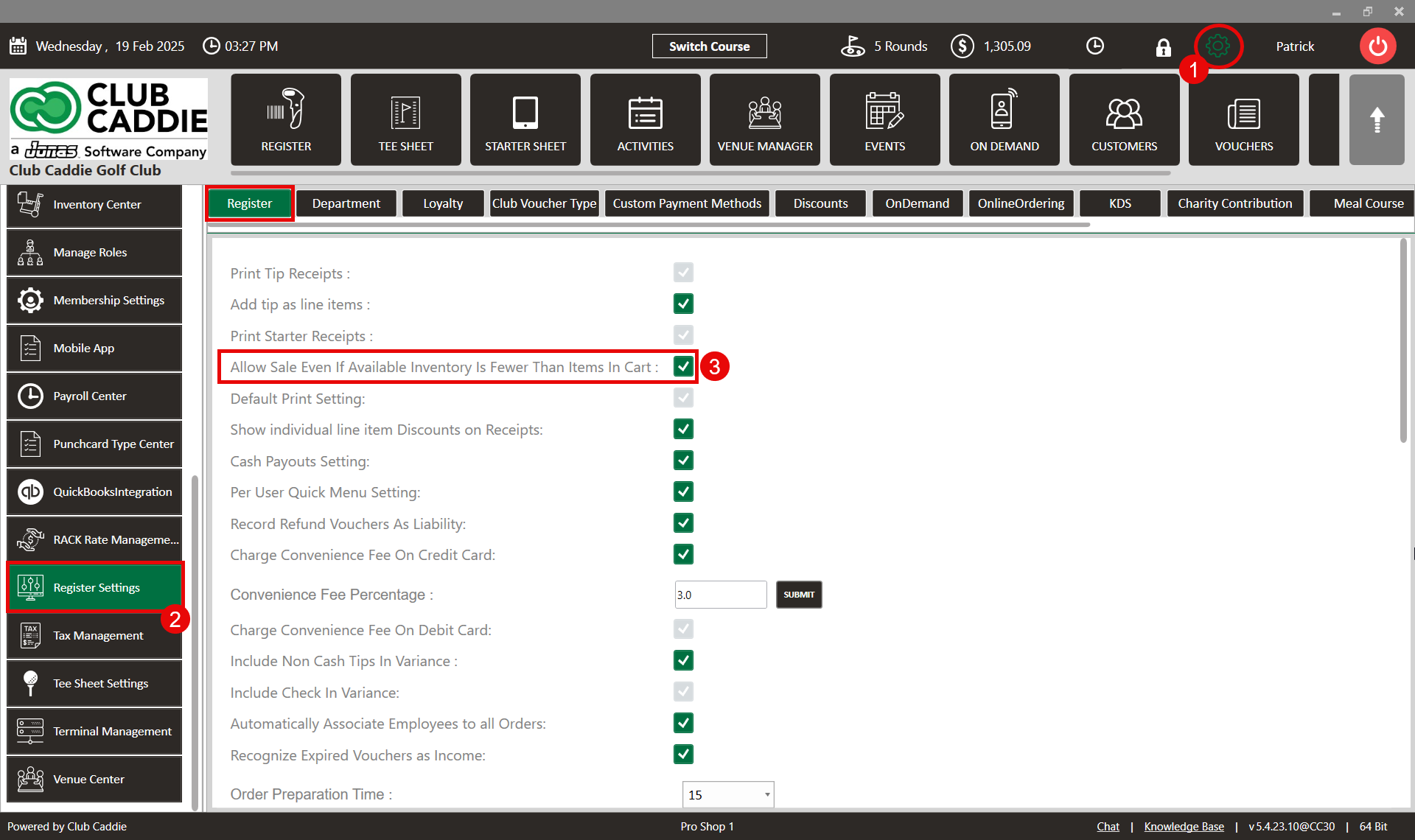
SETTINGS: ALLOW SALE EVEN IF AVAILABLE INVENTORY IS FEWER THAN ITEMS IN CART
Related Articles
SETTINGS: REGISTER SETTINGS
Article Contents: This will show you how to navigate through your register settings, as well as providing a brief description on what each setting can do for you club. Video: The video covers essential features such as printing tip receipts, adding ...
Add Item to Inventory (Video)
Article Contents: This article summarizes how to create a new item using the Inventory Center found within Settings. Step-By-Step: Step 1: Click on the Gear Wheel Icon on the top right corner of the screen. Step 2: Click on the Inventory Center ...
Tee Sheet Settings Overview
This article summarizes Tee Sheet Settings. The topics include Sales Tax, Prepaid Percentage, Max Golfers Per Slot For Online Sale, Select Holes, Tee Time Squeeze, Maximum Golfers, and Interval Settings Step-By-Step: Step 1: Click on the Gear icon in ...
Inventory Modifiers
You will learn how to apply Modifiers to Inventory items by either creating reusable modifier groups to reduce repetitive data entry, naming new groups and setting quantity limits, building out groups by adding modifier categories and options, ...
Creating and Editing Combo Items (Video)
This article gives step-by-step instructions on creating and updating combo inventory in your system. Step-By-Step: Step 1: Click on "Settings" then "Inventory Center". Step 2: To add a new item to your inventory, you need to click on the "ADD ITEM" ...