SETTINGS: DISPLAY SEQUENCE FOR CATEGORIES IN THE REGISTER
Step-by-Step:
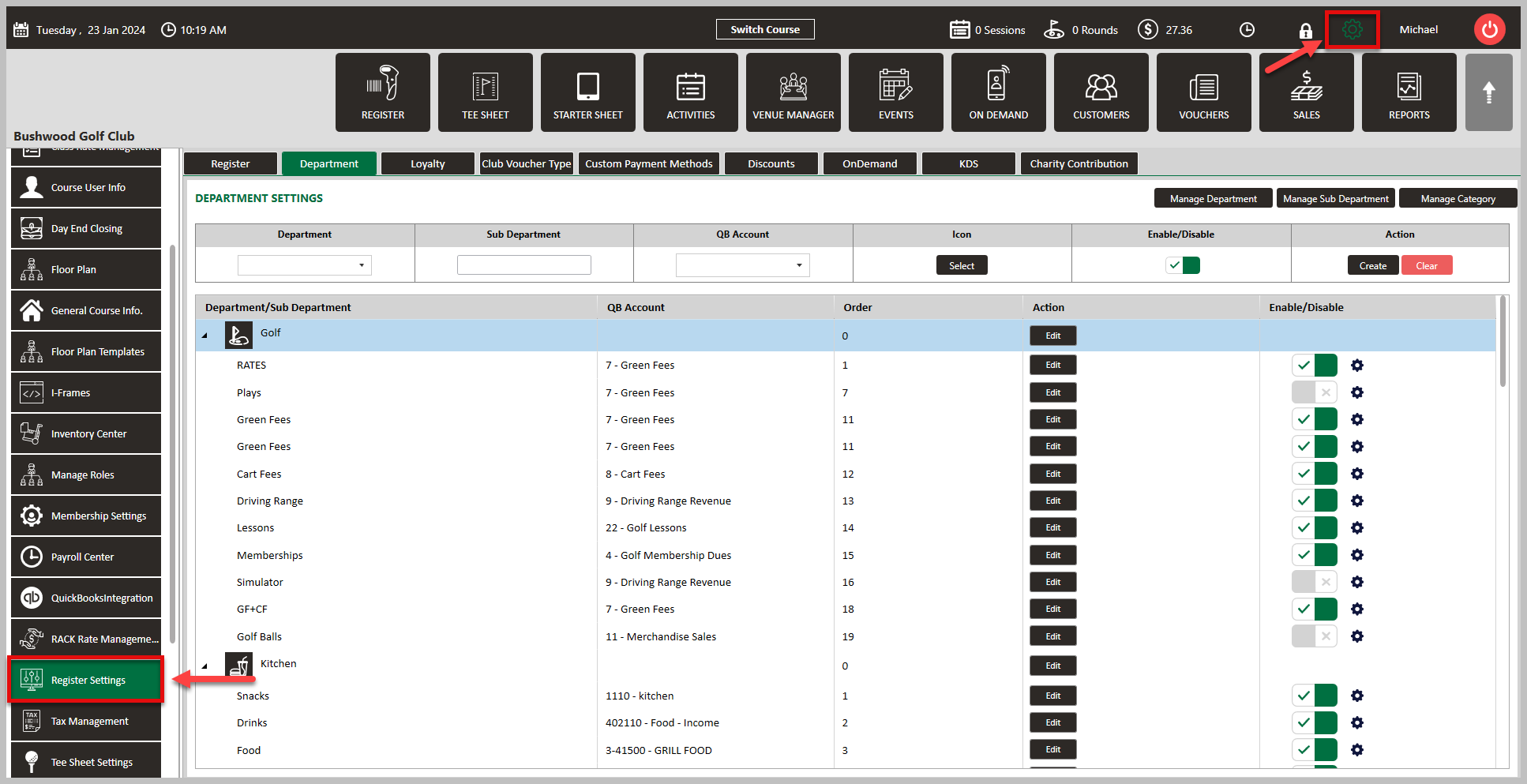
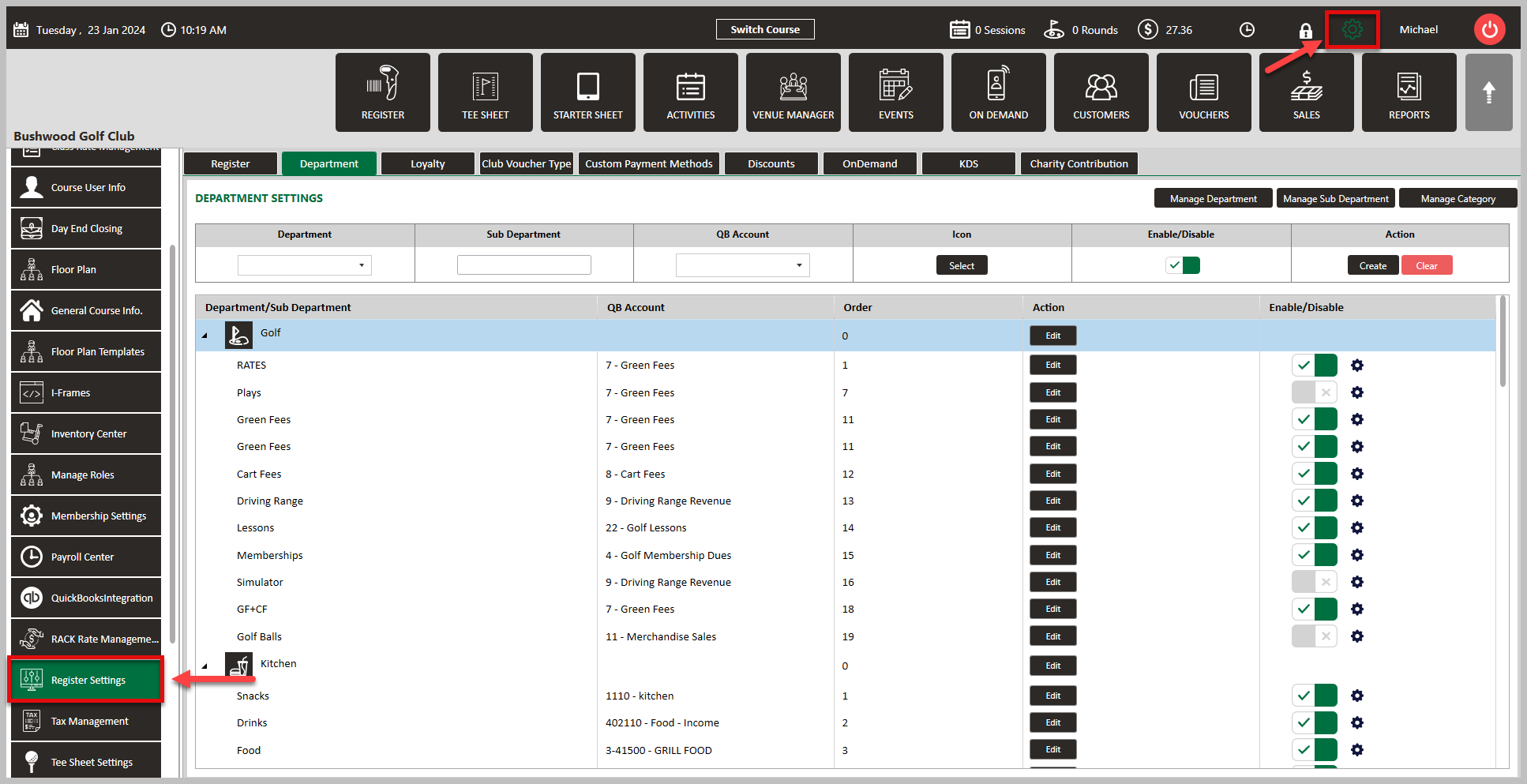
Step 1: Click on the Gear Wheel icon on the top right corner of the screen. Then, click on Register Settings from the left hand menu.
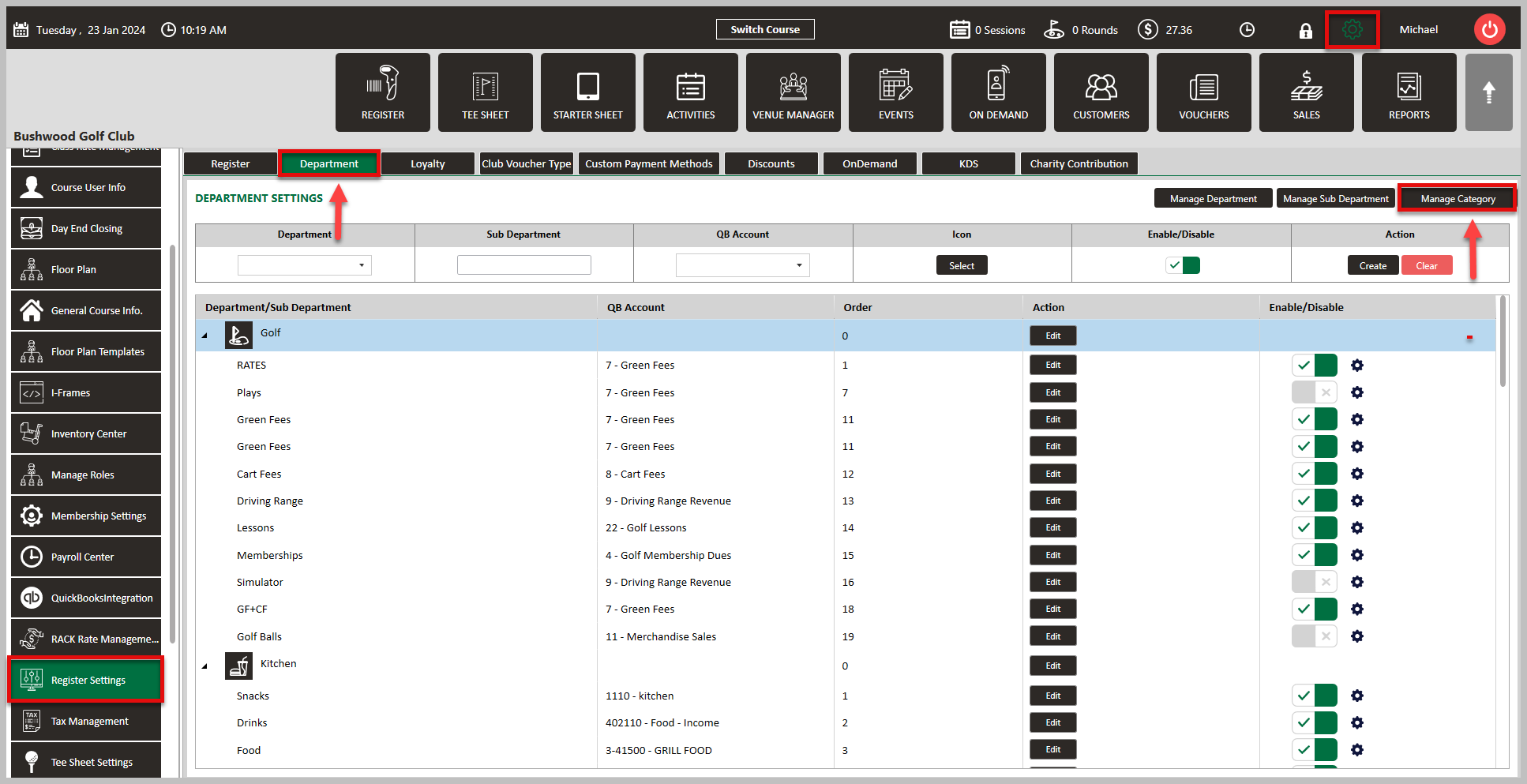
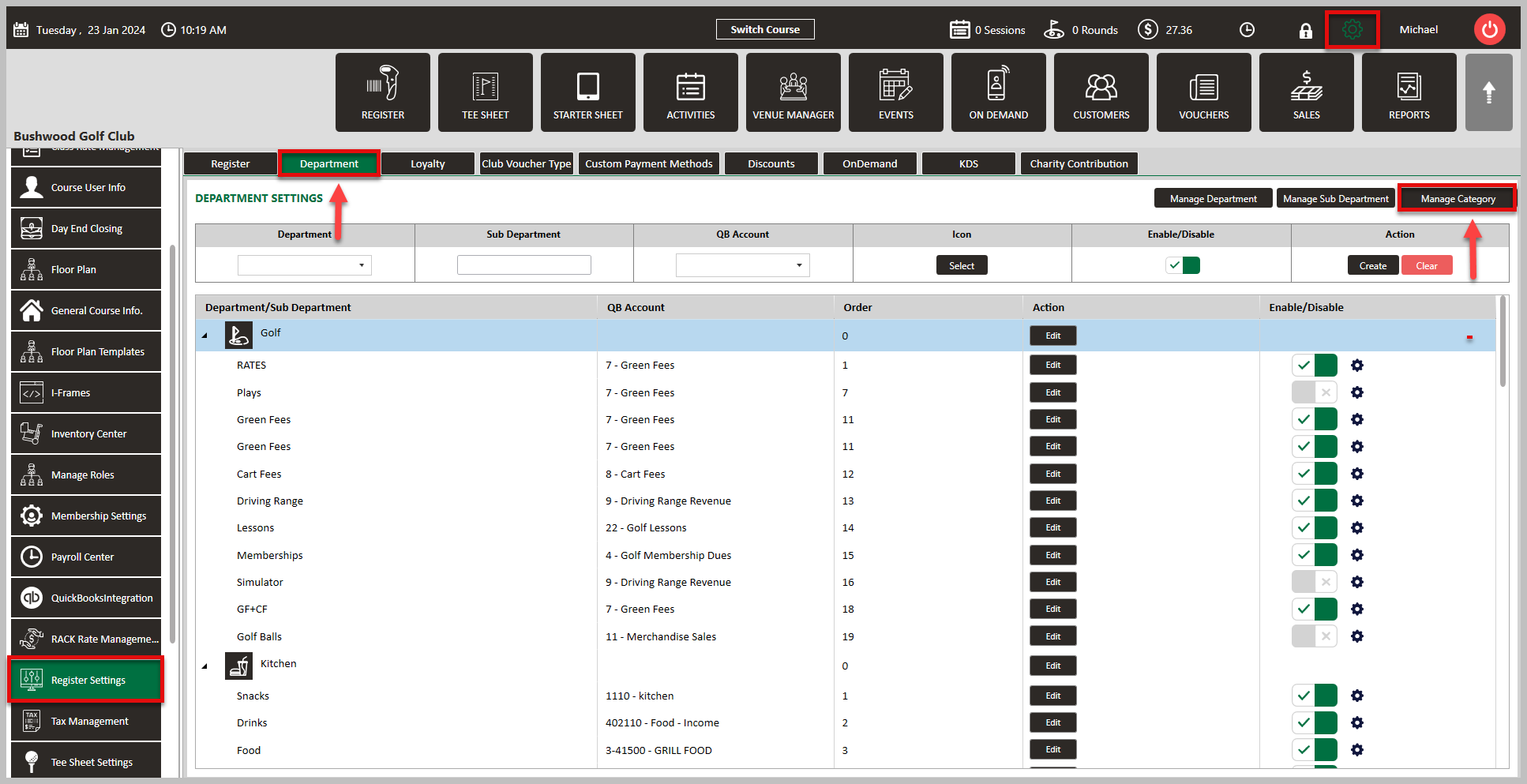
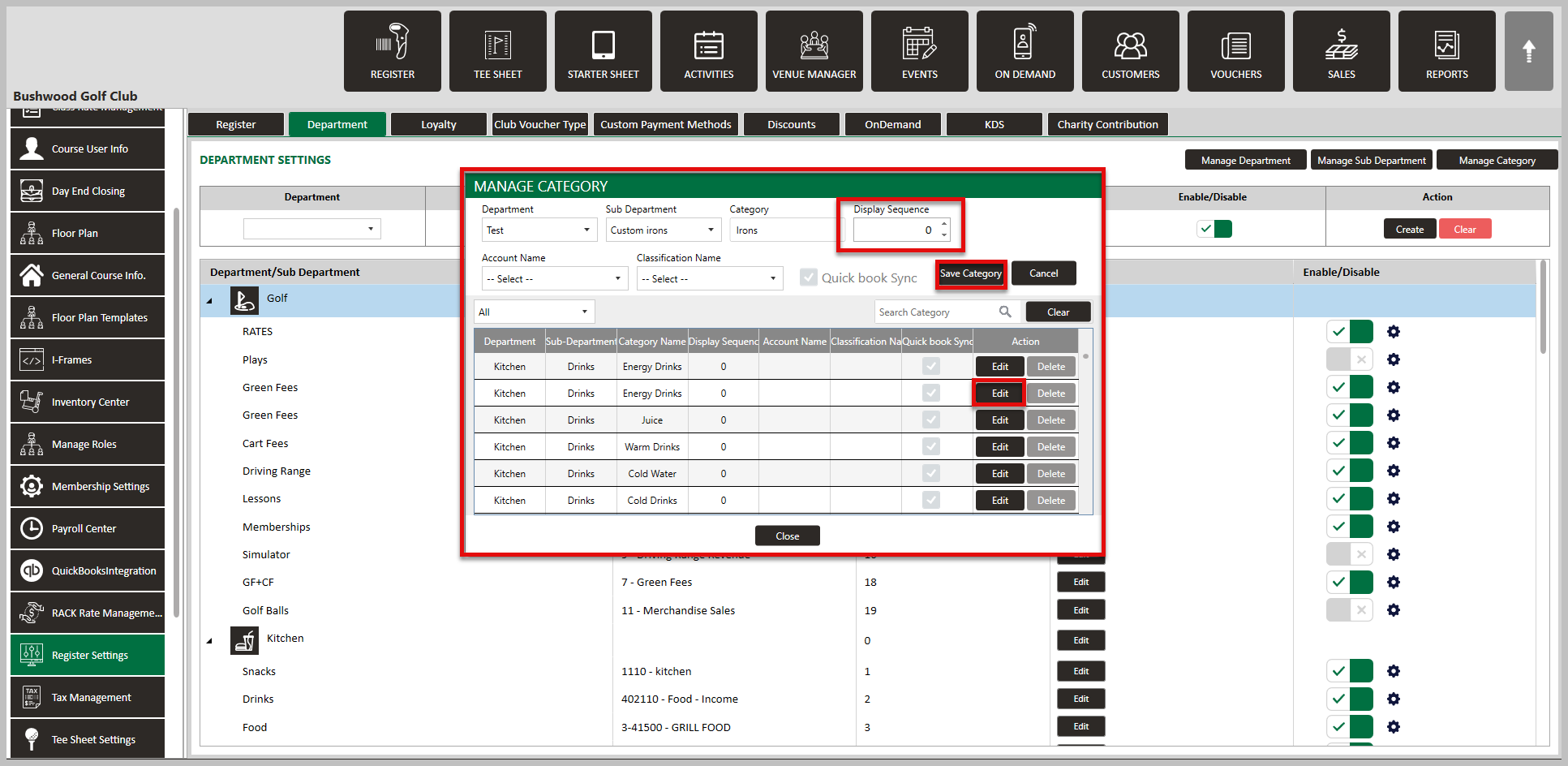
Step 2: Click on the Department tab along the top row, followed by Manage Category over on the right hand side. This will generate a Manage Category pop-up window.
Step 3: In the pop-up window, you will see a list of your inventory items. To change the display sequence of an item, click on Edit next to the item, change the number in the Display Sequence window, then Save Category.
Related Articles
Rack Rate Display Sequence
This article contents how to set sequence preference of rack rates. Step-By-Step: Step 1: Click on the "Gear Wheel" Icon on the top Right corner of screen. Click on the “Rack Rate Management” Button from the row on the left side of the screen. Step ...SETTINGS: MANAGE DEPARTMENT / SUB-DEPARTMENT / CATEGORIES
Article Contents: This article explains Manage Department/Sub Department/Category. Step-by-Step: Step 1: Click on "Settings" then click on "Register Settings". Step 2: Click on the "Department" tab. Step 3: Click on the "Manage Department". You can ...SETTINGS: MEAL COURSE (VIDEO)
Article Contents: This article contains step-by-step instructions on how to edit your display sequence for items in your register. Function: Users can create any number of courses and then assign those courses to individual Items. These courses will ...SETTINGS: REGISTER SETTINGS
Article Contents: This will show you how to navigate through your register settings, as well as providing a brief description on what each setting can do for you club. Video: The video covers essential features such as printing tip receipts, adding ...SETTINGS: DEPARTMENTS TAB OVERVIEW (VIDEO)
Article Contents: In this video tutorial, we provide step-by-step instructions on navigating the second tab of the register settings: Department. Below are the key points covered. Step-By-Step: Step 1: The Department tab is where you create and ...