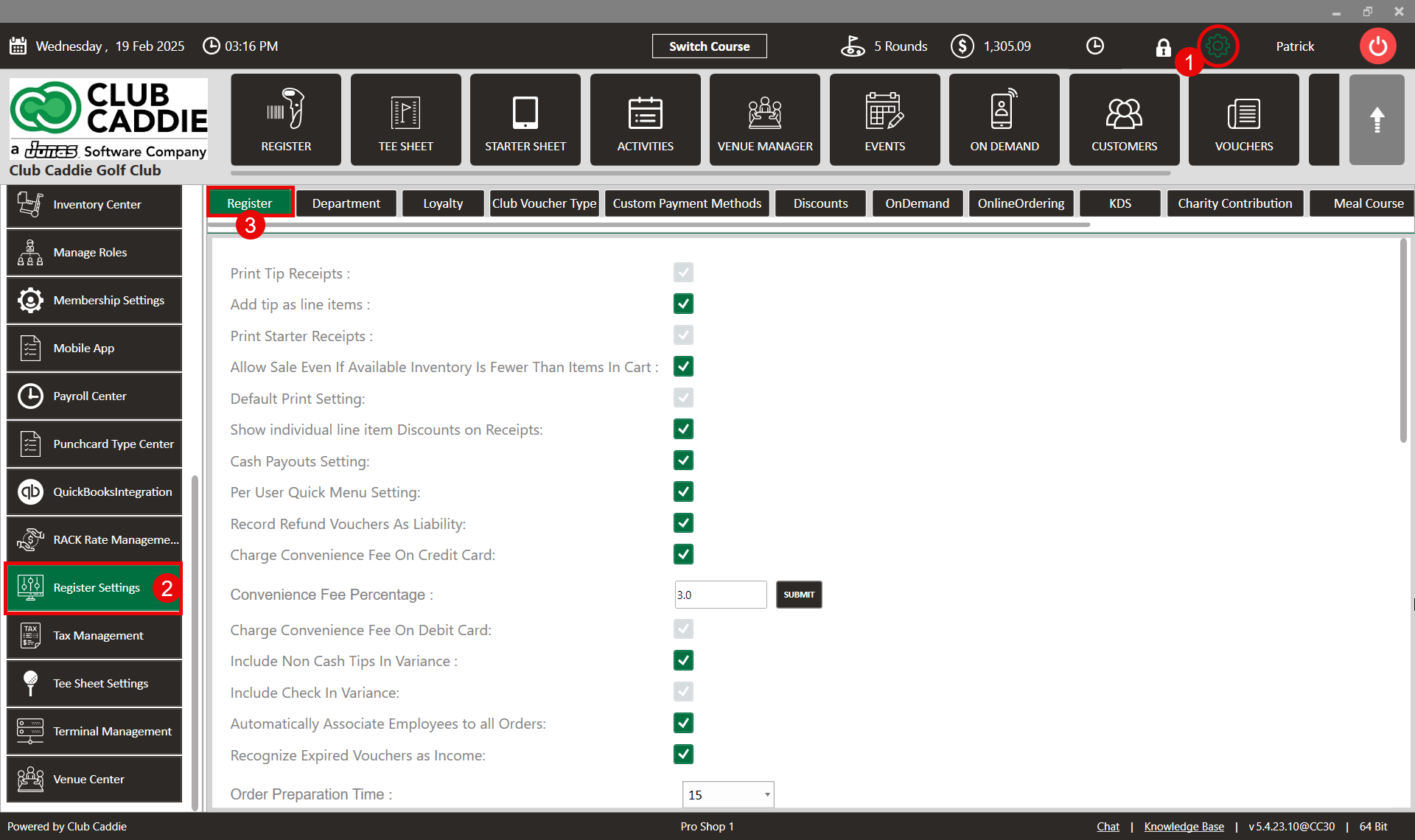
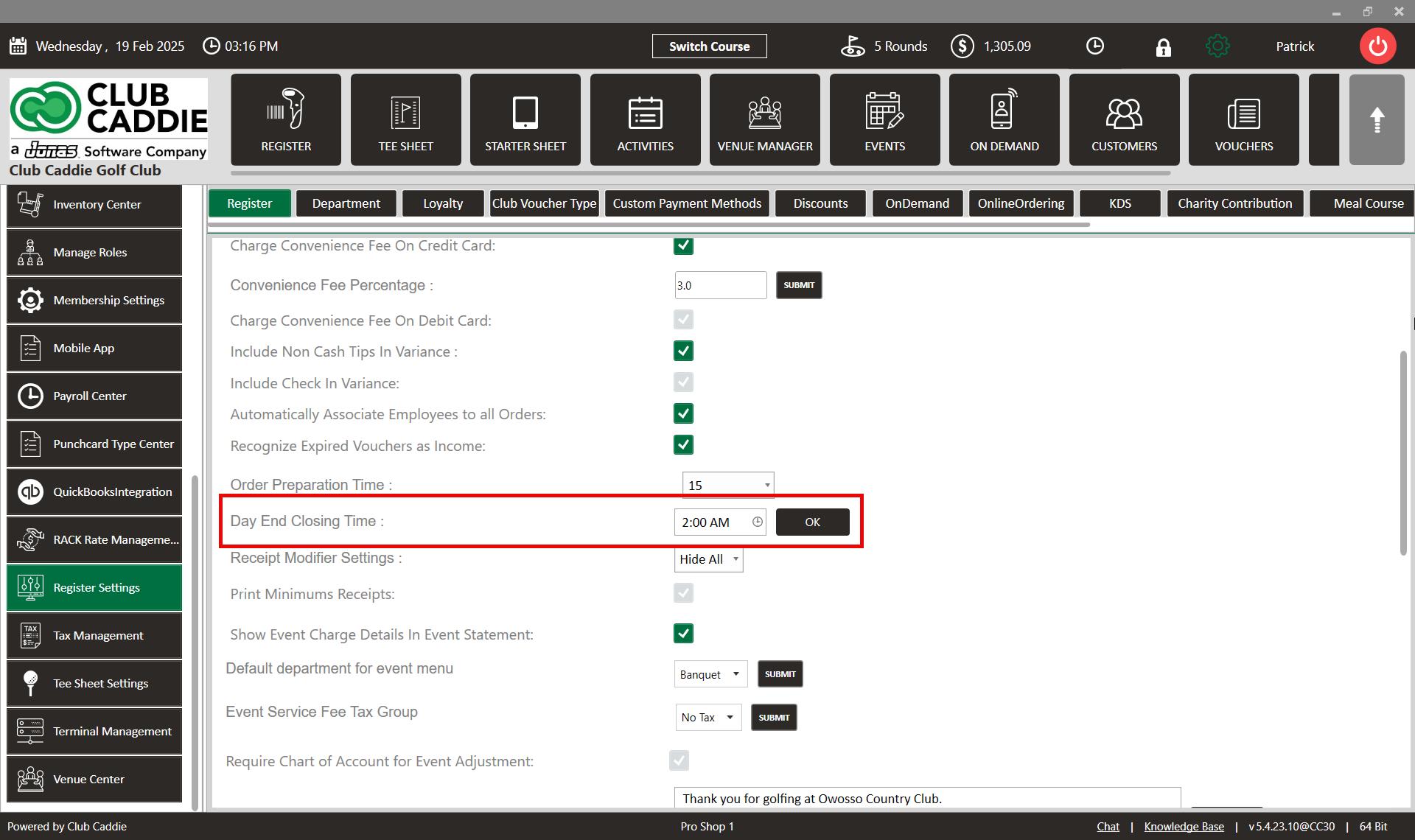
SETTINGS: ADJUST DAY END CLOSING TIME
Related Articles
Day End Closing
Article Contents: This Article contains steps to effectively fill in all the mentioned information to complete Day End Closing. Step-By-Step: Step 1: Click on the point of sale button on the header tab. On the point of sale screen, click on TOOLS ...
SETTINGS: REGISTER SETTINGS
Article Contents: This will show you how to navigate through your register settings, as well as providing a brief description on what each setting can do for you club. Video: The video covers essential features such as printing tip receipts, adding ...
Membership Settings
In Jonas Synergy, the membership settings are crucial to managing your club operations effectively. This knowledge-based article will guide you through the membership settings, offering a detailed understanding of each option, ensuring you make the ...
SETTINGS: TIME CARD ADJUSTMENT
Article Contents: This article contains step-by-step instructions on how to adjust an employee’s timecard. Step-By-Step: Step 1: Click the Settings (gear icon) located in the top right-hand corner of your screen. Then, use the left-hand navigation ...
Tee Sheet Settings Overview
This article summarizes Tee Sheet Settings. The topics include Sales Tax, Prepaid Percentage, Max Golfers Per Slot For Online Sale, Select Holes, Tee Time Squeeze, Maximum Golfers, and Interval Settings Step-By-Step: Step 1: Click on the Gear icon in ...