Create Custom Payment Method

SETTINGS: HOW TO CREATE A CUSTOM PAYMENT METHOD

Article Contents: This article summarizes how to create a custom payment method.

Step by Step

Step 1: Click on gear wheel icon (Settings) from the right top corner of the Jonas Synergy.
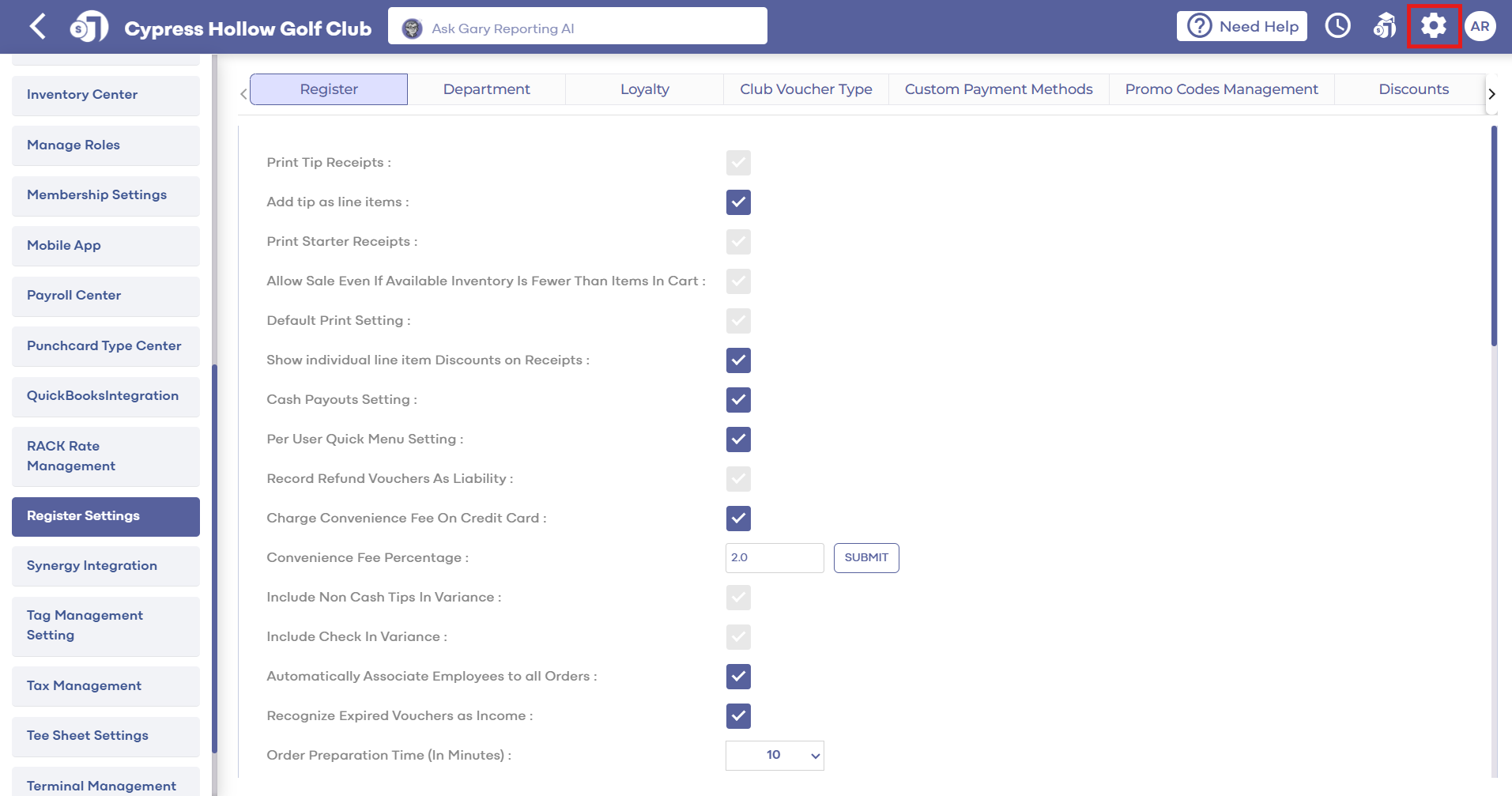
Step 2: Select "Register Setting" from the left row of the window, then click on "Custom Payment Method" tab.


Step 3: Under the "Custom Payment Method" tab, you can see list of existing created Payment Methods. If you want to modify existing Payment Method click on "Edit" button. Make the changes as per your requirement then click on "Save" button.


Step 4: If you want to create new Payment Method, click on "Add" button. Fill all the info, like Custom payment name and select Chart of Account from the list, then click on the "Save" button.

Step 5: Once Custom Payment Method is created, you can see this Payment Method in Payment mode window, when you click on the Pay button to proceed the payment.

    • Related Articles

    • SETTINGS: REGISTER SETTINGS

      Article Contents: This will show you how to navigate through your register settings, as well as providing a brief description on what each setting can do for you club. Video: The video covers essential features such as printing tip receipts, adding ...
    • SETTINGS: CUSTOM DISCOUNT CREATION

      Article Contents: This article contains step by step instructions on how to create a customized discount button for the register Step-by-Step: Step 1: Click on the Gear wheel Icon on the top right corner of the screen. Step 2: Click on the"Register ...
    • SETTINGS: CUSTOM TEXT ON RECEIPT

      Article Contents: This article contains instructions on how to add custom text to receipts. Step-By-Step Step 1: Click on "Settings" (gear wheel) from the top navigation bar then "Register Setting" from the left-hand menu. Step 2: Then the system ...
    • SETTINGS: DEPARTMENT - CREATE NEW DEPARTMENT

      Article Contents: This article contains a step-by-step guide on how to create a new department for the register. Step-By-Step: Step 1: Click on the Gear Wheel Icon on the top-right hand corner of the screen. Step 2: Click on the “Register Settings” ...
    • Membership Settings (Video)

      In Jonas Synergy, the membership settings are crucial to managing your club operations effectively. This knowledge-based article will guide you through the membership settings, offering a detailed understanding of each option, ensuring you make the ...