Custom Discount Creation

SETTINGS: CUSTOM DISCOUNT CREATION

Article Contents: This article contains step by step instructions on how to create a customized discount button for the register

Step-by-Step:  

Step 1: Click on the Gear wheel  Icon on the top right corner of the screen.
 
Step 2: Click on the"Register Settings" then click on the "Discounts" tab.
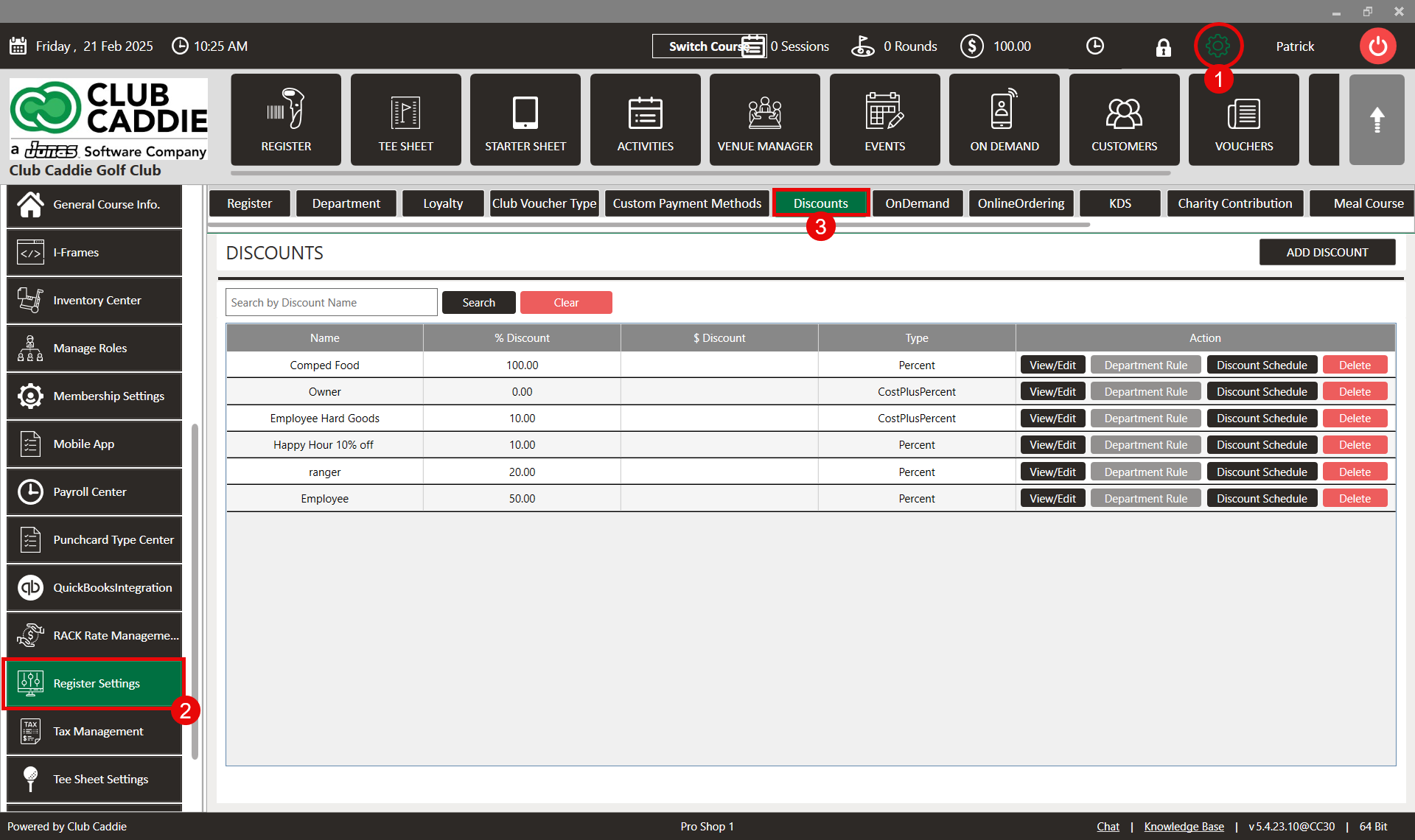
 
 
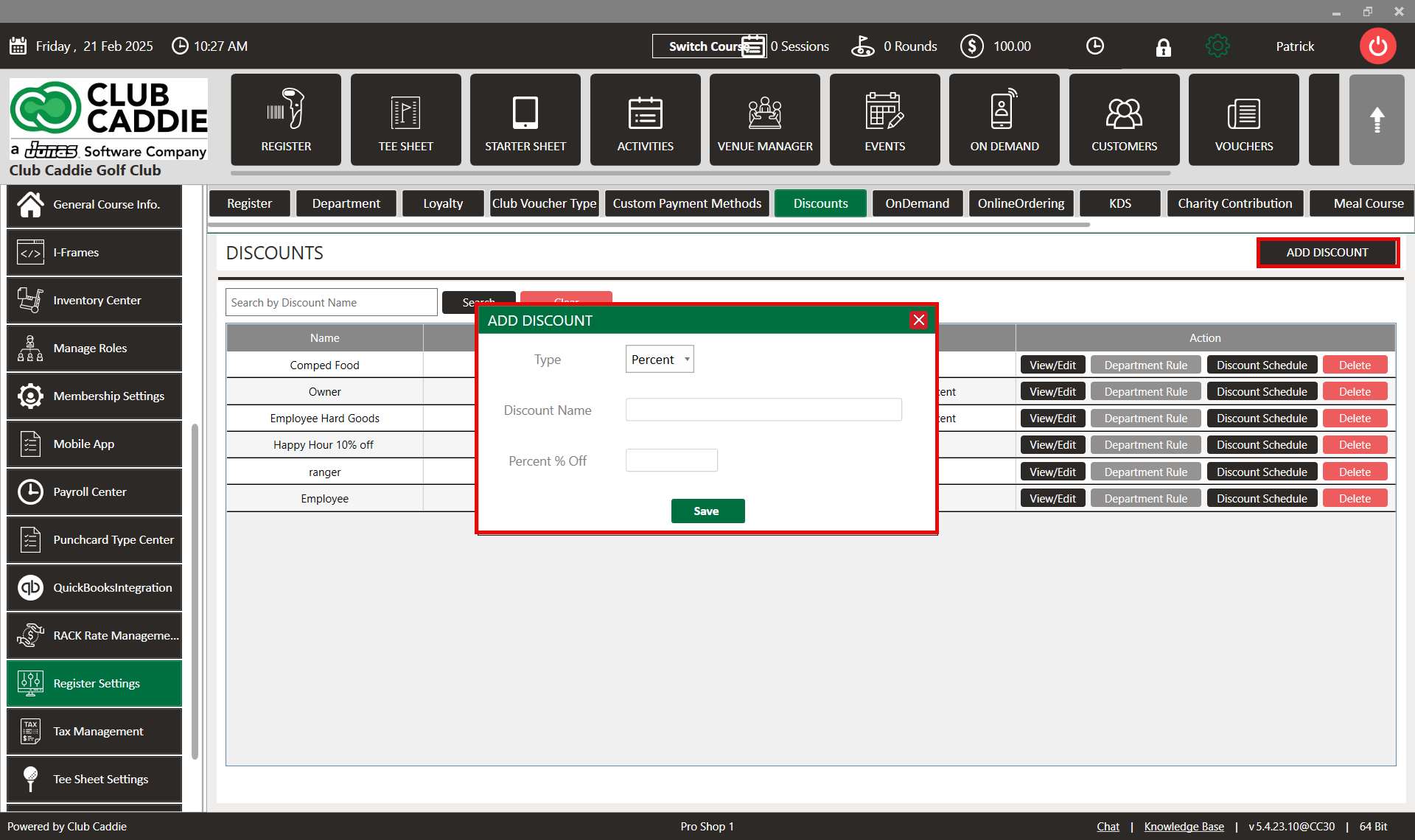
Step 3: Click on the "Add Discount" then the system will prompt you to new pop up. You can set a discount for total selling items at a time. You can give a fixed amount as a discount or you can give a percentage of the total billing amount as a discount. For that select "Type" of discount, "Discount Name" and "Percent % Off" then click on "Save".
 
 
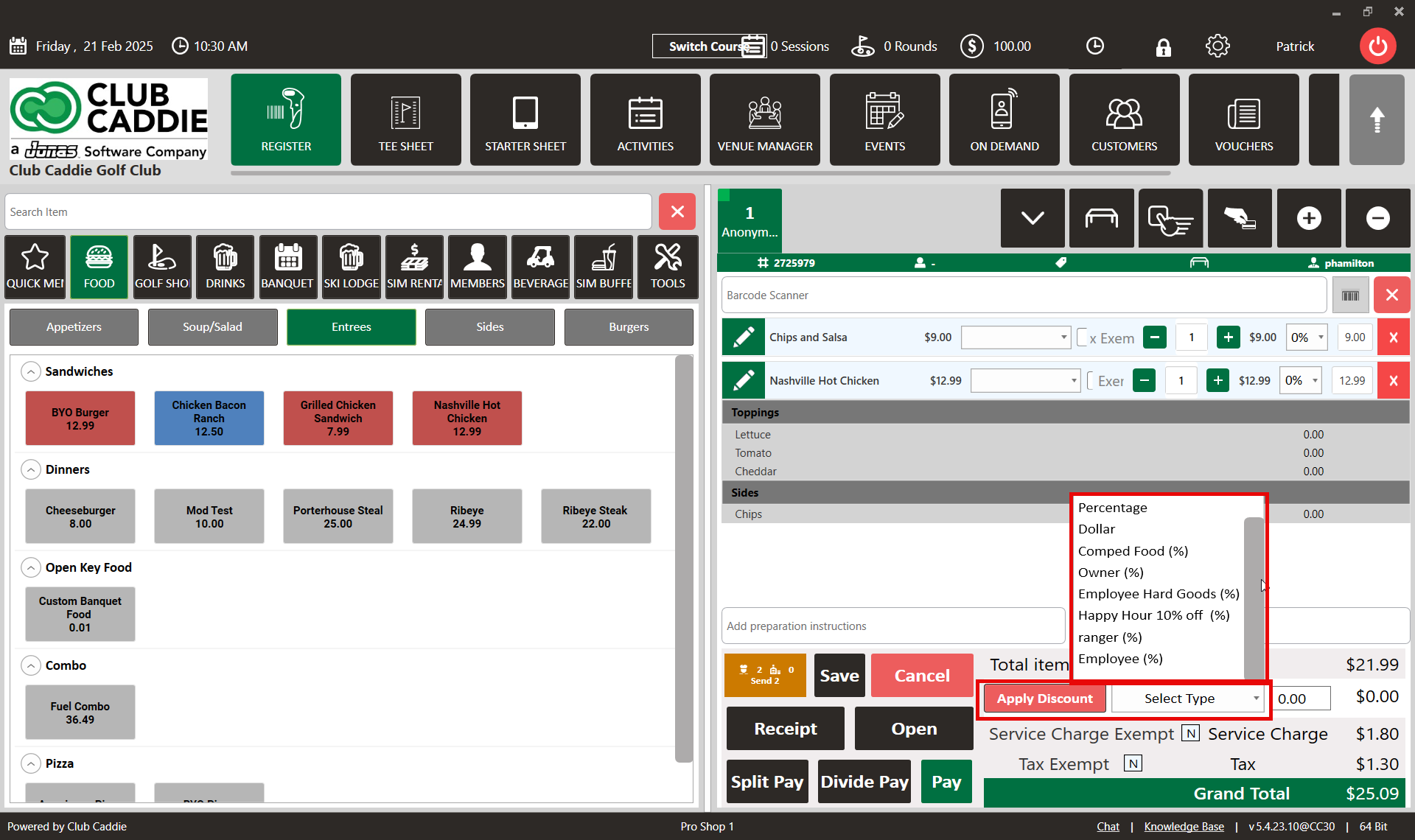
Step 4: Go to "Register" select items, Besides the "Apply Discount" button you have a drop-down to select the type of discount click on it and select the "Customized Discount" that you have created.
 
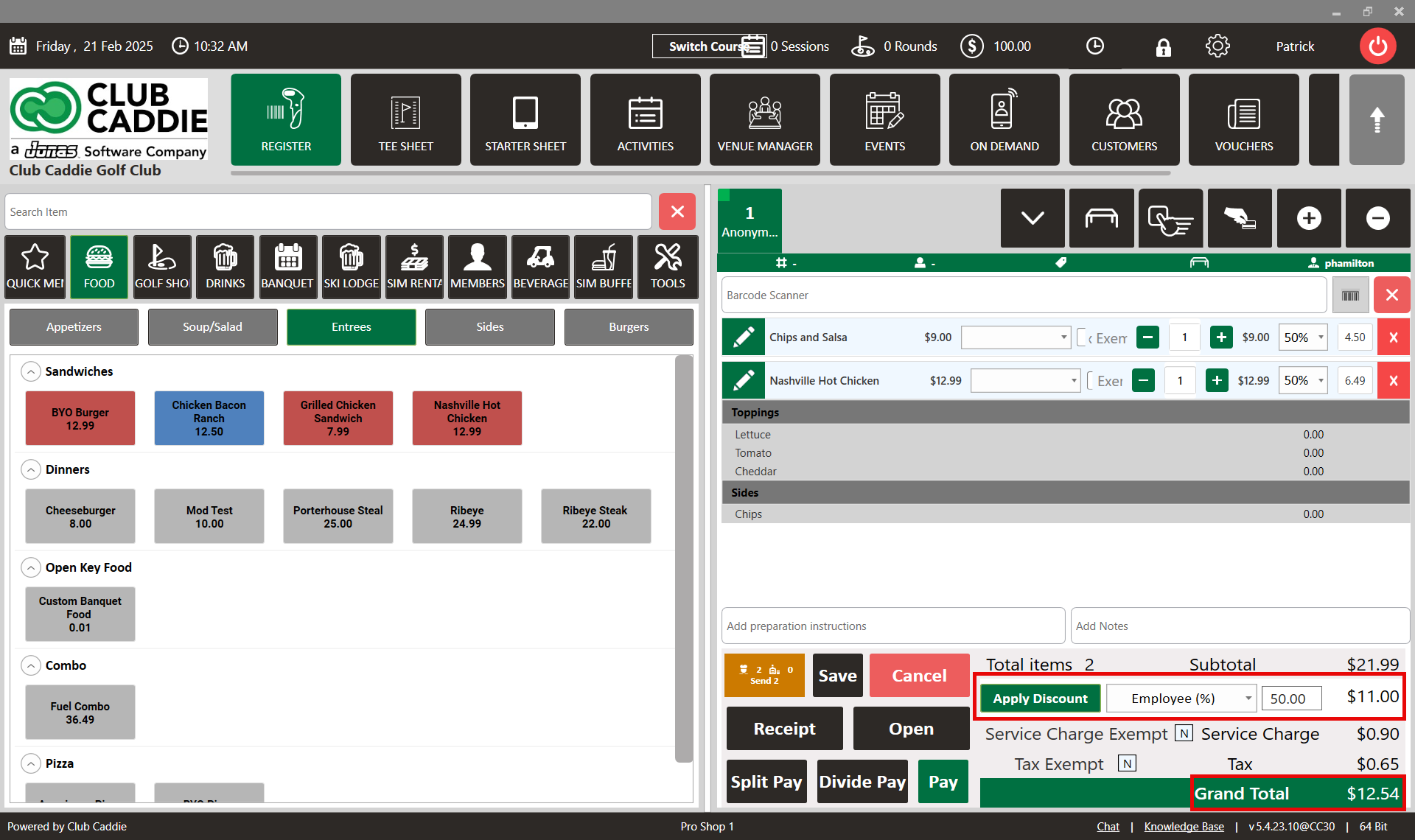
Step 5: Click on the "Apply Discount" then the system will apply that discount on all selling items at a time.
 
    • Related Articles

    • SETTINGS: CLUB VOUCHER TYPE CREATION

      Article Contents: This article contains step-by-step instructions on how to create custom voucher types and map the vouchers to your chart of accounts. Step-by-step: Step 1: Click on the Gear Wheel icon in the top-right corner of the screen to access ...
    • SETTINGS: CUSTOM TEXT ON RECEIPT

      Article Contents: This article contains instructions on how to add custom text to receipts. Step-By-Step Step 1: Click on "Settings" (gear wheel) from the top navigation bar then "Register Setting" from the left-hand menu. Step 2: Then the system ...
    • SETTINGS: REQUIRE EMPLOYEES TO CLOCK IN BEFORE ORDER CREATION

      Article Content: When this feature is turned ON, employees will not have the ability to start a tab until they Clock In. Step 1: Click on the top left gear wheel image, "Settings" Step 2: Click on the "Register Settings". Step 3: Check mark "Require ...
    • SETTINGS: REGISTER SETTINGS

      Article Contents: This will show you how to navigate through your register settings, as well as providing a brief description on what each setting can do for you club. Video: The video covers essential features such as printing tip receipts, adding ...
    • SETTINGS: HOW TO CREATE A CUSTOM PAYMENT METHOD

      Article Contents: This article summarizes how to create a custom payment method. Step by Step Step 1: Click on gear wheel icon (Settings) from the right top corner of the Jonas Synergy. Step 2: Select "Register Setting" from the left row of the ...