SETTINGS: PIN LOCK NOTES
Step-By-Step Guide:
Step 1: Navigate to Settings, then select Register Settings from the left-hand-side menu.
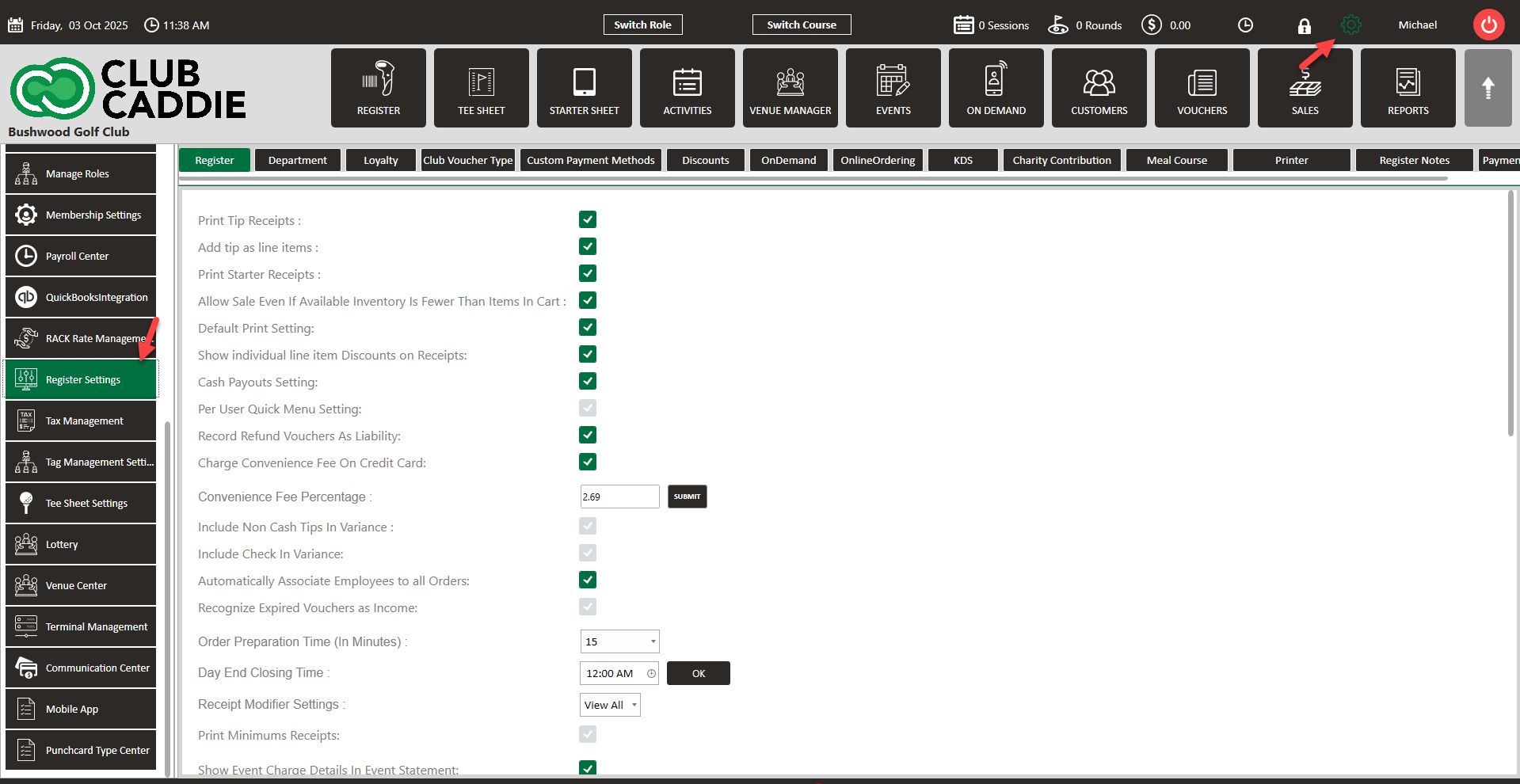
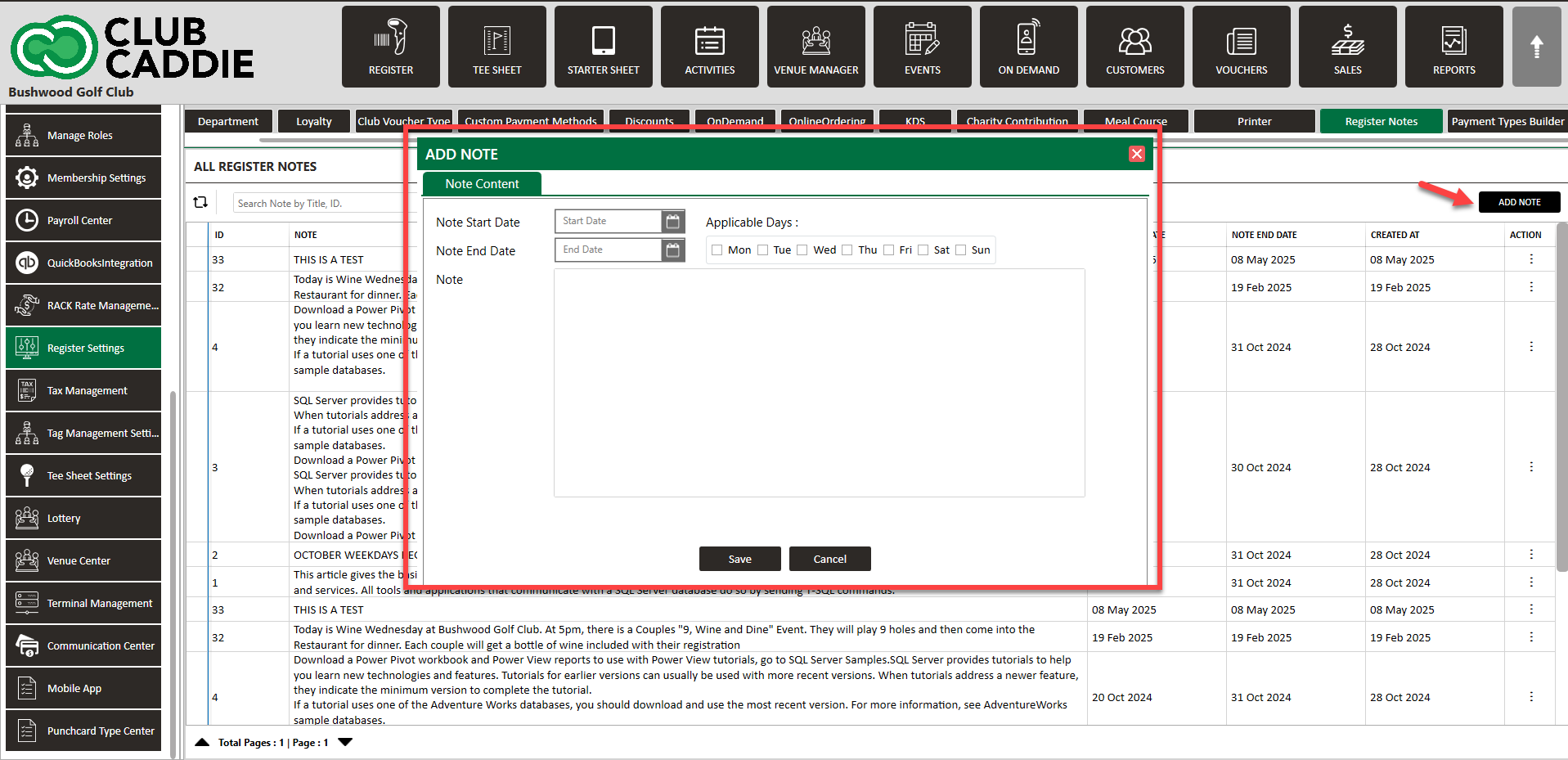
Step 2: Select the Register Notes tab on the right-hand-side, then click Add. A pop-up will display where you can fill in the details for the note. Select the a date range as well as what days the note will display, then click Save.
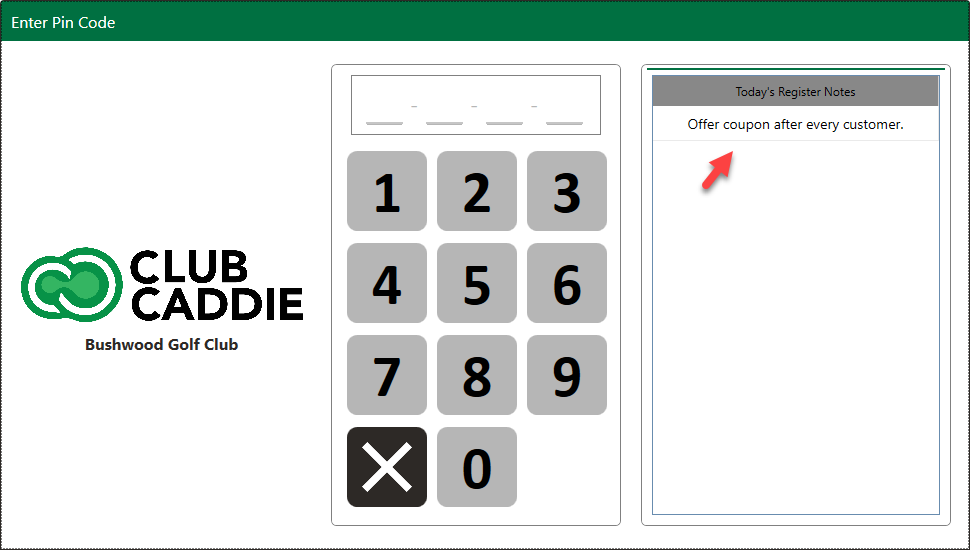
Step 3: The note will display in the Pin Code pop-up window. This populates when you either select the lock icon to assign an employee a tab, start a new tab with Pin Lock on, or when you select the Quick tab icon and you have Requires Pin on Quick Tab toggled on in your Terminal Management Settings.
Related Articles
Employee Pin Lock
This is a guide with instructions on setting up Pin Lock for employees, creating a 4-digit code for each employee, as well as tips to making sure your transition to employee pin lock runs smoothly. Step-by-Step: Step 1: To set a pin for each employee ...Tee Sheet Banner Notes
Article Contents: This article contains steps on how to add Tee Sheet Banner notes. Note: Banner Notes will appear at the top of the tee sheet and is only visible by staff. For customer facing notes, you'll want to utilize i-frame banners. ...SETTINGS: DEFAULT PRINT SETTINGS
Article Contents: This article gives step-by-step instructions on how to adjust the default print settings. Step-by-Step: Step 1: Click on the Gear Wheel icon on the top right corner of the screen. Step 2: Click on Register Settings from the ...SETTINGS: REGISTER SETTINGS
Article Contents: This will show you how to navigate through your register settings, as well as providing a brief description on what each setting can do for you club. Video: The video covers essential features such as printing tip receipts, adding ...Membership Settings
In Jonas Synergy, the membership settings are crucial to managing your club operations effectively. This knowledge-based article will guide you through the membership settings, offering a detailed understanding of each option, ensuring you make the ...