Tee Sheet - Add Guest to a Group Booking.

Add Guest to Group Reservation

Article Contents: This article contains step-by-step instructions on how to add a Guest to a group booking.

Step-By-Step:

Step 1: From the module navigation menu, select the TEE SHEET module.
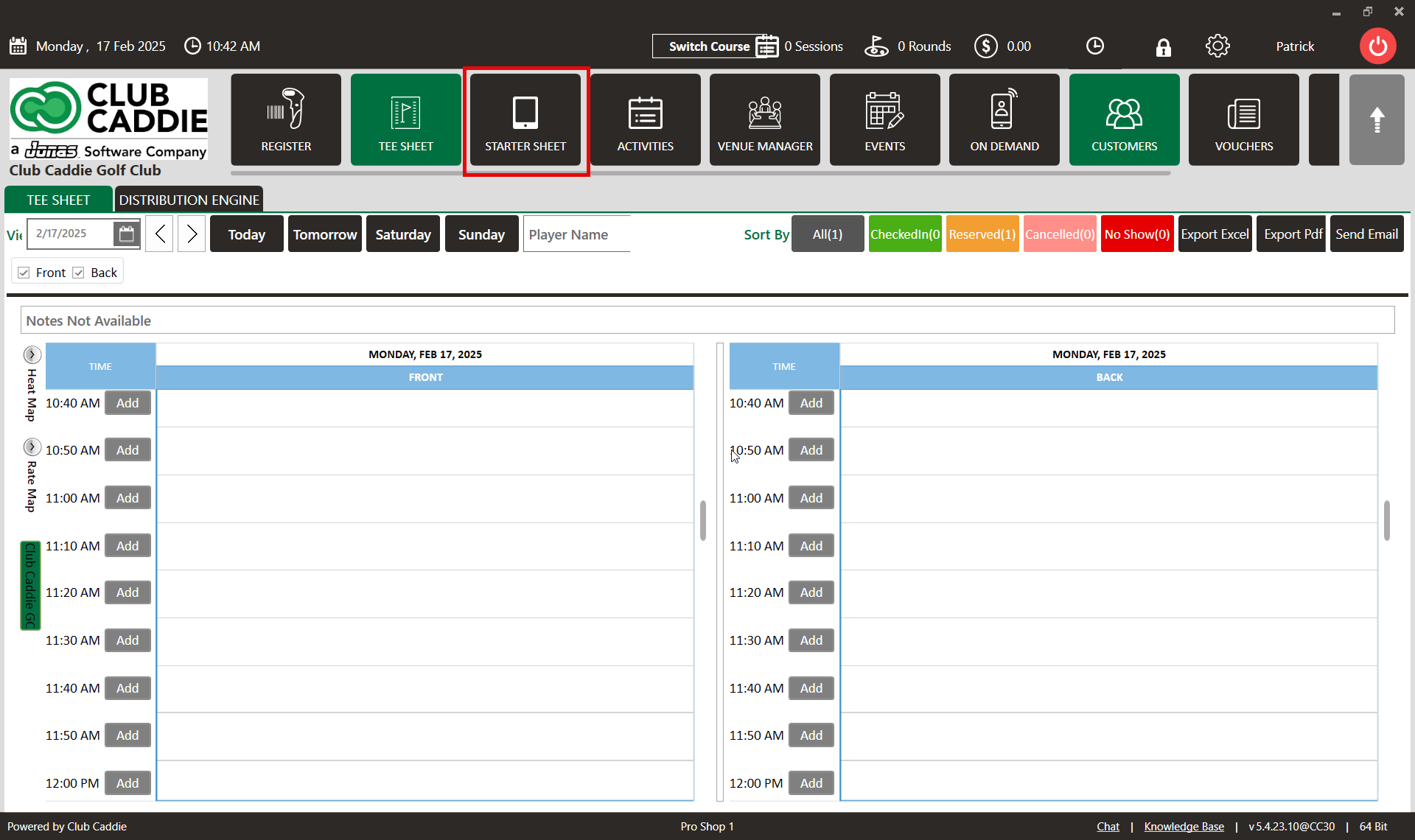


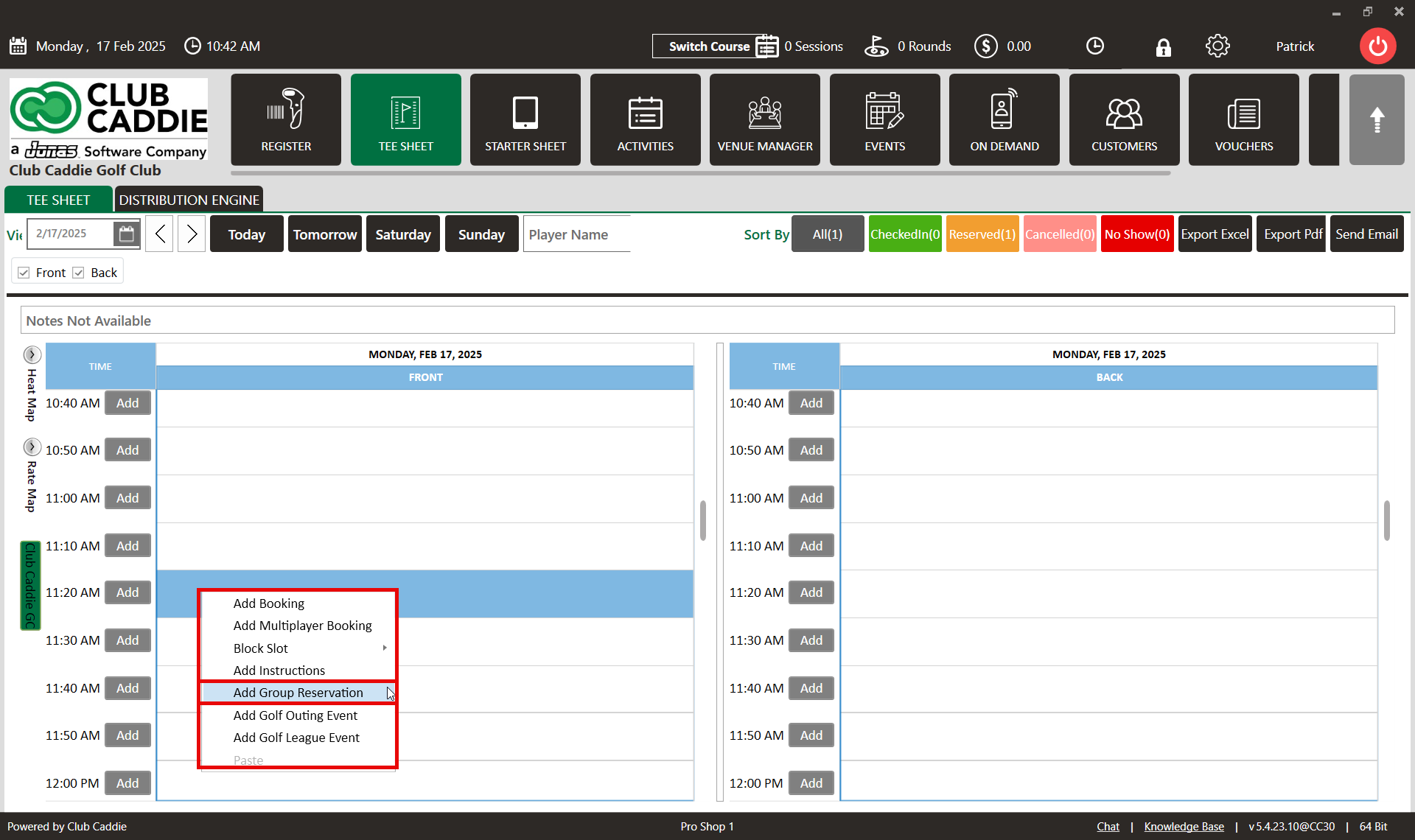
Step 2: Right-click on the desired time slot and select "Add Group Reservation" from the dropdown menu. This action will open the Group Reservations window.


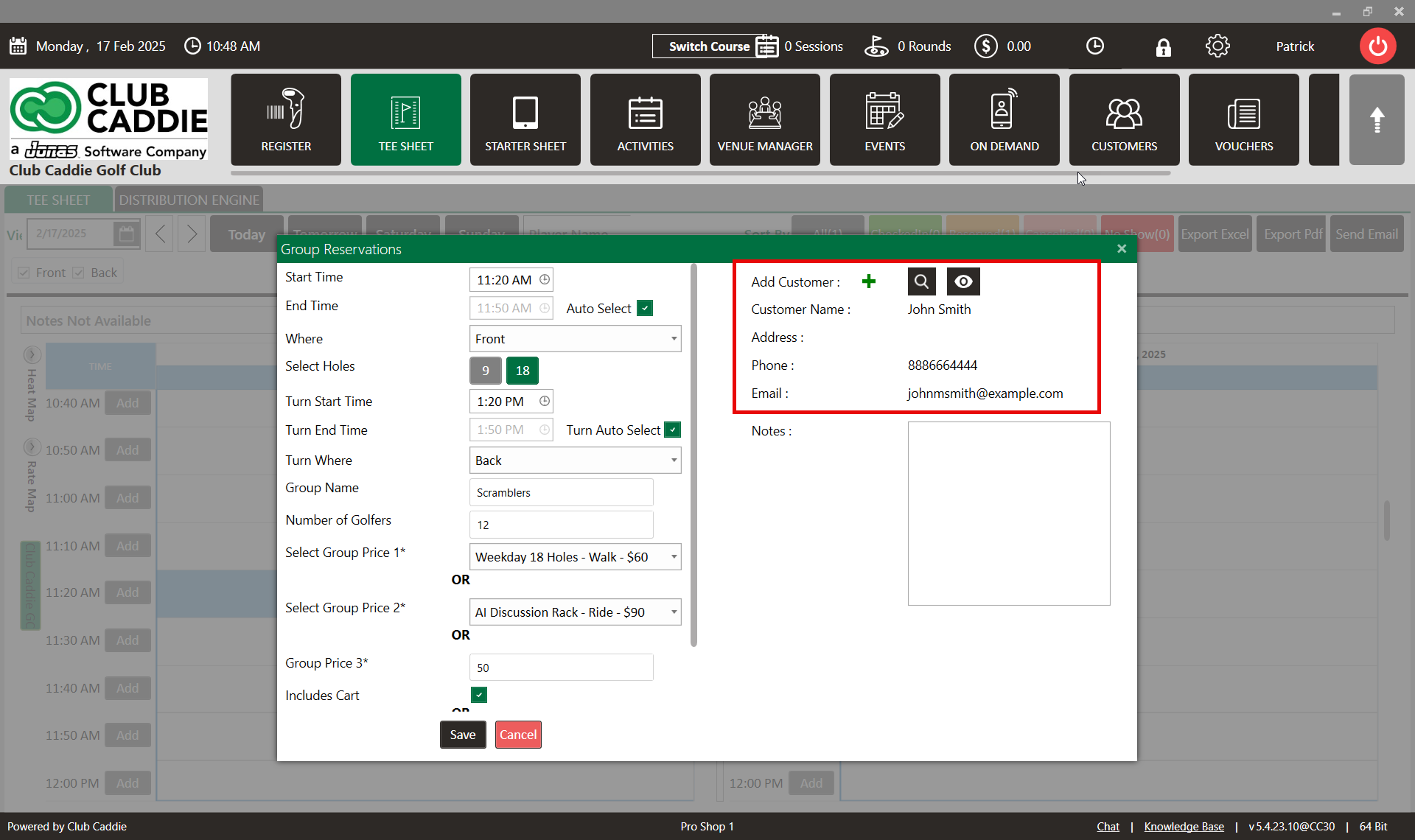
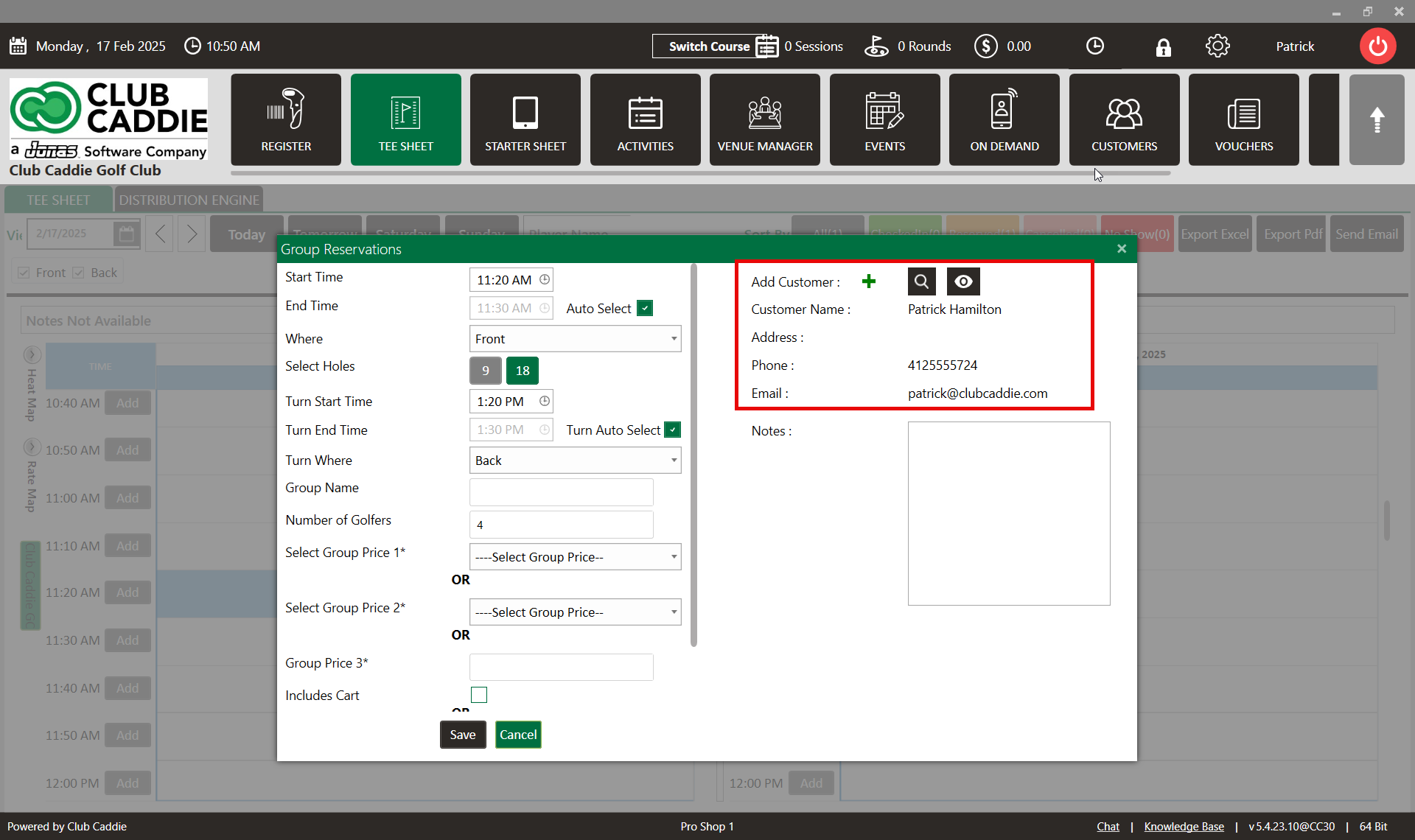
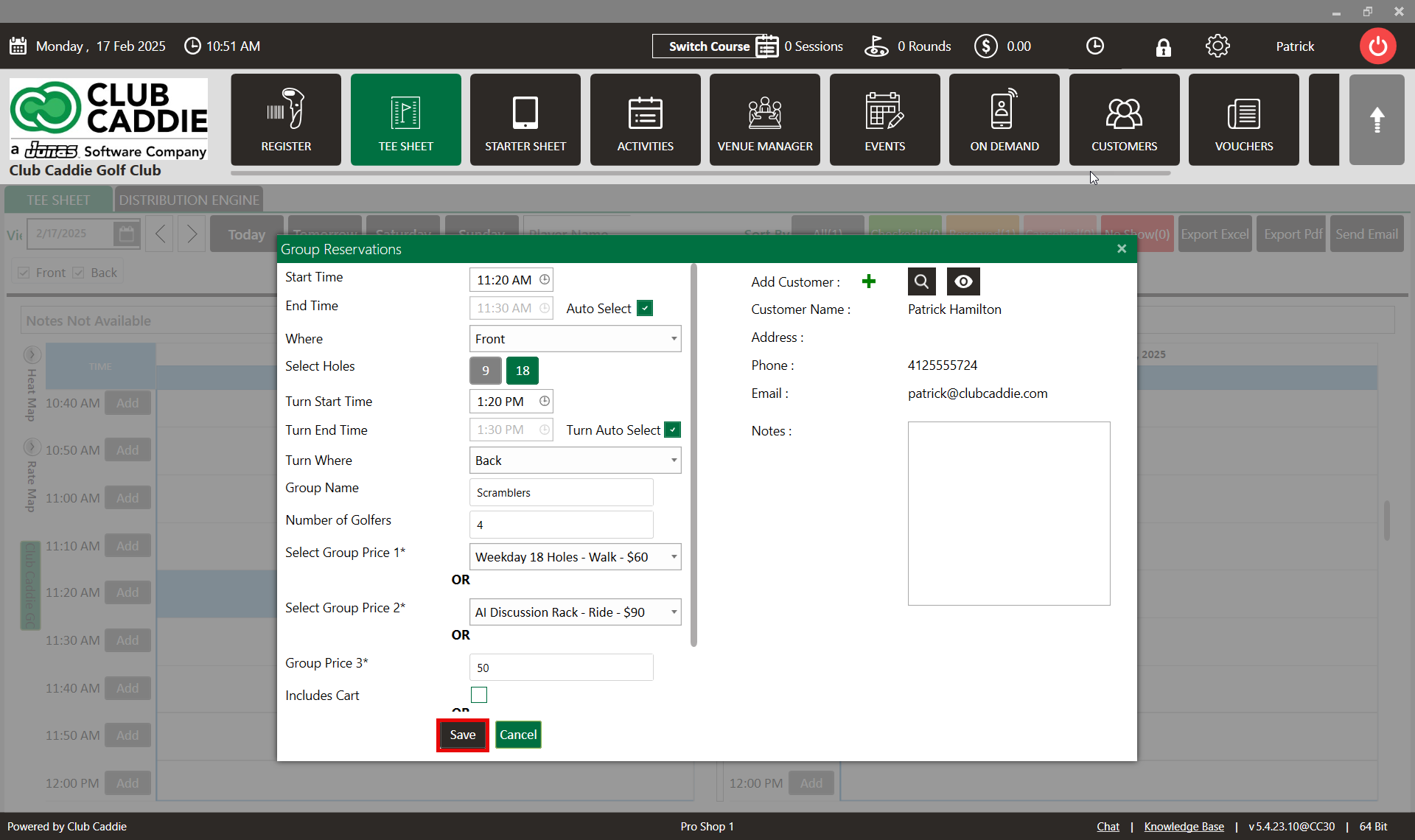
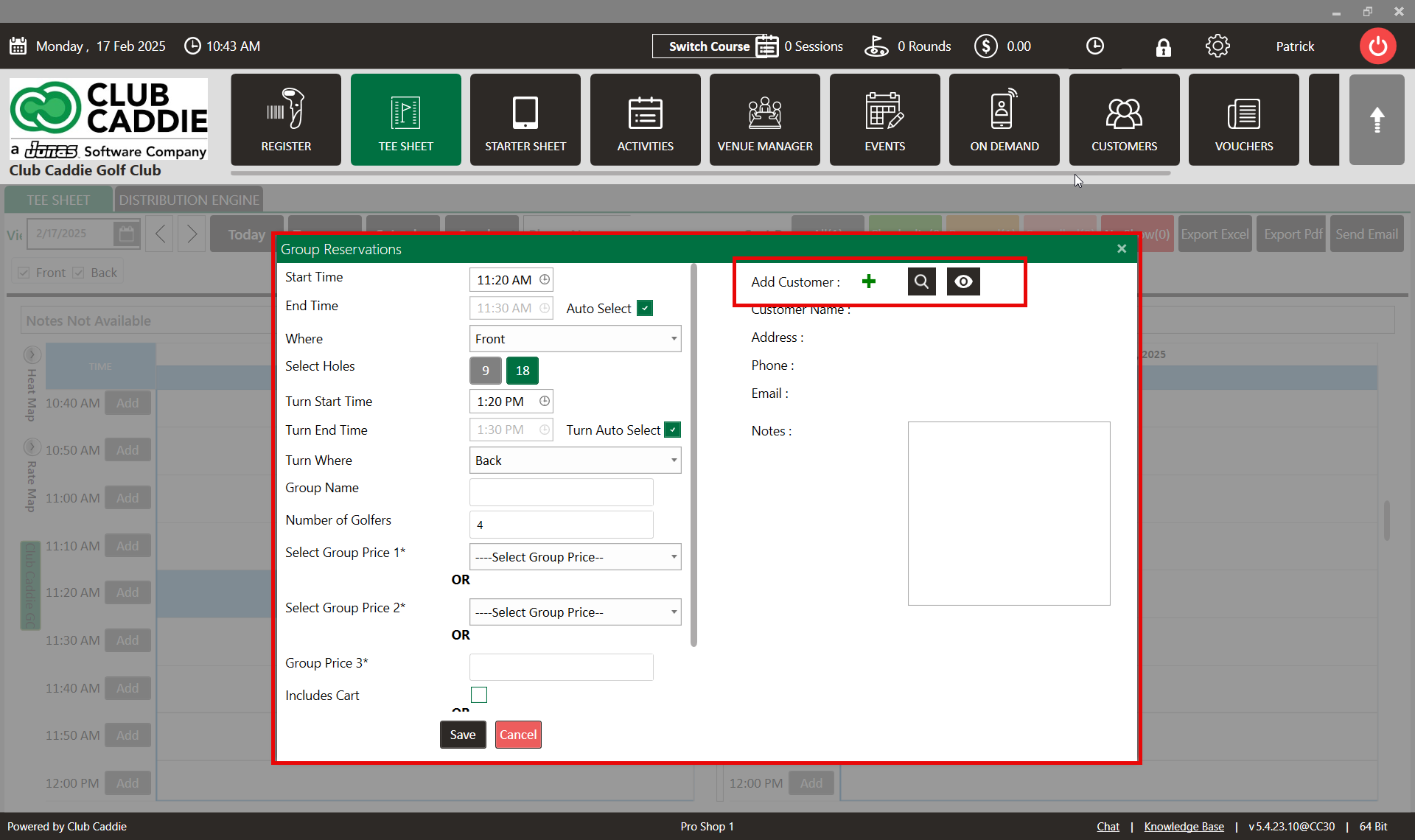
Step 3: In the Group Reservations window, click on the "+" symbol to add a new guest. If you wish to add an existing guest, click on the Search button.


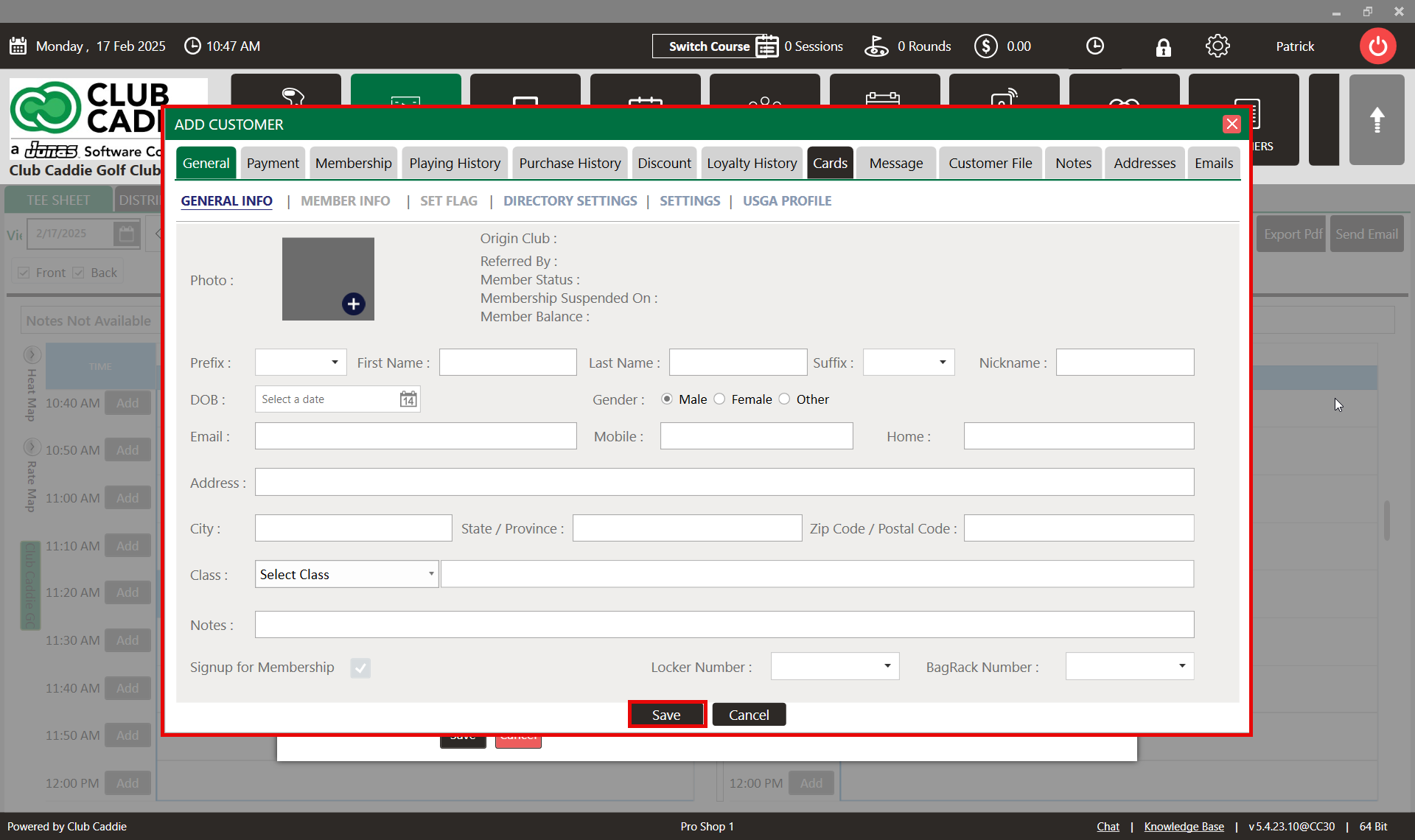
Step 4:  After clicking the "+" symbol, the ADD Guest window will appear. Enter the required information and click "Save".


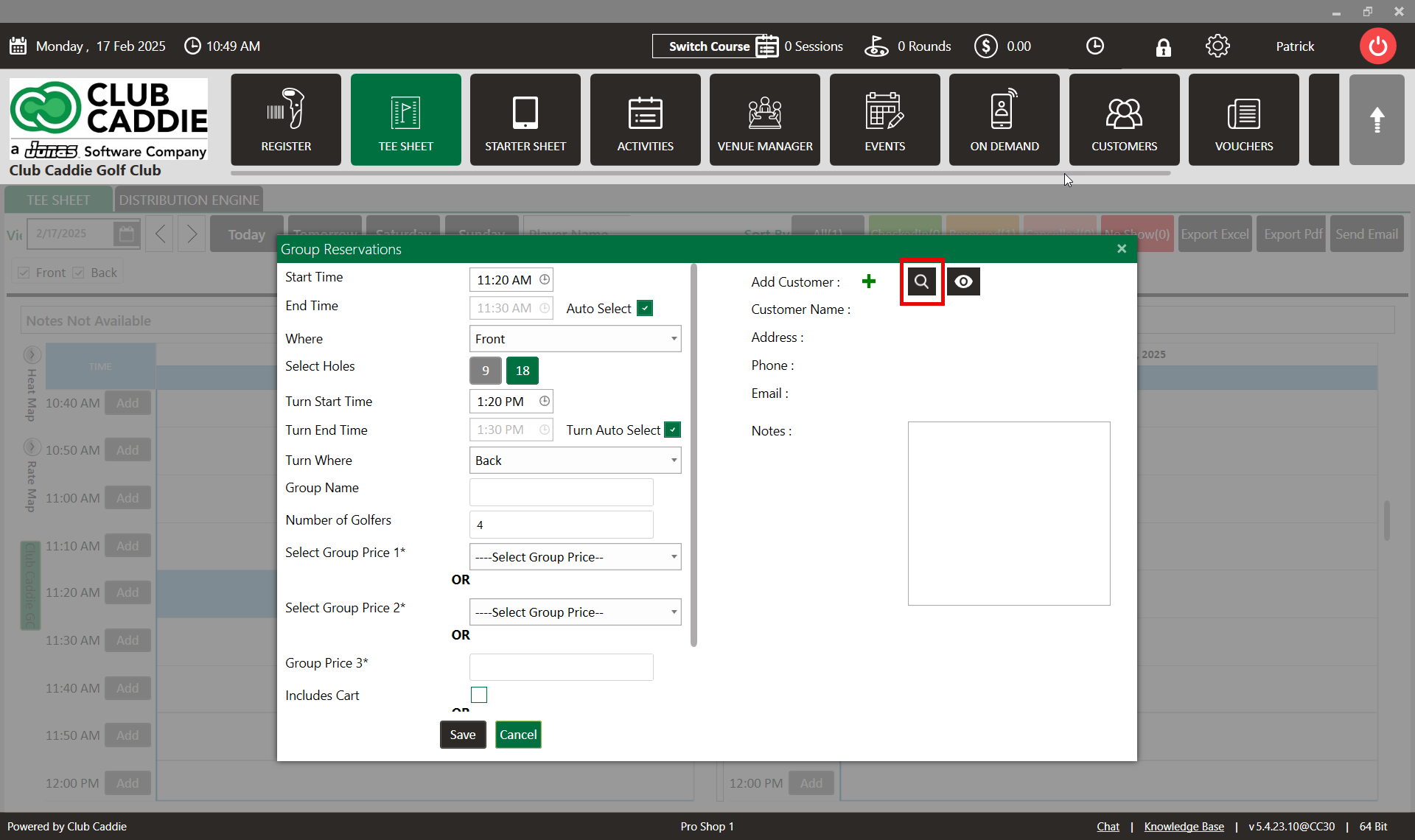
Step 5: To add an existing guest, click on the "Search" symbol. The "Select Guest" window will open. Here, you can search for the desired guest, select their name from the list, and click "Save". The selected guest will then be added to the group booking.


    • Related Articles

    • Create A Group Reservation

      Article Contents: In this article we will walk through creating a new group reservation which can be used to reserve multiple tee-times at pre-setup or custom prices. Step-By-Step Step 1: Navigate to the TEE SHEET module from the top navigation bar. ...
    • Add New Guest

      Article Contents: This article contains step-by-step instructions on how to add new Guest through the Tee Sheet Step-By-Step Step 1: Select the TEE SHEET module from the module navigation menu. Step 2: Book a tee time: There are 3 ways to reserve a ...
    • Set Guest Flags

      Article Contents: This article summarizes how to set a flag on a Guest account Step-By-Step Step 1: From the tee time reservation pop up, you will see a plus (+) icon to the left of the Last Name field and under the “Add” column. If they are a new ...
    • Group Quick Pay

      Article Contents: This article gives step-by-step instructions on using Quick Pay in the Tee Sheet for a group of players. Step-By-Step: Step 1: Click on the TEE SHEET module from the top of the navigation menu. Step 2: On the tee sheet, there are ...
    • View Guest Profile

      This article gives step-by-step instructions on how to view a Guest profile from the tee sheet. Step-By-Step: Step 1: Click on the tee sheet module from the top navigational menu. Step 2: Go to the Tee Sheet and select the guest reservation time ...