Step-By-Step
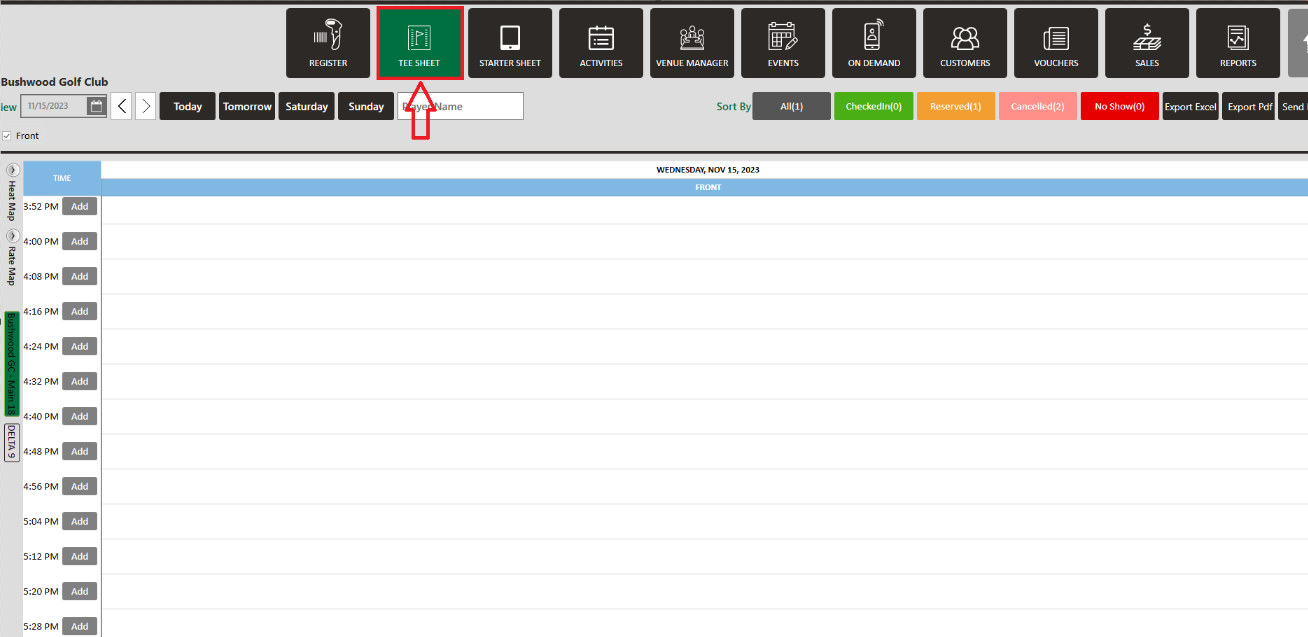
Step 1: Select the TEE SHEET module from the module navigation menu.
Step 2: Book a tee time:
There are 3 ways to reserve a tee time.
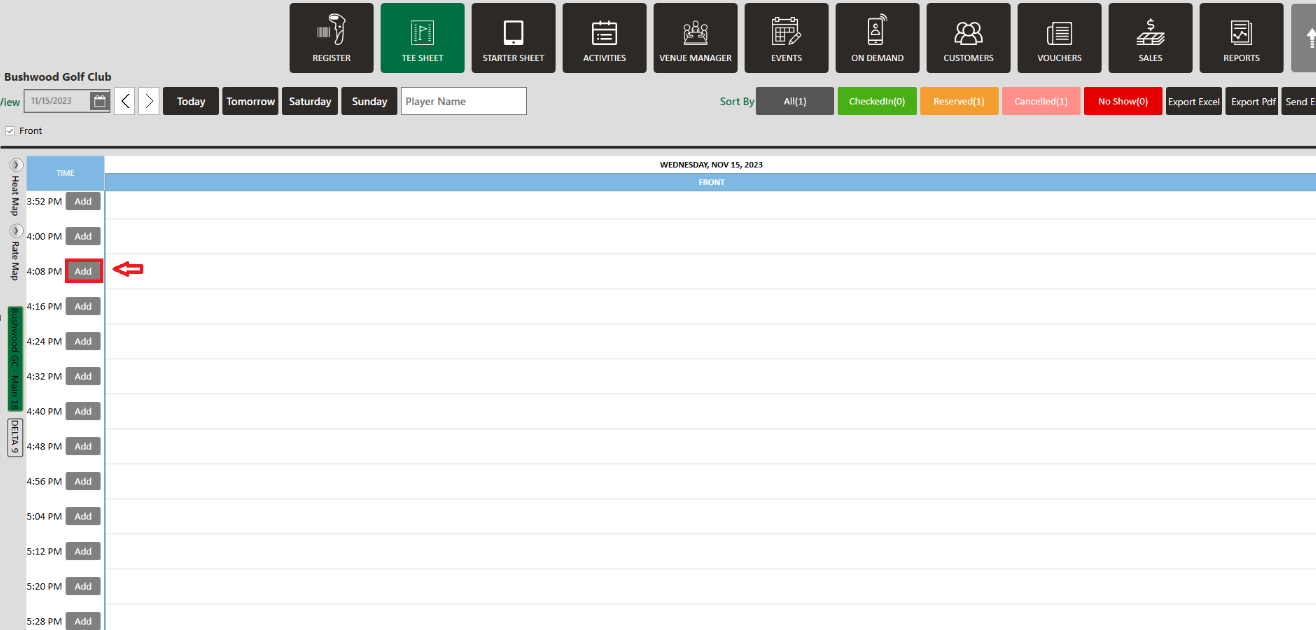
1. Click Add next to the time on the slot.
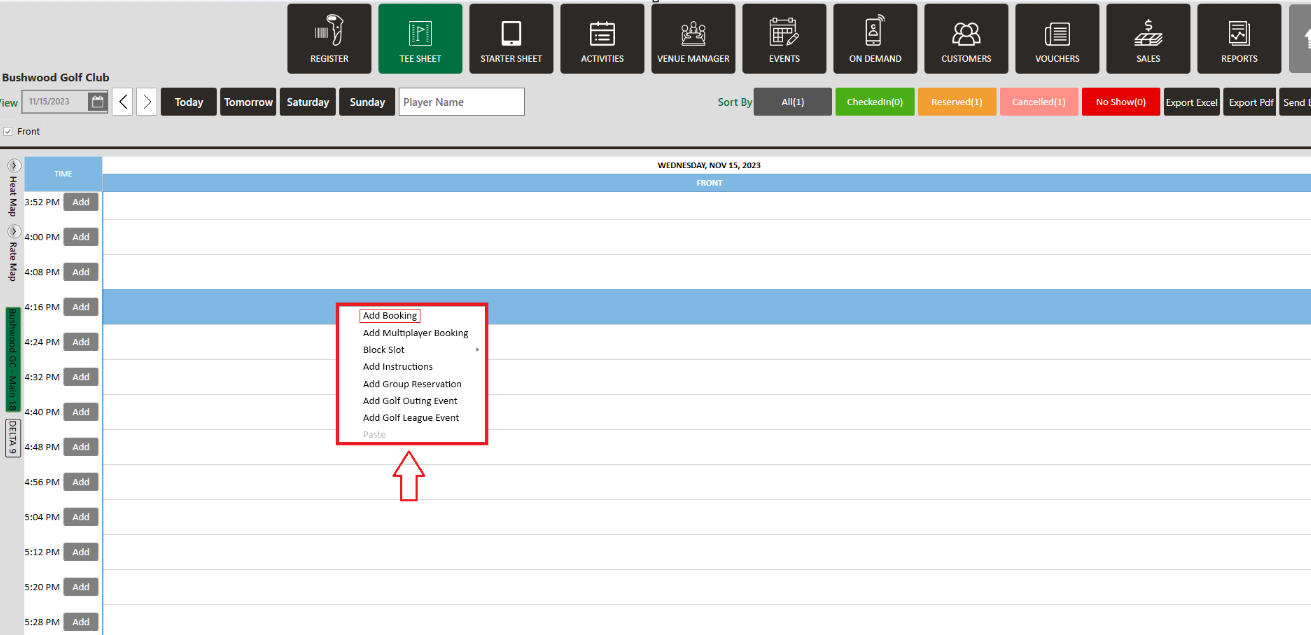
2. Right-click on a particular time slot and click Add Booking in the drop-down list.
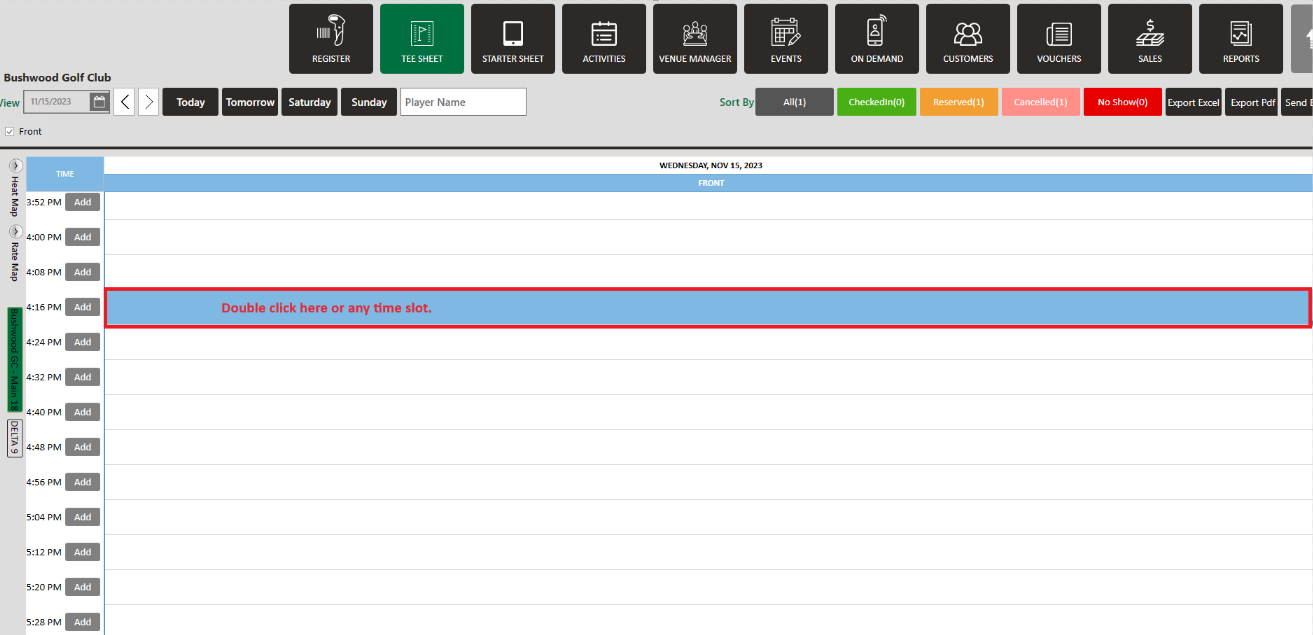
3 . Double-click on the time slot.
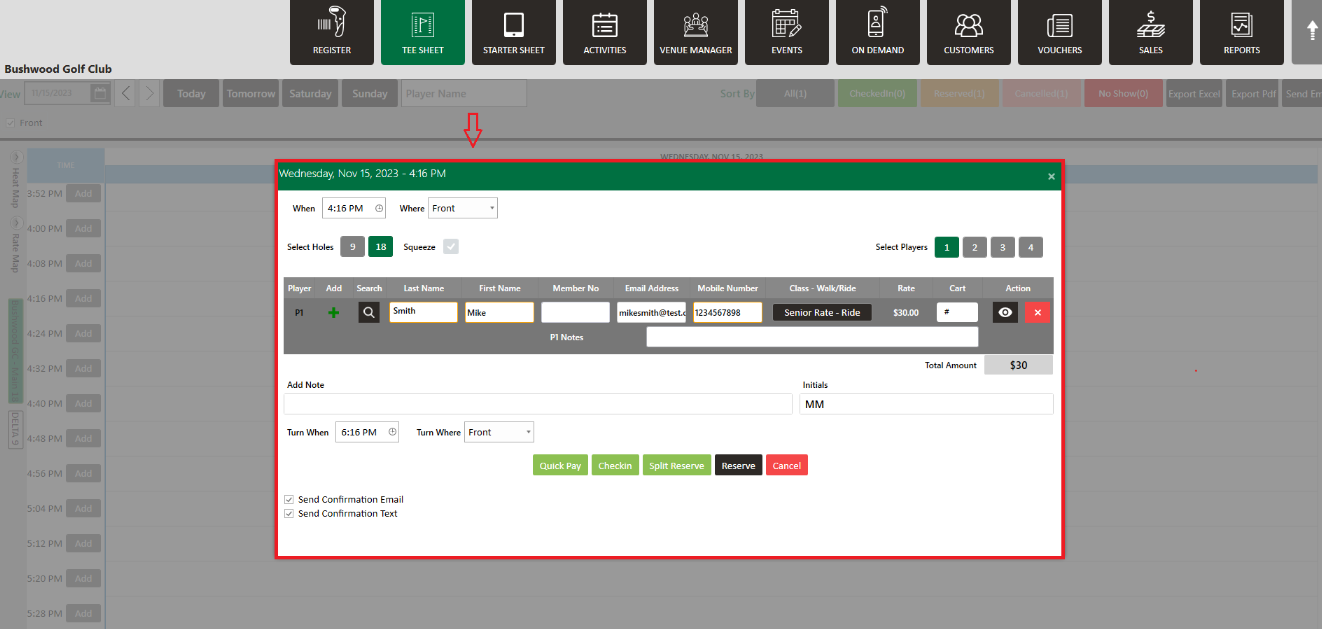
Step 3: The system will open a new Tee-Time window. To add a new guest click on the + symbol.
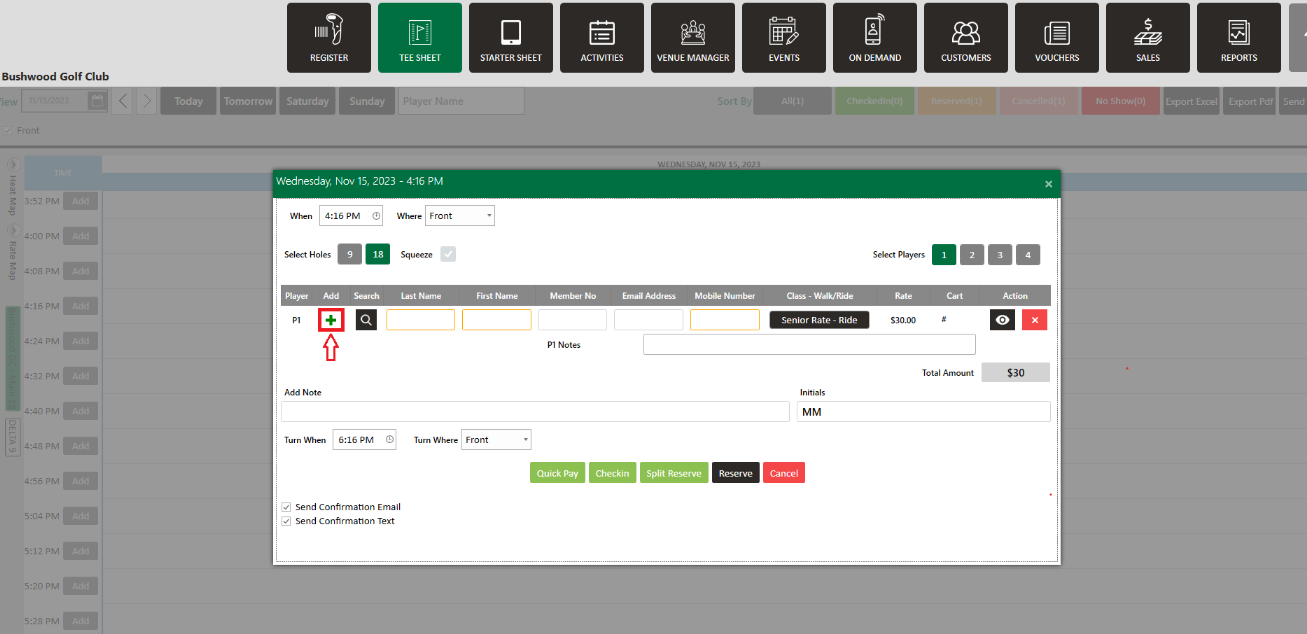
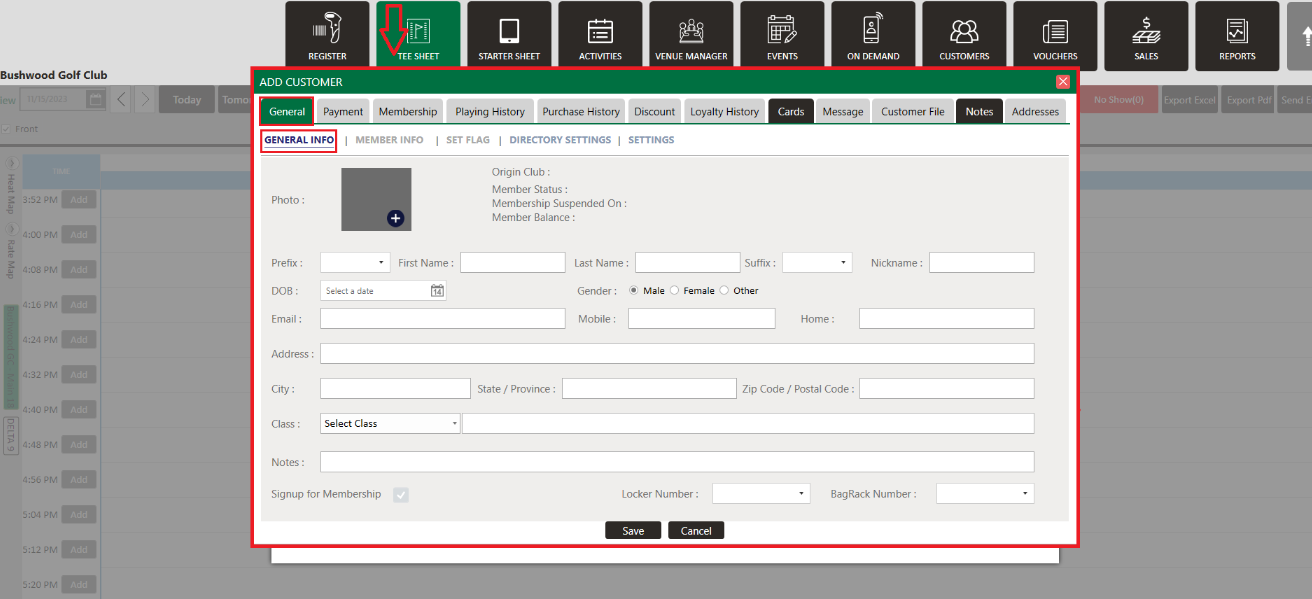
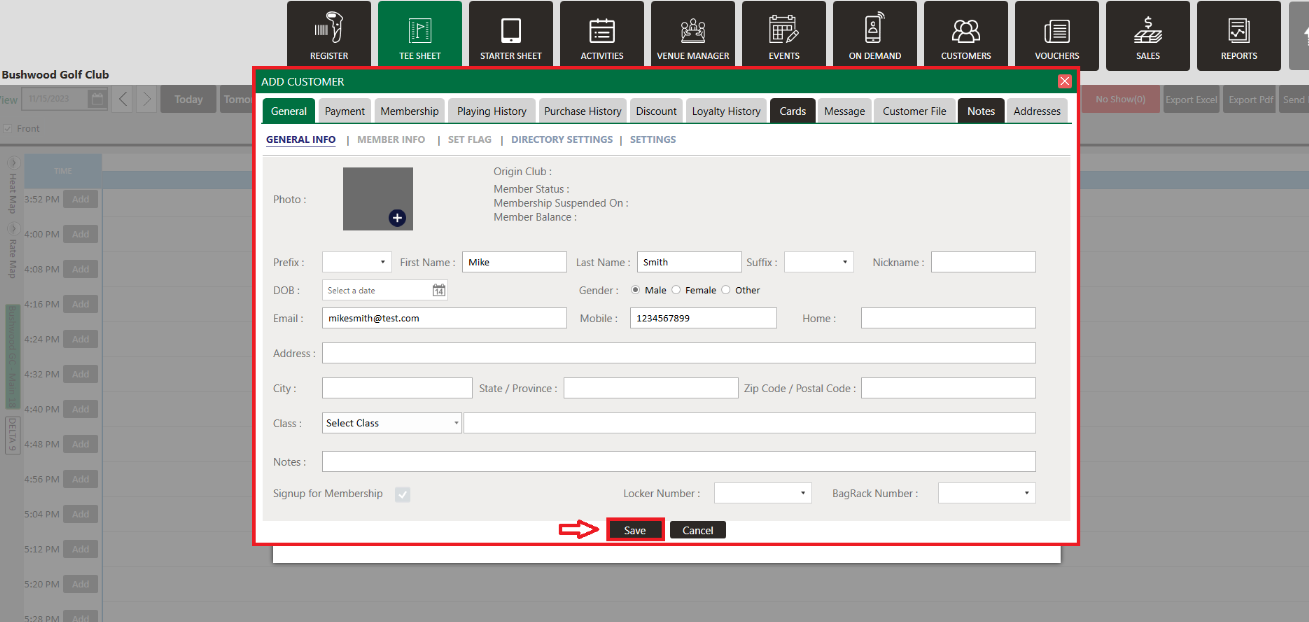
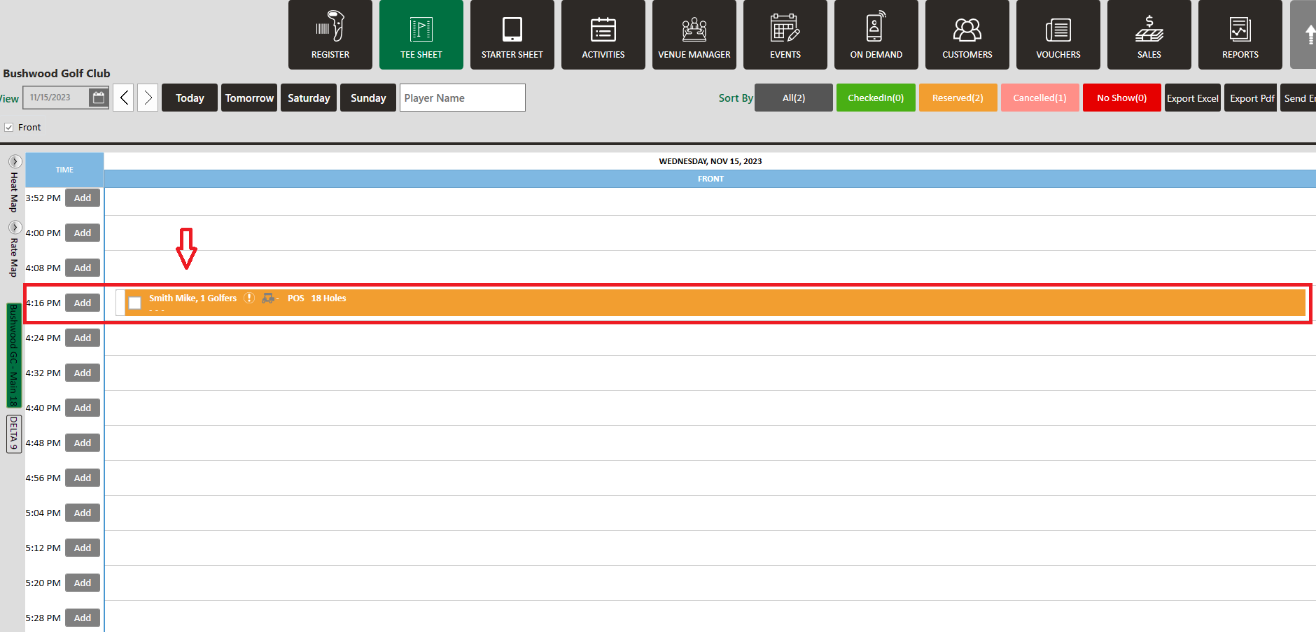
Step 4: The system will generate an Add Guest window. Select General Info under the General tab. Fill in all the necessary info then click Save. The guest will be added and will reflect in tee-time. Finally click Reserve or Split Reserve and you will see that new guest booked on your tee sheet.