Tee Sheet - Repeat Tee Times

Repeating Tee Times

Article Contents: This article contains information on how to repeat tee times.

Step-By-Step

Step 1: Navigate to the TEE SHEET module from the top navigation bar.
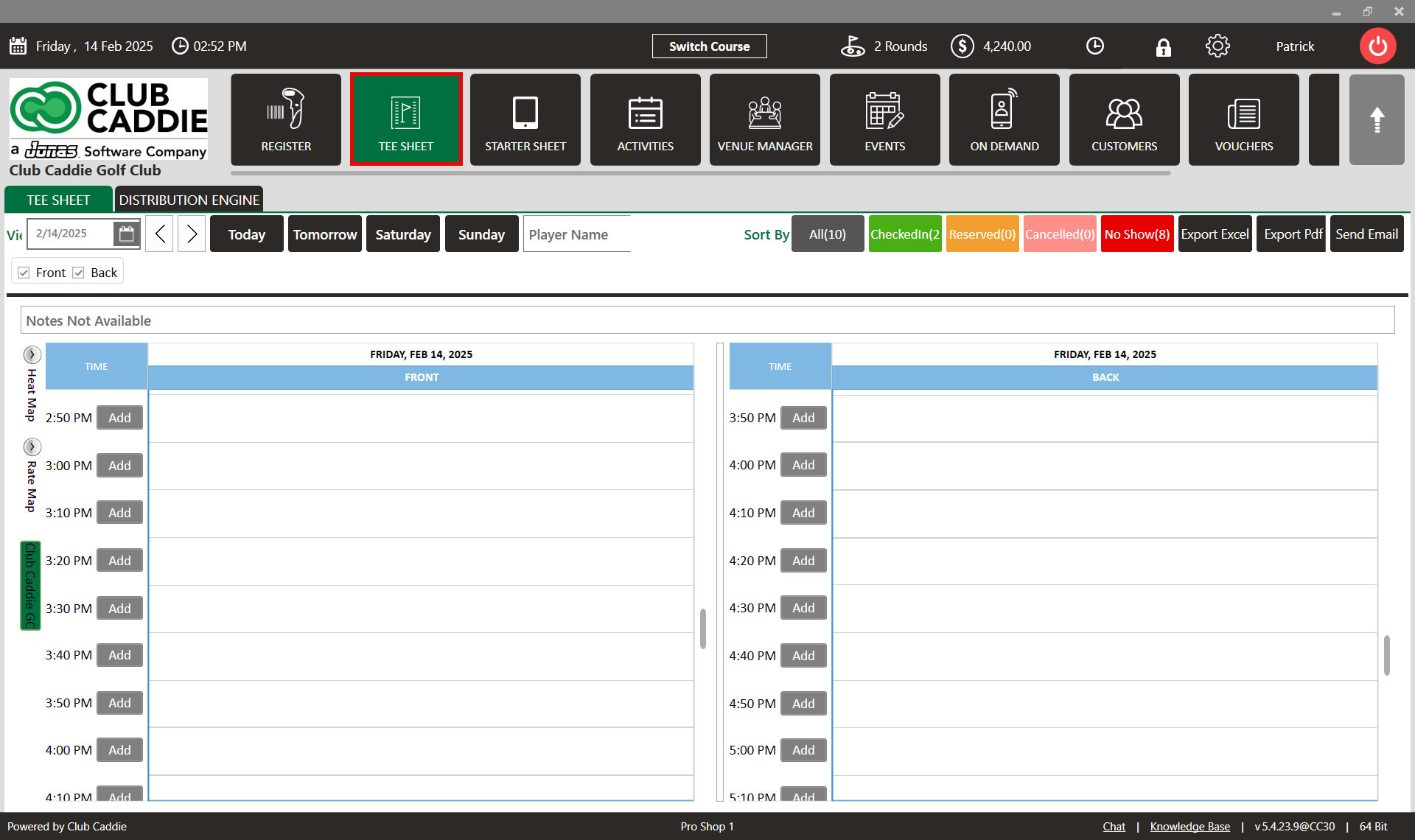
Step 2: Check the box of the desired reservation / booked tee time from the Tee Sheet to make a selection.

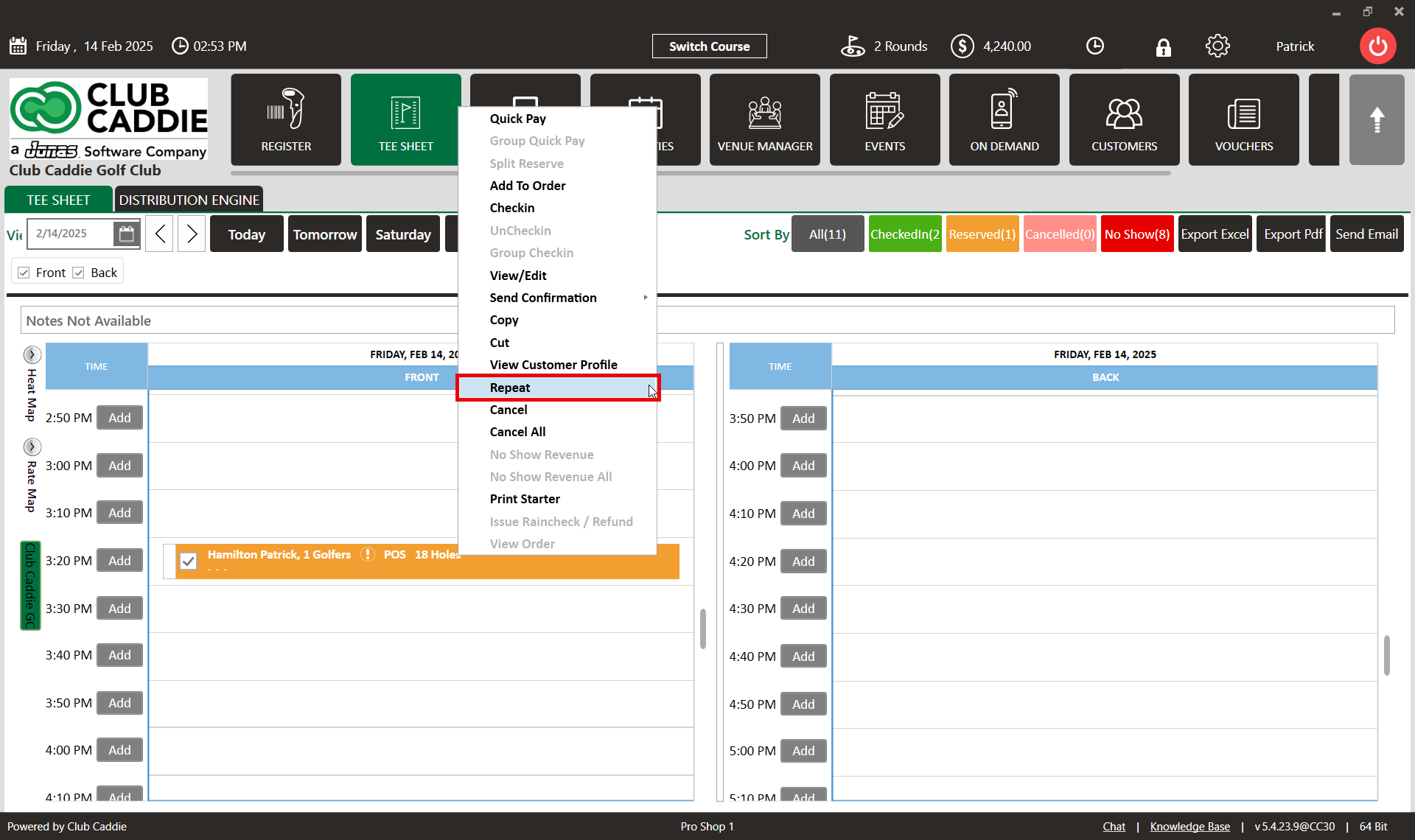
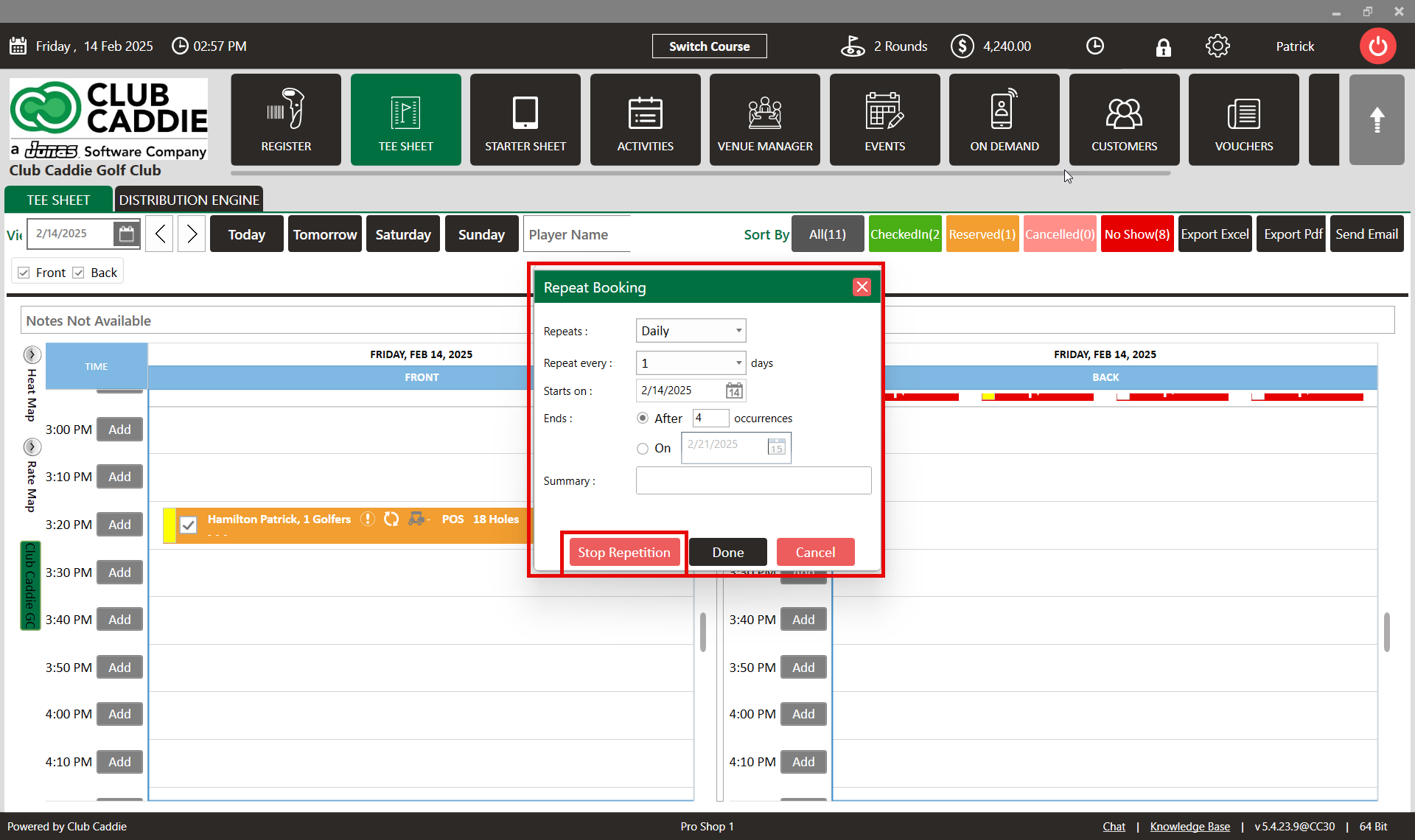
Step 3: Right-click on the selected booking. A selection window will appear where the Repeat option is to be selected. Once completed, a Repeat Booking pop up window will open.
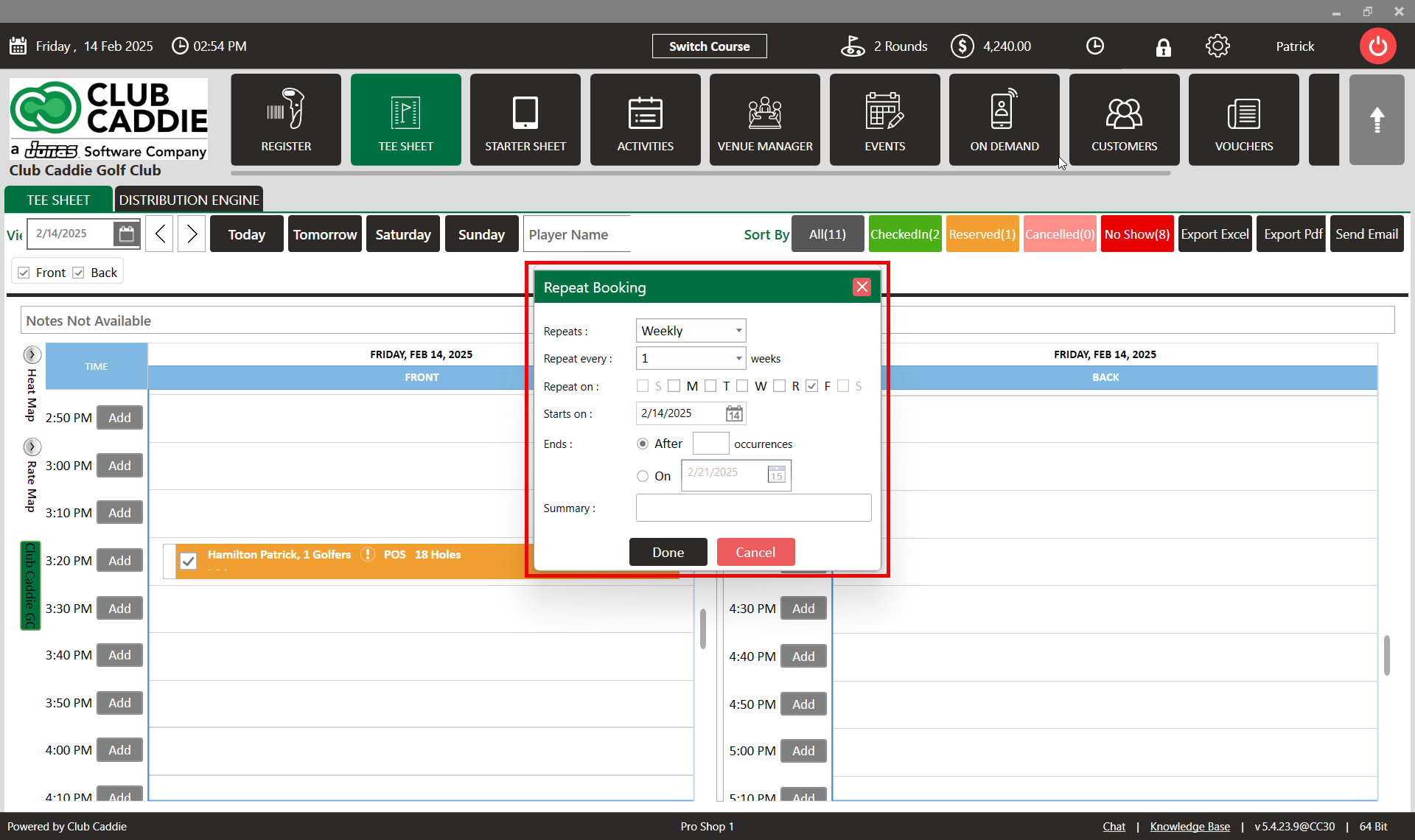
Step 4: Within the Repeat Booking window, fill in the details: Repeats, Daily, Weekly, Number of Days, Repeat every, Starts on, Ending Date for Repeat. Additionally, a Summary field is to be completed.
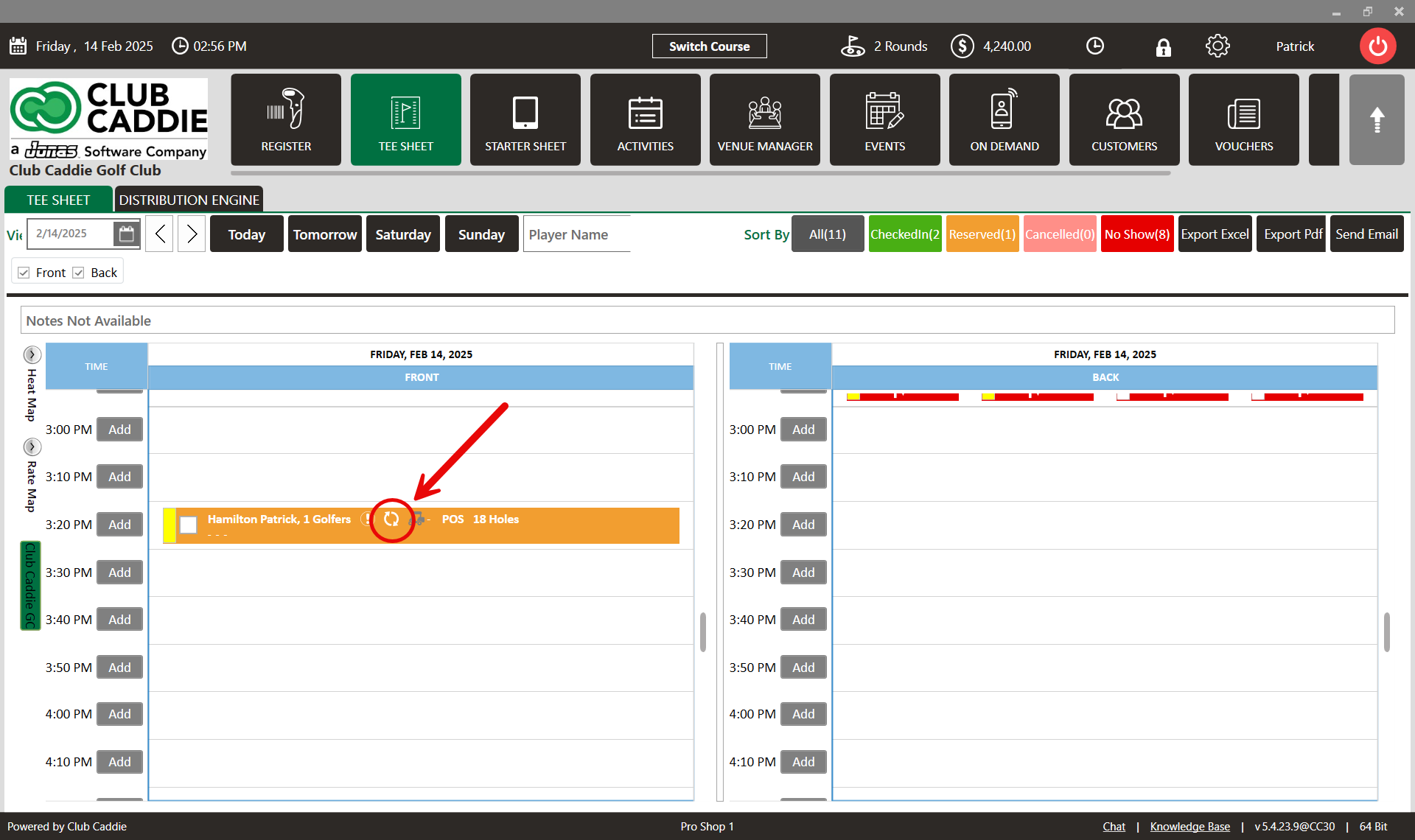
Step 5: Click Done and a Repeat icon will be created on the Tee Sheet, along with other tee time highlights.
Step 6: To cancel/edit the created repetition, right-click on the reservation within the tee sheet and select Repeat. A Repeat Booking pop-up window will open. Make the required changes and click on Done or Stop Repetition.
    • Related Articles

    • Reserve A Tee Time

      Article Contents: This article contains step-by-step instructions on reserving a new tee time within the tee-sheet module. Step-By-Step Step 1: Select “Tee Sheet” from the main menu. Step 2: The default date selection will be today's date. If you ...
    • How to Squeeze a Tee Time

      Article Contents: This article contains steps on how to squeeze a tee time Step-By-Step Step 1: Navigate to the settings module (1), followed by Tee Time Information (2) in the left menu. Make sure that the Tee Times Squeeze setting is ON (3). Step ...
    • Tee Sheet Icons

      Article Contents: This article contains information related to icons that appear on the tee sheet. Step-By-Step Step 1: Below are icons that you may encounter while viewing an active tee-sheet: : Signifies that the tee time was booked today. : The ...
    • Cancel a Tee Time

      Article Contents This article contains a step by step guide on canceling or deleting a tee time from the Jonas Synergy tee sheet. Step-By-Step Step 1: Navigate to the tee sheet module from the top navigation bar. Step 2: Locate the tee time ...
    • Edit Tee Time

      Article Contents: This article contains step by step instructions on how to edit a tee booking through the tee sheet. Step-By-Step Step 1: Access the TEE SHEET tab from the main menu. Step 2: Locate and select the reservation on the Tee Sheet. Step ...