Distribution Engine Price Overrides

Distribution Engine Price Overrides

Article Contents: This article shows you how to make an override special using the Distribution Engine on the Tee Sheet and control the option to not allow any other price overrides from other third-party Vendors.

Step-by-Step:

Step 1: Click on the Tee Sheet module, followed by selecting Distribution Engine tab. 
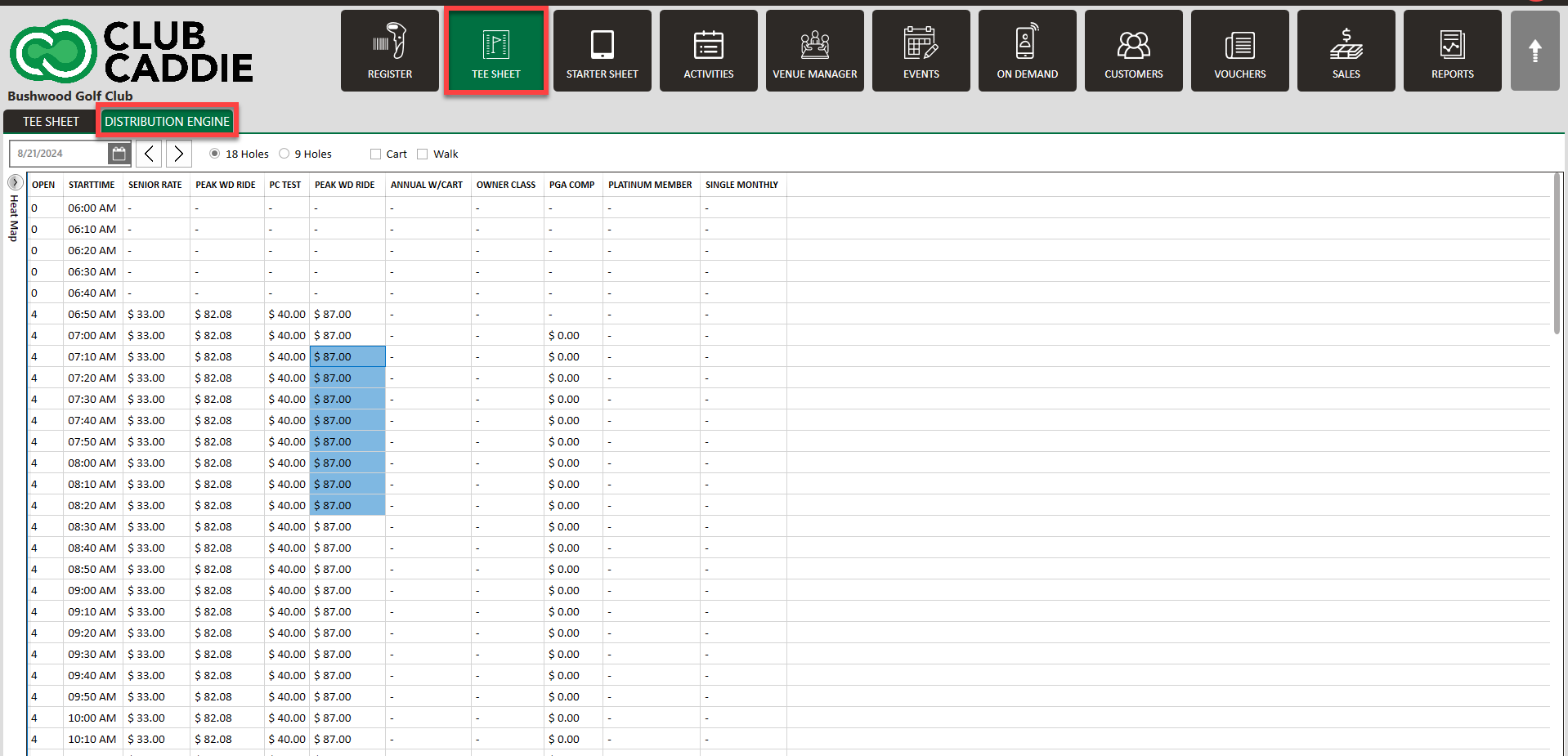
edbsn2ee1a1bd0f87a562892323be1b2862da0a946678dee18cf7324652806295b9eb34f86fde7183575b05600d265b1023aa.png


Step 2: Select the time or times that you wish to edit, then right click and select Create Override Rate.
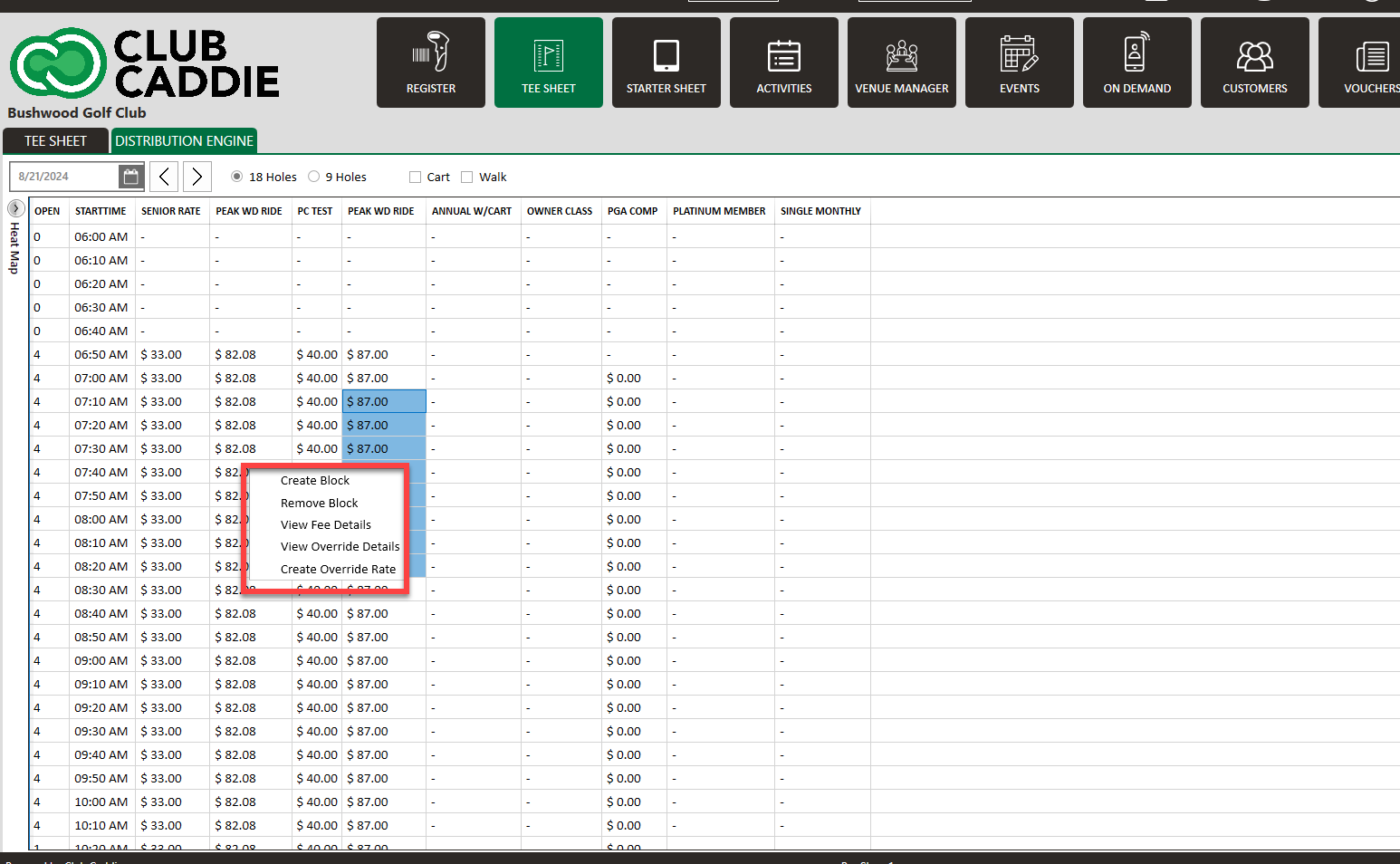
edbsn0ff30a5f2fbcfebe7a084170285ba2d43f05f76c007ad04f5cbcc54f3baf384baa1fabfd51c4882ffe24761aebb67435.png

Step 3: Then, within the pop-up window, toggle on Prevent Further Override From Other Providers. Click Save.
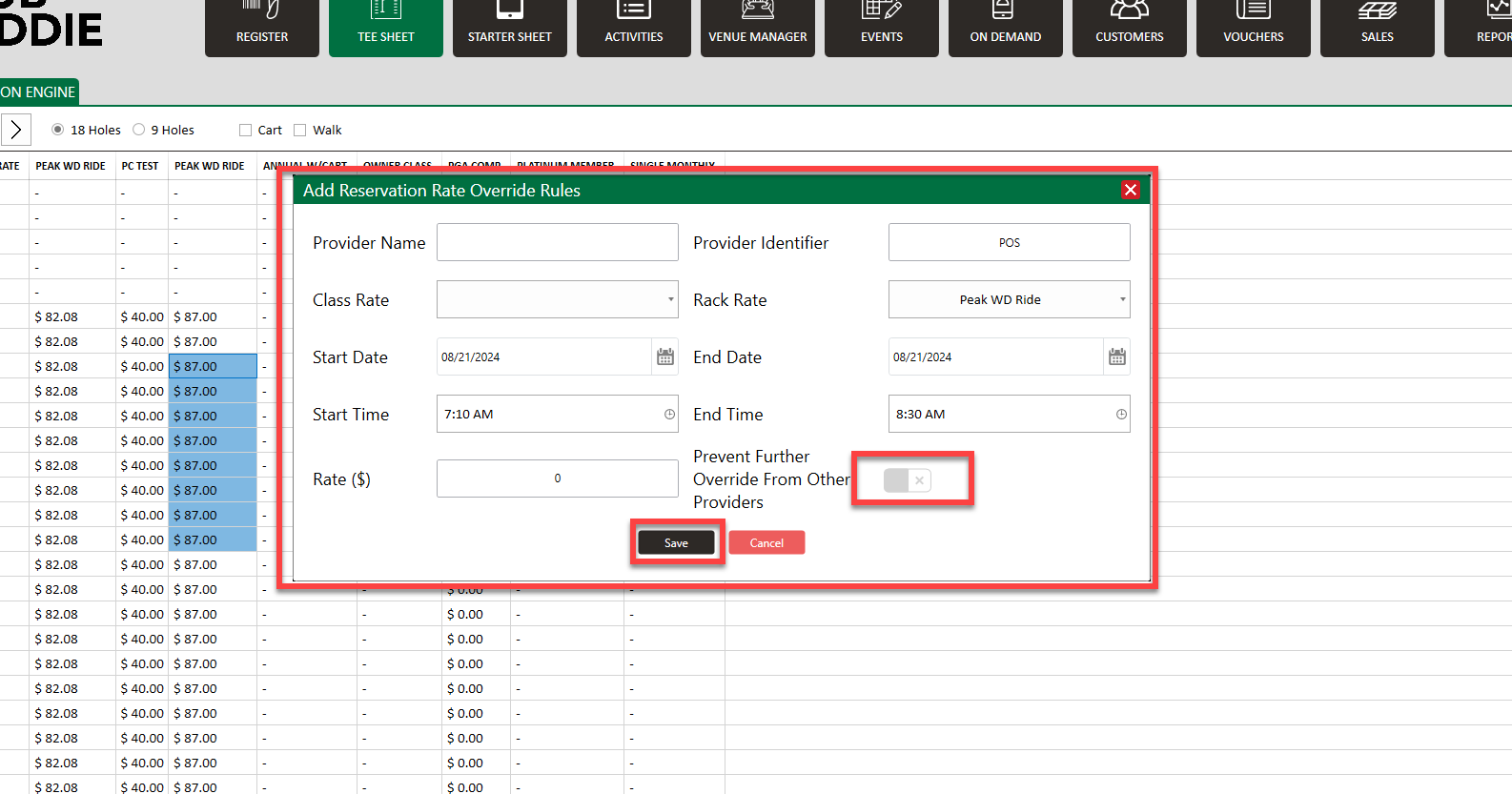
edbsn8b0d345b202d805e6ff15d532394bc733d8ce0ec4e2ecdd1d876961237d65b578a0dd638e5b8cb46d6b65de627b19895.png


Examples: If rain is anticipated, users can choose to discount the prices of those tee times and override distribution engines' pricing, or if users would like to increase particular times of play for various reasons, the same can be done. When associated distribution engines refresh, those times will not be affected.


    • Related Articles

    • Create A Group Reservation

      Article Contents: In this article we will walk through creating a new group reservation which can be used to reserve multiple tee-times at pre-setup or custom prices. Step-By-Step Step 1: Navigate to the TEE SHEET module from the top navigation bar. ...
    • Shotgun Starts

      Article Content: Shotgun Starts Are The Go-To Setup For Tournaments And Large Groups When You Want Multiple Foursomes Starting At The Same Time Across Different Holes. The System Will Automatically Calculate The Number Of Tee Times Required, Assign ...