Discount Vouchers
Example: When you sell a $100 gift card and apply a $20 discount, the register shows an $80 payment, the voucher still holds its full $100 value, and your GL report cleanly records the $20 discount and $80 cash received.
Step-By-Step:
Step 1: Set up a GL account specifically for discounts (e.g., "Gift Card Discounts") under Chart of Accounts in QuickBooks Integration.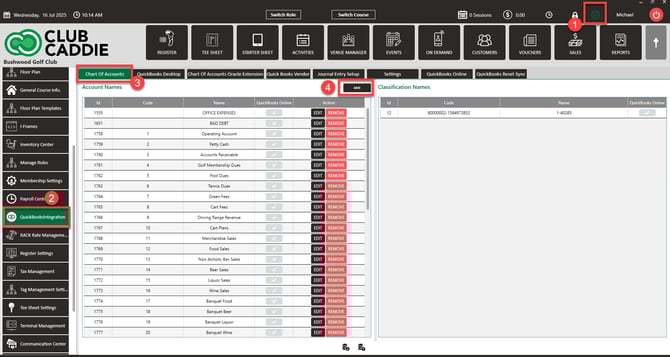
Step 2: Go to Journal Entry Setup, add a new entry for transaction type Voucher Discount, and assign it to the discount GL as a debit.
Step 3: From the point of sale, sell a gift card and apply a discount (e.g., $10 off a $100 gift card).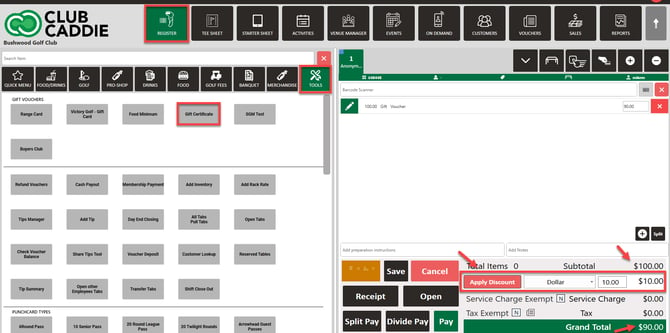
Step 4: The system still recognizes the full voucher value ($100), while the discounted price ($90) and discount amount ($10) are tracked in your GL reports.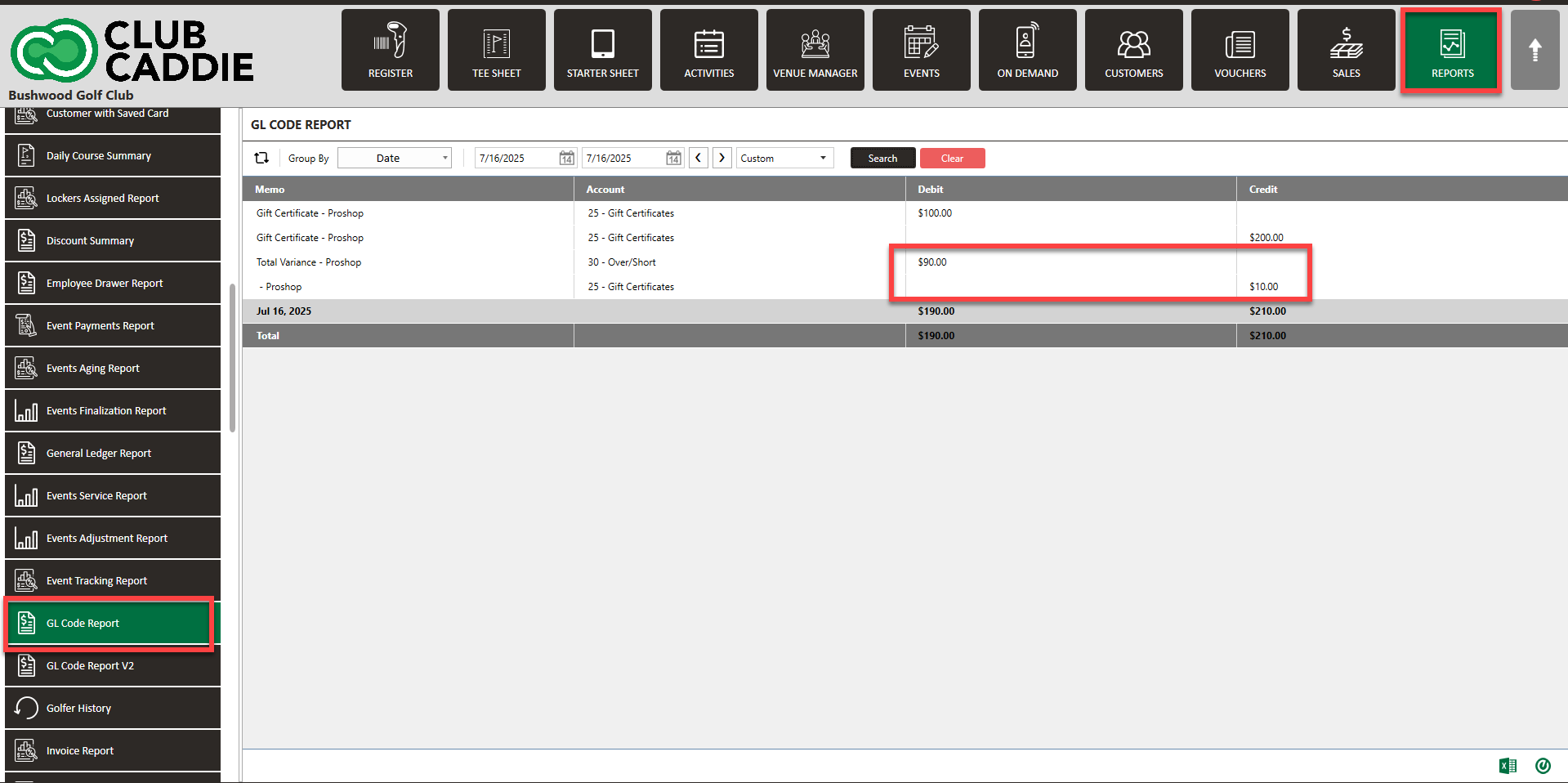
Tip: Set up the GL before offering discounts to ensure clean accounting.
Related Articles
Credit Book Distribution
This article outlines the process of distributing funds from a Credit Book Holding Account into individual Guest accounts. It covers accessing the Credit Book Distribution feature, using the distribution manager to create and customize vouchers, and ...Editing a Punch Card
This article provides a step by step guide on how to edit a punch card Step-By-Step: Step 1: Click on the Vouchers module along the left bar. Then click on Punch Cards from the left-hand menu. Step 2: Search for the punch card and then select Edit. ...Modify Departments
This article contains step-by-step instructions on how to modify the department to which vouchers are restricted too. This feature is typically used by facilities that want to restrict where a guest is able to redeem their Voucher. Ex. Player A ...Credit Book Holding Account Usage History
Article Contents: This article provides users with a guide on viewing your credit book holding account usage history. Step-By-Step: Step 1: To check the balance, usage history, or make additional edits to your holding account's we can navigate to the ...View Punch Card Balance
This article contains step-by-step instructions on how to view a punchcard balance. Step-By-Step: Punch card balances can be viewed either: A) Within a Guest profile or B) By navigating to Punch cards within the VOUCHERS module. Guest Profile (A): ...