Resource Instructor Assignment
Step-By-Step:
Step 1: Navigate to Settings by clicking on the gear wheel icon located in the top right-hand corner of the screen. Then, click on Activity Center on the left-hand menu, followed by the Activity Resource tab.
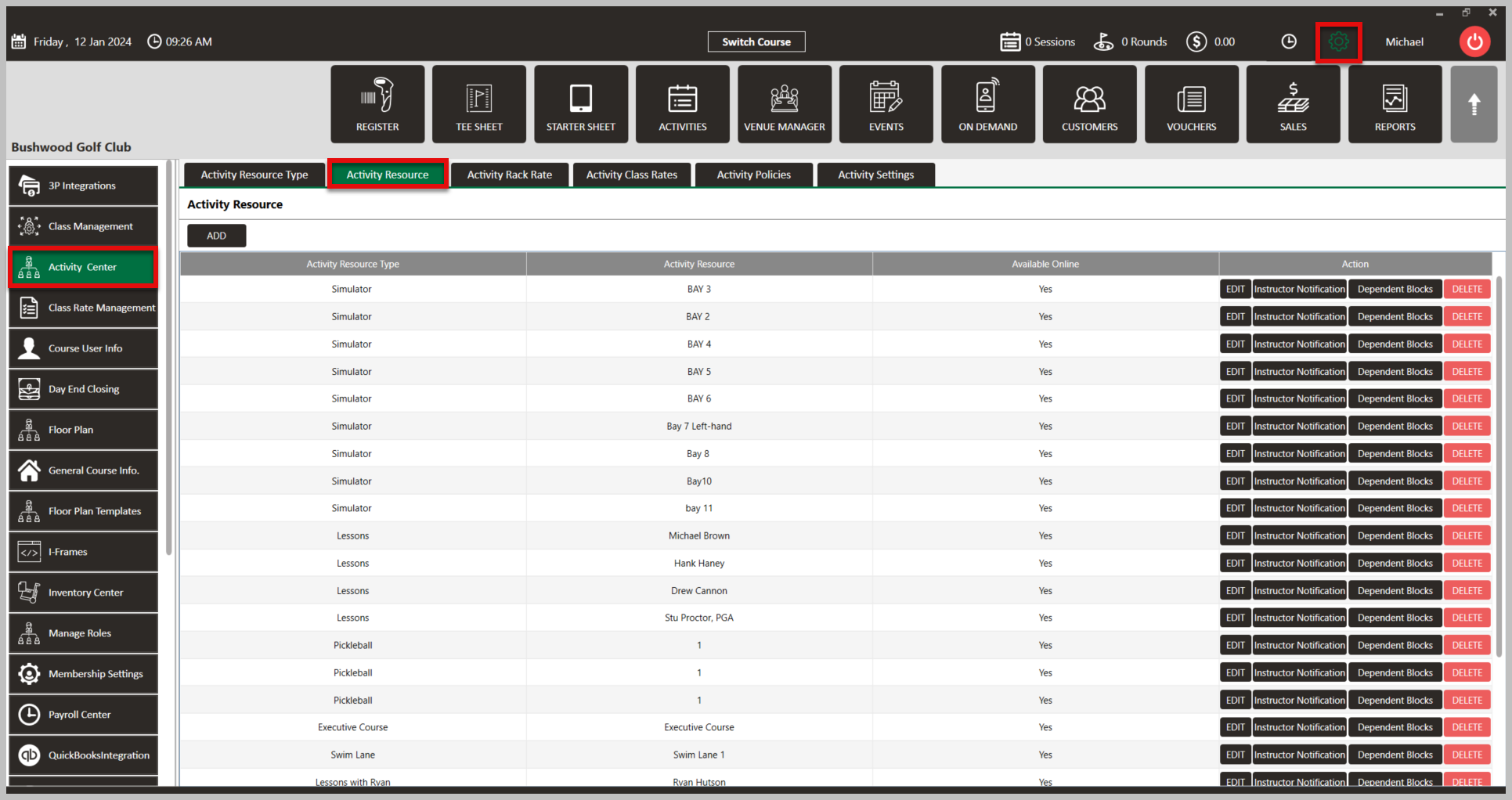
Step 2: Here, you can tie and instructor/employee to a resource such as "Bay 1" or "Court 2", or to their own resource which typically would be the instructors name Ex. "Michael Brown".
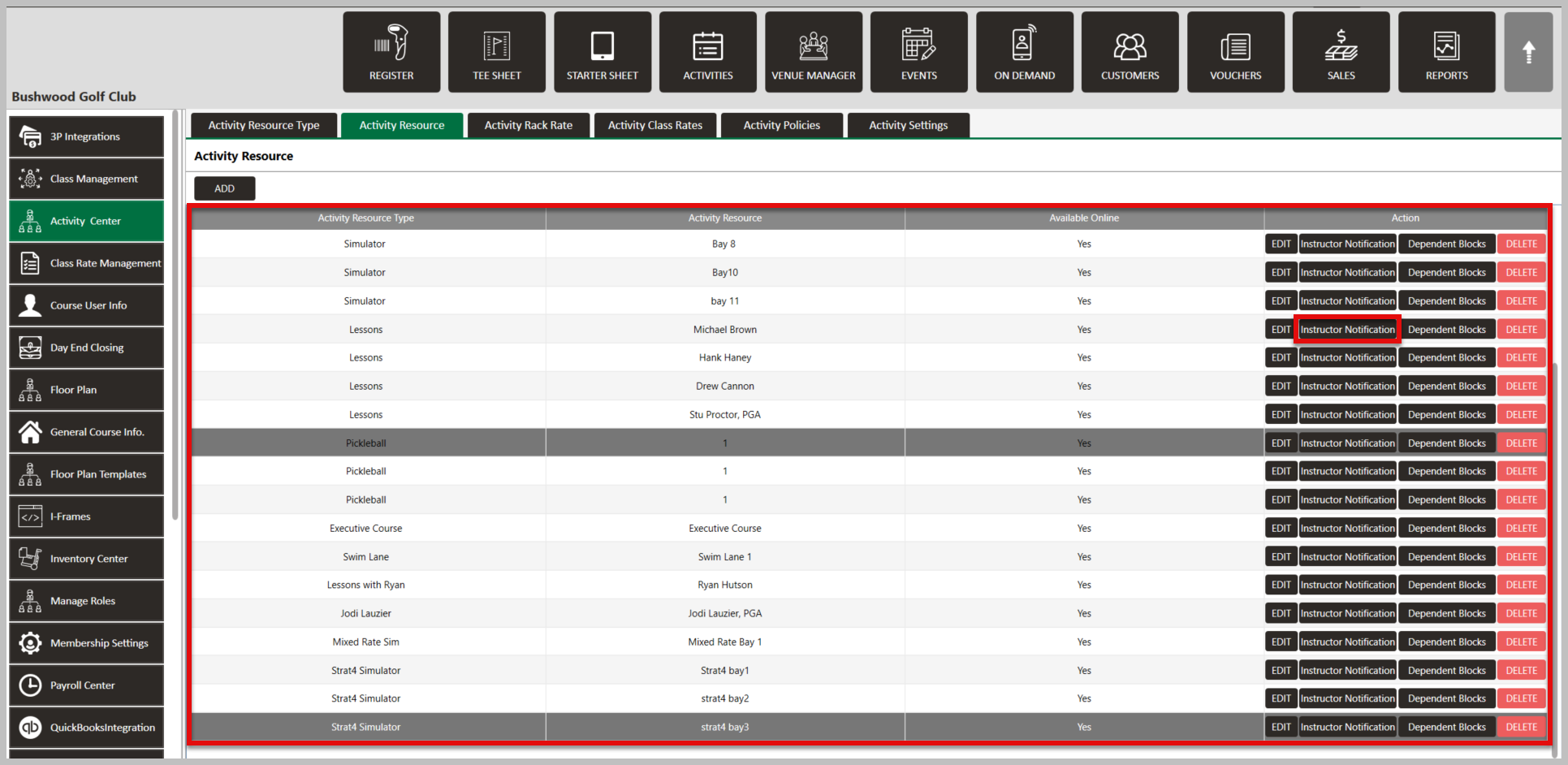
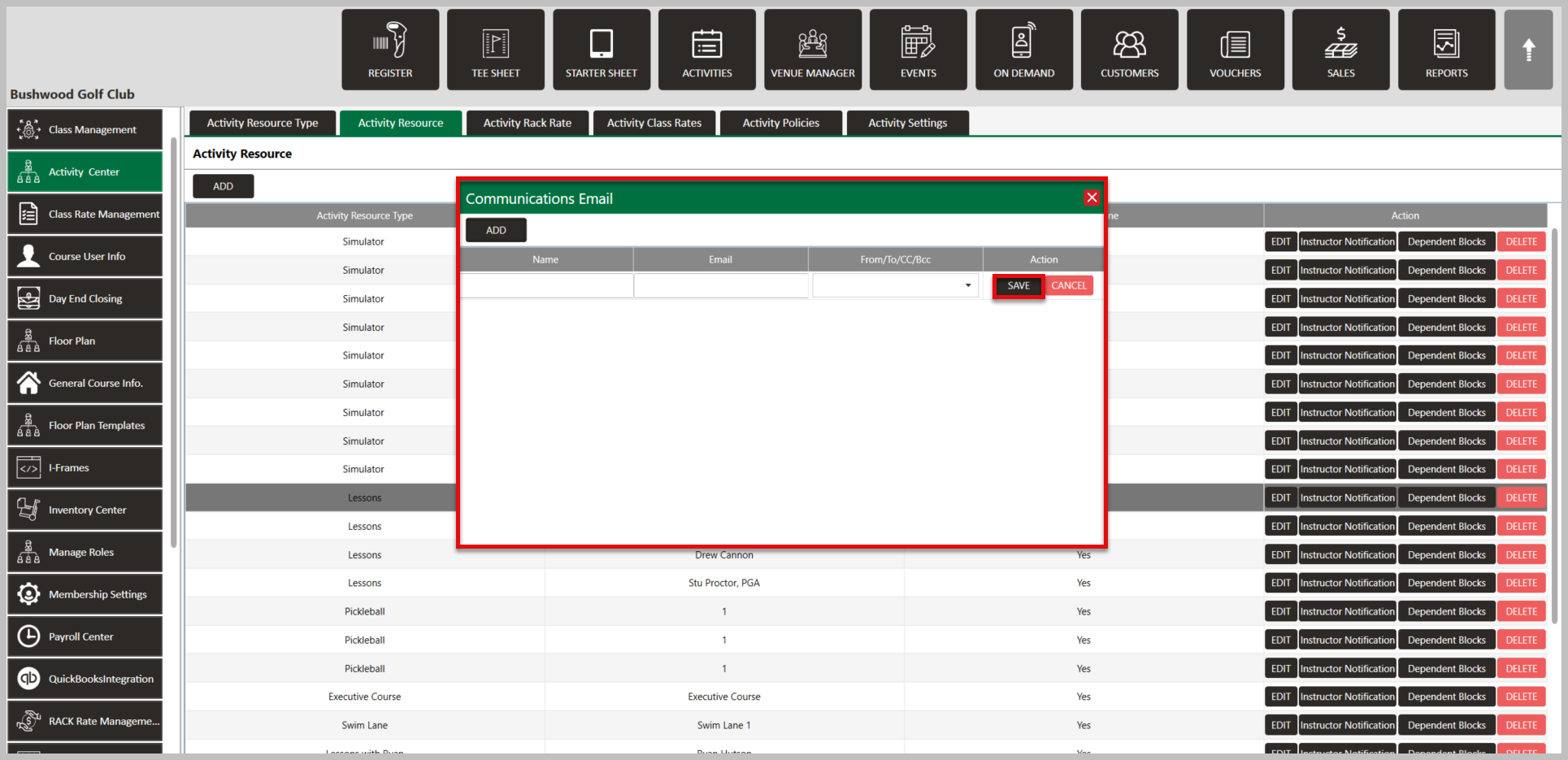
Step 3: To tie the instructor to the resource, click on Instructor Notification > Add Mailer > Email > Add > Enter the correct information, then Save.
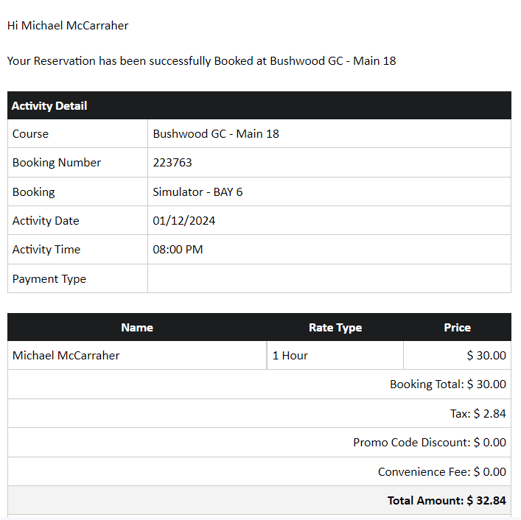
The email entered will now receive a notification when a booking is made in the resource.
Related Articles
Activity Resource
This article contains step-by-step instructions on how to create Activity Resources in Jonas Synergy Software. ACTIVITY RESOURCES ARE THE PHYSICAL LOCATIONS WHERE THE ACTIVITIES ASSOCIATED WITH A SPECIFIC ACTIVITY RESOURCE TYPE ARE PERFORMED, SUCH AS ...Dependent Blocks
This article provides a step-by-step guide on how to set dependent blocks in your activities. Step-By-Step: Step 1: Navigate to Settings, then click on Activity Center from the left-hand-side menu, followed by the Activity Resource tab along the top ...Settings Overview
Article Contents: This article contains an overview of the Activity Center, including its functions and features for managing various activities and resources within the Jonas Synergy software. Overview: Step 1: The Activity Center acts as the ...Reservation Strategy
This article contains a step-by-step guide on how to set your Reservation Strategy as it will set your sequence options for players booking online. Step-By-Step: Step 1: Navigate to Settings and then click on Activity Center from the left-hand-side ...Class Rates
This article contains step-by-step instructions on how to add, edit, and search for Activity Class Rates in the Class Rate Management section of the Activity Center in Jonas Synergy. Before adding class rates, ensure resource types and Classes have ...