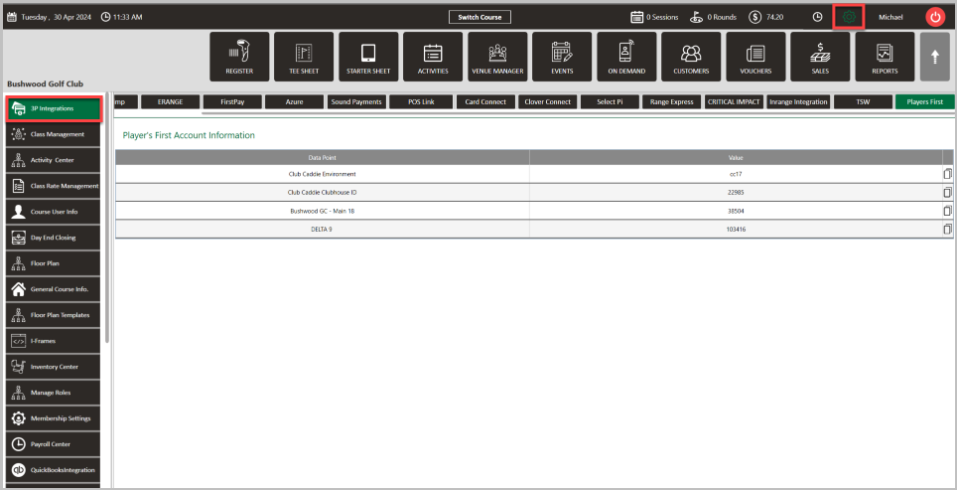
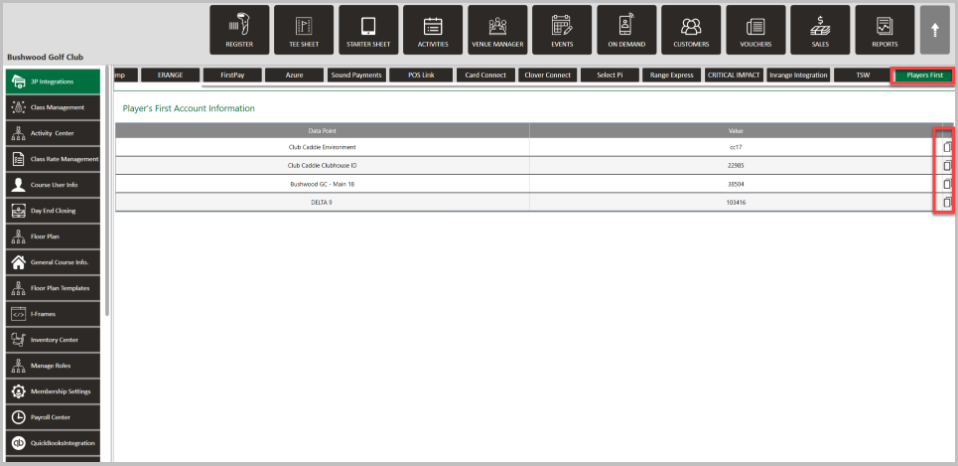
SETTINGS: PLAYERS FIRST INTEGRATION
Related Articles
SETTINGS: E-RANGE INTEGRATION
Article Contents: This article contains a step by step guide on integrating with E-Range Note: For the integration to work properly, the below MUST be followed: 1. Department Name: MUST be called Golf 2. Sub-Department Name: MUST be called Driving ...
SETTINGS: MAILCHIMP INTEGRATION (VIDEO)
This article contains a guide on how to configure the MailChimp integration in Jonas Synergy by using the 3P Integrations settings. It shares where to locate required credentials on MailChimp that are necessary to enter into Jonas Synergy settings, ...
Select Pi Integration
Article Contents: This article contains the steps in integrate Select Pi with Jonas Synergy. Note: For the integration to work properly, the below MUST be followed: 1. Department Name: MUST be called Golf 2. Sub-Department Name: MUST be called ...
SETTINGS: LOTTERY
This article provides steps on how to create a lottery booking for tee times for your facility. Article Content: This article provides steps on how to create a lottery booking for tee times for your facility. Step by Step Guide: Step 1: Navigate to ...
SETTINGS: PREPAID TEE TIME LIABILITIES
The new Prepaid Tee Time Liability feature allows facilities to require a flat fee deposit per player for online bookings, ensuring partial payment is collected upfront. This deposit can be configured as nonrefundable, streamlining revenue handling ...