SETTINGS: MAILCHIMP INTEGRATION (VIDEO)
It shares where to locate required credentials on MailChimp that are necessary to enter into Jonas Synergy settings, and covers where to find the integration options, and how to fill in the required fields for successful integration.
Step-By-Step:
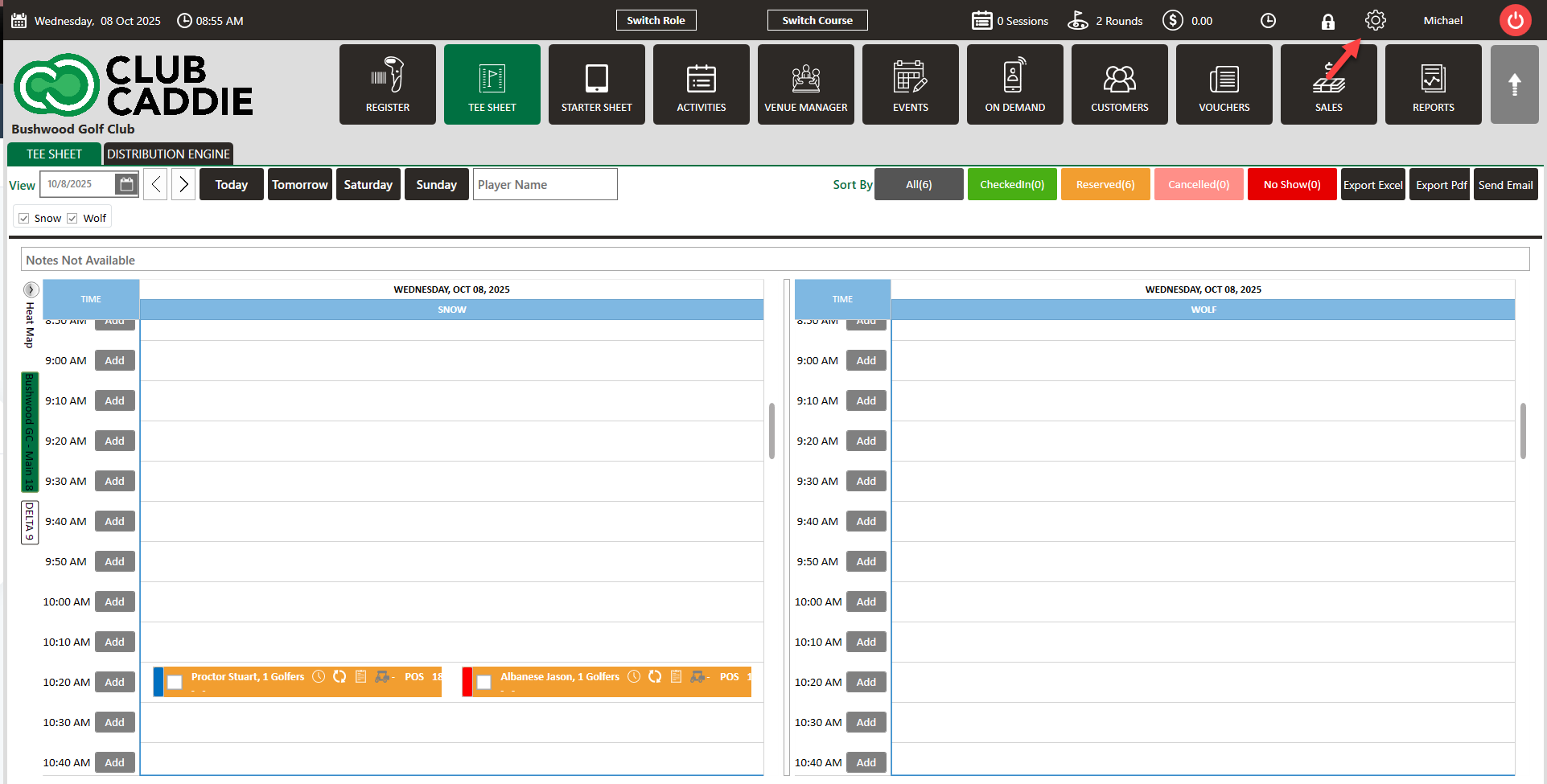
Step 1: Click on Settings (gear wheel top right).
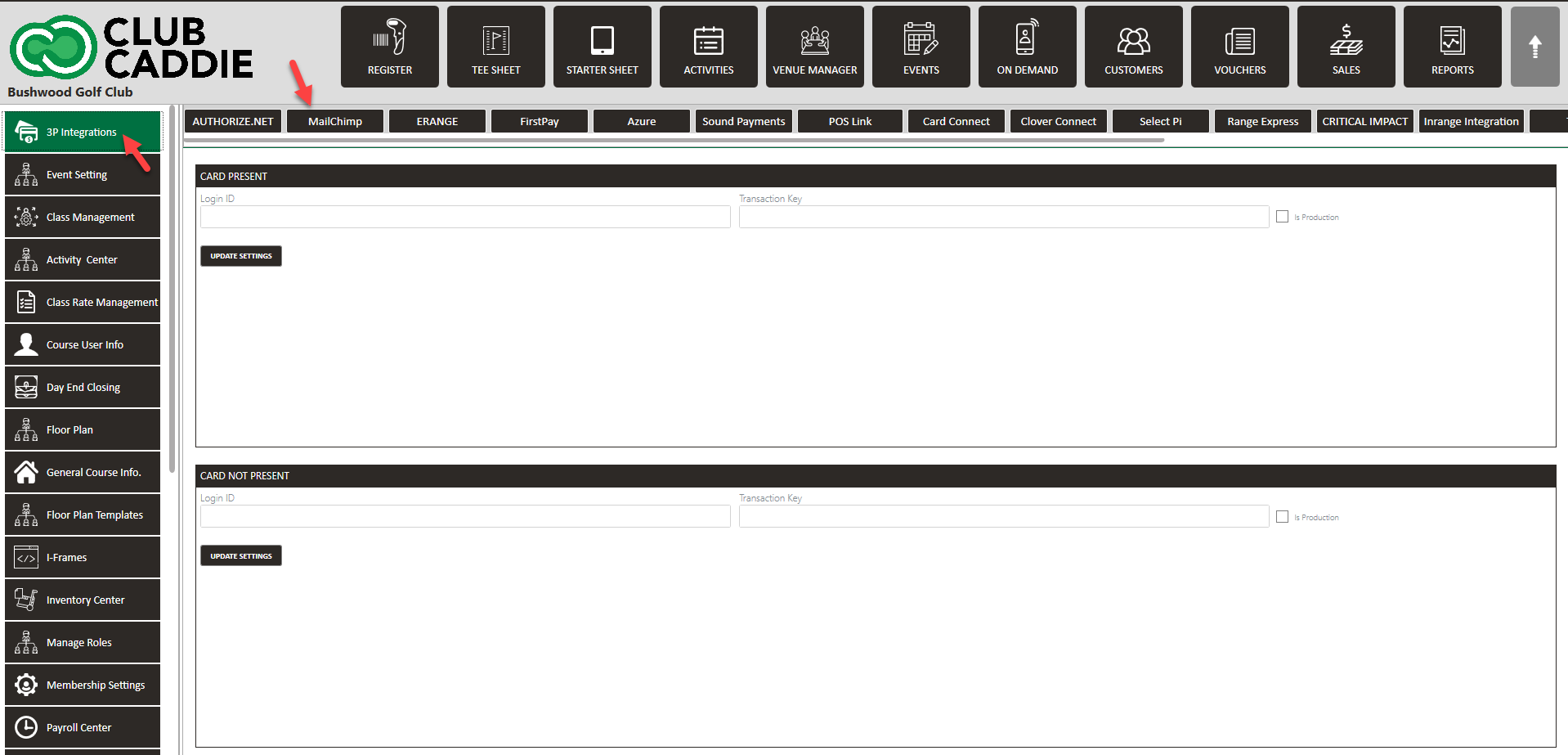
Step 2: Click on "3P Integrations" on the left hand side menu, and then click "MailChimp" on the top row.
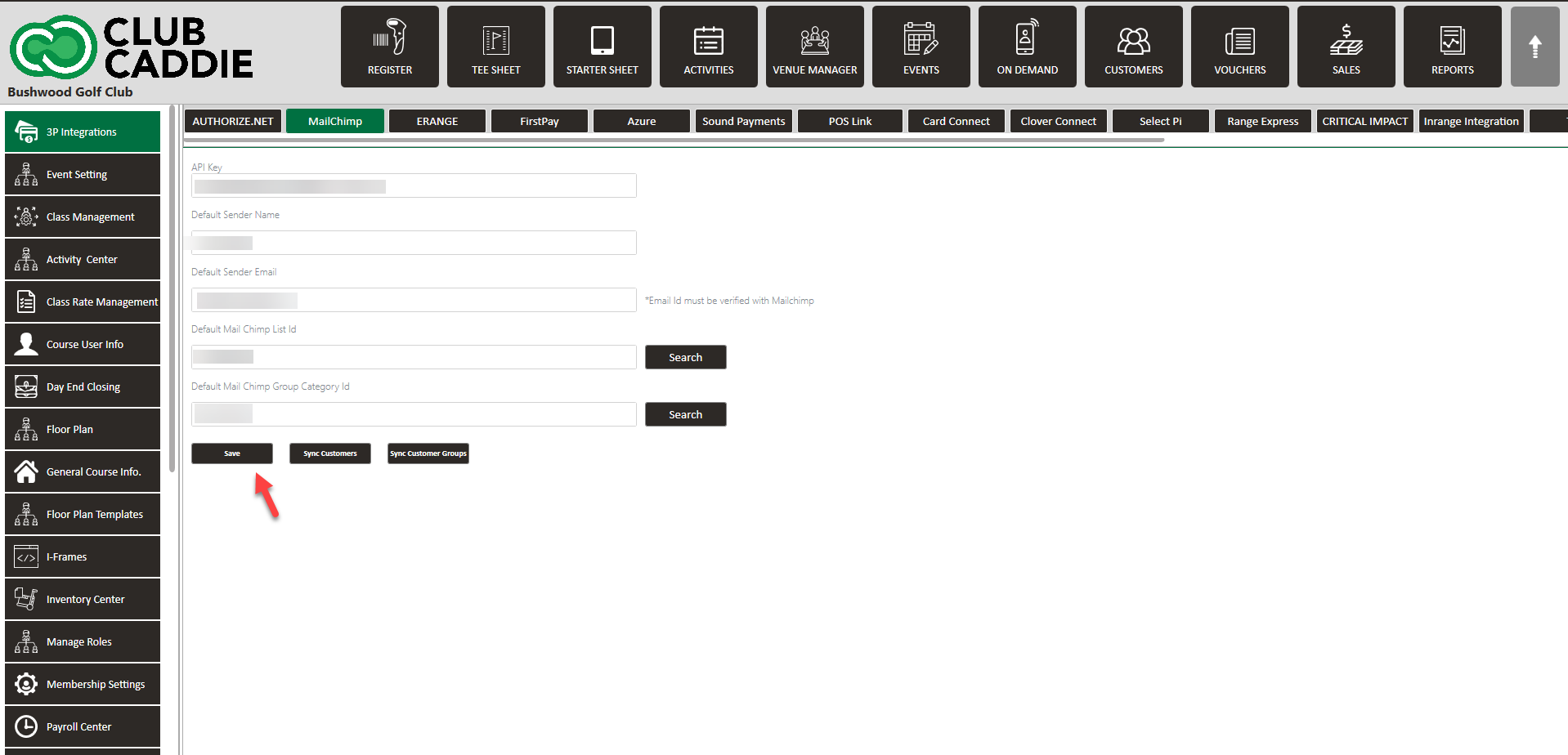
Step 3: Enter all required fields below:
API Key - Found in the "Extras" tab on MailChimp.
Default Sender Name
Default Sender Email
Default Mail Chimp List Id (will be able to select once API Key is entered)
Default Sender Name
Default Sender Email
Default Mail Chimp List Id (will be able to select once API Key is entered)
Default Mail Chimp Group Category Id (will be able to select once API Key is entered)
Credentials are provided by MailChimp.
Step 4: Once all information is entered, click Save.
Related Articles
SETTINGS: E-RANGE INTEGRATION
Article Contents: This article contains a step by step guide on integrating with E-Range Note: For the integration to work properly, the below MUST be followed: 1. Department Name: MUST be called Golf 2. Sub-Department Name: MUST be called Driving ...Select Pi Integration
Article Contents: This article contains the steps in integrate Select Pi with Jonas Synergy. Note: For the integration to work properly, the below MUST be followed: 1. Department Name: MUST be called Golf 2. Sub-Department Name: MUST be called ...SETTINGS: DEPARTMENTS TAB OVERVIEW (VIDEO)
Article Contents: In this video tutorial, we provide step-by-step instructions on navigating the second tab of the register settings: Department. Below are the key points covered. Step-By-Step: Step 1: The Department tab is where you create and ...SETTINGS: PLAYERS FIRST INTEGRATION
Article Contents: This article covers the steps on how to integrate Jonas Synergy with Players first. Step by Step Step 1: Navigate to Settings, then click on 3p Integrations from the left hand side menu. Step 2: Scroll to the right and select ...SETTINGS: MEAL COURSE (VIDEO)
Article Contents: This article contains step-by-step instructions on how to edit your display sequence for items in your register. Function: Users can create any number of courses and then assign those courses to individual Items. These courses will ...